Asyncio in Python: A Beginner's Guide to Asynchronous Programming
A lot of programs spend most of their time waiting. A web scraper waits for pages to download, an API server waits for the database, a chat bot waits for messages. In ordinary Python code, every one of those waits blocks the program, so ten one-second requests take ten seconds even though your CPU sat idle almost the entire time.
asyncio is Python's built-in framework for doing something useful during those waits. With async and await, a single thread can juggle hundreds or thousands of in-flight operations, switching to whichever one is ready to make progress. Those ten requests take about one second instead of ten.
This guide is for people who have never written async code, or who have copied some and weren't sure why it worked. I'll cover coroutines and await, the event loop, running things concurrently with tasks and TaskGroup, timeouts, limiting concurrency, queues, cancellation, and the mistakes almost everyone makes at first. All examples run on Python 3.13 with only the standard library.
The Core Idea: Cooperative Multitasking
Think about making breakfast. You start the coffee, and while it brews you put bread in the toaster. You don't stand and stare at the coffee machine for two minutes before touching the bread. You're one person (one thread), but you're making progress on two things because most of each task is waiting.
That's exactly the asyncio model:
- There's one event loop, running in one thread, that decides what runs next.
- Your code is written as coroutines, functions that can pause at points where they're waiting.
- When a coroutine hits
awaiton something that isn't ready yet (a network response, a timer), it hands control back to the event loop, which runs another coroutine that is ready.
It's called cooperative because coroutines have to voluntarily give up control by awaiting. Nothing forcibly interrupts them. That detail explains both why asyncio is efficient and the biggest pitfall, which we'll get to.
Coroutines, async def, and await
A function defined with async def is a coroutine function. Calling it doesn't run its body; it creates a coroutine object, which runs when something awaits it or schedules it:
import asyncio


async def greet() -> str:
    return "hi"


coro = greet()
print(type(coro))         # <class 'coroutine'>
print(asyncio.run(coro))  # hi
asyncio.run() is the entry point. It creates an event loop, runs the coroutine you pass in until it finishes, and then closes the loop. A typical async program has one asyncio.run(main()) call at the bottom, and everything else happens inside main().
Inside a coroutine, await means "run this awaitable and give me its result, and let other things run while it's waiting":
# breakfast_sequential.py
import asyncio
import time


async def brew_coffee() -> str:
    print("start coffee")
    await asyncio.sleep(2)
    print("coffee ready")
    return "coffee"


async def toast_bread() -> str:
    print("start toast")
    await asyncio.sleep(1)
    print("toast ready")
    return "toast"


async def main() -> None:
    start = time.perf_counter()
    coffee = await brew_coffee()
    toast = await toast_bread()
    print(coffee, toast, f"{time.perf_counter() - start:.1f}s")


asyncio.run(main())
Output:
start coffee
coffee ready
start toast
toast ready
coffee toast 3.0s
asyncio.sleep() stands in for any real wait, like a network request. Notice that this took 3 seconds, the same as normal synchronous code would. Awaiting one thing after another is still sequential. await lets other tasks run while you wait, but here there are no other tasks. To get concurrency, you need to start several operations before waiting on them.
Running Coroutines Concurrently
asyncio.gather()
The simplest way to run several coroutines at once is asyncio.gather(), which runs them concurrently and returns their results in the order you passed them. Replace main() in the previous example with this version:
async def main() -> None:
    start = time.perf_counter()
    coffee, toast = await asyncio.gather(brew_coffee(), toast_bread())
    print(coffee, toast, f"{time.perf_counter() - start:.1f}s")
Output:
start coffee
start toast
toast ready
coffee ready
coffee toast 2.0s
Both start immediately. The toast finishes first, the coffee a second later, and the total time is the length of the longest task, 2 seconds, rather than the sum.
Tasks with asyncio.create_task()
Under the hood, concurrency in asyncio comes from tasks. asyncio.create_task() wraps a coroutine in a Task and schedules it on the event loop right away. You can do other work, then await the task later to get its result:
# tasks.py
import asyncio
import time


async def fetch(name: str, delay: float) -> str:
    await asyncio.sleep(delay)
    return f"{name} done"


async def main() -> None:
    start = time.perf_counter()
    task1 = asyncio.create_task(fetch("users", 1))
    task2 = asyncio.create_task(fetch("orders", 1.5))
    print("tasks started, doing other work...")
    await asyncio.sleep(0.5)
    print("other work finished")
    print(await task1)
    print(await task2)
    print(f"{time.perf_counter() - start:.1f}s")


asyncio.run(main())
Output:
tasks started, doing other work...
other work finished
users done
orders done
1.5s
The tasks were running in the background the whole time main() was doing its own work, so the total is 1.5 seconds.
One caution: the event loop only keeps a weak reference to tasks. If you create a task and don't keep a reference to it (or await it), it can be garbage-collected before it finishes. Store tasks in a variable or a collection, or better, use a TaskGroup.
asyncio.TaskGroup: The Recommended Way
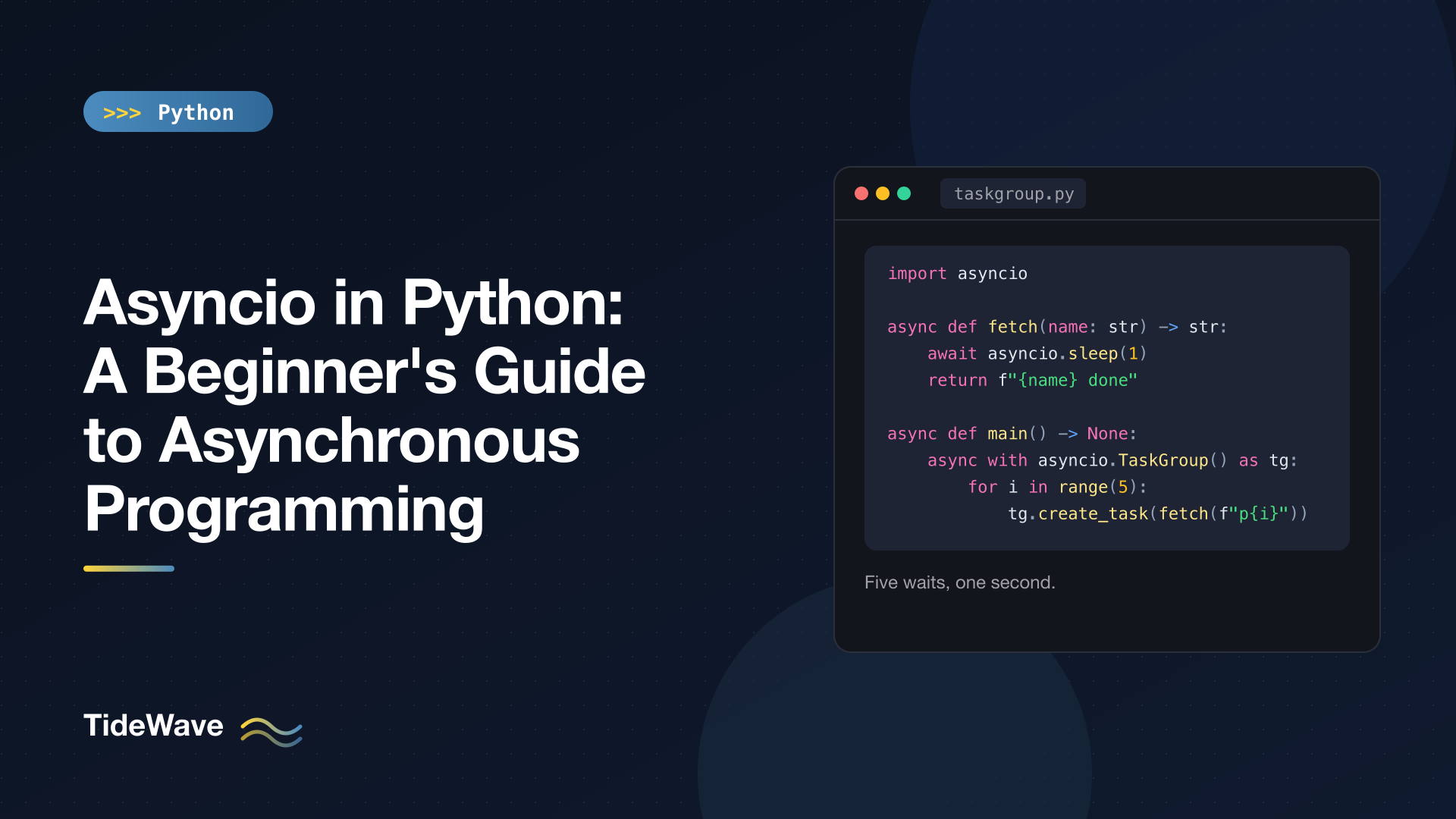
Python 3.11 added asyncio.TaskGroup, which is now the preferred way to run a group of tasks. It's an async context manager: tasks created in the block run concurrently, and the block doesn't exit until all of them are done.
# taskgroup.py
import asyncio
import time


async def fetch(name: str, delay: float) -> str:
    await asyncio.sleep(delay)
    return f"{name} done"


async def main() -> None:
    start = time.perf_counter()
    async with asyncio.TaskGroup() as tg:
        tasks = [tg.create_task(fetch(f"page-{i}", 1)) for i in range(5)]
    print([t.result() for t in tasks])
    print(f"{time.perf_counter() - start:.1f}s")


asyncio.run(main())
Output:
['page-0 done', 'page-1 done', 'page-2 done', 'page-3 done', 'page-4 done']
1.0s
Five one-second operations in one second. TaskGroup has two advantages over loose tasks and gather():
- No orphaned tasks. When the
async withblock ends, every task has finished. Nothing keeps running in the background by accident. - Sane error handling. If any task raises, the group cancels the remaining tasks and raises an
ExceptionGroupcontaining every failure. You handle it withexcept*, which is covered in Exception Groups andexcept*in Python.
async with is the async version of the with statement; the context manager can await during setup and teardown. Context Managers in Python: with Statements and contextlib covers how both versions work.
Timeouts
Network operations can hang. Never wait forever on something you don't control. asyncio.timeout() (Python 3.11+) cancels whatever is inside the block if it takes too long:
# timeouts.py
import asyncio


async def slow_report() -> str:
    await asyncio.sleep(5)
    return "report"


async def main() -> None:
    try:
        async with asyncio.timeout(1):
            await slow_report()
    except TimeoutError:
        print("gave up after 1 second")

    try:
        await asyncio.wait_for(slow_report(), timeout=0.5)
    except TimeoutError:
        print("wait_for timed out too")


asyncio.run(main())
Output:
gave up after 1 second
wait_for timed out too
asyncio.wait_for() is the older single-coroutine equivalent. Both raise the built-in TimeoutError. The timeout() context manager is more flexible because it can cover several awaits at once, for example a request plus parsing the response.
Processing Results as They Finish
gather() and TaskGroup give you results once everything is done. If you want to handle each result as soon as it's ready, use asyncio.as_completed():
import asyncio


async def fetch(name: str, delay: float) -> str:
    await asyncio.sleep(delay)
    return name


async def main() -> None:
    coros = [fetch("slow", 1.5), fetch("fast", 0.5), fetch("medium", 1)]
    for next_done in asyncio.as_completed(coros):
        print(await next_done)


asyncio.run(main())
Output:
fast
medium
slow
Results arrive in completion order, not submission order. This is useful for progress bars, or for showing the first results to a user while the rest are still loading.
Limiting Concurrency with a Semaphore
Starting 10,000 requests at once is a good way to get rate-limited, run out of sockets, or overload the server you're talking to. An asyncio.Semaphore caps how many coroutines can be inside a block at the same time:
# limited.py
import asyncio
import time

START = time.perf_counter()


async def download(i: int, limit: asyncio.Semaphore) -> int:
    async with limit:
        print(f"{time.perf_counter() - START:.1f}s  downloading {i}")
        await asyncio.sleep(0.5)
        return i * 10


async def main() -> None:
    limit = asyncio.Semaphore(3)
    async with asyncio.TaskGroup() as tg:
        tasks = [tg.create_task(download(i, limit)) for i in range(7)]
    print([t.result() for t in tasks])


asyncio.run(main())
Output:
0.0s  downloading 0
0.0s  downloading 1
0.0s  downloading 2
0.5s  downloading 3
0.5s  downloading 4
0.5s  downloading 5
1.0s  downloading 6
[0, 10, 20, 30, 40, 50, 60]
All seven tasks are created immediately, but only three get past async with limit at a time. As each finishes, the next one waiting on the semaphore starts.
Producer/Consumer with asyncio.Queue
When work arrives over time, rather than as a fixed list, a queue with a few worker tasks is the classic pattern:
# workers.py
import asyncio


async def producer(queue: asyncio.Queue[int]) -> None:
    for n in range(1, 6):
        await queue.put(n)
        print(f"produced {n}")


async def worker(name: str, queue: asyncio.Queue[int]) -> None:
    while True:
        n = await queue.get()
        await asyncio.sleep(0.3)
        print(f"{name} processed {n}")
        queue.task_done()


async def main() -> None:
    queue: asyncio.Queue[int] = asyncio.Queue(maxsize=2)
    workers = [asyncio.create_task(worker(f"w{i}", queue)) for i in range(2)]
    await producer(queue)
    await queue.join()
    for w in workers:
        w.cancel()


asyncio.run(main())
Output:
produced 1
produced 2
produced 3
produced 4
w0 processed 1
w1 processed 2
produced 5
w0 processed 3
w1 processed 4
w0 processed 5
The pieces:
maxsize=2provides backpressure. When the queue is full,await queue.put()pauses the producer until a worker takes something out, which you can see as "produced 5" waits for space.- Each worker calls
queue.task_done()after finishing an item. await queue.join()waits until every item that was put in has been marked done.- Workers loop forever, so
main()cancels them once the queue is drained.
Cancellation
Any task can be cancelled with task.cancel(). Cancellation works by raising asyncio.CancelledError inside the task at its current await, which gives the task a chance to clean up:
# cancel.py
import asyncio


async def long_job() -> None:
    try:
        print("job started")
        await asyncio.sleep(10)
    except asyncio.CancelledError:
        print("job cancelled, cleaning up")
        raise


async def main() -> None:
    task = asyncio.create_task(long_job())
    await asyncio.sleep(0.5)
    task.cancel()
    try:
        await task
    except asyncio.CancelledError:
        print("main saw the cancellation")
    print(task.cancelled())


asyncio.run(main())
Output:
job started
job cancelled, cleaning up
main saw the cancellation
True
The important rule: if you catch CancelledError, re-raise it. Swallowing it makes the task look like it finished normally, which breaks timeouts and TaskGroup, both of which rely on cancellation working. In most code, a try/finally for cleanup is simpler than catching CancelledError at all. CancelledError inherits from BaseException, not Exception, precisely so that except Exception: blocks don't swallow it by accident.
Async Iteration
Some data sources produce values over time: a stream of messages, rows from a database cursor, chunks of a download. Async generators and async for handle that:
import asyncio
from collections.abc import AsyncIterator


async def ticker(count: int, interval: float) -> AsyncIterator[int]:
    for i in range(count):
        await asyncio.sleep(interval)
        yield i


async def main() -> None:
    async for value in ticker(3, 0.2):
        print("got", value)


asyncio.run(main())
An async def function containing yield is an async generator. async for awaits each value, so other tasks can run between items. If regular generators are new to you, What Is a Generator in Python? explains the synchronous version first.
The Biggest Pitfall: Blocking the Event Loop
Remember that asyncio is cooperative. A coroutine only gives up control when it awaits. If it calls something slow that doesn't await, like time.sleep(), the requests library, a heavy computation, or a synchronous database driver, the entire event loop freezes. No other task runs until it returns.
Here's a heartbeat that should tick every 0.4 seconds, running next to a coroutine that blocks:
# blocking.py
import asyncio
import time

START = time.perf_counter()


def elapsed() -> str:
    return f"{time.perf_counter() - START:.1f}s"


async def heartbeat() -> None:
    for _ in range(3):
        print(elapsed(), "tick")
        await asyncio.sleep(0.4)


async def blocking_task() -> None:
    time.sleep(1)  # blocks the whole event loop!
    print(elapsed(), "blocking task done")


async def main() -> None:
    async with asyncio.TaskGroup() as tg:
        tg.create_task(heartbeat())
        tg.create_task(blocking_task())


asyncio.run(main())
Output:
0.0s tick
1.0s blocking task done
1.0s tick
1.4s tick
The second tick should have happened at 0.4 seconds, but nothing could run until time.sleep(1) returned. In a real server, this is the difference between handling a thousand requests and handling one.
The fixes:
- Use async libraries for I/O:
httpxoraiohttpinstead ofrequests,asyncpgor an async SQLAlchemy engine instead of a sync driver,asyncio.sleep()instead oftime.sleep(). - Move unavoidable blocking calls to a thread with
asyncio.to_thread():
# to_thread.py
import asyncio
import time

START = time.perf_counter()


def elapsed() -> str:
    return f"{time.perf_counter() - START:.1f}s"


def resize_image(name: str) -> str:
    time.sleep(1)  # stands in for slow, blocking work
    return f"{name} resized"


async def heartbeat() -> None:
    for _ in range(3):
        print(elapsed(), "tick")
        await asyncio.sleep(0.4)


async def main() -> None:
    async with asyncio.TaskGroup() as tg:
        tg.create_task(heartbeat())
        resized = tg.create_task(asyncio.to_thread(resize_image, "cat.png"))
    print(elapsed(), resized.result())


asyncio.run(main())
Output:
0.0s tick
0.4s tick
0.8s tick
1.2s cat.png resized
Now the heartbeat ticks on schedule while the blocking function runs in a worker thread. (The result prints at 1.2 seconds because that's when the whole group, including the heartbeat, finishes.) to_thread() is ideal for blocking I/O. For heavy CPU work, threads are limited by the GIL on standard Python builds, so a process pool is usually the better tool; Threading vs Multiprocessing vs Asyncio in Python: Which Should You Use? compares the options.
Other Common Mistakes
Forgetting await. Calling a coroutine function without awaiting it creates a coroutine object and throws it away. Nothing runs, and Python warns you:
RuntimeWarning: coroutine 'greet' was never awaited
If you see that warning, find the call and add await (or wrap it in a task).
Calling asyncio.run() inside async code. asyncio.run() starts a new event loop and can't be called while one is already running. Inside a coroutine, just await the other coroutine.
Expecting async to speed up CPU-bound code. If your program is slow because it's crunching numbers, not waiting, asyncio won't help. There's only one thread, and it's busy.
Mixing sync and async halfway. Async tends to spread: an async function can only be awaited from another async function. That's normal. Keep the async boundary at the top of your program (asyncio.run(main()), or the framework's entry point) and make the I/O-heavy path async all the way down.
Running in Jupyter. Notebooks already run an event loop, so asyncio.run() fails there. Use top-level await main() in a notebook cell instead.
When to Use asyncio
asyncio is a great fit when your program does a lot of waiting on I/O at the same time:
- Calling many HTTP APIs or scraping many pages.
- Web servers and APIs with many concurrent connections (FastAPI, Starlette, aiohttp).
- Chat bots, websockets, and other long-lived network connections.
- Orchestrating many subprocesses or database queries.
It's a poor fit for CPU-heavy work, and it's overkill for a script that makes three requests in a row. The async ecosystem is large, but you'll need async-compatible libraries for anything that does I/O.
Conclusion
async def creates coroutines, await pauses one until its result is ready while letting others run, and asyncio.run() starts the event loop that schedules them all. Awaiting one coroutine after another is still sequential; concurrency comes from tasks, and asyncio.TaskGroup is the clean, modern way to run a batch of them. Add asyncio.timeout() around anything that might hang, use a Semaphore to cap concurrency, and use a Queue with workers for streams of work.
Above all, never block the event loop. Use async libraries for I/O, and push unavoidable blocking calls into asyncio.to_thread(). With those habits, one thread can comfortably handle work that would otherwise need dozens.