Wordpress
How to Use the WordPress Transients API to Cache Data?
Some work is too slow to repeat on every page load. Fetching follower counts from a third-party API, running a complex WP_Query with meta and taxon
Continue Reading
How to Use WordPress Hooks: Actions and Filters Explained?
Every WordPress site runs on the same core files, yet no two sites behave the same. One adds a tracking script to the footer, another changes the exc
Continue Reading
How to Install WordPress Manually via FTP?
Installing WordPress by hand over FTP gives you full control over where files land and how the database connects. Most hosts offer a one-click instal
Continue Reading
How to Move WordPress to a New Domain?
Moving WordPress to a new domain, whether you're rebranding, switching from a .co to a .com, or promoting a staging site to production under its
Continue Reading
How to Set Up WordPress on Localhost?
Running WordPress on localhost gives you a private, disposable environment to build and test without touching a live server. It's where you try a new
Continue Reading
How to Redirect a Page in WordPress?
Every time you delete a page, rename a slug, or restructure how your site's URLs are organized, every existing link pointing to the old address, from
Continue Reading
How to Add Google Fonts to WordPress?
Google Fonts is the easiest way to get a WordPress site off the default system font stack and onto something that actually matches your brand, and it
Continue Reading
How to Disable Comments in WordPress?
WordPress ships with comments turned on by default, which made sense when it was primarily a blogging platform. But if you're running a business site
Continue Reading
How to Create a WordPress Shortcode?
A shortcode is a small bracketed tag, something like [button text="Buy Now" url="/shop"], that WordPress swaps out for dynamic HTML wherever it app
Continue Reading
How to Create a Custom Sidebar in WordPress?
Most WordPress themes ship with exactly one sidebar, shown identically on every post, page, and archive. That works fine until it doesn't: your blog
Continue Reading
How to Create a WordPress Backup Manually?
Backup plugins are convenient right up until the moment they aren't: your site is already down and you can't log into wp-admin, your host doesn't a
Continue Reading
How to Add Breadcrumbs in WordPress?
Breadcrumbs are the small trail of links near the top of a page that show a visitor exactly where they are, something like `Home > Blog > WordPress >
Continue Reading
How Do I Create a Custom Login Page for WordPress?
Every WordPress site, no matter how polished, drops visitors onto the exact same login screen: the same WordPress logo, the same grey box, the same g
Continue Reading
How Do I Change the WordPress Login URL?
By default, every WordPress site's login page lives at the same predictable address: yoursite.com/wp-login.php (which also happens to redirect from
Continue Reading
How Do I Fix the WordPress White Screen of Death?
You type in your domain, hit enter, and instead of your homepage you get... nothing. No error message, no broken layout, just a blank white page star
Continue Reading
What Is the WordPress Dashboard and How to Navigate It?
The WordPress dashboard is the admin screen you land on after logging in, and the control center for every part of your site: writing posts, managing
Continue Reading
How to Choose the Right WordPress Hosting Provider?
Your hosting provider is the foundation everything else sits on, and no plugin or theme choice can fix a bad one. A slow, unreliable, or under-resour
Continue Reading
What Is the Difference Between WordPress.com and WordPress.org?
WordPress.com and WordPress.org share a name and the same underlying software, but they are two very different products with different tradeoffs. Thi
Continue Reading
How to Set Up a Custom 404 Error Page in WordPress?
A default 404 page is a dead end that loses visitors. Someone clicked an old link, mistyped a URL, or followed a broken reference from search results
Continue Reading
How to Add an XML Sitemap to WordPress?
An XML sitemap is a map of your site handed directly to search engines, listing every URL you want indexed along with metadata like when it was last
Continue Reading
How to Add Schema Markup to a WordPress Website?
Schema markup is structured data that spells out exactly what your content means to search engines, in a format they can parse with certainty rather
Continue Reading
How to Set Up Open Graph Tags in WordPress?
Open Graph tags control exactly how your posts look when shared on Facebook, LinkedIn, or Slack: which title shows up, which image gets pulled in as
Continue Reading
How to Enable Lazy Loading for Images in WordPress?
Lazy loading delays the loading of off-screen images until a visitor actually scrolls close to them, instead of forcing the browser to download every
Continue Reading
How to Convert Images to WebP in WordPress?
WebP images are typically 25-35% smaller than an equivalent-quality JPEG or PNG, which matters more than almost any other single optimization on a ty
Continue Reading
How to Set Up a CDN for Your WordPress Website?
A Content Delivery Network (CDN) serves your site's static assets, images, CSS, JavaScript, fonts, from a network of servers physically distributed a
Continue Reading
How to Enable Page Caching in WordPress?
Every time WordPress serves a page, it runs PHP, queries the database for your content, runs it through your theme's template hierarchy and every act
Continue Reading
How to Set Up Object Caching with Redis in WordPress?
Every WordPress request runs dozens, sometimes hundreds, of database queries: fetching post content, checking options, resolving menus, looking up us
Continue Reading
How to Clean Up and Optimize the WordPress Database?
Post revisions, spam comments, expired transients, and orphaned metadata quietly accumulate in every WordPress database over time, and none of it get
Continue Reading
How to Limit Post Revisions in WordPress?
WordPress saves a new revision every time you update a post or page, and by default, it keeps every single one, forever, with no limit at all. A post
Continue Reading
How to Set Up Two-Factor Authentication in WordPress?
A password alone is no longer enough to protect a WordPress login. Leaked credential databases, phishing pages that look identical to your real login
Continue Reading
How to Manage User Roles and Permissions in WordPress?
Every WordPress user account has a role, and every role is really just a named bundle of capabilities — individual permissions like edit_posts, `pu
Continue Reading
How to Create a Custom User Role in WordPress?
The five default WordPress roles are built for a generic blog, and plenty of sites outgrow them fast. A store that needs someone who can manage order
Continue Reading
How to Restrict Content Access in WordPress?
Not all content on a WordPress site should be visible to everyone. A course platform needs to hide lesson content from anyone who hasn't paid, an int
Continue Reading
How to Build a Membership Site with WordPress?
A membership site restricts some or all of its content behind a paywall or free registration, and WordPress can run one without switching to any othe
Continue Reading
How to Set Up an Online Course with WordPress LMS Plugins?
Turning WordPress into a course platform doesn't require moving to a dedicated LMS SaaS product — a handful of mature plugins add everything a course
Continue Reading
How to Add a Community Forum to WordPress with bbPress?
A comment section under blog posts is fine for reactions to your own content, but it's not a real community — there's no way for visitors to start th
Continue Reading
How to Build a Social Network with BuddyPress?
BuddyPress turns a WordPress site into a full social network — member profiles beyond the default WordPress user profile, an activity stream, groups,
Continue Reading
How to Create Custom Post Types in WordPress?
Custom post types let you model content that isn't a post or page, like Products, Testimonials, or Case Studies, as its own first-class content type
Continue Reading
How to Create Custom Taxonomies in WordPress?
Custom taxonomies let you group any content, including custom post types, by criteria that cate
Continue Reading
How to Add Custom Fields to WordPress with ACF?
Advanced Custom Fields (ACF) turns any post, page, or custom post type into a structured conten
Continue Reading
How to Create a Custom Admin Dashboard Widget in WordPress?
A custom dashboard widget puts exactly the information your editors need, like recent orders, a content checklist, or a feed of internal announcement
Continue Reading
How to Use WP-CLI to Manage a WordPress Website?
WP-CLI lets you manage plugins, users, content, and the database from the command line, turning tasks that take a dozen clicks through wp-admin into
Continue Reading
How to Set Up Local WordPress Development with Docker?
Docker gets a WordPress site with the exact PHP, MySQL, and web server versions your production host runs, running locally in minutes, without instal
Continue Reading
How to Deploy WordPress with Git and a CI/CD Pipeline?
A CI/CD pipeline replaces manually uploading changed files over FTP with a repeatable, automated process that runs the same way for every deploy, whe
Continue Reading
What Is Headless WordPress and How Does It Work?
Headless WordPress separates content management from the front end, letting WordPress store and serve content over an API while any framework, React,
Continue Reading
How to Connect WordPress to Next.js as a Headless CMS?
Connecting WordPress to Next.js means fetching content from WordPress's API and rendering it with React components instead of PHP templates, turning
Continue Reading
How to Use the WordPress REST API?
The WordPress REST API exposes your posts, pages, media, and users as JSON, letting any application read from or write to WordPress over HTTP instead
Continue Reading
How to Enable and Use WPGraphQL in WordPress?
WPGraphQL is a free plugin that adds a GraphQL API to WordPress, letting a front end request exactly the fields it needs, across posts, media, author
Continue Reading
What Is WordPress Full Site Editing (FSE)?
Full Site Editing lets you design an entire WordPress site, headers, footers, archive templates, and all, visually with blocks, instead of writing PH
Continue Reading
How to Customize a Block Theme with theme.json in WordPress?
theme.json is the single file that controls a block theme's colors, typography, spacing, and layout, both in the block editor's UI and on the front
Continue Reading
How to Create a Custom Gutenberg Block in WordPress?
A custom Gutenberg block is JavaScript registered against the block editor's own APIs, @wordpress/blocks and @wordpress/block-editor, giving edit
Continue Reading
How to Compare Popular WordPress Page Builders?
Comparing WordPress page builders comes down to a handful of concrete criteria: how they store their data, how much performance overhead they add, ho
Continue Reading
How to Build a Landing Page with Elementor in WordPress?
Elementor is the fastest way to build a dedicated landing page in WordPress without touching your theme's normal page templates or writing PHP. Inste
Continue Reading
How to Set Up WooCommerce for Your Online Store?
WooCommerce turns a WordPress site into a fully functional online store, and getting the setup right the first time saves hours of backtracking later
Continue Reading
How to Add Coupons and Discounts in WooCommerce?
Coupons are one of WooCommerce's built-in features, but making them actually drive sales takes more than typing a discount code into a settings scree
Continue Reading
How to Set Up Shipping Zones in WooCommerce?
Shipping zones are how WooCommerce decides which shipping methods and rates to show a customer based on where they're ordering from. Get zones wrong
Continue Reading
How to Configure Tax Settings in WooCommerce?
Tax is the part of WooCommerce setup people put off the longest, but getting it wrong means either overcharging customers at checkout or underpaying
Continue Reading
How to Reduce Cart Abandonment in a WooCommerce Store?
Most WooCommerce visitors who add something to their cart never complete checkout, and industry-wide cart abandonment rates sitting well above 60-70%
Continue Reading
How to Sell Digital Downloads with WordPress?
Selling ebooks, software, templates, or courses from WordPress needs different plumbing than selling a physical product that has to ship somewhere. Y
Continue Reading
How to Set Up an Affiliate Program in WordPress?
An affiliate program turns other people's audiences into a sales channel for your store, paying a commission only when they actually drive a sale, ra
Continue Reading
How to Add a Booking and Appointment System to WordPress?
A booking system turns your WordPress site into a self-service front desk, letting visitors reserve a slot without a single phone call or email. Whet
Continue Reading
How to Add an Event Calendar to a WordPress Website?
An event calendar gives visitors one obvious place to see what's coming up, whether that's a single conference date or a recurring weekly class sched
Continue Reading
How to Create a Testimonials Section in WordPress?
A testimonials section turns other people's words into your best sales pitch, and it's one of the highest-return additions you can make to a WordPres
Continue Reading
How to Build a Portfolio Gallery in WordPress?
A portfolio gallery is the single page most visitors judge you by, whether you're a photographer, designer, agency, or contractor showing finished wo
Continue Reading
How to Add a Before-and-After Image Slider in WordPress?
A before-and-after slider lets a visitor drag a single handle to reveal the difference between two images, and it's one of the most persuasive visual
Continue Reading
How to Add a Table of Contents to WordPress Posts?
A table of contents turns a long post into something scannable, letting readers jump straight to the section they actually came for instead of scroll
Continue Reading
How to Add a Reading Progress Bar in WordPress?
A reading progress bar gives readers a quiet, constant sense of how much of a post is left, and it's one of the simplest UX additions a content site
Continue Reading
How to Set Up GDPR Cookie Consent in WordPress?
GDPR requires real opt-in consent before non-essential cookies load, and most WordPress sites still get this wrong by tracking visitors by default. A
Continue Reading
How to Protect a WordPress Website from Malware and Hackers?
Most WordPress malware infections don't come from a sophisticated attack; they come from an outdated plugin, a weak password, or a leaked config file
Continue Reading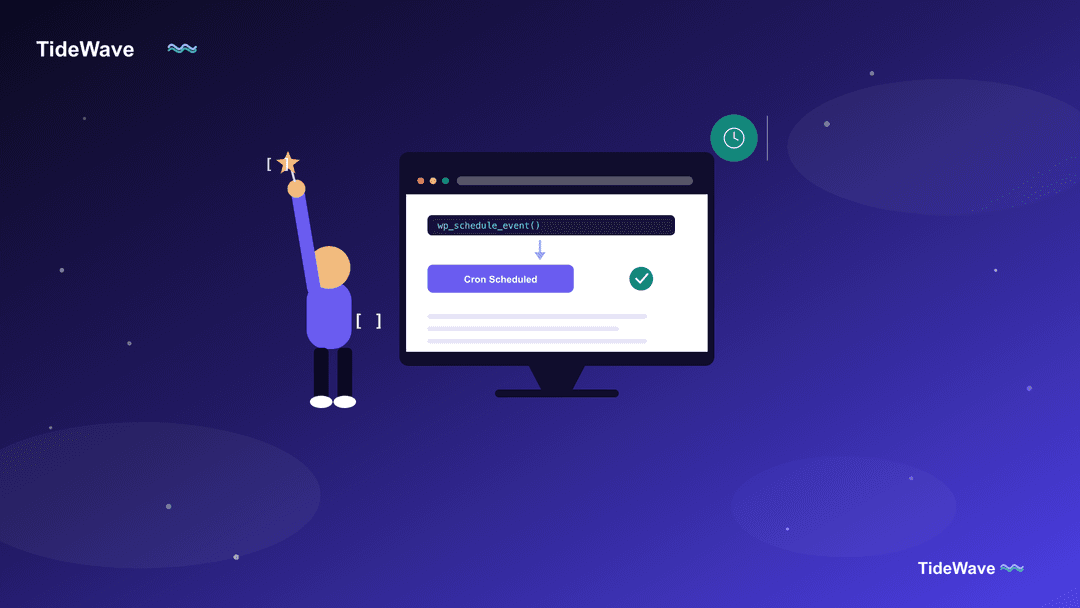
How to Set Up Automatic Cron Jobs in WordPress?
WP-Cron isn't a real cron job; it's a pseudo-cron that only checks for due tasks when a visitor loads a page, which causes real problems on quiet sit
Continue Reading
How to add Google Maps to a WordPress website?
In today's digital landscape, having a physical presence is just as important as your online footprint. If you run a local business, embedding Google
Continue Reading
How to remove the Powered by WordPress footer?
The "Powered by WordPress" footer is a standard feature included in many WordPress themes. It signifies that your website is built on the WordPress p
Continue Reading
How to add video to a WordPress Website?
In today's digital landscape, video content reigns supreme. With the ability to engage viewers more effectively than text or images alone, videos hav
Continue Reading
How to create a WordPress staging website?
In the dynamic landscape of web development, ensuring the seamless operation of your WordPress site is crucial. One of the foundational elements in a
Continue Reading
How to change the font in a WordPress website?
Typography is a crucial element of web design that goes beyond merely choosing a font. It involves the art and technique of arranging type to make th
Continue Reading
How to add social media icons to WordPress Website?
Social media is an integral part of any website’s strategy to engage with audiences, drive traffic, and build a brand presence. Adding social media i
Continue Reading
How to add a slider to WordPress website?
Adding a slider to your WordPress website can significantly enhance its visual appeal and user engagement. Sliders are versatile tools that allow you
Continue Reading
How to secure a WordPress website?
In today's digital landscape, securing a WordPress website is paramount. As one of the most popular content management systems globally, WordPress po
Continue Reading
How to create a custom WordPress theme?
Creating a custom WordPress theme allows you to take full control over the design, functionality, and user experience of your website. While pre-made
Continue Reading
What are the best WordPress SEO plugins?
Search Engine Optimization (SEO) is crucial for any website, and WordPress sites are no exception. WordPress SEO involves optimizing your site to ran
Continue Reading
How to create a WordPress multisite network?
WordPress Multisite is a powerful feature that allows you to create and manage multiple websites from a single WordPress installation. This functiona
Continue Reading
How to add a custom menu to a WordPress Website?
WordPress menus are essential components of your website's navigation structure. They serve as the primary means for visitors to explore your site's
Continue Reading
How to translate the WordPress website into other languages?
In today’s globalized world, reaching a broader audience often means making your WordPress website multilingual. Offering content in multiple languag
Continue Reading
How to speed up a WordPress website?
Speeding up your WordPress website is essential for improving user experience, boosting SEO rankings, and increasing conversion rates. A fast-loading
Continue Reading
How to fix common WordPress errors?
As a WordPress user, you may encounter errors from time to time. These errors can range from minor inconveniences to major issues that can disrupt th
Continue Reading
What are permalinks in WordPress?
If you've spent any time working on a WordPress site, you’ve probably come across the term "permalinks." These little links might seem unassuming at
Continue Reading
How to Add Google Analytics to WordPress Website?
If you're running a WordPress website, understanding how visitors interact with your content is essential. Google Analytics is a powerful (and free)
Continue Reading
How to add a contact form to the WordPress website?
In today's digital age, having a robust online presence is crucial for businesses and individuals alike. Your WordPress website serves as a virtual s
Continue Reading
How to optimize a WordPress website for search engines (SEO)?
Search Engine Optimization (SEO) is the practice of enhancing a website's visibility and ranking on search engines like Google, Bing, and Yahoo. In t
Continue Reading
What are WordPress tags & categories?
In the realm of WordPress content management, tags and categories emerge as invaluable tools for organizing and structuring your website's material.
Continue ReadingHow to change WordPress password?
Changing your WordPress password is something you might need to do more often than you think. Whether you’ve forgotten it, want to strengthen your se
Continue Reading
High Traffic Tips for WordPress Mastery 🚥
In our digital age, where online visibility is paramount, ensuring your WordPress site can handle surging traffic is crucial. Just like a finely-tune
Continue Reading
How to update WordPress plugins?
WordPress plugins are indispensable tools that enhance the functionality and versatility of your website. These powerful extensions allow you to add
Continue Reading
What is a WordPress child theme?
In the ever-evolving world of WordPress, child themes have emerged as a powerful tool for customizing and extending the functionality of your website
Continue Reading
How to Take a Backup of Your WordPress Website like a pro?
In the ever-evolving digital landscape, your WordPress website serves as a crucial hub for your online presence. It's a platform where you share your
Continue Reading
How to use WordPress for eCommerce?
In the ever-evolving digital landscape, having an online presence is no longer optional for businesses – it's a necessity. As consumers increasingly
Continue Reading
How to create a blog post in WordPress?
In the digital age, blogging has emerged as a powerful tool for self-expression, knowledge sharing, and building online communities. WordPress, a ren
Continue Reading
Effortlessly Crafting Compelling WordPress Pages
As a website owner or content creator, having the ability to seamlessly add new pages to your WordPress site is crucial. Whether you're introducing a
Continue Reading
What are WordPress plugins and how do they work?
WordPress, a leading content management system (CMS), powers millions of websites around the globe. One of the core reasons for its popularity is its
Continue Reading
The Ultimate Guide to Selecting the Perfect WordPress Theme for Your Business Website
In the realm of website creation, WordPress stands as a powerful and versatile platform, empowering individuals and business
Continue Reading