Threading vs Multiprocessing vs Asyncio in Python: Which Should You Use?
Python gives you three built-in ways to do more than one thing at a time: threads, processes, and asyncio. They look similar from a distance, since all three let you "run things concurrently", but they solve different problems, and picking the wrong one can leave you with code that's more complicated and no faster than a plain loop.
The deciding question is almost always the same: is your program slow because it's waiting, or because it's computing? Once you know that, the choice mostly makes itself.
In this post I'll explain how each model works, run the same workloads through all three so you can see the actual numbers, cover the pitfalls specific to each one, and finish with a short decision guide. The examples use Python 3.13 and the standard library, with notes on how free-threaded Python is changing the picture.
Concurrency vs Parallelism
Two terms that get mixed up constantly:
- Concurrency means several tasks are in progress at the same time. They might take turns on a single CPU core. While one waits for a network response, another runs.
- Parallelism means several tasks are executing at literally the same instant, on different CPU cores.
Waiting doesn't need a CPU core, so I/O-bound work only needs concurrency. Computation does need cores, so CPU-bound work needs parallelism to go faster. Keep that distinction in mind; it's the whole story in two sentences.
The Three Models
Threading
The threading module runs functions in OS threads that share the same memory. Threads are cheap to start and can read and write the same objects, which makes passing data around easy and also makes it easy to corrupt.
In the standard CPython build, the Global Interpreter Lock (GIL) allows only one thread to execute Python bytecode at a time. A thread releases the GIL while it waits on I/O (sockets, files, time.sleep()) and during many C-level operations, so other threads can run then. The result: threads are excellent for overlapping waits, but they don't make pure-Python computation faster. The OS decides when to switch threads, which is called preemptive multitasking, so a switch can happen between almost any two bytecode instructions.
Multiprocessing
The multiprocessing module (and concurrent.futures.ProcessPoolExecutor) runs work in separate Python processes. Each process has its own interpreter, its own memory, and its own GIL, so they genuinely run in parallel on multiple cores.
The cost is isolation. Processes don't share memory, so arguments and return values have to be serialized (pickled), sent across, and deserialized. Starting a process is much slower than starting a thread, and each one uses tens of megabytes of memory.
Asyncio
asyncio runs many coroutines in a single thread, using an event loop. A coroutine runs until it reaches an await on something that isn't ready, then hands control back to the loop, which runs another coroutine. Switches only happen at await points, which is called cooperative multitasking.
Because there's one thread and switching is explicit, asyncio can handle thousands of concurrent connections with very little overhead. But it needs async-aware libraries for all I/O, and any blocking call freezes everything. Asyncio in Python: A Beginner's Guide to Asynchronous Programming covers it in depth.
Side by Side
| Threading | Multiprocessing | Asyncio | |
|---|---|---|---|
| Runs on | Multiple OS threads, one process | Multiple processes | One thread, event loop |
| Switching | Preemptive (OS decides) | Truly parallel | Cooperative (at await) |
| Speeds up I/O-bound work | Yes | Yes, with high overhead | Yes |
| Speeds up CPU-bound work | No (standard build) | Yes | No |
| Shared memory | Yes, needs locks | No, data is pickled | Yes, but only one coroutine runs at a time |
| Overhead per unit | Moderate (OS thread) | High (whole process) | Very low (coroutine object) |
| Practical scale | Tens to hundreds | Roughly one per CPU core | Thousands or more |
| Works with blocking libraries | Yes | Yes | Only via threads |
Benchmark 1: I/O-Bound Work
Let's make 20 "requests" that each wait half a second, using time.sleep() and asyncio.sleep() as stand-ins for network latency. Each approach uses the simplest standard-library tool for the job:
# io_bound.py
import asyncio
import time
from concurrent.futures import ProcessPoolExecutor, ThreadPoolExecutor


def fetch_sync(i: int) -> int:
    time.sleep(0.5)  # simulates waiting on a network response
    return i


async def fetch_async(i: int) -> int:
    await asyncio.sleep(0.5)
    return i


def timed(label: str, func) -> None:
    start = time.perf_counter()
    func()
    print(f"{label:<16}{time.perf_counter() - start:5.2f}s")


def sequential() -> None:
    [fetch_sync(i) for i in range(20)]


def threads() -> None:
    with ThreadPoolExecutor(max_workers=20) as pool:
        list(pool.map(fetch_sync, range(20)))


def processes() -> None:
    with ProcessPoolExecutor(max_workers=20) as pool:
        list(pool.map(fetch_sync, range(20)))


def with_asyncio() -> None:
    async def main() -> None:
        async with asyncio.TaskGroup() as tg:
            for i in range(20):
                tg.create_task(fetch_async(i))
    asyncio.run(main())


if __name__ == "__main__":
    timed("sequential", sequential)
    timed("threads", threads)
    timed("processes", processes)
    timed("asyncio", with_asyncio)
On my 8-core machine:
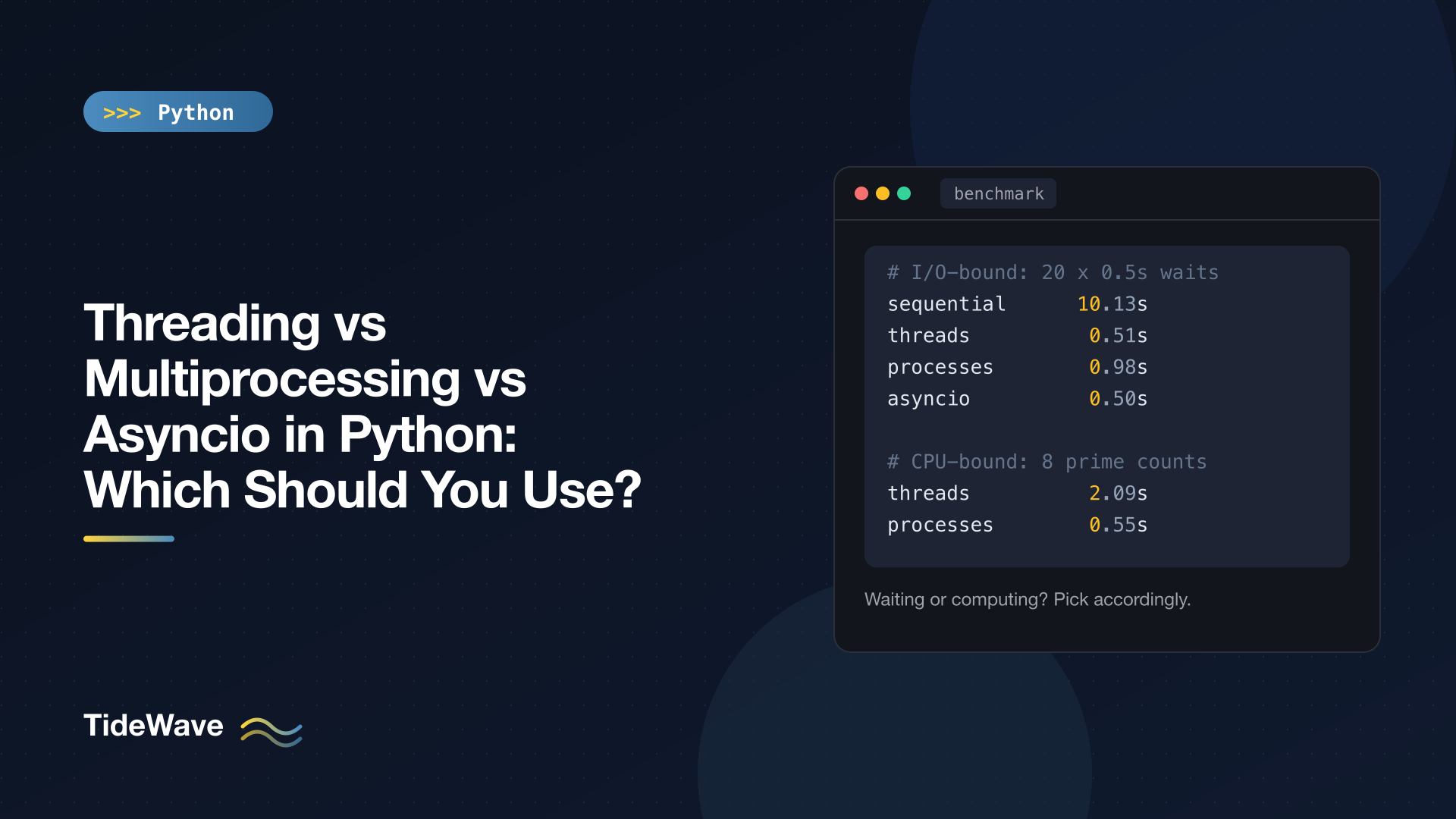
sequential      10.13s
threads          0.51s
processes        0.98s
asyncio          0.50s
The sequential version waits 20 times in a row. Threads and asyncio overlap all the waits and finish in about one wait's worth of time. Processes also overlap the waits, but spinning up 20 Python processes added roughly half a second of pure overhead, doubling the runtime. For waiting, processes are the wrong tool.
Between threads and asyncio, the numbers are a tie at this scale. The differences show up at larger scale and in how the code is written, which we'll get to.
Benchmark 2: CPU-Bound Work
Now the opposite: pure computation, with no waiting at all. Eight jobs, each counting primes the slow way:
# cpu_bound.py
import os
import time
from concurrent.futures import ProcessPoolExecutor, ThreadPoolExecutor


def count_primes(limit: int) -> int:
    count = 0
    for n in range(2, limit):
        if all(n % d for d in range(2, int(n ** 0.5) + 1)):
            count += 1
    return count


JOBS = [200_000] * 8


def timed(label: str, func) -> None:
    start = time.perf_counter()
    func()
    print(f"{label:<16}{time.perf_counter() - start:5.2f}s")


def sequential() -> None:
    [count_primes(n) for n in JOBS]


def threads() -> None:
    with ThreadPoolExecutor(max_workers=8) as pool:
        list(pool.map(count_primes, JOBS))


def processes() -> None:
    with ProcessPoolExecutor() as pool:
        list(pool.map(count_primes, JOBS))


if __name__ == "__main__":
    print(f"CPU cores: {os.cpu_count()}")
    timed("sequential", sequential)
    timed("threads", threads)
    timed("processes", processes)
Output:
CPU cores: 8
sequential       2.11s
threads          2.09s
processes        0.55s
Eight threads were no faster than one, because the GIL let only one of them run Python code at any moment. Processes spread the work across cores and finished almost four times faster. (Not eight times: process startup, pickling, and (on many laptops) a mix of performance and efficiency cores all eat into the ideal speedup.)
I didn't include asyncio here because there's nothing for it to do. With no await on anything slow, coroutines would just run one after another on a single thread, exactly like the sequential version.
Your numbers will differ by machine, but the shape of the results won't.
Pitfalls of Each Model
Threads: Race Conditions
Threads share memory and can be switched at almost any moment, so any "read, modify, write" sequence on shared data can interleave badly. Here four threads each deposit 1 into a shared balance 1,000 times:
# race.py
import threading
import time

balance = 0
lock = threading.Lock()


def deposit_unsafe(times: int) -> None:
    global balance
    for _ in range(times):
        current = balance
        time.sleep(0)  # give other threads a chance to run here
        balance = current + 1


def deposit_safe(times: int) -> None:
    global balance
    for _ in range(times):
        with lock:
            current = balance
            time.sleep(0)
            balance = current + 1


def run(target) -> int:
    global balance
    balance = 0
    threads = [threading.Thread(target=target, args=(1_000,)) for _ in range(4)]
    for t in threads:
        t.start()
    for t in threads:
        t.join()
    return balance


print("unsafe:", run(deposit_unsafe))
print("safe:  ", run(deposit_safe))
Output (the unsafe number changes every run):
unsafe: 1022
safe:   4000
The correct answer is 4,000. Without the lock, threads read the same balance, each add one, and overwrite each other's updates. The time.sleep(0) just makes the problem show up reliably; in real code the same bug appears rarely and unpredictably, which is worse. The GIL does not protect you here; it keeps the interpreter's internals consistent, not your data.
Ways to stay safe with threads:
- Protect shared mutable state with a
threading.Lock, used as a context manager. - Better, avoid sharing: pass work in and get results out through
queue.Queueor the futures returned byThreadPoolExecutor. - Keep threads to I/O work, where they shine, and keep the shared parts small.
Multiprocessing: Pickling and the Main Guard
Because work crosses a process boundary, every function and argument you send must be picklable. That rules out lambdas, nested functions, open files, database connections, and locks:
_pickle.PicklingError: Can't pickle <function <lambda> at 0x1057f80e0>: attribute lookup <lambda> on __main__ failed
Define worker functions at the top level of a module, and pass plain data (numbers, strings, lists, dicts, dataclasses) as arguments.
The other classic mistake is forgetting the if __name__ == "__main__": guard. On macOS and Windows, new processes are started with the spawn method, which imports your main module fresh in each child. Without the guard, each child tries to create its own pool, and Python stops it with a RuntimeError about "the bootstrapping phase". On Linux, Python 3.14 also moved away from the old fork default to forkserver, so always write the guard regardless of platform:
# word_counts.py
from collections import Counter
from multiprocessing import Pool


def count_words(text: str) -> Counter[str]:
    return Counter(text.lower().split())


if __name__ == "__main__":
    documents = [
        "the quick brown fox",
        "the lazy dog",
        "the fox jumps over the dog",
    ]
    with Pool(processes=3) as pool:
        partials = pool.map(count_words, documents)
    total = sum(partials, Counter())
    print(total.most_common(3))
Output:
[('the', 4), ('fox', 2), ('dog', 2)]
Also watch the data volume. If each task sends a large object to a worker and gets a large object back, pickling can cost more than the computation saves. Process pools work best for chunky tasks: lots of computation per byte transferred.
Asyncio: Blocking the Loop and the Async Ecosystem
asyncio's pitfalls are different:
- One blocking call stalls everything. A
time.sleep(), arequests.get(), or a heavy loop inside a coroutine freezes every other task. Use async libraries (httpx,aiohttp,asyncpg) and push unavoidable blocking calls to a thread withasyncio.to_thread(). - It's contagious.
awaitonly works insideasync def, so async tends to spread up the call stack. That's fine in a new async service; retrofitting it into a large synchronous codebase is a lot of work. - It needs library support. If the library you depend on is synchronous only, you'll be running it in threads anyway.
On the plus side, data races are much rarer in asyncio. Switches only happen at await, so code between two awaits runs without interruption. A read-modify-write with no await in the middle is safe.
Combining Models
These models aren't mutually exclusive. Some combinations are very common:
- asyncio + threads: an async web service calls a blocking SDK through
asyncio.to_thread(). - asyncio + processes: an async service offloads CPU-heavy work (image processing, report generation) with
loop.run_in_executor()and aProcessPoolExecutor, so the event loop stays responsive. - Processes + threads: a process pool where each worker uses a few threads for its own I/O.
The concurrent.futures module gives threads and processes the same interface (submit(), map(), futures), which makes it easy to switch between them by changing one line. Using concurrent.futures for Simple Parallelism in Python covers it in detail.
What About Free-Threaded Python?
Python 3.13 introduced an experimental free-threaded build (often installed as python3.13t) with the GIL disabled, from PEP 703. In Python 3.14 the free-threaded build is officially supported, though it's still an optional, separate build rather than the default.
On a free-threaded build, threads can run Python code in parallel, so the CPU-bound benchmark above could speed up with threads instead of processes, without the pickling and startup costs. There are trade-offs: single-threaded code runs somewhat slower on the free-threaded build, and C extensions must be updated to support it.
For now, the advice in this post holds for the standard build that almost everyone runs. Free-threading matters most if you have CPU-bound work with lots of shared data that's painful to pickle. Understanding the GIL and Free-Threaded Python goes deeper into how the GIL works and what changes without it.
How to Choose
Work through these questions in order:
- Is the program actually slow because of waiting or computing? Measure first. If it's neither, for example it makes three API calls and finishes, you don't need concurrency at all.
- CPU-bound (number crunching, parsing, compression, image processing in pure Python)?
- First check whether a library already does it in optimized native code. NumPy, pandas, Polars, and similar libraries release the GIL and are often fast enough on their own.
- Otherwise, use multiprocessing, typically via
ProcessPoolExecutor.
- I/O-bound (network, disk, databases, subprocesses)?
- Building a new service, need many concurrent connections, and async libraries exist for your stack? Use asyncio.
- Working with existing synchronous code or libraries, or need modest concurrency (tens of tasks)? Use threads, typically via
ThreadPoolExecutor.
- Both? Use asyncio or threads for the I/O, and hand the CPU-heavy pieces to a process pool.
| Your situation | Use |
|---|---|
Download 50 files with requests in a script | ThreadPoolExecutor |
| Web API handling thousands of concurrent connections | asyncio (FastAPI, Starlette, aiohttp) |
| Resize 10,000 images | ProcessPoolExecutor (or a native library) |
| Websocket server or chat bot | asyncio |
| Run a slow blocking SDK call from async code | asyncio.to_thread() |
| Data analysis on large arrays | NumPy, pandas, or Polars first; processes if still needed |
| Keep a desktop GUI responsive during a download | A background thread |
Conclusion
The three models answer different questions. Threads overlap waiting with minimal changes to synchronous code, but need locks for shared data and don't speed up computation on the standard build. Processes give real parallelism for CPU-bound work, at the cost of startup time, memory, and pickling. Asyncio overlaps huge numbers of waits in a single thread with very little overhead, provided your whole I/O path is async and nothing blocks the loop.
Figure out whether you're waiting or computing, measure before and after, and pick the simplest tool that fits. In most cases that's a ThreadPoolExecutor for I/O in a script, asyncio for a high-concurrency network service, and a ProcessPoolExecutor for heavy computation.


