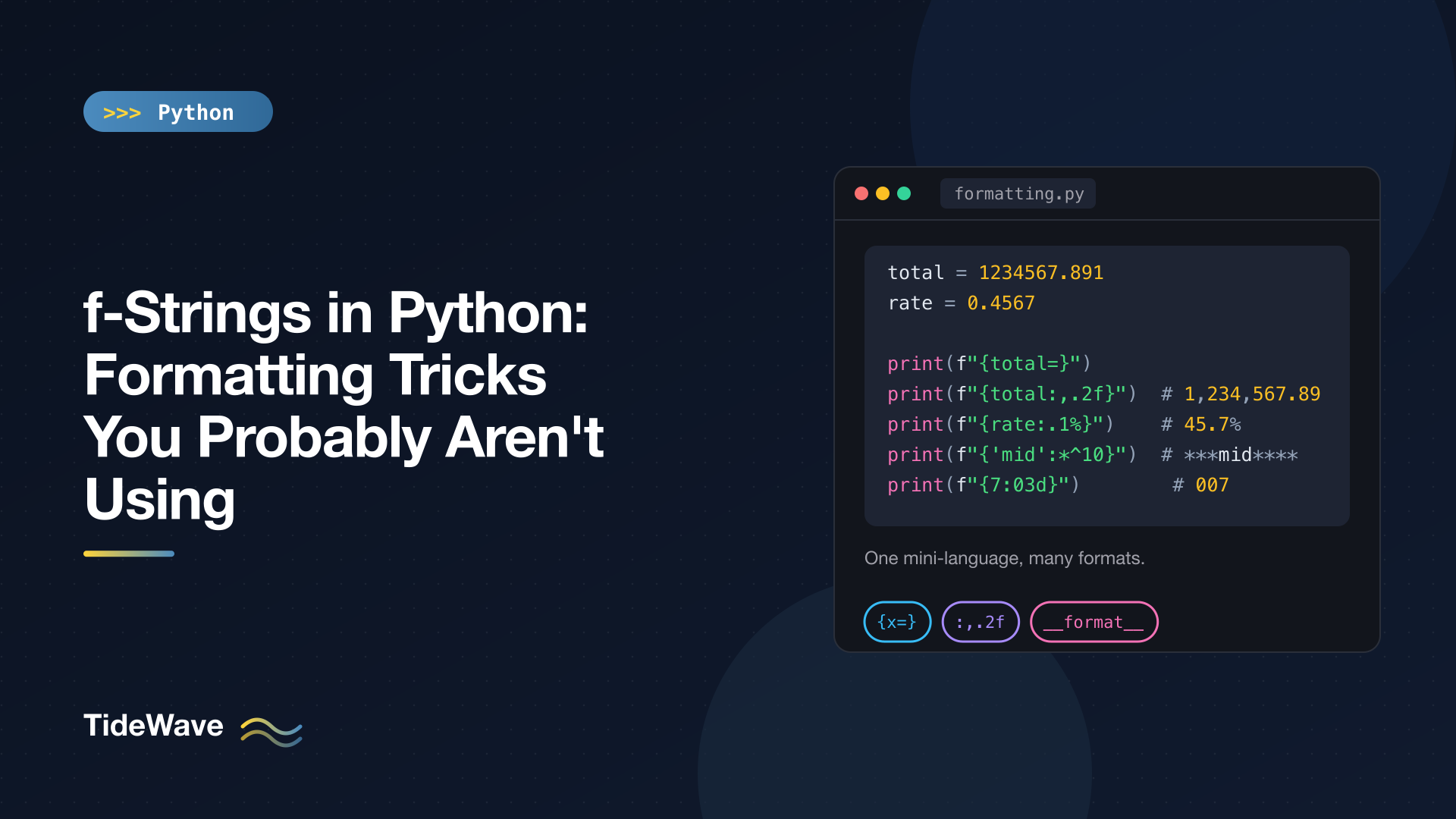
f-Strings in Python: Formatting Tricks You Probably Aren't Using
Most Python developers use f-strings every day, but usually only for the simplest job: dropping a variable into a string. f"Hello, {name}" is nice, but it's a fraction of what f-strings can do. The same syntax handles number formatting, padding and alignment, dates, debugging output, and custom formatting for your own classes, all without calling a single extra function.
This post is a tour of the parts people skip. I'll cover the = debugging specifier, conversion flags, the format specification mini-language for numbers and alignment, dynamic (nested) format specs, dates, custom __format__ methods, and the syntax that became legal in Python 3.12. At the end there's a short look at template strings, which arrive in Python 3.14.
All examples run on Python 3.13.
A Quick Refresher on the Anatomy
An f-string replacement field has up to three parts after the expression:
{expression=!conversion:format_spec}
expression: any Python expression.=(optional): print the expression text along with its value.!conversion(optional):!r,!s, or!a.:format_spec(optional): how to format the value, such as.2for>10.
Each part is independent, so you can mix them. The rest of this post is mostly about what you can do with each one.
Debugging with =
Adding = after an expression prints the expression itself, then its value. It's the fastest way to inspect variables without writing the name twice:
user = "ada"
count = 3

print(f"{user=}")
print(f"{count * 2 = }")
user='ada'
count * 2 = 6
Two details make this more useful than it first looks:
- Whitespace is preserved.
{count * 2 = }printscount * 2 = 6, spaces included, so you can make the output as readable as you like. - It uses
repr()by default. That's why the string shows up as'ada'with quotes, which helps you spot stray whitespace or the difference between"3"and3.
You can combine = with a conversion or a format spec. Adding a format spec switches from repr() to the formatted value:
from datetime import datetime

now = datetime(2026, 9, 14, 6, 5, 0)

print(f"{user = !s}")
print(f"{now=:%H:%M}")
user = ada
now=06:05
When you're chasing a bug, print(f"{response.status_code=} {len(items)=}") gives you labeled output in one line. For anything you keep, move to proper logging or a debugger; How to Debug a Python Program covers the tools.
Conversion Flags: !r, !s, !a
Conversions run before formatting:
!scallsstr()(the default for most values).!rcallsrepr().!acallsascii(), which escapes non-ASCII characters.
print(f"{user!r} {user!s} {'café'!a}")
'ada' ada 'caf\xe9'
!r is the one you'll use most. In error messages, f"Unknown option {name!r}" makes empty strings and whitespace visible: you'll see Unknown option '' instead of a confusing Unknown option.
Formatting Numbers
After the colon comes the format specification mini-language, the same one used by format() and str.format(). It's documented in full in the Python docs, but a handful of patterns cover almost everything.
Decimal Places, Thousands Separators, and Percentages
total = 1234567.891

print(f"{total:,.2f}")
print(f"{total:_.2f}")
print(f"{1234567:,}")
print(f"{0.4567:.1%}")
1,234,567.89
1_234_567.89
1,234,567
45.7%
.2fmeans fixed-point with two decimals.,or_before the precision adds a thousands separator.%multiplies by 100 and adds a percent sign, so you don't have to do the math yourself.
Scientific and General Notation
print(f"{1234567.891:.3e}")
print(f"{1234567.891:.3g}")
1.235e+06
1.23e+06
e always uses scientific notation. g ("general") picks fixed or scientific depending on magnitude, and treats the precision as significant digits rather than decimal places.
Signs and Zero Padding
print(f"{-3:+d} {3:+d} {3: d}")
print(f"{7:03d}")
print(f"{42:08.3f}")
-3 +3  3
007
0042.000
+always shows a sign; a space shows a space for positive numbers so columns line up with negatives.- A leading
0before the width pads with zeros.03dis the classic way to get007. The width counts every character, including the decimal point and decimals, which is why08.3fgives four leading characters before the point.
Binary, Octal, and Hex
print(f"{255:b} {255:o} {255:x} {255:X} {255:#x} {255:#010b}")
11111111 377 ff FF 0xff 0b11111111
# adds the 0b, 0o, or 0x prefix. #010b pads to a total width of 10 including the prefix, which is handy when printing bit flags.
A Note on Rounding
Formatting with .0f uses round-half-to-even ("banker's rounding"), the same as the built-in round(), and it operates on the binary floating-point value:
print(f"{3.0:.0f} {2.5:.0f} {3.5:.0f}")
print(f"{0.1 + 0.2}")
print(f"{0.1 + 0.2:.2f}")
3 2 4
0.30000000000000004
0.30
2.5 rounds down to 2 and 3.5 rounds up to 4. If you're formatting money, store the amounts as Decimal or integer cents rather than floats. Decimal supports the same format specs:
from decimal import Decimal

print(f"{Decimal('19.999'):.2f}")
20.00
Alignment and Padding
Width and alignment let you build tidy columns without any library:
print(f"[{'left':<10}] [{'right':>10}] [{'mid':^10}] [{'mid':*^10}]")
print(f"[{42:>6}] [{'x':>6}]")
[left      ] [     right] [   mid    ] [***mid****]
[    42] [     x]
<,>, and^mean left, right, and center.- A character before the alignment symbol is the fill character (
*^10). - Strings align left by default and numbers align right, so
{42:6}and{42:>6}produce the same thing.
Combine width with number formatting to build a simple table:
rows = [("mug", 12, 2), ("lamp", 65.5, 1)]

for name, price, qty in rows:
    print(f"{name:<8}{price:>8.2f}{qty:>5}")
mug        12.00    2
lamp       65.50    1
You can also stack alignment, width, separator, and precision in one spec:
print(f"{1234.5:>12,.2f}|")
1,234.50|
Truncating Strings
For strings, the precision field truncates:
print(f"{'abc':.2}")
ab
Combine it with a width ({title:20.20}) to force a value into exactly 20 characters, padded or cut as needed.
Nested Format Specs
The format spec itself can contain replacement fields. That lets you choose width, precision, or alignment at runtime:
import math

width, prec = 10, 3
align = "^"

print(f"[{3.14159:{width}.{prec}f}]")
print(f"[{'hi':{align}{width}}]")
print(f"{math.pi:.{prec}f}")
[     3.142]
[    hi    ]
3.142
A practical use: computing the column width from the data so a report always fits its longest entry.
names = ["mug", "desk lamp", "pen"]
width = max(len(n) for n in names)

for n in names:
    print(f"{n:<{width}} |")
mug       |
desk lamp |
pen       |
Formatting Dates and Times
datetime, date, and time objects implement __format__ by passing the spec to strftime(). That means you can put strftime codes straight into the f-string:
from datetime import date, datetime

now = datetime(2026, 9, 14, 6, 5, 0)

print(f"{now:%Y-%m-%d %H:%M}")
print(f"{now:%A, %B %d}")
print(f"{date(2026, 9, 14):%d/%m/%Y}")
2026-09-14 06:05
Monday, September 14
14/09/2026
No .strftime() call needed. Day and month names come from the current locale, so they'll be English unless you've changed it. For time zones and arithmetic, see Working with Dates and Times in Python.
Custom Formatting with __format__
The format spec isn't hardcoded into f-strings. Python calls format(value, spec), which calls the object's __format__ method. Your own classes can define it and accept whatever spec syntax makes sense:
class Money:
    def __init__(self, cents: int) -> None:
        self.cents = cents

    def __format__(self, spec: str) -> str:
        if spec == "short":
            return f"${self.cents // 100}"
        return f"${self.cents / 100:{spec or '.2f'}}"

    def __repr__(self) -> str:
        return f"Money({self.cents})"


m = Money(1999)
print(f"{m} {m:short} {m:.1f} {m!r}")
$19.99 $19 $20.0 Money(1999)
Here {m} calls __format__ with an empty spec, {m:short} hits the custom branch, {m:.1f} forwards a numeric spec, and {m!r} bypasses __format__ entirely by converting with repr() first. This is a clean way to give domain objects a few named display formats without adding a method for each.
Literal Braces
To include a literal { or }, double it:
count = 3

print(f"{{literal braces}} {count}")
print(f"{{{count}}}")
{literal braces} 3
{3}
The second line needs three braces on each side: two for the literal brace and one for the replacement field. This comes up when generating JSON-like text or CSS, although for JSON you should use json.dumps() rather than building strings by hand.
What Python 3.12 Made Legal
PEP 701, shipped in Python 3.12, formalized f-strings in the grammar and removed several old restrictions. If you learned f-strings earlier, some of these used to be syntax errors.
Reusing the Same Quotes
You can now use the same quote character inside the expression as around the string:
items = {"name": "mug", "price": 12}

print(f"{items["name"]}")
mug
Before 3.12 you had to write items['name'] with the other quote style.
Backslashes in Expressions
Expressions can contain backslashes, so joining with a newline works inline:
names = ["a", "b"]

print(f"{"\n".join(names)}")
a
b
Multi-line Expressions and Comments
Replacement fields can span lines and include comments:
user = "ada"

print(f"{
    user.upper()  # comments are allowed here now
}")
ADA
You probably won't write this often, but it's useful for long expressions in generated reports. If you need to support Python 3.11 or older, stick to the old rules.
Things to Keep Out of f-Strings
f-strings evaluate immediately, which makes them the wrong tool in a few places:
- Logging calls.
logger.debug(f"payload={payload}")builds the string even when debug logging is off. Uselogger.debug("payload=%s", payload)so formatting only happens if the message is emitted. Logging in Python goes into more detail. - SQL and shell commands. Interpolating user input into SQL or a shell string opens you up to injection. Use query parameters and argument lists instead.
- User-supplied templates. If the template comes from configuration or users, use
str.format()with known fields orstring.Template. f-strings only work on literals in your source code, which is a feature: they can't be used to evaluate arbitrary text. - Heavy logic.
f"{(lambda x: x * 2)(4)}"works, but if an expression needs a lambda or a nested comprehension, compute it into a variable first. Readability wins.
A Look Ahead: Template Strings in Python 3.14
Python 3.14 adds template strings (PEP 750), written with a t prefix instead of f. The syntax inside is the same, but instead of producing a str, a t-string produces a string.templatelib.Template object that keeps the static text and the interpolated values separate:
# Python 3.14+
name = "ada"
template = t"Hello, {name}!"
print(type(template))  # <class 'string.templatelib.Template'>
Nothing is combined until some code processes the template. That's the point: a library can receive a template and escape HTML, parameterize SQL, or build structured log records from the interpolated values safely, while you keep writing familiar f-string-like syntax. For plain string building, f-strings remain the right choice.
Quick Reference
| Goal | Spec | Example output |
|---|---|---|
| Debug a variable | {x=} | x=42 |
| Two decimals | {x:.2f} | 3.14 |
| Thousands separator | {x:,} | 1,234,567 |
| Percentage | {x:.1%} | 45.7% |
| Zero-padded int | {x:03d} | 007 |
| Hex with prefix | {x:#x} | 0xff |
| Right-align in 10 | {x:>10} | right |
| Center with fill | {x:*^10} | ***mid**** |
| Truncate | {x:.2} | ab |
| Dynamic width | {x:{w}} | |
| Date | {d:%Y-%m-%d} | 2026-09-14 |
| repr | {x!r} | 'ada' |
Conclusion
f-strings are more than string concatenation with nicer syntax. The = specifier gives you labeled debug output for free, the format spec mini-language handles decimals, separators, percentages, padding, and alignment, nested specs let you decide those at runtime, and __format__ lets your own classes join in. Python 3.12 removed the old quoting and backslash restrictions, and 3.14's template strings build on the same syntax for safe, deferred processing.
Pick two or three of these, like {x=}, {x:,.2f}, and {name:<{width}}, and start using them. They'll replace a surprising number of helper functions and manual round() calls in your code.


