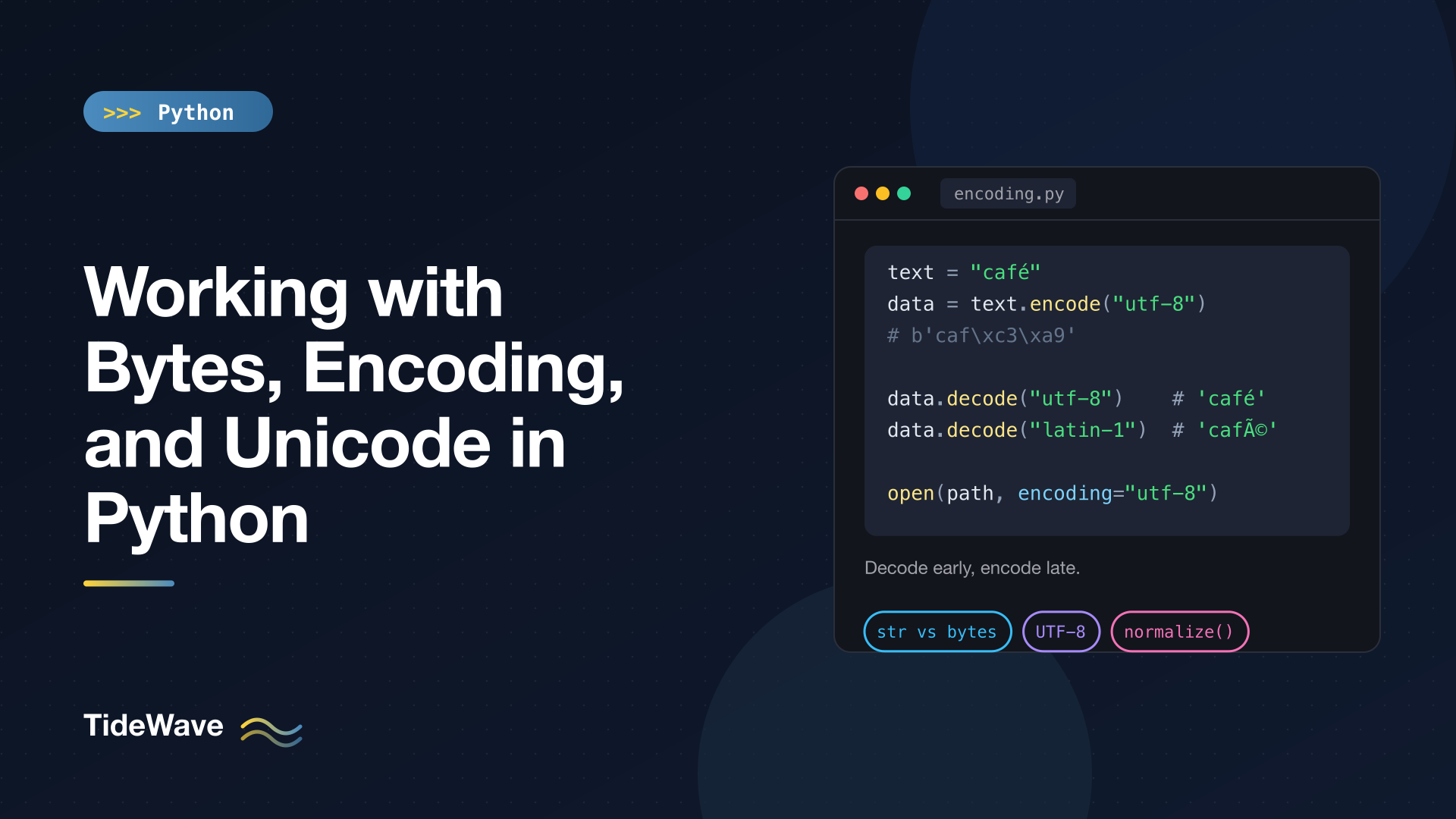
Working with Bytes, Encoding, and Unicode in Python
Text handling in Python 3 is built on a clean split: str holds text as a sequence of Unicode characters, and bytes holds raw binary data. Converting between them is called encoding and decoding, and almost every text-related bug you'll hit, from UnicodeDecodeError to garbled characters like café, comes from doing that conversion with the wrong encoding or doing it at the wrong time.
This post explains the model clearly enough that those bugs become easy to diagnose. I'll cover what Unicode code points are, how UTF-8 turns them into bytes, the bytes and bytearray types, error handlers, reading and writing files with the right encoding, fixing mojibake, and Unicode normalization for comparing strings that look identical but aren't.
Text vs. Bytes
A str is a sequence of characters. A bytes object is a sequence of integers from 0 to 255. You go from text to bytes with .encode() and back with .decode():
s = "café"
b = s.encode("utf-8")

print(s, len(s), b, len(b))
print(b.decode("utf-8"))
print(type(s), type(b))
café 4 b'caf\xc3\xa9' 5
café
<class 'str'> <class 'bytes'>
The string has four characters. Its UTF-8 encoding has five bytes, because é takes two bytes in UTF-8. The b'...' display shows printable ASCII bytes as characters and everything else as \x hex escapes.
The two types don't mix. You can't concatenate them, and they never compare equal even when they "contain the same thing":
b"abc" + "def"
# TypeError: can't concat str to bytes

print(b"abc" == "abc")
False
That strictness is deliberate. Python 2 let you mix them, and the result was code that worked fine on ASCII input and blew up the first time someone typed an accented letter. If you're curious about that history, see the differences between Python 2 and Python 3.
Unicode Code Points
Unicode assigns every character a number called a code point, written as U+ followed by hex digits. ord() gives you a character's code point and chr() goes the other way. String literals can also contain escapes by number or by official name:
print(ord("é"), hex(ord("é")), chr(233), "é", "\N{LATIN SMALL LETTER E WITH ACUTE}")
233 0xe9 é é é
A Python str is a sequence of code points. len() counts code points, not bytes and not necessarily what a human would call "characters" (more on that later).
Encodings: Turning Code Points into Bytes
An encoding is a rule for turning code points into bytes. UTF-8 is the one you should use by default. It's the dominant encoding on the web, the default for source files in Python, and it can represent every Unicode character. It uses a variable number of bytes per character:
for ch in "aé€😀":
    print(ch, f"U+{ord(ch):04X}", ch.encode("utf-8"), len(ch.encode("utf-8")))
a U+0061 b'a' 1
é U+00E9 b'\xc3\xa9' 2
€ U+20AC b'\xe2\x82\xac' 3
😀 U+1F600 b'\xf0\x9f\x98\x80' 4
ASCII characters take one byte and are byte-for-byte identical to ASCII, which is a big part of why UTF-8 won. Other characters take two to four bytes.
Other encodings you'll meet:
| Encoding | Notes |
|---|---|
utf-8 | Variable 1–4 bytes, ASCII-compatible. Use this. |
utf-8-sig | UTF-8 that writes/strips a byte order mark (BOM). Common in files from Excel on Windows. |
utf-16, utf-32 | Fixed or semi-fixed width, used internally by Windows and some file formats. Not ASCII-compatible. |
latin-1 (iso-8859-1) | One byte per character, only code points 0–255. Every byte sequence decodes without error. |
cp1252 | Windows "Western European", similar to Latin-1 but with €, curly quotes, etc. in the 0x80–0x9F range. |
ascii | Code points 0–127 only. |
Encoding with a limited encoding fails on characters it can't represent:
"€".encode("latin-1")
UnicodeEncodeError: 'latin-1' codec can't encode character '€' in position 0: ordinal not in range(256)
Decoding Errors and How to Read Them
The mirror-image error happens when bytes aren't valid in the encoding you chose:
b"caf\xe9 ok".decode("utf-8")
UnicodeDecodeError: 'utf-8' codec can't decode byte 0xe9 in position 3: invalid continuation byte
This message tells you a lot. The byte 0xe9 is é in Latin-1 and cp1252. In UTF-8, 0xe9 announces the start of a three-byte sequence, and the next byte (a space) isn't a valid continuation. So the data was almost certainly written in Latin-1 or cp1252, and decoding it with that encoding works:
print(b"caf\xe9".decode("latin-1"))
café
The fix for a decode error is nearly always to find the correct encoding for the data, not to suppress the error. Check the source: an HTTP Content-Type header, an XML or HTML declaration, the documentation of whatever produced the file, or the system that exported it.
Error Handlers
When you can't get clean data and need to keep going, both encode() and decode() accept an errors argument:
bad = b"caf\xe9 ok"
for h in ["replace", "ignore", "backslashreplace", "surrogateescape"]:
    print(h, repr(bad.decode("utf-8", errors=h)))
replace 'caf� ok'
ignore 'caf ok'
backslashreplace 'caf\\xe9 ok'
surrogateescape 'caf\udce9 ok'
strict(the default) raises an exception. Keep it unless you have a reason not to.replacesubstitutesU+FFFD, the replacement character�. Good for displaying untrusted text.ignoresilently drops bad bytes. Use sparingly: losing data without a trace is rarely what you want.backslashreplacekeeps the bad bytes visible as escapes, which is useful in logs.surrogateescapesmuggles the bad bytes through as special code points so you can encode them back to the exact original bytes later. Python uses it internally for file names and environment variables on POSIX systems.
On the encoding side, xmlcharrefreplace is handy when producing HTML or XML for a limited encoding:
print("naïve €".encode("ascii", errors="replace"))
print("naïve €".encode("ascii", errors="xmlcharrefreplace"))
b'na?ve ?'
b'naïve €'
Mojibake: Decoding with the Wrong Encoding
The sneakier failure mode is decoding with an encoding that doesn't raise, like Latin-1, which accepts any byte. You get garbage instead of an error:
print("café".encode("utf-8").decode("latin-1"))
café
That é pattern is the fingerprint of UTF-8 bytes decoded as Latin-1 or cp1252. Other giveaways are ’ (a UTF-8 curly apostrophe) and  before spaces or symbols. If you get text in this state, you can often reverse it by undoing the wrong step:
print("café".encode("latin-1").decode("utf-8"))
café
That works only if nothing else has happened to the text in between. For messy real-world data, the third-party ftfy library automates this repair. The real fix is upstream: decode with the right encoding in the first place.
Files: Always Pass encoding
open() in text mode encodes and decodes for you. If you don't say which encoding to use, Python falls back to the locale's preferred encoding. That's UTF-8 on macOS and most Linux setups, but on Windows it's often a legacy code page like cp1252. Code that works on your laptop can then produce mojibake or UnicodeDecodeError on a colleague's machine.
The rule is simple: always pass encoding= when opening text files.
from pathlib import Path

p = Path("demo.txt")
p.write_text("café\n", encoding="utf-8")

print(p.read_bytes())
print(p.read_text(encoding="utf-8"))
print(p.read_text(encoding="latin-1"))
b'caf\xc3\xa9\n'
café

café
The same file decodes correctly with the encoding it was written in, and turns into mojibake with the wrong one. The encoding argument works identically for open(), Path.open(), Path.read_text(), and Path.write_text().
Two tools help you catch missing encodings:
- Run Python with
-X warn_default_encoding(Python 3.10+) to emit anEncodingWarningwhereveropen()is called without one. - Run in UTF-8 mode (
-X utf8orPYTHONUTF8=1) to make UTF-8 the default regardless of locale. PEP 686 makes UTF-8 mode the default starting in Python 3.15, but explicitencoding=remains the most portable choice.
For general file reading and writing patterns, see the upcoming post on file handling in Python.
The Byte Order Mark
Files saved by some Windows tools, notably Excel's "CSV UTF-8" export, start with a byte order mark: the bytes EF BB BF. Decoded as plain UTF-8, it shows up as an invisible at the start of your text, which can break the first column name in a CSV:
p.write_bytes("café".encode("utf-8"))

print(repr(p.read_text(encoding="utf-8")))
print(repr(p.read_text(encoding="utf-8-sig")))
'café'
'café'
Reading with utf-8-sig strips the BOM if it's present and does nothing if it isn't, so it's a safe choice for files that might come from Excel. Use utf-8-sig for writing only when the consumer (like Excel) needs the BOM to detect UTF-8.
Binary Mode
Open files with "rb" or "wb" when you're dealing with images, archives, or any data that isn't text. You get bytes in and out, and no encoding happens. Never decode binary data like a PNG as text just to pass it around.
Working with bytes and bytearray
bytes Basics
Indexing a bytes object gives an int, while slicing gives bytes:
data = b"hello"
print(data[0], data[0:1], list(data))
104 b'h' [104, 101, 108, 108, 111]
There are several ways to build bytes, and helpers for hex:
print(bytes([72, 105]), bytes(3))
print(b"\x00\xff".hex(), bytes.fromhex("48 69"), b"Hi".hex(" "))
b'Hi' b'\x00\x00\x00'
00ff b'Hi' 48 69
bytes has most of the str methods, such as split(), strip(), startswith(), replace(), and upper(), but they take and return bytes:
print(b"a,b".split(b","), b" x ".strip(), b"abc".upper())
[b'a', b'b'] b'x' b'ABC'
Case methods on bytes only affect ASCII letters. For anything beyond ASCII, decode to str first.
For converting integers, use int.to_bytes() and int.from_bytes() with an explicit byte order:
print(int.from_bytes(b"\x01\x00", "big"), (256).to_bytes(2, "little"))
256 b'\x00\x01'
For packed binary formats with several fields, the struct module is the right tool.
bytearray: The Mutable Version
bytes is immutable, just like str. bytearray is its mutable counterpart, useful for building or patching binary buffers:
buf = bytearray(b"hello")
buf[0] = ord("J")
buf.extend(b"!")
print(buf, bytes(buf))
bytearray(b'Jello!') b'Jello!'
When you need to slice large binary buffers without copying, wrap them in a memoryview.
str(b"...") Is Not Decoding
A common mistake is calling str() on bytes and expecting text:
print(repr(str(b"abc")))
"b'abc'"
str() gives you the representation, including the b and quotes. Use .decode(). If you see b'...' inside a log message, an HTML page, or a database column, this is almost always the cause.
Base64 Is Not an Encoding in This Sense
Base64 turns arbitrary bytes into ASCII-safe bytes, for embedding binary data in JSON, URLs, or email. It works on bytes, so text needs a real encoding first:
import base64

tok = base64.b64encode("café".encode("utf-8"))
print(tok, base64.b64decode(tok).decode("utf-8"))
b'Y2Fmw6k=' café
Unicode Normalization
Here's a puzzle: two strings that print identically but aren't equal.
import unicodedata

a = "café"
b = "café"

print(a, b, a == b, len(a), len(b))
print([unicodedata.name(c) for c in b[-2:]])
café café False 4 5
['LATIN SMALL LETTER E', 'COMBINING ACUTE ACCENT']
Unicode often has two ways to write the same character: a single precomposed code point (U+00E9) or a base letter followed by a combining mark (e + U+0301). Text typed on one system and pasted from another, or file names created on older macOS file systems (HFS+ stored them decomposed), can use either form. Comparisons, dictionary lookups, and database queries will treat them as different.
The fix is to normalize both sides with unicodedata.normalize():
print(unicodedata.normalize("NFC", a) == unicodedata.normalize("NFC", b))
True
There are four forms:
- NFC composes characters where possible. It's the most common choice for storage and comparison.
- NFD decomposes them into base letters plus combining marks.
- NFKC and NFKD also apply "compatibility" mappings, which fold visually similar variants together, such as the ligature
fitofiand the circled①to1. Useful for search and identifiers, but lossy.
A practical pattern is normalizing user input at the boundary, for example usernames with NFKC plus casefold().
Stripping Accents
Decomposing with NFKD and dropping the combining marks gives a reasonable ASCII-ish approximation, which is handy for slugs and search keys:
def strip_accents(text: str) -> str:
    decomposed = unicodedata.normalize("NFKD", text)
    return "".join(c for c in decomposed if not unicodedata.combining(c))


print(strip_accents("Crème brûlée à São Paulo"))
Creme brulee a Sao Paulo
This doesn't transliterate everything (letters like ø or ł have no decomposition), so treat it as a best effort.
What len() Doesn't Tell You
len() counts code points. What a user perceives as one character, called a grapheme cluster, can be several code points:
thumbs = "👍🏽"
print(len(thumbs), [f"U+{ord(c):04X}" for c in thumbs])
family = "👨👩👧"
print(len(family))
2 ['U+1F44D', 'U+1F3FD']
5
The thumbs-up with a skin tone modifier is two code points. The family emoji is three people joined by two zero-width joiners. Slicing or reversing these strings by index can split a "character" in half. The standard library doesn't segment grapheme clusters; the third-party regex module (with \X) or the grapheme package can. For most backend code, the important lesson is just: don't truncate user-visible text by code-point count and assume it'll look right.
The same applies to byte limits. A database column limited to 255 bytes holds fewer than 255 characters of non-ASCII text, so measure with len(s.encode("utf-8")) when the limit is in bytes.
A Checklist
- Decode bytes to
stras early as possible (when reading input) and encode as late as possible (when writing output). Work withstrin between. - Use UTF-8 unless an external system requires something else.
- Pass
encoding=to everyopen()call in text mode. - When you see
UnicodeDecodeError, find the real encoding instead of reaching forerrors="ignore". - Recognize mojibake patterns like
éand’as UTF-8 decoded with the wrong codec. - Use
utf-8-sigfor CSV files that might come from Excel. - Normalize with NFC (or NFKC plus
casefold()for identifiers) before comparing user-supplied text. - Never use
str()to convert bytes to text.
Conclusion
Python keeps text (str) and binary data (bytes) strictly apart, and encodings are the bridge between them. Most problems come from crossing that bridge with the wrong encoding: an exception if you're lucky, silent mojibake if you're not. Decode at the edges with an explicit, correct encoding, keep everything inside your program as str, and encode on the way out.
Once that's in place, the remaining subtleties, like normalization forms and grapheme clusters, matter mainly when you compare, truncate, or display user text. For the str methods you'll use on the decoded text, see the strings deep dive.


