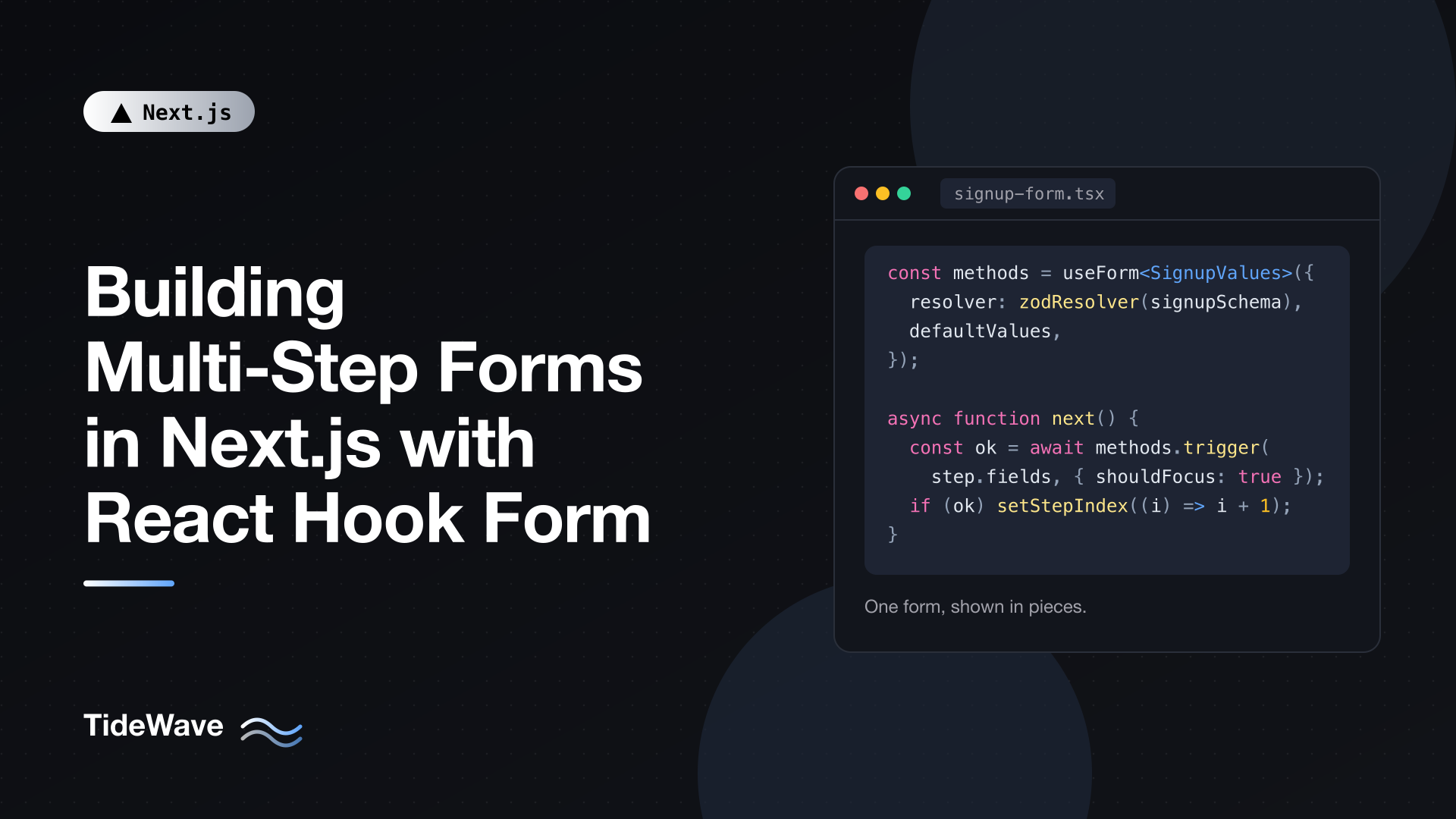
Building Multi-Step Forms in Next.js with React Hook Form
Long forms are hard to complete. Splitting a signup, checkout, or onboarding flow into a few short steps makes it feel lighter, lets you validate as the user goes, and gives you a natural place to show progress. The catch is that a multi-step form is still one form: the values from step one must survive while the user is on step three, validation has to run only for the fields currently on screen, and the final submission needs all of it in one piece.
React Hook Form handles this well because it keeps form state outside React's render cycle and doesn't throw away values when inputs unmount. Paired with Zod for schemas and a Server Action for the final submit, you get a flow that's fast on the client and safe on the server.
In this post I'll build a three-step signup form in a Next.js 16 App Router project: account details, profile, and plan selection. You'll see how to structure the schema, validate one step at a time, share the form across step components, save a draft, submit to a Server Action, and map server errors back onto fields.
Setup
Install React Hook Form, Zod, and the resolver package that connects them:
npm install react-hook-form zod @hookform/resolvers
The file layout for this example:
app/signup/
  page.tsx            # Server Component, renders the form
  schema.ts           # Zod schemas shared by client and server
  actions.ts          # Server Action for the final submit
  signup-form.tsx     # Client Component, owns the form state
  steps/
    account-step.tsx
    profile-step.tsx
    plan-step.tsx
Designing the Schema
The most important decision is how to shape the schema. You need two things from it: validation for the whole form when it's submitted, and validation for just one step's fields when the user clicks Next.
A clean way to get both is to nest each step under its own key:
// app/signup/schema.ts
import { z } from "zod";

export const accountSchema = z
  .object({
    email: z.email("Enter a valid email address"),
    password: z.string().min(8, "Use at least 8 characters"),
    confirmPassword: z.string(),
  })
  .refine((data) => data.password === data.confirmPassword, {
    message: "Passwords don't match",
    path: ["confirmPassword"],
  });

export const profileSchema = z.object({
  fullName: z.string().trim().min(2, "Enter your name"),
  company: z.string().trim().max(100).optional(),
  role: z.enum(["developer", "designer", "manager", "other"], {
    message: "Pick a role",
  }),
});

export const planSchema = z.object({
  plan: z.enum(["free", "pro", "team"], { message: "Choose a plan" }),
  acceptTerms: z
    .boolean()
    .refine((v) => v, { message: "You must accept the terms" }),
});

export const signupSchema = z.object({
  account: accountSchema,
  profile: profileSchema,
  plan: planSchema,
});

export type SignupValues = z.infer<typeof signupSchema>;
Nesting gives you a few benefits:
- Field names become paths like
account.emailandprofile.fullName, which makes it obvious which step a field belongs to. - Cross-field rules, like the password confirmation, live on the step's own schema. The refinement only needs the account fields, so it isn't affected by fields from later steps that the user hasn't filled in yet.
- The same
signupSchemafile can be imported by the Server Action, so the client and server validate against identical rules.
This example uses Zod 4, where z.email() is the top-level email validator. If you're on Zod 3, use z.string().email() instead.
The Step Configuration
Each step needs a component and a list of the field paths it owns. Keeping that in one array makes navigation logic generic:
// app/signup/steps/index.ts
import type { ComponentType } from "react";
import type { FieldPath } from "react-hook-form";
import type { SignupValues } from "../schema";
import { AccountStep } from "./account-step";
import { ProfileStep } from "./profile-step";
import { PlanStep } from "./plan-step";

export const steps: {
  title: string;
  fields: FieldPath<SignupValues>[];
  Component: ComponentType;
}[] = [
  {
    title: "Account",
    fields: ["account.email", "account.password", "account.confirmPassword"],
    Component: AccountStep,
  },
  {
    title: "Profile",
    fields: ["profile.fullName", "profile.company", "profile.role"],
    Component: ProfileStep,
  },
  {
    title: "Plan",
    fields: ["plan.plan", "plan.acceptTerms"],
    Component: PlanStep,
  },
];
FieldPath<SignupValues> is a type from React Hook Form that only accepts valid dotted paths into your form values. A typo like "account.emial" fails to compile.
The Form Container
The container is a Client Component that creates the form with useForm, tracks the current step, and exposes the form to step components through FormProvider.
// app/signup/signup-form.tsx
"use client";

import { useState } from "react";
import { FormProvider, useForm, type FieldPath } from "react-hook-form";
import { zodResolver } from "@hookform/resolvers/zod";
import { signupSchema, type SignupValues } from "./schema";
import { steps } from "./steps";
import { createAccount } from "./actions";

const defaultValues: SignupValues = {
  account: { email: "", password: "", confirmPassword: "" },
  profile: { fullName: "", company: "", role: "developer" },
  plan: { plan: "free", acceptTerms: false },
};

export function SignupForm() {
  const [stepIndex, setStepIndex] = useState(0);
  const [done, setDone] = useState(false);

  const methods = useForm<SignupValues>({
    resolver: zodResolver(signupSchema),
    defaultValues,
    mode: "onTouched",
  });

  const { handleSubmit, trigger, setError, formState } = methods;
  const step = steps[stepIndex];
  const isLastStep = stepIndex === steps.length - 1;

  async function next() {
    const valid = await trigger(step.fields, { shouldFocus: true });
    if (valid) setStepIndex((i) => i + 1);
  }

  function back() {
    setStepIndex((i) => i - 1);
  }

  async function onSubmit(values: SignupValues) {
    const result = await createAccount(values);

    if (result.ok) {
      setDone(true);
      return;
    }

    for (const [path, message] of Object.entries(result.fieldErrors)) {
      setError(path as FieldPath<SignupValues>, { type: "server", message });
    }

    // Jump back to the first step that has an error.
    const firstBad = steps.findIndex((s) =>
      s.fields.some((f) => f in result.fieldErrors),
    );
    if (firstBad !== -1) setStepIndex(firstBad);
  }

  if (done) {
    return (
      <p role="status">
        Your account is ready. Check your inbox to confirm your email.
      </p>
    );
  }

  const StepComponent = step.Component;

  return (
    <FormProvider {...methods}>
      <form onSubmit={handleSubmit(onSubmit)} noValidate>
        <ol className="steps" aria-label="Signup progress">
          {steps.map((s, i) => (
            <li
              key={s.title}
              aria-current={i === stepIndex ? "step" : undefined}
            >
              {s.title}
            </li>
          ))}
        </ol>

        <h2>
          Step {stepIndex + 1} of {steps.length}: {step.title}
        </h2>

        <StepComponent />

        <div className="actions">
          {stepIndex > 0 && (
            <button type="button" onClick={back}>
              Back
            </button>
          )}
          {isLastStep ? (
            <button type="submit" disabled={formState.isSubmitting}>
              {formState.isSubmitting
                ? "Creating account..."
                : "Create account"}
            </button>
          ) : (
            <button type="button" onClick={next}>
              Next
            </button>
          )}
        </div>
      </form>
    </FormProvider>
  );
}
Here's what the important parts do.
trigger(step.fields) runs validation for only the listed fields and returns true if they're all valid. The resolver still parses the full schema internally, but React Hook Form only reports and focuses errors for the fields you asked about. Later steps that are still empty don't block the user. shouldFocus: true moves focus to the first invalid input, which matters for keyboard and screen reader users.
Values persist across steps. When the user moves from step one to step two, the account inputs unmount. React Hook Form keeps their values by default (the shouldUnregister option is false), so clicking Back shows exactly what they typed, and handleSubmit receives every field at the end.
handleSubmit(onSubmit) validates the entire schema before calling onSubmit. That's your safety net: even if someone manipulates the step state, the full form must be valid to submit.
formState.isSubmitting stays true while the async onSubmit is running, so you can disable the button and show a pending label without extra state.
mode: "onTouched" shows errors after a field loses focus and then re-validates on every change, which feels less noisy than validating on each keystroke from the start.
Only the Next and Back buttons use type="button". If Next were a submit button, pressing Enter in a field would trigger handleSubmit and validate the whole form, flagging fields on steps the user hasn't reached yet.
Writing the Step Components
Step components read the form from context with useFormContext. They don't receive props, and they don't need to know anything about navigation.
// app/signup/steps/account-step.tsx
"use client";

import { useFormContext } from "react-hook-form";
import type { SignupValues } from "../schema";

export function AccountStep() {
  const {
    register,
    formState: { errors },
  } = useFormContext<SignupValues>();

  return (
    <fieldset>
      <legend className="sr-only">Account details</legend>

      <label htmlFor="email">Email</label>
      <input
        id="email"
        type="email"
        autoComplete="email"
        aria-invalid={!!errors.account?.email}
        aria-describedby="email-error"
        {...register("account.email")}
      />
      <p id="email-error" role="alert">
        {errors.account?.email?.message}
      </p>

      <label htmlFor="password">Password</label>
      <input
        id="password"
        type="password"
        autoComplete="new-password"
        aria-invalid={!!errors.account?.password}
        aria-describedby="password-error"
        {...register("account.password")}
      />
      <p id="password-error" role="alert">
        {errors.account?.password?.message}
      </p>

      <label htmlFor="confirmPassword">Confirm password</label>
      <input
        id="confirmPassword"
        type="password"
        autoComplete="new-password"
        aria-invalid={!!errors.account?.confirmPassword}
        aria-describedby="confirm-error"
        {...register("account.confirmPassword")}
      />
      <p id="confirm-error" role="alert">
        {errors.account?.confirmPassword?.message}
      </p>
    </fieldset>
  );
}
register returns name, ref, onChange, and onBlur, so spreading it onto a native input is all the wiring you need. Inputs stay uncontrolled, which is why React Hook Form doesn't re-render the whole form on every keystroke.
The profile step follows the same pattern, with a select for the role:
// app/signup/steps/profile-step.tsx
"use client";

import { useFormContext } from "react-hook-form";
import type { SignupValues } from "../schema";

export function ProfileStep() {
  const {
    register,
    formState: { errors },
  } = useFormContext<SignupValues>();

  return (
    <fieldset>
      <legend className="sr-only">Profile</legend>

      <label htmlFor="fullName">Full name</label>
      <input
        id="fullName"
        autoComplete="name"
        {...register("profile.fullName")}
      />
      <p role="alert">{errors.profile?.fullName?.message}</p>

      <label htmlFor="company">Company (optional)</label>
      <input
        id="company"
        autoComplete="organization"
        {...register("profile.company")}
      />

      <label htmlFor="role">Role</label>
      <select id="role" {...register("profile.role")}>
        <option value="developer">Developer</option>
        <option value="designer">Designer</option>
        <option value="manager">Manager</option>
        <option value="other">Other</option>
      </select>
      <p role="alert">{errors.profile?.role?.message}</p>
    </fieldset>
  );
}
The plan step uses radio buttons and a checkbox. It also shows a short review of earlier answers using getValues, which reads the current values without subscribing to changes:
// app/signup/steps/plan-step.tsx
"use client";

import { useFormContext } from "react-hook-form";
import type { SignupValues } from "../schema";

const PLANS = [
  { value: "free", label: "Free", detail: "1 project" },
  { value: "pro", label: "Pro", detail: "Unlimited projects" },
  { value: "team", label: "Team", detail: "Shared workspaces" },
] as const;

export function PlanStep() {
  const {
    register,
    getValues,
    formState: { errors },
  } = useFormContext<SignupValues>();

  const { account, profile } = getValues();

  return (
    <fieldset>
      <legend>Choose a plan</legend>

      {PLANS.map((p) => (
        <label key={p.value}>
          <input type="radio" value={p.value} {...register("plan.plan")} />
          {p.label}, {p.detail}
        </label>
      ))}
      <p role="alert">{errors.plan?.plan?.message}</p>

      <label>
        <input type="checkbox" {...register("plan.acceptTerms")} />I accept the
        terms of service
      </label>
      <p role="alert">{errors.plan?.acceptTerms?.message}</p>

      <section aria-label="Review">
        <h3>Review</h3>
        <p>
          {profile.fullName} ({account.email}), {profile.role}
        </p>
      </section>
    </fieldset>
  );
}
A checkbox registered with register produces a boolean when it has no value attribute, which matches the z.boolean() in the schema.
The Server Action
Client validation is for user experience. The server must validate again, because anyone can call your action with arbitrary data. Server Actions can receive plain serializable objects, so the client passes the typed values directly.
// app/signup/actions.ts
"use server";

import { signupSchema } from "./schema";
import { db } from "@/lib/db";
import { hashPassword } from "@/lib/auth";

type Result = { ok: true } | { ok: false; fieldErrors: Record<string, string> };

export async function createAccount(input: unknown): Promise<Result> {
  const parsed = signupSchema.safeParse(input);

  if (!parsed.success) {
    const fieldErrors: Record<string, string> = {};
    for (const issue of parsed.error.issues) {
      const path = issue.path.join(".");
      if (!fieldErrors[path]) fieldErrors[path] = issue.message;
    }
    return { ok: false, fieldErrors };
  }

  const { account, profile, plan } = parsed.data;

  const existing = await db.user.findUnique({
    where: { email: account.email },
  });
  if (existing) {
    return {
      ok: false,
      fieldErrors: {
        "account.email": "An account with this email already exists",
      },
    };
  }

  await db.user.create({
    data: {
      email: account.email,
      passwordHash: await hashPassword(account.password),
      name: profile.fullName,
      company: profile.company || null,
      role: profile.role,
      plan: plan.plan,
    },
  });

  return { ok: true };
}
db and hashPassword stand in for your own database client and password hashing (for example Prisma and a bcrypt or argon2 helper). The parts that matter for the form are:
- The parameter is typed
unknownon purpose. Never trust the client's types; let the schema decide what's valid. - Zod issues are flattened into a map of dotted paths to messages, the same paths React Hook Form uses for field names.
- Business-rule failures, like a duplicate email, use the same shape, so the client handles them identically.
Back in onSubmit, the client loops over fieldErrors and calls setError for each path, then jumps to the first step containing an error. A user who gets "email already exists" after clicking Create account lands back on step one with the email field highlighted, instead of staring at an error on a step that doesn't show that field. For a broader look at validation in actions, see form validation in Next.js with Zod and Server Actions.
Rendering the Form
The page itself stays a Server Component:
// app/signup/page.tsx
import type { Metadata } from "next";
import { SignupForm } from "./signup-form";

export const metadata: Metadata = {
  title: "Create your account",
};

export default function SignupPage() {
  return (
    <main>
      <h1>Create your account</h1>
      <SignupForm />
    </main>
  );
}
Only SignupForm and its steps ship JavaScript to the browser. If the page had server-fetched data, such as a list of plans with prices from your database, you'd fetch it here and pass it to SignupForm as a prop.
Saving a Draft
For longer flows, losing everything on an accidental refresh is painful. You can save progress to sessionStorage with watch and restore it on mount. Add useEffect to the react import in signup-form.tsx, define const DRAFT_KEY = "signup-draft"; at module level, and add this effect inside SignupForm right after the useForm call:
// app/signup/signup-form.tsx (inside SignupForm)
useEffect(() => {
  try {
    const saved = sessionStorage.getItem(DRAFT_KEY);
    if (saved) {
      const draft = JSON.parse(saved);
      methods.reset({
        ...defaultValues,
        ...draft,
        account: {
          ...defaultValues.account,
          email: draft.account?.email ?? "",
        },
      });
    }
  } catch {
    // Ignore unreadable drafts
  }

  const subscription = methods.watch((values) => {
    const { account, ...rest } = values;
    // Never persist passwords.
    const draft = { ...rest, account: { email: account?.email } };
    try {
      sessionStorage.setItem(DRAFT_KEY, JSON.stringify(draft));
    } catch {
      // Storage may be unavailable (private mode, quota)
    }
  });

  return () => subscription.unsubscribe();
}, [methods]);
The restore happens in an effect rather than in defaultValues. The form is server-rendered first, and the server has no sessionStorage. Reading it during render would produce different HTML on the server and client and cause a hydration mismatch. Clear the draft with sessionStorage.removeItem(DRAFT_KEY) once the account is created.
Notice that passwords are explicitly excluded. Anything you persist in browser storage is readable by any script on the page.
Should the Step Be in the URL?
Putting the current step in the URL (/signup?step=2) makes the browser's Back button move between steps. That sounds appealing, but it raises questions: what happens when someone opens ?step=3 directly with an empty form? You'd need to redirect them back to the first incomplete step. For most signup and checkout flows, keeping the step in component state, as above, is simpler and avoids invalid states. If your steps are long, independent pages (like a multi-page application form that users return to over several days), separate routes with server-persisted progress are a better model than client state.
Accessibility Checklist
Multi-step forms are easy to get wrong for keyboard and screen reader users. A few things to verify:
- Each step has a heading that announces where the user is ("Step 2 of 3: Profile").
- Progress uses
aria-current="step"on the active item. - Error messages are linked to inputs with
aria-describedbyand announced withrole="alert". - Focus moves to the first invalid field when Next fails (
shouldFocus: true). - When a step changes successfully, consider moving focus to the new step's heading so screen reader users know the content changed.
Conclusion
A multi-step form is one form shown in pieces. Model it that way: one useForm instance, one schema with a nested object per step, and a container that tracks which piece is visible. Use trigger with the current step's fields to gate the Next button, FormProvider and useFormContext to keep step components simple, and handleSubmit for a final whole-form check.
On the server, parse the same schema in a Server Action, return errors keyed by field path, and map them back with setError. With that structure, adding a fourth step is a new component and one entry in the steps array.


