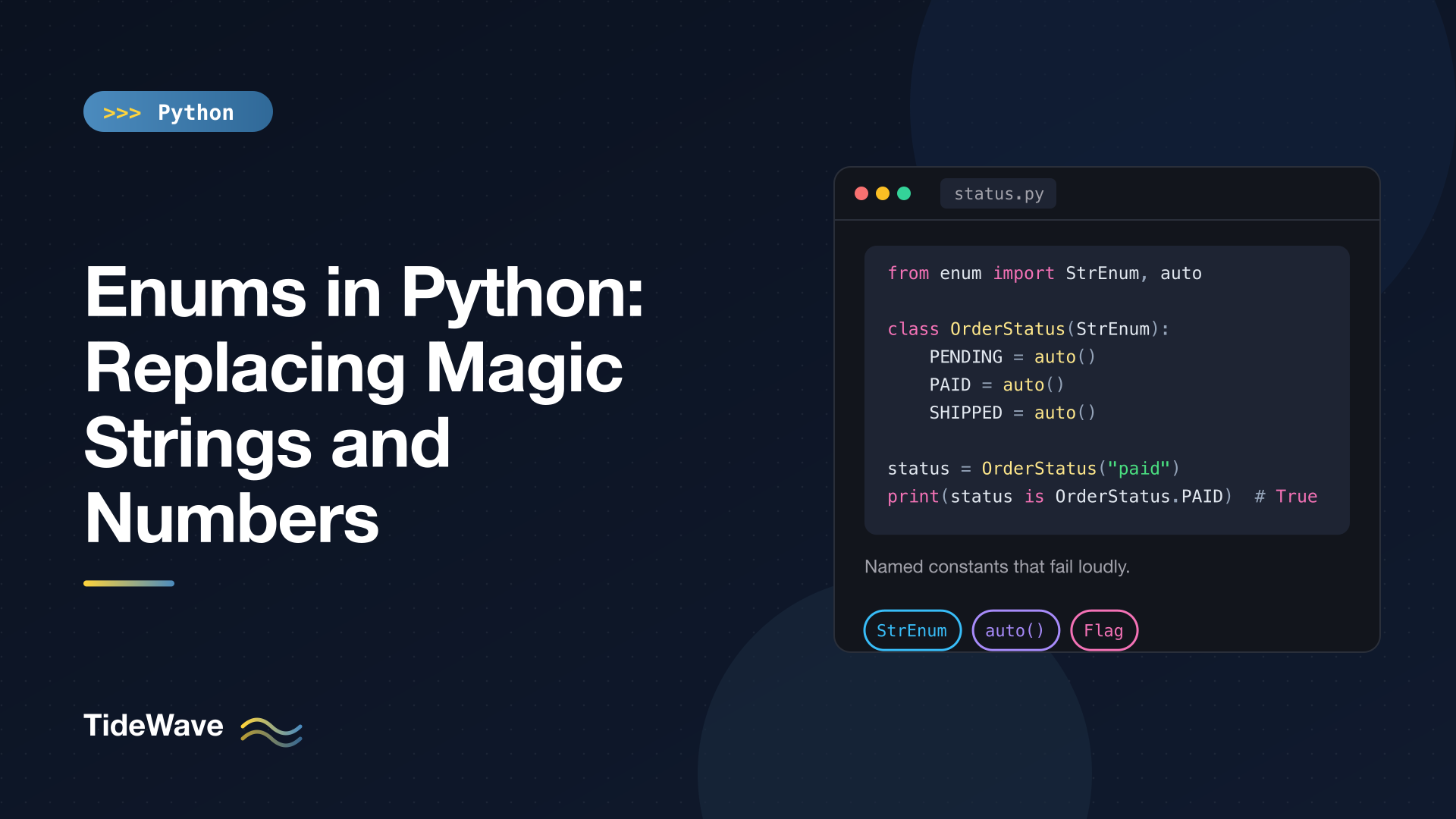
Enums in Python: Replacing Magic Strings and Numbers
Every codebase has them: if status == "shiped":, if role == 3:, set_mode("fast"). Magic strings and numbers work right up until someone makes a typo, or renames a value in one place and not the others. Python won't complain. The comparison just quietly returns False and the bug shows up as wrong behaviour, not as an error.
An enum gives a fixed set of related values a name and a type. Typos become AttributeErrors at the line where they happen, your editor can autocomplete the options, and a type checker can tell you when you've passed a string where a status was expected.
This post covers the enum module from the ground up: defining and looking up members, auto(), the StrEnum and IntEnum variants, Flag for combinable options, aliases and @unique, adding methods and properties to an enum, handling messy input with _missing_, and using enums with match, JSON, and databases. Everything here runs on Python 3.11 and newer, and the examples were tested on 3.13.
The Problem with Magic Values
Here's the kind of code enums replace:
def ship(order: dict) -> None:
    if order["status"] != "paid":
        raise ValueError("Only paid orders can ship")
    order["status"] = "shipped"


def is_done(order: dict) -> bool:
    return order["status"] in ("shipped", "canceled")  # or was it "cancelled"?
The valid statuses are scattered across string literals. There's no single place that lists them, nothing prevents "canceled" and "cancelled" from coexisting, and a type hint can only say str.
Defining Your First Enum
Subclass Enum and list the members as class attributes:
from enum import Enum


class OrderStatus(Enum):
    PENDING = "pending"
    PAID = "paid"
    SHIPPED = "shipped"
    CANCELLED = "cancelled"
Each attribute becomes a member: a singleton instance of OrderStatus with a name and a value.
s = OrderStatus.PAID
print(s)
print(repr(s))
print(s.name, s.value)
print(isinstance(s, OrderStatus), type(s))
OrderStatus.PAID
<OrderStatus.PAID: 'paid'>
PAID paid
True <enum 'OrderStatus'>
Members are constants. You can't reassign one:
OrderStatus.PAID = "x"
# AttributeError: cannot reassign member 'PAID'
And a typo fails loudly, right where you made it:
OrderStatus.SHIPED
# AttributeError: type object 'OrderStatus' has no attribute 'SHIPED'
Looking Up Members
You'll often need to go from raw data back to a member. Call the class with a value, or index it with a name:
print(OrderStatus("shipped"))     # by value
print(OrderStatus["CANCELLED"])   # by name
OrderStatus.SHIPPED
OrderStatus.CANCELLED
An invalid value raises ValueError, and an invalid name raises KeyError, which is exactly what you want when parsing input:
OrderStatus("refunded")
# ValueError: 'refunded' is not a valid OrderStatus
Iterating and Membership
Enum classes are iterable and have a length:
print(list(OrderStatus))
print(len(OrderStatus))
[<OrderStatus.PENDING: 'pending'>, <OrderStatus.PAID: 'paid'>, <OrderStatus.SHIPPED: 'shipped'>, <OrderStatus.CANCELLED: 'cancelled'>]
4
That's handy for building dropdowns, validating CLI choices, or generating documentation. Membership tests work with members, and since Python 3.12 they also accept raw values:
print(OrderStatus.PAID in OrderStatus)  # True
print("paid" in OrderStatus)            # True on 3.12+
Comparing Members
Members compare by identity. Because each member is a singleton, is and == both work, and members are hashable, so they make good dictionary keys:
s = OrderStatus.PAID
print(s == "paid", s is OrderStatus.PAID, s == OrderStatus.PAID)
False True True
Note the first result. A plain Enum member is not equal to its value. OrderStatus.PAID == "paid" is False. This is deliberate: it stops you from mixing raw strings and enum members by accident. If you do want string equality, use StrEnum (covered below).
Letting Python Pick Values with auto()
When the values don't matter, only the names do, use auto():
from enum import Enum, auto


class Color(Enum):
    RED = auto()
    GREEN = auto()
    BLUE = auto()


print(list(Color), Color.RED.value)
[<Color.RED: 1>, <Color.GREEN: 2>, <Color.BLUE: 3>] 1
For a plain Enum, auto() produces integers starting at 1. Use it when the value is an implementation detail. If the value is stored in a database or sent over an API, write it out explicitly: you don't want reordering the class to change what's in your tables.
StrEnum and IntEnum: Enums That Behave Like Their Values
Sometimes you need members that are strings or integers, because they're passed to code that expects one. Python provides two ready-made mixed-in types.
StrEnum
StrEnum (Python 3.11+) members are real str instances. They compare equal to strings, str() returns the value, and string methods work:
import json
from enum import StrEnum, auto


class Priority(StrEnum):
    LOW = auto()
    HIGH = auto()


print(Priority.LOW, repr(Priority.LOW), Priority.LOW == "low", Priority.HIGH.upper())
print(f"{Priority.HIGH}", json.dumps({"p": Priority.HIGH}))
low <Priority.LOW: 'low'> True HIGH
high {"p": "high"}
With StrEnum, auto() uses the lowercased member name as the value, which is usually exactly what you want. And because members are strings, json.dumps() serializes them without any extra work. Compare that with a plain Enum:
json.dumps({"s": OrderStatus.PAID})
# TypeError: Object of type OrderStatus is not JSON serializable
You'll see older code use class Color(str, Enum) to get a similar effect. It still works, but str() and f-strings give 'Color.RED' instead of 'red' on current Python versions, which surprises people. StrEnum is the cleaner choice on 3.11 and newer.
IntEnum
IntEnum members are integers, so they compare and sort with plain numbers:
from enum import IntEnum


class HttpStatus(IntEnum):
    OK = 200
    NOT_FOUND = 404


print(HttpStatus.OK == 200, HttpStatus.NOT_FOUND > 400, HttpStatus(404))
True True 404
The standard library uses this pattern itself: http.HTTPStatus.NOT_FOUND is an IntEnum member with extras like .phrase ('Not Found').
When to Use Which
| Type | Equal to raw value? | Good for |
|---|---|---|
Enum | No | Internal states where mixing with raw values would be a bug |
StrEnum | Yes, to str | Values that cross boundaries: JSON, URLs, config files, DB columns |
IntEnum | Yes, to int | Interop with numeric codes: HTTP statuses, protocol fields, legacy APIs |
Flag / IntFlag | No / Yes | Combinable options (see next section) |
My default is StrEnum for anything that gets serialized and plain Enum for purely internal states. The interop of StrEnum and IntEnum is convenient, but it also weakens the "you can't mix these up" guarantee, so don't reach for them by reflex.
Flag: Combinable Options
Some values aren't mutually exclusive. A user can have read and write permission. Flag members are bit values you can combine with |, intersect with &, and test with in:
from enum import Flag, auto


class Permission(Flag):
    READ = auto()
    WRITE = auto()
    DELETE = auto()
    ADMIN = READ | WRITE | DELETE


p = Permission.READ | Permission.WRITE
print(p)
print(Permission.WRITE in p, Permission.DELETE in p)
print(Permission.READ.value, Permission.WRITE.value, Permission.DELETE.value)
print(Permission.ADMIN, list(Permission.ADMIN))
Permission.READ|WRITE
True False
1 2 4
Permission.ADMIN [<Permission.READ: 1>, <Permission.WRITE: 2>, <Permission.DELETE: 4>]
For a Flag, auto() produces powers of two, so each member occupies its own bit. ADMIN is a named combination; iterating over it yields the individual flags it contains. Removing a flag uses & with the inverse:
p &= ~Permission.WRITE
print(p)  # Permission.READ
The empty flag, Permission(0), is falsy, so if user_perms: reads naturally. IntFlag is the integer-compatible version, useful when the flags come from an OS or C API that hands you a bitmask.
Aliases and @unique
Two members with the same value aren't two members. The second becomes an alias for the first:
from enum import Enum


class Size(Enum):
    SMALL = "s"
    S = "s"
    LARGE = "l"


print(Size.S, Size.S is Size.SMALL)
print(list(Size))
print(list(Size.__members__))
Size.SMALL True
[<Size.SMALL: 's'>, <Size.LARGE: 'l'>]
['SMALL', 'S', 'LARGE']
Iteration skips aliases, while __members__ includes them. Aliases are useful for renaming a member without breaking old code. When duplicates would be a mistake, decorate the class with @unique and Python will reject it at definition time:
from enum import Enum, unique


@unique
class Bad(Enum):
    A = 1
    B = 1
# ValueError: duplicate values found in <enum 'Bad'>: B -> A
Enums Are Classes: Add Methods and Properties
This is the part people miss. An enum is a full class, so you can attach behaviour that belongs to the set of values. That's often the cleanest home for logic that would otherwise be a scattered if/elif chain.
# orders/status.py
from enum import StrEnum, auto


class OrderStatus(StrEnum):
    PENDING = auto()
    PAID = auto()
    SHIPPED = auto()
    CANCELLED = auto()

    @property
    def is_final(self) -> bool:
        return self in {OrderStatus.SHIPPED, OrderStatus.CANCELLED}

    def can_transition_to(self, new: "OrderStatus") -> bool:
        allowed = {
            OrderStatus.PENDING: {OrderStatus.PAID, OrderStatus.CANCELLED},
            OrderStatus.PAID: {OrderStatus.SHIPPED, OrderStatus.CANCELLED},
        }
        return new in allowed.get(self, set())


print(OrderStatus.PAID.is_final, OrderStatus.SHIPPED.is_final)
print(OrderStatus.PENDING.can_transition_to(OrderStatus.SHIPPED))
print(OrderStatus.PAID.can_transition_to(OrderStatus.SHIPPED))
False True
False
True
Now the order state machine lives next to the states. Code that ships an order calls status.can_transition_to(OrderStatus.SHIPPED) instead of re-encoding the rules.
Members with Multiple Values
If a member's value is a tuple and the enum defines __init__, the tuple is unpacked into it. That lets each member carry several related attributes:
from enum import Enum


class Planet(Enum):
    MERCURY = (3.303e23, 2.4397e6)
    EARTH = (5.976e24, 6.37814e6)

    def __init__(self, mass: float, radius: float) -> None:
        self.mass = mass
        self.radius = radius

    @property
    def surface_gravity(self) -> float:
        G = 6.67430e-11
        return G * self.mass / (self.radius ** 2)


print(f"{Planet.EARTH.surface_gravity:.2f}")  # 9.80
The .value is still the full tuple; mass and radius are extra attributes set on the member.
Handling Messy Input with _missing_
Real input is rarely clean: " PAID ", "Paid", "paid". Rather than normalising in every caller, override the _missing_ class method. Python calls it when a value lookup fails, and you can return a member or None:
from enum import StrEnum, auto


class OrderStatus(StrEnum):
    PENDING = auto()
    PAID = auto()
    SHIPPED = auto()
    CANCELLED = auto()

    @classmethod
    def _missing_(cls, value):
        if isinstance(value, str):
            lowered = value.strip().lower()
            for member in cls:
                if member.value == lowered:
                    return member
        return None


print(repr(OrderStatus(" PAID ")))
OrderStatus("nope")
<OrderStatus.PAID: 'paid'>
ValueError: 'nope' is not a valid OrderStatus
Returning None keeps the normal ValueError for values that really are invalid.
Enums and Pattern Matching
Enums pair well with match. Because members are accessed with a dot, they're treated as value patterns, not capture variables:
def describe(status: OrderStatus) -> str:
    match status:
        case OrderStatus.PENDING:
            return "Waiting for payment"
        case OrderStatus.PAID | OrderStatus.SHIPPED:
            return "In progress"
        case OrderStatus.CANCELLED:
            return "Cancelled"


print(describe(OrderStatus.SHIPPED))  # In progress
A type checker like mypy or Pyright can also tell you when a match over an enum doesn't handle every member, which is a nice safety net when you add a new state. The structural pattern matching post covers match in more depth.
Enums at the Boundaries: JSON, Databases, and APIs
Inside your program, pass members around. At the edges, convert to and from plain values:
- Writing out: store
member.value, notmember.nameorstr(member). Values are the stable contract; names may get renamed for style. - Reading in: call
OrderStatus(raw_value)and let theValueErrorsurface invalid data early. - JSON:
StrEnumandIntEnumserialize directly. For a plainEnum, passdefault=lambda o: o.valuetojson.dumps()or convert explicitly. - Libraries: Pydantic, SQLAlchemy, and Django all understand enums. Pydantic validates incoming strings into members; SQLAlchemy has an
Enumcolumn type; Django has its ownTextChoicesandIntegerChoicesbuilt on the same idea.
A small round trip:
import json
from enum import StrEnum, auto


class Priority(StrEnum):
    LOW = auto()
    HIGH = auto()


payload = json.dumps({"task": "deploy", "priority": Priority.HIGH})
data = json.loads(payload)
priority = Priority(data["priority"])
print(payload, repr(priority))
{"task": "deploy", "priority": "high"} <Priority.HIGH: 'high'>
The Functional API
For quick enums, or ones built from data, there's a one-line form:
from enum import Enum, StrEnum

Weekday = Enum("Weekday", ["MON", "TUE", "WED"])
Level = StrEnum("Level", ["DEBUG", "INFO"])

print(list(Weekday))
print(list(Level))
[<Weekday.MON: 1>, <Weekday.TUE: 2>, <Weekday.WED: 3>]
[<Level.DEBUG: 'debug'>, <Level.INFO: 'info'>]
It's handy in tests and scripts, but the class syntax is easier to read and document, and it's the only way to add methods.
Common Mistakes
- Comparing a plain
Enumto a string.OrderStatus.PAID == "paid"isFalse. Either compare members to members, convert the string first, or useStrEnum. - Using
auto()for persisted values. Reordering members changes the numbers. Be explicit for anything stored. - Storing
str(member). For a plainEnumthat's'OrderStatus.PAID', which leaks a class name into your data. - Mutable values. Members should be immutable. Use tuples, not lists, for multi-value members.
- Huge enums for open-ended data. Country codes from a stable standard are fine as an enum; product categories managed by your marketing team probably belong in a database table.
Conclusion
Enums replace scattered string and number literals with a single, named, typed set of values. Typos fail immediately, editors autocomplete the options, and logic about those values (transitions, labels, derived properties) has an obvious place to live.
Use plain Enum for internal state, StrEnum when values cross into JSON, URLs, or databases, IntEnum for numeric codes, and Flag when options combine. Convert to .value at the edges, parse with MyEnum(raw) on the way in, and let the rest of your code work with members.


