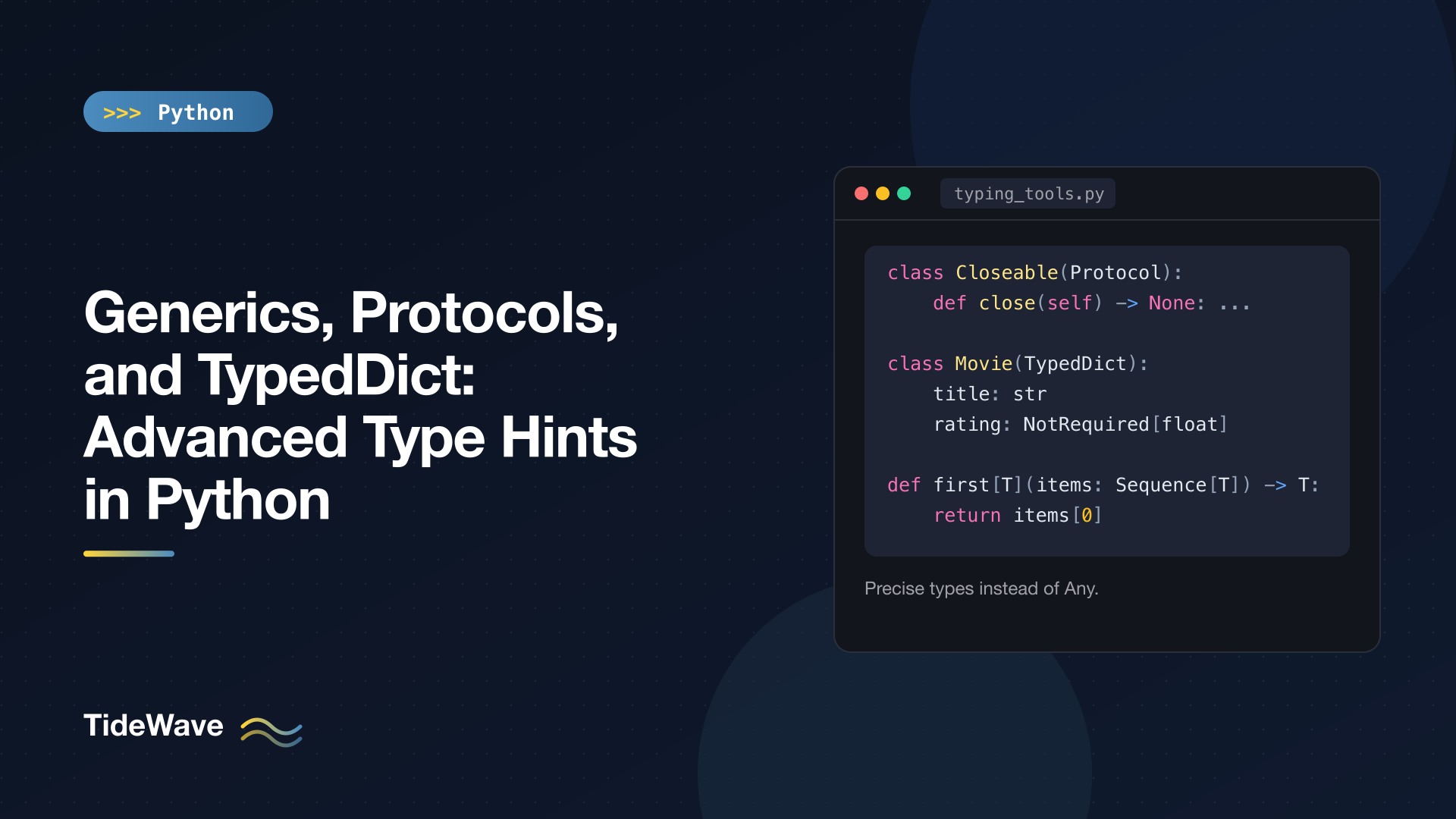
Generics, Protocols, and TypedDict: Advanced Type Hints in Python
Basic type hints take you a long way. str, list[int], dict[str, float], and X | None cover most function signatures. Then you hit code that's harder to describe: a helper that returns whatever type it was given, a function that accepts "anything with a close() method", a dict loaded from JSON with a known set of keys, or a decorator that should preserve the signature of the function it wraps.
Without the right tools, you end up writing Any and losing the checking you wanted. Python's typing system has precise answers for each of these, and since Python 3.12 the syntax for the most important one, generics, is much friendlier than it used to be.
This post covers generic functions and classes with the modern [T] syntax, bounds and constraints, variance in practical terms, ParamSpec for decorators, Protocol for structural typing, TypedDict for dictionaries with a fixed shape, and TypeIs for custom type narrowing. It assumes you're comfortable with the basics from Type Hints in Python: A Practical Guide to Static Typing. All examples were checked with mypy, and they also work with Pyright.
Generic Functions
Consider a function that returns the first item of a sequence. What should its return type be?
from collections.abc import Sequence
from typing import Any


def first(items: Sequence[Any]) -> Any:
    return items[0]
That type-checks, but it throws information away. first([1, 2, 3]) returns Any, so the checker stops helping you with the result. What you want to say is "it returns the same type the sequence contains". That's a type parameter:
from collections.abc import Sequence


def first[T](items: Sequence[T]) -> T:
    return items[0]


n = first([1, 2, 3])
s = first("abc")
reveal_type(n)
reveal_type(s)
Running mypy:
note: Revealed type is "int"
note: Revealed type is "str"
The [T] after the function name declares a type parameter (Python 3.12+, PEP 695). Each call binds T to a concrete type based on the arguments, and the return type follows. reveal_type() is a checker-only helper that prints the inferred type; remove it before running the code, since it isn't defined at runtime on 3.13.
The Older TypeVar Syntax
You'll see generics written differently in code that supports Python 3.11 and earlier:
from collections.abc import Sequence
from typing import TypeVar

T = TypeVar("T")


def first(items: Sequence[T]) -> T:
    return items[0]
It means the same thing. The new syntax scopes T to the function, so you don't need module-level TypeVar declarations, and it's what I'll use for the rest of this post. If your project must run on 3.11, use TypeVar.
Generic Classes
Containers are the classic generic class. Declare type parameters after the class name, and use them throughout the body:
# stack.py
class Stack[T]:
    def __init__(self) -> None:
        self._items: list[T] = []

    def push(self, item: T) -> None:
        self._items.append(item)

    def pop(self) -> T:
        return self._items.pop()

    def __len__(self) -> int:
        return len(self._items)


ints = Stack[int]()
ints.push(1)
ints.push("two")  # error

names: Stack[str] = Stack()
names.push("ada")
reveal_type(names.pop())  # str
mypy reports:
stack.py:18: error: Argument 1 to "push" of "Stack" has incompatible type "str"; expected "int" [arg-type]
You can parametrize at construction (Stack[int]()) or through a variable annotation (names: Stack[str] = Stack()). The older equivalent is class Stack(Generic[T]) with a module-level TypeVar.
Python 3.13 added defaults for type parameters (PEP 696): class Box[T = int] means a bare Box() is treated as Box[int]. That's mostly useful for library authors who want to add a type parameter without forcing every user to spell it out.
Bounds and Constraints
An unrestricted T can be anything, which means the function body can only do things that work on every object. To call methods or use operators on T, restrict it.
Upper Bounds
A bound says "T can be any type, as long as it's a subtype of this". Here's a biggest() function that works with anything supporting <:
# compare.py
from typing import Any, Protocol


class SupportsLessThan(Protocol):
    def __lt__(self, other: Any, /) -> bool: ...


def biggest[T: SupportsLessThan](a: T, b: T) -> T:
    return b if a < b else a


print(biggest(3, 7), biggest("pear", "apple"))  # 7 pear
reveal_type(biggest(3, 7))  # int
biggest(object(), object())  # error
[T: SupportsLessThan] declares the bound. biggest(3, 7) still returns int, not SupportsLessThan, which is the whole point of using a type parameter instead of annotating the parameters with the protocol directly. The last line fails because plain object doesn't define __lt__. (SupportsLessThan is a protocol; more on those shortly.)
Constraints
Constraints say "T must be exactly one of these types":
def concat[S: (str, bytes)](a: S, b: S) -> S:
    return a + b


print(concat("ab", "cd"), concat(b"ab", b"cd"))  # abcd b'abcd'
concat("ab", b"cd")  # error: can't mix str and bytes
The tuple after the colon makes it a constraint rather than a bound. Constraints are rarer than bounds; use them when a function works on a few unrelated types but must not mix them.
Variance, Briefly
Here's a puzzle that confuses almost everyone the first time:
from collections.abc import Sequence


def total(values: list[float]) -> float:
    return sum(values)


def total_ro(values: Sequence[float]) -> float:
    return sum(values)


counts: list[int] = [1, 2, 3]
total(counts)     # error
total_ro(counts)  # fine
mypy explains:
error: Argument 1 to "total" has incompatible type "list[int]"; expected "list[float]"  [arg-type]
note: "list" is invariant -- see https://mypy.readthedocs.io/en/stable/common_issues.html#variance
note: Consider using "Sequence" instead, which is covariant
An int is acceptable where a float is expected, so why isn't a list[int] acceptable where a list[float] is expected? Because total could do values.append(2.5), and then your list[int] would contain a float. Mutable containers are invariant: list[int] and list[float] are simply different types. Read-only interfaces like Sequence and Mapping (for values) are covariant, so Sequence[int] is accepted as a Sequence[float].
The practical lesson is the same one from the basics post: annotate parameters with read-only abstract types when you don't mutate them. With the new class syntax, the checker infers the variance of your own generic classes from how you use T, so you rarely have to think about it further.
Typing Decorators with ParamSpec
Decorators are hard to type with plain Callable, because you want to say "the wrapper takes exactly the same arguments as the wrapped function". ParamSpec captures a whole parameter list. In the new syntax, you declare it with **P:
# timing.py
import time
from collections.abc import Callable
from functools import wraps


def timed[**P, R](func: Callable[P, R]) -> Callable[P, R]:
    @wraps(func)
    def wrapper(*args: P.args, **kwargs: P.kwargs) -> R:
        start = time.perf_counter()
        try:
            return func(*args, **kwargs)
        finally:
            print(f"{func.__name__} took {time.perf_counter() - start:.4f}s")
    return wrapper


@timed
def add(a: int, b: int = 0) -> int:
    return a + b


print(add(2, b=3))
add("x")  # error
reveal_type(add)
mypy output:
timing.py:24: error: Argument 1 to "add" has incompatible type "str"; expected "int"  [arg-type]
timing.py:25: note: Revealed type is "def (a: int, b: int =) -> int"
The decorated add keeps its exact signature, including parameter names and defaults, so editors still autocomplete b= and checkers still catch bad calls. Without ParamSpec, you'd typically end up with Callable[..., Any] and lose all of that. P.args and P.kwargs are the matching annotations for *args and **kwargs inside the wrapper.
If a decorator adds a parameter, typing.Concatenate lets you express that too, for example Callable[Concatenate[Request, P], R] for a wrapper that injects a Request as the first argument.
Protocols: Static Duck Typing
Python code is full of duck typing: "I don't care what class this is, as long as it has a close() method". Nominal typing (isinstance against a base class) can't express that without forcing every class to inherit from a common base. Protocol can (PEP 544):
# shutdown.py
from typing import Protocol


class Closeable(Protocol):
    def close(self) -> None: ...


class FileHandle:
    def close(self) -> None:
        print("file closed")


class Socket:
    def close(self) -> None:
        print("socket closed")


class Config:
    pass


def shutdown(resources: list[Closeable]) -> None:
    for r in resources:
        r.close()


shutdown([FileHandle(), Socket()])
shutdown([Config()])  # error
mypy reports:
shutdown.py:29: error: List item 0 has incompatible type "Config"; expected "Closeable" [list-item]
Notice that neither FileHandle nor Socket mentions Closeable. A class satisfies a protocol simply by having matching members with compatible signatures. That's structural typing, and it's perfect for:
- Accepting objects from third-party libraries you can't modify.
- Keeping modules decoupled. The function that needs a
Closeabledefines the protocol; implementations don't import it. - Describing the minimal interface a function really uses, which makes testing with fakes easy.
The standard library already defines many protocols. Iterable, Sized, Hashable, and Callable in collections.abc behave structurally for type checkers, which is why a custom class with __iter__ counts as an Iterable without inheriting from anything.
Protocols with Attributes
Protocols can declare attributes as well as methods:
# shapes.py
from typing import Protocol


class Shape(Protocol):
    name: str

    def area(self) -> float: ...


class Square:
    def __init__(self, side: float) -> None:
        self.name = "square"
        self.side = side

    def area(self) -> float:
        return self.side ** 2


def report(shape: Shape) -> None:
    print(shape.name, shape.area())


report(Square(3))  # square 9
One subtlety: if a protocol defines a method with a body, that body is only inherited by classes that explicitly subclass the protocol. A class that matches structurally must still define every member itself, including ones the protocol implements. Keep protocols as pure interfaces, and put shared behavior in a regular base class or helper function.
Callback Protocols
When a callback has keyword-only arguments, defaults, or overloads, Callable[...] can't describe it. A protocol with __call__ can:
# retry.py
from typing import Protocol


class RetryPolicy(Protocol):
    def __call__(self, attempt: int, *, error: Exception) -> float: ...


def exponential(attempt: int, *, error: Exception) -> float:
    return 0.1 * 2 ** attempt


def bad(attempt: int) -> float:
    return 1.0


def run(policy: RetryPolicy) -> None:
    print(policy(3, error=TimeoutError()))


run(exponential)  # prints 0.8
run(bad)          # error: missing the keyword-only 'error' parameter
Any plain function with a matching signature satisfies the protocol.
Runtime Checks with @runtime_checkable
By default, protocols exist only for the type checker; isinstance(x, Closeable) raises a TypeError. Adding @runtime_checkable enables isinstance() checks, with a big caveat:
from typing import Protocol, runtime_checkable


@runtime_checkable
class Closeable(Protocol):
    def close(self) -> None: ...


class Weird:
    def close(self, force: bool) -> str:
        return "?"


print(isinstance(open(__file__), Closeable))  # True
print(isinstance(42, Closeable))              # False
print(isinstance(Weird(), Closeable))         # True (!)
The runtime check only verifies that the members exist. It doesn't compare signatures or return types, so Weird passes even though its close() is incompatible. Use runtime-checkable protocols for rough dispatch, not for validation.
Protocol or ABC?
Both describe interfaces. The difference is whether implementations must opt in:
Protocol | Abstract base class | |
|---|---|---|
| Implementations inherit from it | No (structural) | Yes (nominal) |
| Works with classes you don't control | Yes | Only with register() |
| Shares implementation code | Only with explicit subclassing | Yes |
| Enforced at instantiation | No | Yes, missing abstract methods raise TypeError |
Use a protocol when you're describing what a function needs. Use an ABC when you're defining a family of classes that share behavior and must implement certain methods.
TypedDict: Typing Dictionaries with Known Keys
JSON payloads, config files, and API responses usually arrive as dicts with a known set of keys and a different type per key. dict[str, Any] loses all of that. TypedDict describes the shape:
# movies.py
from typing import NotRequired, TypedDict


class Movie(TypedDict):
    title: str
    year: int
    rating: NotRequired[float]


m: Movie = {"title": "Alien", "year": 1979}
m["rating"] = 8.5

bad: Movie = {"title": "Alien", "year": "1979"}  # error
missing: Movie = {"title": "Alien"}              # error
m["director"] = "Scott"                          # error
reveal_type(m.get("rating"))                     # float | None
mypy catches all three mistakes:
movies.py:14: error: Incompatible types (expression has type "str", TypedDict item "year" has type "int")  [typeddict-item]
movies.py:15: error: Missing key "year" for TypedDict "Movie"  [typeddict-item]
movies.py:16: error: TypedDict "Movie" has no key "director"  [typeddict-unknown-key]
At runtime, a TypedDict value is a plain dict. There's no wrapper class and no validation; type(m) is dict. Everything happens in the checker. If you need validation of untrusted data, use a library such as Pydantic, which understands TypedDict as well as its own models.
Required and Optional Keys
By default, every key is required. There are two ways to make keys optional:
from typing import NotRequired, Required, TypedDict


class Movie(TypedDict):
    title: str
    rating: NotRequired[float]  # this key may be missing


class Settings(TypedDict, total=False):
    debug: bool                 # all keys optional...
    port: int
    name: Required[str]         # ...except this one


s: Settings = {"name": "api"}
Don't confuse a missing key with a None value. NotRequired[float] means the key may be absent; float | None means the key is present but may hold None. Use .get() for keys that might be missing.
Read-Only Keys (Python 3.13)
Python 3.13 added ReadOnly (PEP 705) for keys that shouldn't be modified:
from typing import ReadOnly, TypedDict


class User(TypedDict):
    id: ReadOnly[int]
    name: str


u: User = {"id": 1, "name": "ada"}
u["name"] = "Ada"  # fine
u["id"] = 2        # error: ReadOnly TypedDict key "id" TypedDict is mutated
Annotating Plain Dict Literals
One thing that surprises people: a dict stored in an unannotated variable doesn't automatically become a TypedDict:
from typing import TypedDict


class Point(TypedDict):
    x: int
    y: int


def norm(p: Point) -> float:
    return (p["x"] ** 2 + p["y"] ** 2) ** 0.5


data = {"x": 3, "y": 4}
norm(data)               # error: "dict[str, int]" is not "Point"
norm({"x": 3, "y": 4})   # fine
The checker infers data as dict[str, int], which could gain or lose keys, so it can't be a Point. Annotate the variable (data: Point = {...}) or pass the literal directly.
Typing **kwargs with Unpack
TypedDict also solves a long-standing gap: precise types for keyword arguments that vary per key.
# fetch.py
from typing import NotRequired, TypedDict, Unpack


class RequestOptions(TypedDict):
    timeout: NotRequired[float]
    retries: NotRequired[int]
    verify: NotRequired[bool]


def fetch(url: str, **options: Unpack[RequestOptions]) -> None:
    timeout = options.get("timeout", 10.0)
    print(f"GET {url} timeout={timeout} options={options}")


fetch("https://example.com", timeout=5, retries=2)
fetch("https://example.com", timeout="slow")  # error: expected "float"
fetch("https://example.com", retry=2)         # error: unexpected keyword "retry"
Each keyword argument now has its own type, and typos in keyword names become checker errors instead of silently ignored options.
TypedDict vs Dataclass
Use TypedDict when the data is, and should stay, a dict: JSON you pass through, **kwargs, or existing code that indexes with ["key"]. Use a dataclass (or a Pydantic model) when you control the data's lifecycle and want attribute access, methods, and a real runtime type.
Custom Narrowing with TypeIs
Checkers narrow types after isinstance() checks, but not after calls to your own helper functions, unless you tell them the helper is a type check. Python 3.13 added TypeIs (PEP 742) for this:
# narrowing.py
from typing import TypeIs


def is_number(value: object) -> TypeIs[int | float]:
    return isinstance(value, (int, float))


def describe(value: int | float | str) -> str:
    if is_number(value):
        reveal_type(value)  # int | float
        return f"number {value * 2}"
    reveal_type(value)      # str
    return f"text {value.upper()}"
When the function returns True, the checker narrows the argument to int | float. In the False branch, it narrows to whatever is left, here str. That second part is why a TypeIs function must return True exactly when the value has the declared type. A helper like "is a positive int" would be wrong as TypeIs[int], because returning False for -5 would make the checker believe the value can't be an int at all.
For checks like that, which only confirm the type in the True branch, use the older TypeGuard (Python 3.10+). It narrows only when the function returns True and leaves the False branch alone. TypeIs also requires the narrowed type to be a subtype of the parameter's type, so TypeIs[list[str]] on a list[object] parameter is rejected (lists are invariant), while TypeGuard allows it.
Conclusion
Each of these tools exists to replace a specific use of Any. Generics keep the relationship between input and output types, with bounds and constraints when the body needs specific capabilities. ParamSpec lets decorators preserve signatures. Protocol types duck-typed code without forcing inheritance. TypedDict describes dicts with a fixed set of keys, including **kwargs. TypeIs teaches the checker about your own validation helpers.
Use the Python 3.12+ [T] syntax for new code, and prefer read-only abstract types in parameters to sidestep variance errors. The final step is making a checker run on every change; Static Type Checking in Python with mypy and Pyright covers configuring mypy and Pyright, strict mode, and CI.


