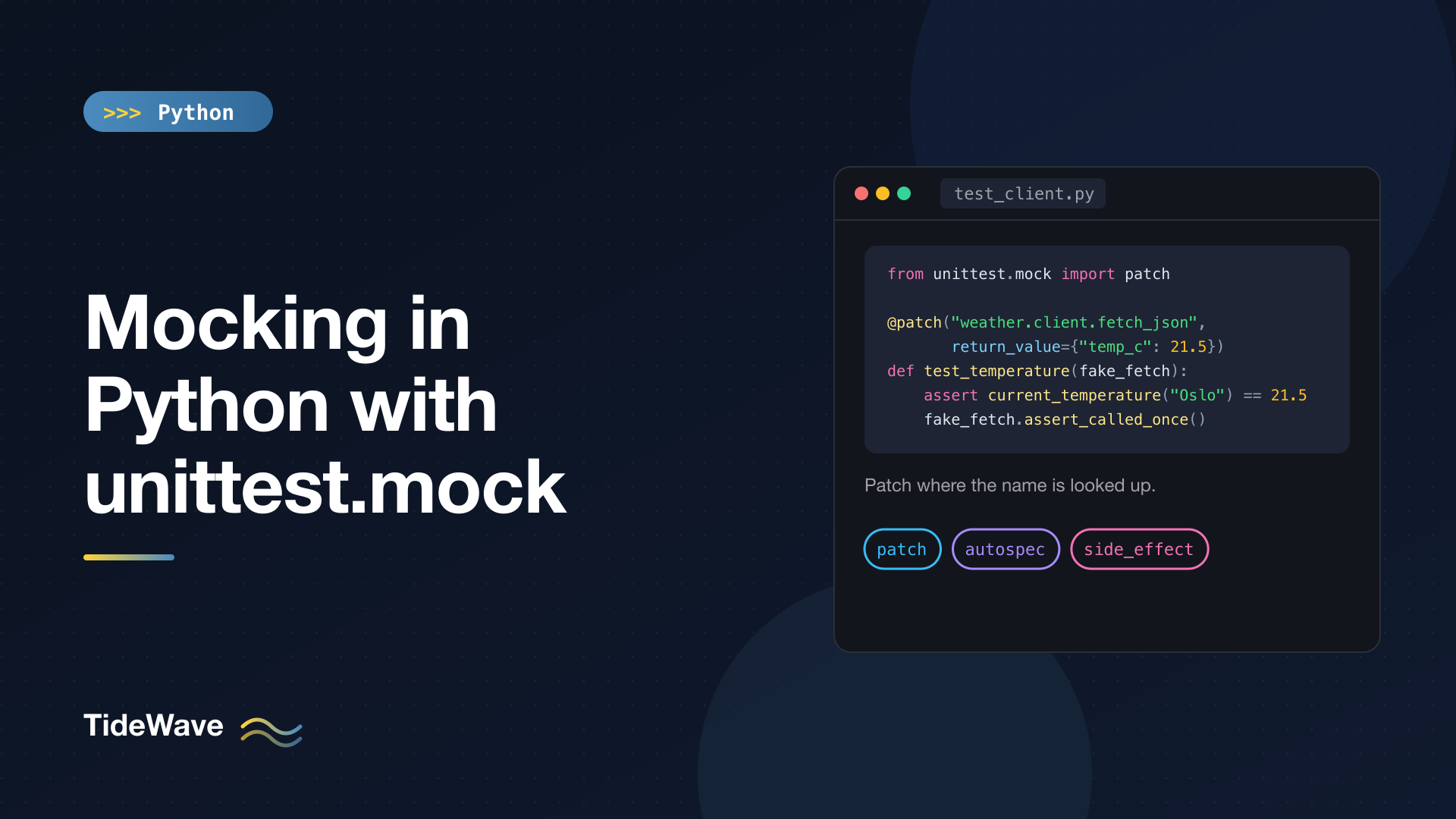
Mocking in Python with unittest.mock
Unit tests should be fast, deterministic, and isolated. Real code, unfortunately, talks to things that are none of those: HTTP APIs that are slow or down, clocks that return a different time on every run, files that may not exist on the CI machine, and time.sleep calls that turn a 10 ms test into a 6-second one. Mocking is how you take those dependencies out of the picture: you swap the real object for a stand-in that you control, then check that your code used it correctly.
Python ships with a complete mocking library in the standard library, unittest.mock. Despite the name, it works perfectly with pytest. This guide covers the Mock and MagicMock objects, configuring return values and side effects, asserting on calls, patch and the all-important question of where to patch, autospec for mocks that can't drift from reality, and helpers for files, environment variables, and async code.
The Code We'll Test
Here's a small weather client that has every problem mentioned above: network access, retries with sleeps, and the current time.
# weather/client.py
import json
import time
import urllib.request
from datetime import datetime, timezone

API_URL = "https://api.example.com/v1/current"


class WeatherError(Exception):
    pass


def fetch_json(url: str) -> dict:
    with urllib.request.urlopen(url, timeout=5) as response:
        return json.load(response)


def current_temperature(city: str) -> float:
    data = fetch_json(f"{API_URL}?city={city}")
    return data["temp_c"]


def fetch_with_retry(city: str, attempts: int = 3) -> float:
    for attempt in range(1, attempts + 1):
        try:
            return current_temperature(city)
        except OSError:
            if attempt == attempts:
                raise WeatherError(f"gave up on {city} after {attempts} attempts")
            time.sleep(2 ** attempt)
    raise AssertionError("unreachable")


def report(city: str) -> str:
    temp = current_temperature(city)
    stamp = datetime.now(timezone.utc).strftime("%H:%M")
    return f"{stamp} UTC: {temp:.1f}°C in {city}"
Testing current_temperature for real would need a live API, and testing the retry path would need the API to fail on demand and would sleep for 6 seconds. Mocks fix both.
Mock Objects: Stand-Ins That Record Everything
A Mock is an object that accepts any attribute access and any call, and remembers what happened:
from unittest.mock import Mock

notifier = Mock()
notifier.send.return_value = True

result = notifier.send("ops@example.com", subject="Disk full")

assert result is True
notifier.send.assert_called_once_with("ops@example.com", subject="Disk full")

print(notifier.send.call_args)
print(notifier.send.call_args.args, notifier.send.call_args.kwargs)
print(notifier.method_calls)
print(notifier.anything.you.like)
call('ops@example.com', subject='Disk full')
('ops@example.com',) {'subject': 'Disk full'}
[call.send('ops@example.com', subject='Disk full')]
<Mock name='mock.anything.you.like' id='4414170384'>
A few things to notice:
- Accessing
notifier.sendcreates a child mock on the fly. So doesnotifier.anything.you.like. This flexibility is convenient and, as you'll see later, also dangerous. return_valuesets what a call returns. Without it, calling a mock returns another mock.- Every call is recorded.
call_argsholds the most recent call,call_args_listholds all of them,call_countcounts them, andmethod_callstracks calls to child mocks.
Assertion Methods
Mocks come with assertion helpers that produce clear failure messages:
| Method | Passes when |
|---|---|
assert_called() | Called at least once |
assert_called_once() | Called exactly once |
assert_called_with(*args, **kwargs) | The last call used these arguments |
assert_called_once_with(*args, **kwargs) | Called exactly once, with these arguments |
assert_any_call(*args, **kwargs) | Any call used these arguments |
assert_has_calls([call(...), ...]) | These calls appear in this order |
assert_not_called() | Never called |
When one fails, the message shows the difference:
expected call not found.
Expected: send('ops@example.com', subject='Disk ful')
  Actual: send('ops@example.com', subject='Disk full')
When you care about some arguments but not others, unittest.mock.ANY matches anything: m.assert_called_with("a", ANY).
side_effect: Errors, Sequences, and Custom Logic
return_value always returns the same thing. side_effect is more flexible, and behaves differently depending on what you give it:
from unittest.mock import Mock

# An iterable: each call returns the next item; exceptions in it are raised
m = Mock(side_effect=[1, 2, ValueError("boom")])
print(m(), m())
try:
    m()
except ValueError as e:
    print("raised", e)

# A function: called with the same arguments, its result is returned
double = Mock(side_effect=lambda x: x * 2)
print(double(21))
1 2
raised boom
42
Setting side_effect to a single exception class or instance makes every call raise it. This is how you test error handling without breaking anything real.
Mock vs MagicMock
MagicMock is a Mock that also supports Python's special methods: len(), iteration, indexing, in, and use as a context manager.
from unittest.mock import MagicMock, Mock

mm = MagicMock()
print(len(mm), list(mm), "x" in mm)   # 0 [] False

len(Mock())  # TypeError: object of type 'Mock' has no len()
patch creates MagicMock objects by default, so you'll usually be working with them. Configure the dunder methods like any other attribute, for example mm.__len__.return_value = 3.
patch: Replacing Things Temporarily
Creating a mock is half the job. The other half is getting your code to use it instead of the real thing. unittest.mock.patch replaces an object at a given import path for the duration of a test, then restores the original, even if the test fails.
As a Context Manager
# tests/test_client.py
from unittest.mock import patch

from weather.client import current_temperature


def test_current_temperature():
    with patch("weather.client.fetch_json") as fake_fetch:
        fake_fetch.return_value = {"temp_c": 21.5}

        assert current_temperature("Oslo") == 21.5
        fake_fetch.assert_called_once_with(
            "https://api.example.com/v1/current?city=Oslo"
        )
Inside the with block, weather.client.fetch_json is a MagicMock. The test checks both the result and that the code built the right URL. Outside the block, the real function is back.
As a Decorator
The decorator form passes the mock in as an argument. Keyword arguments to patch configure the mock directly:
@patch("weather.client.fetch_json", return_value={"temp_c": 3.0})
def test_patch_as_decorator(fake_fetch):
    assert current_temperature("Tromso") == 3.0
    assert fake_fetch.call_count == 1
When you stack decorators, they apply bottom-up, so the mock arguments arrive in reverse order of the decorators. This trips up everyone at least once:
import pytest

from weather.client import WeatherError, fetch_with_retry


@patch("weather.client.time.sleep")
@patch("weather.client.fetch_json")
def test_retry_succeeds_on_third_attempt(fake_fetch, fake_sleep):
    fake_fetch.side_effect = [
        TimeoutError("slow"),
        ConnectionResetError("reset"),
        {"temp_c": 18.0},
    ]

    assert fetch_with_retry("Lisbon") == 18.0
    assert fake_fetch.call_count == 3
    assert [c.args for c in fake_sleep.call_args_list] == [(2,), (4,)]


@patch("weather.client.time.sleep")
@patch("weather.client.fetch_json", side_effect=OSError("down"))
def test_retry_gives_up(fake_fetch, fake_sleep):
    with pytest.raises(WeatherError, match="after 3 attempts"):
        fetch_with_retry("Lisbon")
    assert fake_sleep.call_count == 2
The bottom decorator (fetch_json) becomes the first argument. These two tests cover the entire retry logic in milliseconds: the first fails twice with different OSError subclasses and then succeeds, and checks the exponential backoff delays; the second fails every time and checks that the right exception comes out. No network, no waiting.
One detail: weather.client does import time and calls time.sleep(...), so the target "weather.client.time.sleep" resolves to the sleep attribute of the global time module. It's patched everywhere for the duration of the test, which is fine here, but keep it in mind.
Patching Several Things at Once
With a context manager, use parenthesized multi-item with statements (Python 3.10+):
from datetime import datetime, timezone

from weather.client import report


def test_report_uses_fixed_time():
    fixed = datetime(2026, 9, 28, 14, 30, tzinfo=timezone.utc)
    with (
        patch("weather.client.fetch_json", return_value={"temp_c": 9.04}),
        patch("weather.client.datetime") as fake_datetime,
    ):
        fake_datetime.now.return_value = fixed
        assert report("Bergen") == "14:30 UTC: 9.0°C in Bergen"
This test also shows how to freeze time. You can't patch datetime.datetime.now directly, because datetime is a built-in type whose attributes can't be set. Instead, patch the name datetime in the module that uses it and configure now() on the mock. (Libraries like time-machine and freezegun exist to make this more pleasant if your code checks the time a lot.)
patch.object
If you already have the object, patch.object takes it plus an attribute name, which avoids typing import paths as strings:
from weather import client


def test_patch_object():
    with patch.object(client, "fetch_json", return_value={"temp_c": -4.0}):
        assert current_temperature("Oulu") == -4.0
Where to Patch: The Rule That Matters Most
The single most common mocking bug is patching the wrong name. The rule from the official docs is: patch where the object is looked up, not where it's defined.
Consider a second module that imports a function by name:
# weather/alerts.py
import os

from weather.client import current_temperature


def frost_warning(city: str) -> bool:
    threshold = float(os.environ.get("FROST_THRESHOLD", "0"))
    return current_temperature(city) <= threshold


def load_cities(path: str) -> list[str]:
    with open(path, encoding="utf-8") as f:
        return [line.strip() for line in f if line.strip()]
from weather.client import current_temperature creates a new name in the weather.alerts namespace, bound to the same function. Patching the original module doesn't affect that binding:
from weather.alerts import frost_warning


def test_wrong_target():
    with patch("weather.client.current_temperature", return_value=-10.0):
        assert frost_warning("Oslo") is True   # fails: URLError
This test fails with a URLError, because frost_warning still calls the real function, which tries to reach the network. Patch the name that alerts actually uses:
def test_right_target():
    with patch("weather.alerts.current_temperature", return_value=-10.0):
        assert frost_warning("Oslo") is True
In short:
- Code does
from module import name→ patch"your_module.name". - Code does
import moduleand callsmodule.name→ patch"module.name".
If you're unsure how Python's import system and namespaces fit together, modules and packages explains the binding behavior behind this rule.
Autospec: Mocks That Match the Real Signature
Remember that a Mock accepts any call and any attribute. That means a test can pass even when the code under test calls a function completely wrong:
def test_plain_mock_accepts_wrong_call():
    with patch("weather.alerts.current_temperature") as fake:
        fake("Oslo", "extra", "args")          # the real function takes one argument
        fake.assert_called_once_with("Oslo", "extra", "args")   # passes
Worse, if someone renames current_temperature's parameters or changes its signature, every test using a plain mock keeps passing while production breaks. The fix is autospec=True, which builds the mock from the real object's signature:
def test_autospec_rejects_wrong_call():
    with patch("weather.alerts.current_temperature", autospec=True) as fake:
        fake.return_value = 1.0
        with pytest.raises(TypeError, match="too many positional arguments"):
            fake("Oslo", "extra", "args")
An autospecced mock raises TypeError for calls that wouldn't work on the real function, and for attributes that don't exist on the real object. You can build one directly with create_autospec:
from unittest.mock import create_autospec

fake = create_autospec(client.current_temperature, return_value=2.0)
assert fake("Oslo") == 2.0
fake(city="Oslo", units="F")   # TypeError: got an unexpected keyword argument 'units'
Mocks also guard against one class of typo on their own. Misspelling an assertion method raises an error instead of silently creating a child mock:
AttributeError: 'assert_called_once_wiht' is not a valid assertion. Use a spec for the mock if 'assert_called_once_wiht' is meant to be an attribute.
Use autospec=True by default when patching functions and classes. The only cost is that you can't invent attributes that the real object doesn't have, which is exactly the point. For instances, Mock(spec=SomeClass) restricts attributes to those that exist on the class.
Mocking Files, Environment Variables, and Async Code
mock_open for File Access
mock_open builds a mock that behaves like the object returned by open(), including iteration, read(), and use as a context manager:
from unittest.mock import mock_open, patch

from weather.alerts import load_cities


def test_load_cities():
    fake_file = mock_open(read_data="Oslo\n\nBergen\nTromso\n")
    with patch("builtins.open", fake_file):
        assert load_cities("cities.txt") == ["Oslo", "Bergen", "Tromso"]
    fake_file.assert_called_once_with("cities.txt", encoding="utf-8")
For anything more than a single small file, pytest's tmp_path fixture, which gives you a real temporary directory, is usually simpler and more realistic than mocking open.
patch.dict for Environment Variables
patch.dict sets keys in a dictionary for the duration of the block and restores the original contents afterward:
import os


def test_threshold_from_env():
    with (
        patch.dict(os.environ, {"FROST_THRESHOLD": "5"}),
        patch("weather.alerts.current_temperature", return_value=3.0),
    ):
        assert frost_warning("Oslo") is True
    assert "FROST_THRESHOLD" not in os.environ
Pass clear=True to start from an empty dictionary instead of adding to the existing one.
AsyncMock for Coroutines
Awaiting a regular Mock fails, because calling it returns a mock rather than an awaitable. AsyncMock returns a coroutine, and adds await-specific assertions:
import asyncio
from unittest.mock import AsyncMock


async def get_forecast(api, city):
    data = await api.fetch(city)
    return data["summary"]


def test_async_mock():
    api = AsyncMock()
    api.fetch.return_value = {"summary": "Light rain"}

    assert asyncio.run(get_forecast(api, "Bergen")) == "Light rain"
    api.fetch.assert_awaited_once_with("Bergen")
Child attributes of an AsyncMock are async too, and patch automatically uses AsyncMock when the target is an async def function. See the asyncio beginner's guide for more on testing-friendly async design.
Mocking with pytest: monkeypatch and pytest-mock
Everything above works unchanged under pytest. Two pytest-flavored alternatives are worth knowing:
monkeypatch, a built-in fixture, replaces attributes, dictionary items, and environment variables (monkeypatch.setenv("FROST_THRESHOLD", "5")) and undoes everything at the end of the test. It doesn't record calls, so pair it with aMockwhen you need assertions.- pytest-mock is a plugin that provides a
mockerfixture wrappingunittest.mock.mocker.patch("weather.alerts.current_temperature", autospec=True)patches without awithblock or decorator, and cleanup happens automatically when the test ends.
Pick whichever reads best for your team; the concepts are identical.
When Not to Mock
Mocks are powerful enough to be overused. A few guidelines:
- Mock at the boundaries. Replace the network, the clock, randomness, and slow external systems. Don't mock your own small helper functions; test through them.
- Don't mock what you don't own, in fine detail. Mocking
requests.getcall-by-call couples your tests to a library's API. Wrap the dependency in a thin function of your own (likefetch_jsonhere) and mock that. - Too many mocks is a design smell. If a test needs eight patches, the function probably does too much. Passing dependencies in as arguments (dependency injection) often removes the need for
patchentirely: a function that takes afetchparameter can be tested with any callable. - Assert on outcomes first. Verify return values and state changes, and use call assertions for interactions that matter, like "the payment API was called exactly once". Tests that assert every internal call break on every refactor.
Conclusion
unittest.mock gives you everything you need to isolate code from the outside world: Mock and MagicMock objects that record calls, return_value and side_effect to script their behavior, patch to swap them in for the length of a test, and autospec to keep them honest. Add mock_open, patch.dict, and AsyncMock and you can test file handling, configuration, and async code without touching anything real.
The two habits that prevent most mocking pain are patching where a name is looked up rather than where it's defined, and reaching for autospec=True so your mocks fail when the real code changes. To check how much of your code these tests actually exercise, the next step is measuring test coverage with coverage.py.


