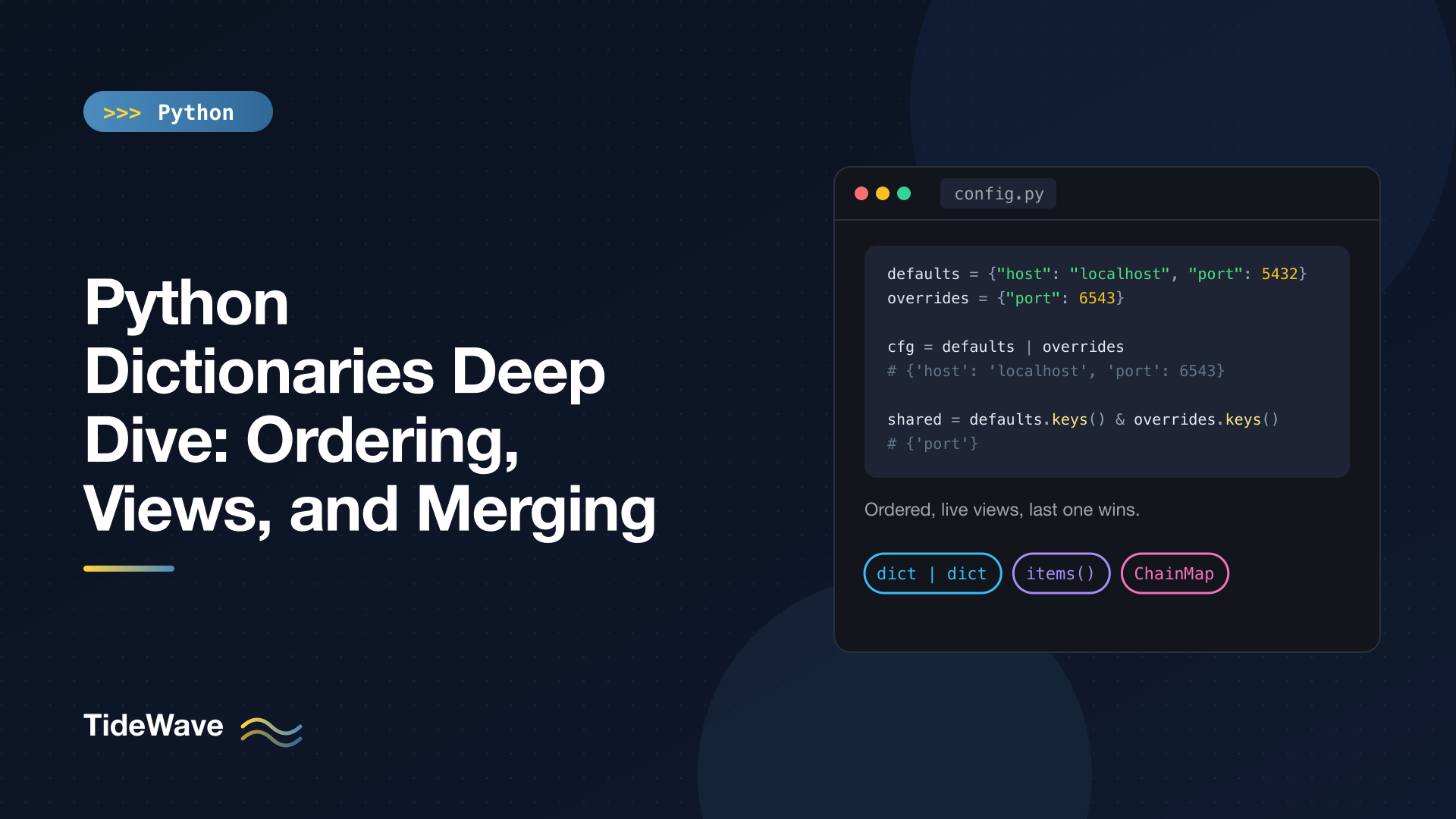
Python Dictionaries Deep Dive: Ordering, Views, and Merging
Dictionaries are everywhere in Python. Keyword arguments, module namespaces, object attributes, JSON payloads, and configuration all end up as dicts, so the type has been tuned heavily over the years. Three of those refinements change how you write everyday code: dicts remember insertion order, keys(), values(), and items() return live views rather than copies, and Python 3.9 added the | and |= merge operators.
This post goes deep on those three areas. I'll cover exactly what the ordering guarantee promises (and what it doesn't), how views behave and why they support set operations, the rules for modifying a dict while iterating, and every common way to merge dictionaries, including nested merges and layered lookups with ChainMap. I'll finish with a few patterns and pitfalls that come up constantly.
Insertion Order Is Guaranteed
Since Python 3.7, dicts preserve insertion order as a language guarantee. (CPython 3.6 already did it as an implementation detail.) Iterating a dict yields keys in the order they were first added:
d = {"b": 2, "a": 1}
d["c"] = 3
print(d, list(d))
{'b': 2, 'a': 1, 'c': 3} ['b', 'a', 'c']
The order is about when a key was inserted, not when its value last changed. Updating an existing key keeps its position. Deleting a key and adding it again moves it to the end:
d["b"] = 20
print(d)

del d["b"]
d["b"] = 2
print(d)
{'b': 20, 'a': 1, 'c': 3}
{'a': 1, 'c': 3, 'b': 2}
This makes a lot of code simpler. JSON objects round-trip with their key order intact, **kwargs arrive in the order the caller wrote them, and building a dict from sorted data gives you a sorted dict:
prices = {"pear": 0.88, "apple": 1.32, "fig": 2.75}
print(dict(sorted(prices.items())))
print(sorted(prices.items(), key=lambda kv: kv[1], reverse=True))
{'apple': 1.32, 'fig': 2.75, 'pear': 0.88}
[('fig', 2.75), ('apple', 1.32), ('pear', 0.88)]
Order Doesn't Affect Equality
Two dicts with the same key-value pairs are equal regardless of order:
print({"a": 1, "b": 2} == {"b": 2, "a": 1})
True
A dict is still a mapping, not a sequence. You can't index it by position (d[0] looks up the key 0), and you shouldn't rely on order as part of a dict's identity.
Getting the First and Last Keys
Without positional indexing, use iterators. Since Python 3.8, dicts and their views also support reversed():
d = {"x": 1, "y": 2, "z": 3}
print(next(iter(d)), next(reversed(d)), list(reversed(d)))
x z ['z', 'y', 'x']
popitem() removes and returns the last inserted pair, which makes a dict usable as a LIFO stack of key-value pairs:
print(d.popitem(), d)
('z', 3) {'x': 1, 'y': 2}
When OrderedDict Still Matters
With ordering built into dict, collections.OrderedDict is needed far less often, but it still has a few unique features:
from collections import OrderedDict

od = OrderedDict(a=1, b=2, c=3)
od.move_to_end("a")
print(list(od))
od.move_to_end("a", last=False)
print(list(od))
print(od.popitem(last=False))

print(OrderedDict(a=1, b=2) == OrderedDict(b=2, a=1))
print(OrderedDict(a=1, b=2) == {"b": 2, "a": 1})
['b', 'c', 'a']
['a', 'b', 'c']
('a', 1)
False
True
move_to_end()reorders an existing key in constant time, the core operation of an LRU cache.popitem(last=False)pops from the front, making FIFO queues easy.- Equality between two
OrderedDicts is order-sensitive. Comparing anOrderedDictto a plain dict ignores order.
Use OrderedDict when reordering or order-sensitive equality is part of the logic. For everything else, a plain dict is enough.
Views: keys(), values(), and items()
In Python 3, keys(), values(), and items() don't return lists. They return view objects: lightweight, live windows into the dict.
prices = {"apple": 1.2, "pear": 0.8}
keys = prices.keys()
items = prices.items()
print(keys, prices.values(), items)

prices["fig"] = 2.5
print(keys, len(items))
dict_keys(['apple', 'pear']) dict_values([1.2, 0.8]) dict_items([('apple', 1.2), ('pear', 0.8)])
dict_keys(['apple', 'pear', 'fig']) 3
The views were created before "fig" was added, yet they reflect it. No data is copied when you create a view, so calling d.items() on a huge dict is instant. Views support len(), iteration, in, and reversed(). Since Python 3.10, each view also has a .mapping attribute that gives you a read-only proxy of the underlying dict.
If you need a snapshot that won't change, convert explicitly: list(d) or list(d.items()).
Keys and Items Views Act Like Sets
Dictionary keys are unique and hashable, so a keys view behaves like a set. It supports &, |, -, and ^ with any iterable, and the result is a regular set:
print(keys & {"apple", "kiwi"})
print(sorted(keys - {"apple"}), sorted(keys | {"kiwi"}))
{'apple'}
['fig', 'pear'] ['apple', 'fig', 'kiwi', 'pear']
(I've wrapped some results in sorted() because set ordering for strings can change between runs.) This is a clean way to compare the keys of two dicts:
a = {"x": 1, "y": 2}
b = {"y": 2, "z": 3}

print(a.keys() & b.keys())     # keys in both
print(a.items() & b.items())   # identical key-value pairs
print(sorted(a.keys() ^ b.keys()))  # keys in exactly one
{'y'}
{('y', 2)}
['x', 'z']
Items views support set operations too, as long as the values are hashable. That makes a.items() - b.items() a quick way to find changed or missing entries when diffing two configurations.
values() views are not set-like, because values can repeat and may be unhashable. prices.values() & {1} raises TypeError. Values views also don't compare equal to each other, not even to another view of the same dict: d.values() == d.values() is False. Convert to a list or a collections.Counter if you need to compare values.
Sets themselves are covered in sets in Python.
Modifying a Dict While Iterating
Because views are live, changing a dict's size while you iterate over it raises an error:
prices = {"apple": 1.2, "pear": 0.8, "fig": 2.5}
for k in prices:
    if prices[k] < 1:
        del prices[k]
RuntimeError: dictionary changed size during iteration
There are two standard fixes. Iterate over a snapshot of the keys:
for k in list(prices):
    if prices[k] < 1:
        del prices[k]
Or, usually clearer, build a new dict with a comprehension:
prices = {"apple": 1.2, "pear": 0.8, "fig": 2.5}
print({k: v for k, v in prices.items() if v >= 1})
{'apple': 1.2, 'fig': 2.5}
Updating the values of existing keys while iterating is fine, since the dict's size and key set don't change:
for k in prices:
    prices[k] = round(prices[k] * 1.1, 2)
print(prices)
{'apple': 1.32, 'pear': 0.88, 'fig': 2.75}
The comprehensions post has more dict comprehension patterns.
Merging Dictionaries
There are several ways to combine dicts. They all share one rule: when a key appears in more than one dict, the rightmost (or last-applied) value wins. Throughout this section I'll merge user overrides into defaults:
defaults = {"host": "localhost", "port": 5432, "debug": False}
overrides = {"port": 6543, "debug": True}
The | Operator (Python 3.9+)
| returns a new dict and leaves both operands unchanged:
print(defaults | overrides)
print(overrides | defaults)
{'host': 'localhost', 'port': 6543, 'debug': True}
{'port': 5432, 'debug': False, 'host': 'localhost'}
Order matters twice here. Values come from the right operand, but key positions come from where each key first appeared. In the second line, defaults won every conflict and "host" was appended at the end. Put the dict with the highest priority on the right.
Both operands must be dicts (or dict subclasses). defaults | [("port", 9)] raises TypeError: unsupported operand type(s) for |: 'dict' and 'list'.
|= and update(): Merging in Place
|= modifies the left-hand dict in place, just like update():
cfg = dict(defaults)
cfg |= overrides
print(cfg)

cfg2 = dict(defaults)
cfg2.update(overrides)
print(cfg2)
{'host': 'localhost', 'port': 6543, 'debug': True}
{'host': 'localhost', 'port': 6543, 'debug': True}
Unlike |, both |= and update() accept any mapping or iterable of key-value pairs on the right, and update() also takes keyword arguments:
cfg3 = dict(defaults)
cfg3.update(port=1, user="me")
print(cfg3)
{'host': 'localhost', 'port': 1, 'debug': False, 'user': 'me'}
Note the dict(defaults) copy in each example. Calling defaults.update(...) directly would modify the shared defaults, which is exactly the kind of bug you want to avoid.
Unpacking with **
Before 3.9, the idiomatic merge was dict unpacking inside a literal, and it still works everywhere:
print({**defaults, **overrides})
{'host': 'localhost', 'port': 6543, 'debug': True}
It has one advantage over |: you can mix in literal keys in the same expression, like {**defaults, **overrides, "user": "me"}. Similarly, dict(defaults, port=7) copies a dict and overrides a few keys, as long as the keys are valid identifiers.
Choosing a Merge Method
| Method | Returns | Modifies left? | Right side can be |
|---|---|---|---|
a | b | New dict | No | Dict only |
a |= b | (In place) | Yes | Any mapping or pairs |
a.update(b) | None | Yes | Mapping, pairs, or keyword args |
{**a, **b} | New dict | No | Any mappings, plus literal keys |
ChainMap(b, a) | View | No | Any mappings |
Nested Dictionaries: Merges Are Shallow
Every method above is shallow. If a key holds a nested dict, the whole nested dict is replaced rather than merged:
base = {"db": {"host": "localhost", "port": 5432}, "debug": False}
over = {"db": {"port": 6543}}

print(base | over)
{'db': {'port': 6543}, 'debug': False}
The "host" inside "db" is gone. For configuration-style data you usually want a recursive merge:
def deep_merge(a: dict, b: dict) -> dict:
    result = dict(a)
    for key, value in b.items():
        if isinstance(value, dict) and isinstance(result.get(key), dict):
            result[key] = deep_merge(result[key], value)
        else:
            result[key] = value
    return result


print(deep_merge(base, over))
print(base)
{'db': {'host': 'localhost', 'port': 6543}, 'debug': False}
{'db': {'host': 'localhost', 'port': 5432}, 'debug': False}
It recurses only when both sides hold dicts at the same key, and it builds new dicts at each level, so base stays untouched. Decide deliberately how lists should merge (replace or concatenate) if your data has them; this version replaces them.
ChainMap: Layered Lookups Without Copying
collections.ChainMap groups several mappings and searches them in order. Nothing is copied, so later changes to any layer show through:
from collections import ChainMap

cli = {"debug": True}
env = {"port": 6543}
cm = ChainMap(cli, env, defaults)

print(cm["port"], cm["debug"], cm["host"])
print(dict(cm))
6543 True localhost
{'host': 'localhost', 'port': 6543, 'debug': True}
Note that the priority order is reversed compared to |: in a ChainMap, the first mapping wins. It fits layered configuration (command-line flags over environment variables over defaults) and nested scopes. Writes go only to the first mapping.
Everyday Patterns
Defaults on Lookup: get() and setdefault()
d.get(key, default) returns a fallback instead of raising KeyError. It's the basis of simple counting:
counts = {}
for w in "the cat the hat".split():
    counts[w] = counts.get(w, 0) + 1
print(counts)
{'the': 2, 'cat': 1, 'hat': 1}
setdefault(key, default) inserts the default if the key is missing and returns the stored value, which makes grouping a one-liner:
groups = {}
for name in ["ann", "bob", "amy"]:
    groups.setdefault(name[0], []).append(name)
print(groups)
{'a': ['ann', 'amy'], 'b': ['bob']}
For heavier counting and grouping, collections.Counter and defaultdict are purpose-built; see the collections module post.
Building Dicts
print(dict(zip(["a", "b"], [1, 2])), dict([("a", 1)]), dict(a=1))
print(dict.fromkeys(["a", "b"], 0))
{'a': 1, 'b': 2} {'a': 1} {'a': 1}
{'a': 0, 'b': 0}
Inverting a dict is a comprehension, as long as the values are unique and hashable: {v: k for k, v in d.items()}.
Pattern Matching on Dicts
match statements can destructure dicts by key, which is handy for event or message payloads:
match {"type": "click", "x": 3, "y": 4}:
    case {"type": "click", "x": x, "y": y}:
        print("click at", x, y)
click at 3 4
Mapping patterns match if the listed keys are present, ignoring extra keys. The pattern matching post covers the details.
Pitfalls
dict.fromkeys() With a Mutable Value
fromkeys() uses the same object for every value:
shared = dict.fromkeys(["a", "b"], [])
shared["a"].append(1)
print(shared)
{'a': [1], 'b': [1]}
Both keys point to one list. Use a comprehension instead: {k: [] for k in keys}. It's the same root cause as the mutable default argument trap.
Keys That Compare Equal Collide
Keys are matched by hash and equality, and 1, 1.0, and True are all equal with the same hash:
print({1: "int", 1.0: "float", True: "bool"})
{1: 'bool'}
The first key object is kept and the last value wins. This rarely happens on purpose, but it can bite when keys come from mixed sources like JSON numbers and booleans.
in Checks Keys, Not Values
d = {"a": 1}
print("a" in d, 1 in d, 1 in d.values())
True False True
x in d tests keys in constant time. x in d.values() scans every value, so it's linear. If you look up by value often, keep an inverted dict.
Read-Only Dicts
Python has no frozen dict type, but types.MappingProxyType gives you a read-only view of an existing dict. Any write attempt raises TypeError: 'mappingproxy' object does not support item assignment. It's a good way to expose module-level lookup tables without letting callers modify them.
Conclusion
Modern Python dicts are ordered by insertion, which makes their behavior predictable and lets you build sorted or user-ordered mappings directly. Their keys() and items() views are live, copy-free, and set-like, which turns key comparisons into one-line set operations. Merging comes down to choosing between a new dict (|, ** unpacking), an in-place update (|=, update()), or a layered view (ChainMap), with the reminder that every built-in merge is shallow.
Keep the rule "last one wins" for merges, iterate over list(d) when you need to delete as you go, and reach for a recursive merge when nested configuration is involved. For storing dicts in a database or sending them over the wire, the JSON post picks up where this one leaves off.


