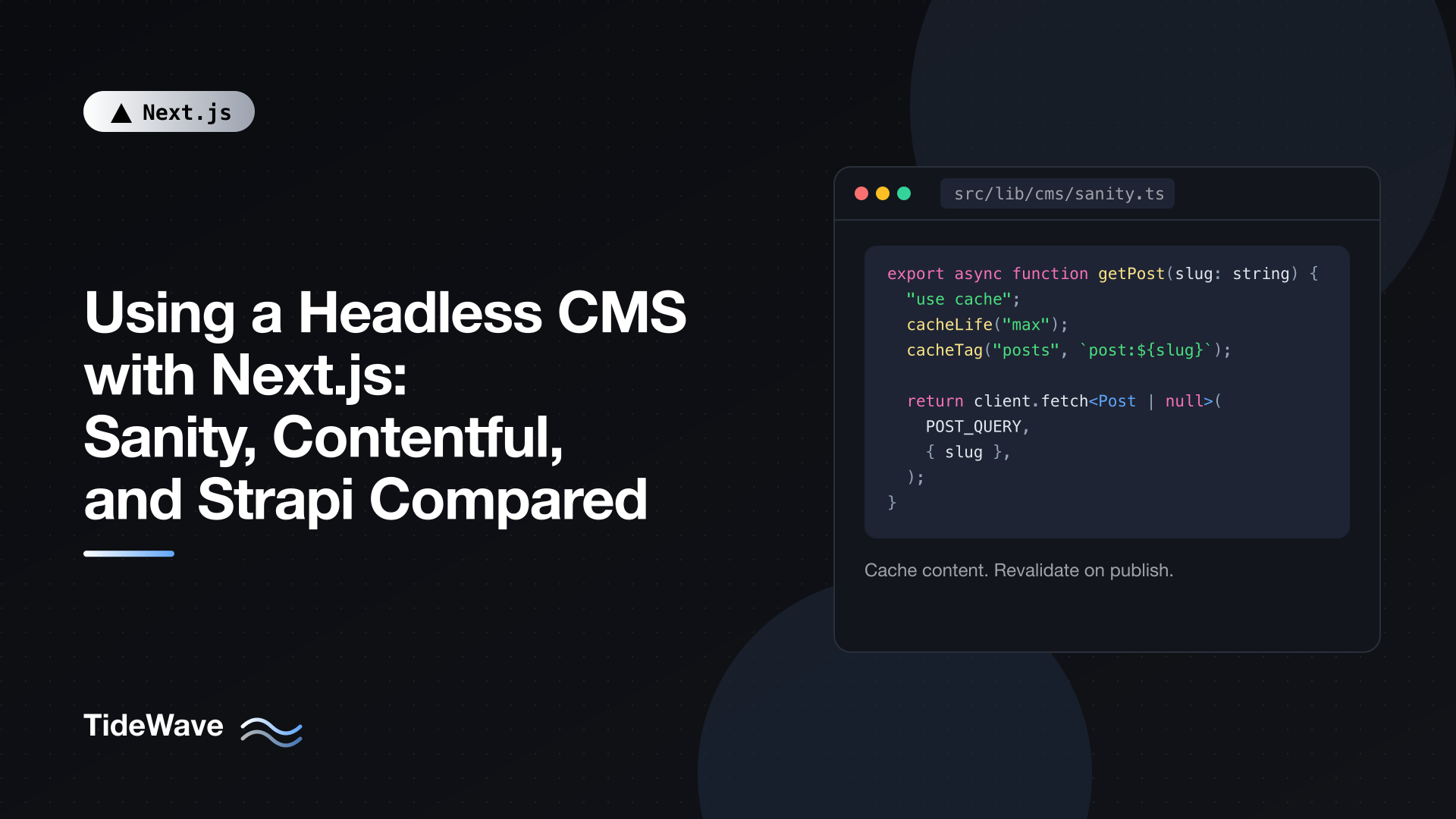
Using a Headless CMS with Next.js: Sanity, Contentful, and Strapi Compared
Markdown files in a Git repository are a great way to run a developer blog. They stop being great the moment someone who doesn't use Git needs to publish a page, fix a typo, or schedule a launch. That's when teams reach for a headless CMS: a content editing interface and an API, with no opinion about how the front end renders anything. Next.js handles the rendering.
There are dozens of options, but three come up in almost every evaluation: Sanity, Contentful, and Strapi. They solve the same problem in very different ways. Sanity is a hosted content lake with a customizable editor you configure in code. Contentful is a polished, fully managed enterprise platform. Strapi is open source and runs on your own infrastructure (or on Strapi Cloud).
In this post I'll compare them on the things that matter in day-to-day work, then show how to integrate each one with the Next.js 16 App Router: fetching content, caching it, revalidating it on publish with webhooks, and previewing drafts. I'll use a common Post type so you can see how the same page looks with each backend.
The Short Version
| Sanity | Contentful | Strapi | |
|---|---|---|---|
| Hosting | Hosted content store; editor (Studio) can be embedded in your Next.js app or deployed separately | Fully hosted SaaS | Self-hosted Node.js app, or Strapi Cloud |
| Open source | Studio is open source; backend is hosted | No | Yes (MIT for the core) |
| Content modeling | Schemas defined in TypeScript code | Defined in the web UI (or via migration scripts) | Content-Type Builder UI, saved as JSON files in your repo |
| Query language | GROQ (also GraphQL) | REST and GraphQL | REST and GraphQL |
| Rich text format | Portable Text (structured JSON) | Rich Text (structured JSON) | Blocks editor (JSON) or Markdown |
| Real-time collaboration | Yes, built in | Limited | No |
| Draft preview | Draft perspectives, visual editing tools | Separate Preview API | Draft and publish status in the API |
| Pricing model | Generous free tier; usage and seats beyond that | Free tier with limits; paid plans aimed at teams and enterprises | Free to self-host; pay for hosting or Strapi Cloud |
| Best fit | Developer-led teams that want a tailored editing experience | Larger organizations that want a managed platform with governance features | Teams that want full control, self-hosting, or a custom backend |
Pricing and plan limits change often, so check each vendor's current pricing page before deciding. The structural differences above are more stable.
Choosing Between Them
The comparison table hides the questions that usually decide the choice.
Who maintains the content model? In Sanity, schemas are TypeScript files in your repository, so content model changes go through code review like everything else. In Contentful, models are usually edited in the web app, which suits teams where non-developers own the structure, though serious teams script changes with Contentful's migration tooling. Strapi sits in between: you edit models in a UI during development, and Strapi writes them to files you commit.
Where can the data live? If you have strict data residency requirements, or you simply don't want a third party holding your content, Strapi is the only one of the three you can run entirely on your own servers and database.
How much editor customization do you need? Sanity Studio is a React application. You can add custom input components, document actions, dashboards, and structure the navigation however you like. Contentful offers an app framework for extensions. Strapi supports custom fields and plugins, with more work.
How much operations work will you accept? Contentful and Sanity need none. Self-hosted Strapi means running a Node.js server and a database, handling upgrades, backups, and media storage. Strapi Cloud removes most of that.
What does your team already know? GROQ is powerful but new to most developers. REST with filter parameters (Contentful, Strapi) or GraphQL (all three) is more familiar.
A Shared Shape for Your Pages
Whichever CMS you pick, keep CMS-specific code in one module and have it return your own types. Pages then depend on Post, not on a vendor's response format, and switching CMS later only touches the adapter.
// src/lib/cms/types.ts
export type Post = {
  slug: string;
  title: string;
  excerpt: string;
  publishedAt: string;
  coverImageUrl: string | null;
  body: unknown; // Rich text JSON, rendered by a CMS-specific component
};
Each section below implements getPost(slug) and getPostSlugs() for one CMS.
Caching Strategy
The examples assume Cache Components is enabled (cacheComponents: true in next.config.ts), and cache CMS reads with the "use cache" directive, tagged so a webhook can invalidate them:
cacheLife("max")keeps content cached for a long time, since you'll invalidate it explicitly on publish.cacheTag("posts")tags every post read, andcacheTag("post:<slug>")tags each individual post.- When content is published, a webhook calls
revalidateTagwith those tags.
That gives you static-site speed with near-instant updates. If you're not using Cache Components, the same idea works with fetch(url, { next: { tags: [...] } }) and the older caching model; see On-Demand Revalidation in Next.js.
Integrating Sanity
Install the official toolkit, which wraps the Sanity client and adds Next.js helpers:
npm install next-sanity @portabletext/react
// src/lib/cms/sanity.ts
import "server-only";
import { createClient } from "next-sanity";
import { cacheLife, cacheTag } from "next/cache";
import type { Post } from "./types";

const client = createClient({
  projectId: process.env.SANITY_PROJECT_ID!,
  dataset: process.env.SANITY_DATASET ?? "production",
  apiVersion: "2025-01-01",
  useCdn: true,
});

const POST_QUERY = `*[_type == "post" && slug.current == $slug][0]{
  "slug": slug.current,
  title,
  excerpt,
  publishedAt,
  "coverImageUrl": coverImage.asset->url,
  body
}`;

export async function getPost(slug: string): Promise<Post | null> {
  "use cache";
  cacheLife("max");
  cacheTag("posts", `post:${slug}`);

  return client.fetch<Post | null>(POST_QUERY, { slug });
}

export async function getPostSlugs(): Promise<string[]> {
  "use cache";
  cacheLife("max");
  cacheTag("posts");

  return client.fetch<string[]>(
    `*[_type == "post" && defined(slug.current)].slug.current`,
  );
}
What's worth noticing:
- GROQ shapes the response. The projection inside the braces renames fields (
"slug": slug.current) and follows references (coverImage.asset->urldereferences the image asset to get its URL). The query returns exactly thePostshape, so there's no mapping code. $slugis a parameter, passed separately in the second argument. Never interpolate user input into a GROQ string.apiVersionpins the API behavior to a date. Use a fixed date, not "today", so behavior doesn't change underneath you.useCdn: truereads from Sanity's edge cache, which is fast and cheap. Your Next.js cache sits in front of that anyway.
Sanity stores rich text as Portable Text, a JSON array of blocks. Render it with @portabletext/react:
// src/components/sanity-body.tsx
import { PortableText, type PortableTextBlock } from "@portabletext/react";

export function SanityBody({ value }: { value: PortableTextBlock[] }) {
  return <PortableText value={value} />;
}
Portable Text lets you map each block type and mark to your own components (passed through the components prop), so a custom "callout" block in the editor can render as your design system's callout component.
next-sanity also offers a Live Content API integration and visual editing for click-to-edit previews. They're worth exploring once the basics work, but the plain client above is all you need to ship.
Integrating Contentful
Contentful's Content Delivery API is a REST API, so you can call it with fetch and no SDK:
// src/lib/cms/contentful.ts
import "server-only";
import { cacheLife, cacheTag } from "next/cache";
import { draftMode } from "next/headers";
import type { Post } from "./types";

const SPACE = process.env.CONTENTFUL_SPACE_ID!;
const ENV = process.env.CONTENTFUL_ENVIRONMENT ?? "master";

type ContentfulAsset = {
  sys: { id: string };
  fields: { file: { url: string } };
};

type ContentfulPostEntry = {
  fields: {
    slug: string;
    title: string;
    excerpt: string;
    publishedAt: string;
    body: unknown;
    coverImage?: { sys: { id: string } };
  };
};

type ContentfulResponse = {
  items: ContentfulPostEntry[];
  includes?: { Asset?: ContentfulAsset[] };
};

async function contentfulFetch(params: Record<string, string>) {
  const { isEnabled: preview } = await draftMode();
  const host = preview ? "preview.contentful.com" : "cdn.contentful.com";
  const token = preview
    ? process.env.CONTENTFUL_PREVIEW_TOKEN
    : process.env.CONTENTFUL_DELIVERY_TOKEN;

  const search = new URLSearchParams({ content_type: "post", ...params });
  const res = await fetch(
    `https://${host}/spaces/${SPACE}/environments/${ENV}/entries?${search}`,
    { headers: { Authorization: `Bearer ${token}` } },
  );

  if (!res.ok) throw new Error(`Contentful request failed: ${res.status}`);
  return (await res.json()) as ContentfulResponse;
}

export async function getPost(slug: string): Promise<Post | null> {
  "use cache";
  cacheLife("max");
  cacheTag("posts", `post:${slug}`);

  const data = await contentfulFetch({ "fields.slug": slug, limit: "1" });
  const entry = data.items[0];
  if (!entry) return null;

  const asset = data.includes?.Asset?.find(
    (a) => a.sys.id === entry.fields.coverImage?.sys.id,
  );

  return {
    slug: entry.fields.slug,
    title: entry.fields.title,
    excerpt: entry.fields.excerpt,
    publishedAt: entry.fields.publishedAt,
    coverImageUrl: asset ? `https:${asset.fields.file.url}` : null,
    body: entry.fields.body,
  };
}

export async function getPostSlugs(): Promise<string[]> {
  "use cache";
  cacheLife("max");
  cacheTag("posts");

  const data = await contentfulFetch({ select: "fields.slug", limit: "1000" });
  return data.items.map((item) => item.fields.slug);
}
Things to know about Contentful:
- Linked entries and assets come back in
includes, not inline. The entry contains a reference (sys.id), and you look up the actual asset inincludes.Asset. That's what thefinddoes. The officialcontentfulSDK resolves these links for you if you'd rather not do it by hand. - Asset URLs are protocol-relative (
//images.ctfassets.net/...), hence thehttps:prefix. - Drafts come from a separate API. The Preview API at
preview.contentful.comreturns unpublished content and uses a different token. The function picks the host based on Draft Mode, which is allowed inside a"use cache"function; Draft Mode also bypasses the cache so editors always see fresh content. - GraphQL is available too, and is often nicer for nested content because you choose exactly which linked fields to include.
Render Contentful rich text with @contentful/rich-text-react-renderer and its documentToReactComponents function, which accepts options to map embedded entries and assets to your components.
Integrating Strapi
Strapi 5 exposes a REST API for each content type. Create an API token in the Strapi admin (read-only is enough for the front end) and call it with fetch:
// src/lib/cms/strapi.ts
import "server-only";
import { cacheLife, cacheTag } from "next/cache";
import { draftMode } from "next/headers";
import type { Post } from "./types";

const STRAPI_URL = process.env.STRAPI_URL!; // e.g. https://cms.example.com

type StrapiArticle = {
  documentId: string;
  slug: string;
  title: string;
  excerpt: string;
  publishedAt: string;
  body: unknown;
  cover: { url: string } | null;
};

async function strapiFetch<T>(path: string, params: URLSearchParams) {
  const { isEnabled: preview } = await draftMode();
  if (preview) params.set("status", "draft");

  const res = await fetch(`${STRAPI_URL}/api/${path}?${params}`, {
    headers: { Authorization: `Bearer ${process.env.STRAPI_API_TOKEN}` },
  });

  if (!res.ok) throw new Error(`Strapi request failed: ${res.status}`);
  return (await res.json()) as { data: T };
}

export async function getPost(slug: string): Promise<Post | null> {
  "use cache";
  cacheLife("max");
  cacheTag("posts", `post:${slug}`);

  const params = new URLSearchParams({
    "filters[slug][$eq]": slug,
    "populate[cover][fields][0]": "url",
    "pagination[pageSize]": "1",
  });

  const { data } = await strapiFetch<StrapiArticle[]>("articles", params);
  const article = data[0];
  if (!article) return null;

  return {
    slug: article.slug,
    title: article.title,
    excerpt: article.excerpt,
    publishedAt: article.publishedAt,
    coverImageUrl: article.cover
      ? new URL(article.cover.url, STRAPI_URL).toString()
      : null,
    body: article.body,
  };
}

export async function getPostSlugs(): Promise<string[]> {
  "use cache";
  cacheLife("max");
  cacheTag("posts");

  const params = new URLSearchParams({
    "fields[0]": "slug",
    "pagination[pageSize]": "100",
  });
  const { data } = await strapiFetch<Pick<StrapiArticle, "slug">[]>(
    "articles",
    params,
  );
  return data.map((article) => article.slug);
}
Notes on Strapi:
- Filters and population are query parameters in a bracket syntax. Many teams use the
qslibrary to build them from objects;URLSearchParamsis fine for simple cases. - Relations and media aren't included by default. You opt in with
populate, and you can limit the fields to keep responses small. - Strapi 5 returns flattened objects. Fields sit directly on each item next to a
documentId. If you're reading older tutorials for Strapi 4, you'll see an extraattributeswrapper that no longer exists. - Drafts are requested with
status=draft. Make sure the token you use is allowed to read drafts only in preview, or use a separate token. - Media URLs are relative when using local uploads and absolute when using a cloud upload provider.
new URL(url, STRAPI_URL)handles both. - Pagination: the slug list here is capped at 100 per page. For larger sites, loop over pages using the
meta.paginationinfo in the response.
Rendering the Page
The page doesn't care which adapter it uses. Swap the import and everything else stays the same:
// src/app/blog/[slug]/page.tsx
import type { Metadata } from "next";
import { notFound } from "next/navigation";
import { getPost, getPostSlugs } from "@/lib/cms/sanity"; // or contentful / strapi
import { SanityBody } from "@/components/sanity-body";
import type { PortableTextBlock } from "@portabletext/react";

export async function generateStaticParams() {
  const slugs = await getPostSlugs();
  return slugs.map((slug) => ({ slug }));
}

export async function generateMetadata({
  params,
}: {
  params: Promise<{ slug: string }>;
}): Promise<Metadata> {
  const { slug } = await params;
  const post = await getPost(slug);
  return post ? { title: post.title, description: post.excerpt } : {};
}

export default async function BlogPostPage({
  params,
}: {
  params: Promise<{ slug: string }>;
}) {
  const { slug } = await params;
  const post = await getPost(slug);
  if (!post) notFound();

  return (
    <article>
      <h1>{post.title}</h1>
      <time dateTime={post.publishedAt}>
        {new Date(post.publishedAt).toLocaleDateString("en-US")}
      </time>
      <SanityBody value={post.body as PortableTextBlock[]} />
    </article>
  );
}
generateStaticParams prerenders existing posts at build time. New posts published later are rendered on their first request and cached from then on. Because getPost is cached and deduplicated, calling it in both generateMetadata and the page doesn't cost a second CMS request. The body renderer is the one CMS-specific piece left in the page; wrap it in a component per CMS.
If you use next/image for cover images, add the CMS image host (cdn.sanity.io, images.ctfassets.net, or your Strapi or storage domain) to images.remotePatterns in next.config.ts.
Revalidating on Publish with Webhooks
All three CMSs can send a webhook when content changes. Point them at one Route Handler:
// src/app/api/revalidate/route.ts
import { revalidateTag } from "next/cache";

export async function POST(request: Request) {
  const secret = request.headers.get("x-revalidate-secret");
  if (secret !== process.env.REVALIDATE_SECRET) {
    return Response.json({ message: "Invalid secret" }, { status: 401 });
  }

  const payload = (await request.json().catch(() => ({}))) as { slug?: string };

  revalidateTag("posts", "max");
  if (payload.slug) revalidateTag(`post:${payload.slug}`, "max");

  return Response.json({ revalidated: true });
}
How to configure each CMS:
- Sanity: create a GROQ-powered webhook in the project settings. Filter it to
_type == "post", set a projection that sends{"slug": slug.current}, and add the secret as a custom header. Sanity can also sign webhooks;next-sanityincludes aparseBodyhelper that verifies that signature if you prefer it over a shared header. - Contentful: add a webhook under Settings, trigger it on Entry publish and unpublish, add the custom header, and use a custom payload that includes the slug field.
- Strapi: add a webhook in Settings for
entry.publish,entry.unpublish, andentry.delete, with the header. Strapi's payload includes the entry, so you can read the slug from it (adjust the handler to readpayload.entry.slug).
revalidateTag(tag, "max") marks the cached entries as stale. The next visitor gets the cached page immediately while a fresh version is generated in the background, so publish-to-live typically takes a few seconds and nobody waits on the CMS.
Previewing Drafts
Editors want to see unpublished changes before hitting publish. Next.js Draft Mode handles the switch: a Route Handler validates a secret and sets a cookie, and your data functions read from the draft source while the cookie is present.
// src/app/api/draft/route.ts
import { draftMode } from "next/headers";
import { redirect } from "next/navigation";
import { getPost } from "@/lib/cms/contentful";

export async function GET(request: Request) {
  const { searchParams } = new URL(request.url);
  const secret = searchParams.get("secret");
  const slug = searchParams.get("slug");

  if (secret !== process.env.PREVIEW_SECRET || !slug) {
    return new Response("Invalid token", { status: 401 });
  }

  const draft = await draftMode();
  draft.enable();

  const post = await getPost(slug);
  if (!post) return new Response("Post not found", { status: 404 });

  redirect(`/blog/${post.slug}`);
}
Draft Mode is enabled before the lookup so getPost reads from the draft source; otherwise a brand-new, never-published post would return 404. The redirect uses the slug returned by the CMS rather than the raw query parameter, which prevents the endpoint from being used as an open redirect.
Set the preview URL in each CMS to something like https://your-site.com/api/draft?secret=...&slug=...:
- Contentful: configure it under Content preview; the adapter above switches to the Preview API in Draft Mode.
- Strapi: configure the preview URL in the admin's preview settings; the adapter adds
status=draft. - Sanity: use the
draftsperspective with a read token in Draft Mode, or the Presentation tool fromnext-sanityfor side-by-side visual editing.
Add a visible banner with an "Exit preview" button so editors know they're seeing drafts; the Next.js Draft Mode guide shows one built with a Server Action that calls draft.disable().
Conclusion
Sanity, Contentful, and Strapi can all power a fast Next.js site. The differences are in who owns what. Sanity gives developers the most control over the editing experience, with schemas in code and a customizable Studio. Contentful gives organizations a managed, governed platform with minimal operations. Strapi gives you the source code and your own infrastructure.
On the Next.js side, the integration is the same for all three: a server-only adapter that returns your own types, cached reads tagged by content, a webhook that calls revalidateTag on publish, and Draft Mode for previews. Build it that way and the CMS becomes a replaceable part rather than something every page depends on.


