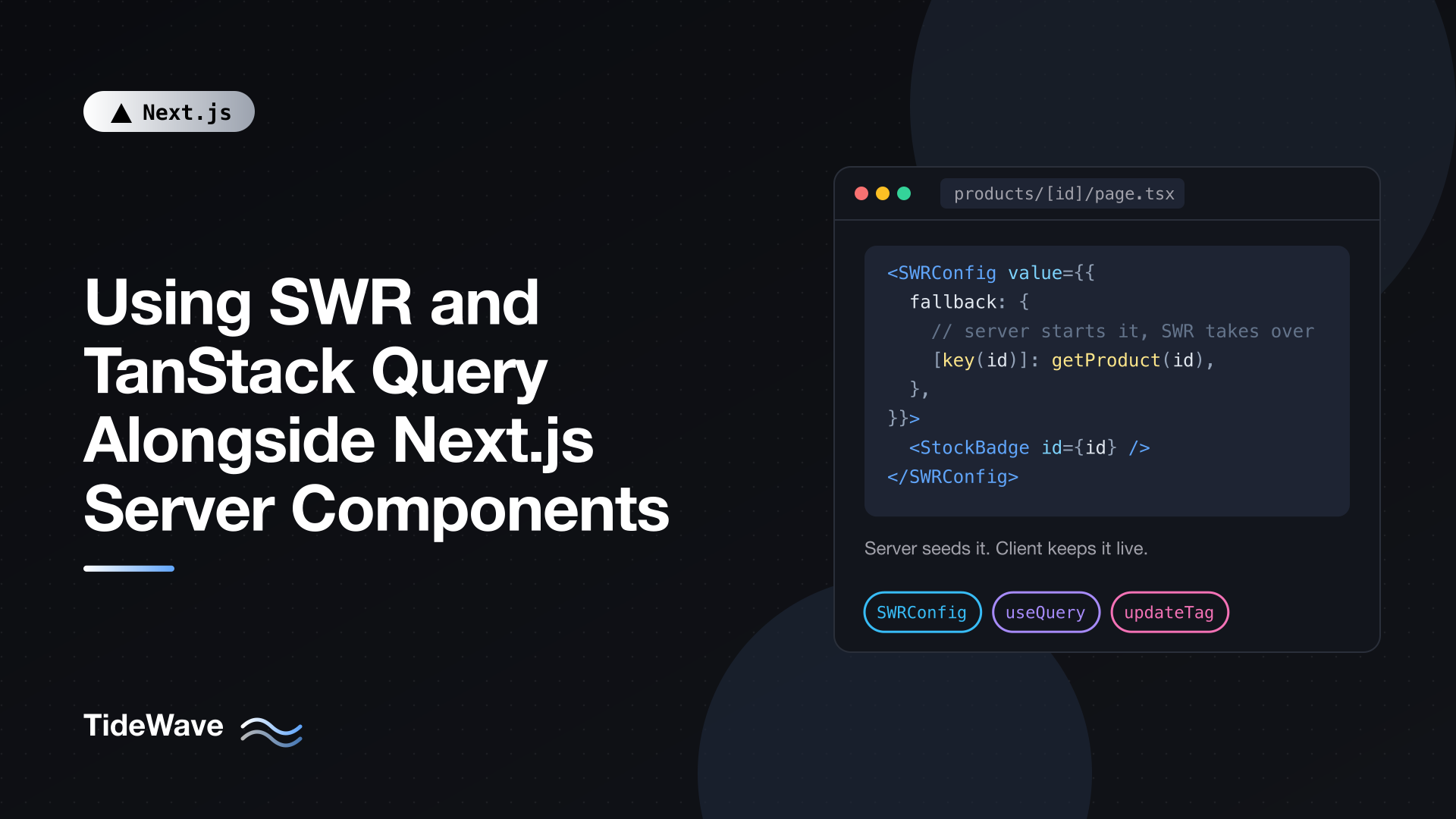
Using SWR and TanStack Query Alongside Next.js Server Components
Before the App Router, SWR and TanStack Query (formerly React Query) were close to mandatory in a serious React app. They handled loading states, caching, deduplication, refetching on focus, and pagination, all things you'd otherwise build by hand around useEffect. Then Server Components arrived and made a lot of that work unnecessary. If a component can await its data on the server, why ship a data library to the browser?
The honest answer is that you often don't need one. But there's a set of problems Server Components don't solve: data that changes while the page is open, queries driven by what the user types, polling, infinite lists, and optimistic updates shared across many components. For those, a client data library is still the right tool, and it works well next to Server Components if you set the boundaries clearly.
This post covers when to reach for SWR or TanStack Query in a Next.js 16 app, the three patterns for combining them with Server Components, how to hand server-fetched data to the client cache without a second request, and how to keep the client cache and the Next.js server cache consistent after a mutation.
Do You Need a Client Data Library?
Start from the server and add a library only when you hit something it can't do well.
| Need | Without a library | With SWR or TanStack Query |
|---|---|---|
| Data shown on first render | await in a Server Component | Not needed |
| Read once in a Client Component | Pass a promise, read it with use() | Not needed |
| Refresh after a mutation | Server Action with revalidatePath or updateTag | Optional |
| Search-as-you-type, filters in client state | Awkward | Good fit |
| Polling or live counters | Manual intervals | Built in (refreshInterval, refetchInterval) |
| Refetch on window focus or reconnect | Manual | Built in |
| Infinite scrolling, cursor pagination | Manual | Built in (useSWRInfinite, useInfiniteQuery) |
| Shared client cache with optimistic updates | Manual | Built in |
If your app is mostly pages that show data and forms that change it, Server Components and Server Actions cover you. If parts of it behave like a single-page application, with data that lives and changes in the browser, a library pays for itself.
Three Ways to Combine Them
The Next.js docs describe three patterns, and choosing among them is the main design decision:
| Pattern | SWR | TanStack Query | When data arrives |
|---|---|---|---|
| Inline loading states | useSWR | useQuery | Browser request after hydration |
| Suspense loading states | useSWR with suspense: true | useSuspenseQuery | Browser request after hydration |
| Provided by the server | SWRConfig with fallback | HydrationBoundary | Initial render, or streamed from the server |
The first two are purely client-side; the server isn't involved beyond serving the page. The third is the interesting one: a Server Component starts the request, the result travels in the React Server Component payload, and the library takes over in the browser for refetching and updates. The user sees data on first paint and you still get the library's features afterwards.
The Shared Pieces: A Data Function and a Route Handler
Both libraries fetch from the browser by URL, so the client needs an HTTP endpoint. The server, on the other hand, should call your data layer directly rather than make an HTTP request to itself. So you'll usually have two entry points to the same function:
// lib/products.ts
export type Product = {
  id: string;
  name: string;
  price: number;
  stock: number;
};

const API = process.env.PRODUCTS_API_URL ?? "https://api.example.com";

export async function getProduct(id: string): Promise<Product> {
  const res = await fetch(`${API}/products/${id}`, { cache: "no-store" });
  if (!res.ok) throw new Error(`Product ${id} not found`);
  return res.json();
}
// app/api/products/[id]/route.ts
import { getProduct } from "@/lib/products";

export async function GET(
  _request: Request,
  { params }: { params: Promise<{ id: string }> },
) {
  const { id } = await params;

  try {
    const product = await getProduct(id);
    return Response.json(product);
  } catch {
    return Response.json({ error: "Not found" }, { status: 404 });
  }
}
The Route Handler is a thin wrapper. Server Components call getProduct directly; the browser calls /api/products/:id. Both get the same data.
Note that the params in Route Handlers are a promise in Next.js 16, so you await them before use.
Pattern 1: Client-Only Fetching
When the data isn't needed for the initial view, for example search results that depend on what the user types, fetch entirely on the client. Here's a search box with SWR:
npm install swr
// app/products/product-search.tsx
"use client";

import { useState } from "react";
import useSWR from "swr";
import type { Product } from "@/lib/products";

async function fetcher(url: string): Promise<Product[]> {
  const res = await fetch(url);
  if (!res.ok) throw new Error("Search failed");
  return res.json();
}

export function ProductSearch() {
  const [query, setQuery] = useState("");

  const {
    data = [],
    error,
    isLoading,
  } = useSWR(
    query ? `/api/products?query=${encodeURIComponent(query)}` : null,
    fetcher,
    { keepPreviousData: true },
  );

  return (
    <div>
      <input
        value={query}
        onChange={(e) => setQuery(e.target.value)}
        placeholder="Search products"
      />
      {error && <p>Something went wrong.</p>}
      {isLoading && <p>Searching...</p>}
      <ul>
        {data.map((p) => (
          <li key={p.id}>{p.name}</li>
        ))}
      </ul>
    </div>
  );
}
Passing null as the key skips the request until there's a query. keepPreviousData keeps the old results on screen while new ones load, which avoids flicker as the user types. This assumes a GET handler at app/api/products/route.ts that reads the query search param.
The same component with TanStack Query looks very similar: useQuery with a queryKey of ["product-search", query] and enabled: query.length > 0. The library choice matters less than the pattern.
Pattern 2: Server-Provided Data with SWR
For data the first render needs, let the Server Component start the request and give the result to SWR as a fallback. With SWR 2.3 or later and React 19, the fallback can be an unresolved promise, so the server doesn't block on it.
First, define the key in one place so the server and the client can't drift apart:
// app/products/[id]/product-keys.ts
export const productKeys = {
  swr: (id: string) => `/api/products/${id}`,
  tag: (id: string) => `product:${id}`,
};
Then the page:
// app/products/[id]/page.tsx
import { Suspense } from "react";
import { SWRConfig } from "swr";
import { getProduct } from "@/lib/products";
import { productKeys } from "./product-keys";
import { StockBadge } from "./stock-badge";

export default async function ProductPage({
  params,
}: {
  params: Promise<{ id: string }>;
}) {
  const { id } = await params;

  return (
    <SWRConfig
      value={{
        fallback: {
          // Not awaited: only components reading this key suspend
          [productKeys.swr(id)]: getProduct(id),
        },
      }}
    >
      <Suspense fallback={<p>Loading stock...</p>}>
        <StockBadge id={id} />
      </Suspense>
    </SWRConfig>
  );
}
And the Client Component that reads it:
// app/products/[id]/stock-badge.tsx
"use client";

import useSWR from "swr";
import type { Product } from "@/lib/products";
import { productKeys } from "./product-keys";

async function fetcher(url: string): Promise<Product> {
  const res = await fetch(url);
  if (!res.ok) throw new Error("Failed to load product");
  return res.json();
}

export function StockBadge({ id }: { id: string }) {
  const { data } = useSWR(productKeys.swr(id), fetcher, {
    suspense: true,
    refreshInterval: 15_000,
  });

  return (
    <p>
      {data.name}: {data.stock > 0 ? `${data.stock} in stock` : "Sold out"}
    </p>
  );
}
Here's the flow:
- The Server Component calls
getProduct(id)and passes the promise intoSWRConfig'sfallbackunder the same key the client will use. - React serializes the promise into the RSC payload and streams its result when it resolves.
StockBadgereads the key withsuspense: true, so it suspends until the server's data arrives, showing theSuspensefallback meanwhile.- After hydration, SWR owns the data.
refreshIntervalpolls the Route Handler every 15 seconds, so the stock count stays live without a reload.
Two details matter. The keys must match exactly; if they don't, SWR ignores the fallback and fetches in the browser. And by default SWR treats fallback data as stale and revalidates it right after hydration. Set revalidateIfStale: false if you want to skip that first refetch; it applies to every mount of the hook.
Scope SWRConfig to the segment that owns the data, as above, rather than wrapping the whole app in a root layout. That keeps feature data out of shared layouts.
Pattern 2, with TanStack Query
TanStack Query needs a QueryClientProvider. The important rule is to create a fresh QueryClient for every server render and reuse one in the browser. A module-level client on the server would share cached data between users.
npm install @tanstack/react-query
// app/products/providers.tsx
"use client";

import type { ReactNode } from "react";
import { QueryClient, QueryClientProvider } from "@tanstack/react-query";

let browserQueryClient: QueryClient | undefined;

function getQueryClient() {
  if (typeof window === "undefined") return new QueryClient();
  browserQueryClient ??= new QueryClient();
  return browserQueryClient;
}

export function Providers({ children }: { children: ReactNode }) {
  return (
    <QueryClientProvider client={getQueryClient()}>
      {children}
    </QueryClientProvider>
  );
}
// app/products/layout.tsx
import type { ReactNode } from "react";
import { Providers } from "./providers";

export default function ProductsLayout({ children }: { children: ReactNode }) {
  return <Providers>{children}</Providers>;
}
The provider is a Client Component, but its children can still be Server Components. Wrapping a layout in it doesn't turn the pages into client code. The composition patterns post explains why.
Next, share the query key and options between server and client with queryOptions:
// app/products/[id]/product-query.ts
import { queryOptions } from "@tanstack/react-query";
import type { Product } from "@/lib/products";

export const productQuery = (id: string) =>
  queryOptions({
    queryKey: ["product", id] as const,
    queryFn: async (): Promise<Product> => {
      const res = await fetch(`/api/products/${id}`);
      if (!res.ok) throw new Error("Failed to load product");
      return res.json();
    },
    staleTime: 30_000,
  });
The page prefetches without awaiting and dehydrates the pending query. TanStack Query 5.40 or later can dehydrate pending queries, so the promise streams to the client just like with SWR:
// app/products/[id]/page.tsx
import { Suspense } from "react";
import {
  defaultShouldDehydrateQuery,
  dehydrate,
  HydrationBoundary,
  QueryClient,
} from "@tanstack/react-query";
import { getProduct } from "@/lib/products";
import { productQuery } from "./product-query";
import { ProductView } from "./product-view";

export default async function ProductPage({
  params,
}: {
  params: Promise<{ id: string }>;
}) {
  const { id } = await params;
  const queryClient = new QueryClient();

  // Override queryFn: the relative /api URL only works in the browser
  void queryClient.prefetchQuery({
    ...productQuery(id),
    queryFn: () => getProduct(id),
  });

  return (
    <HydrationBoundary
      state={dehydrate(queryClient, {
        shouldDehydrateQuery: (query) =>
          defaultShouldDehydrateQuery(query) ||
          query.state.status === "pending",
      })}
    >
      <Suspense fallback={<p>Loading product...</p>}>
        <ProductView id={id} />
      </Suspense>
    </HydrationBoundary>
  );
}
// app/products/[id]/product-view.tsx
"use client";

import { useSuspenseQuery } from "@tanstack/react-query";
import { productQuery } from "./product-query";

export function ProductView({ id }: { id: string }) {
  const { data, isFetching } = useSuspenseQuery(productQuery(id));

  return (
    <article>
      <h1>{data.name}</h1>
      <p>${data.price.toFixed(2)}</p>
      {isFetching && <small>Refreshing...</small>}
    </article>
  );
}
A few things to note:
queryFnis overridden on the server to callgetProductdirectly. The shared options use a relative URL, which only resolves in the browser.staleTime: 30_000keeps the hydrated data fresh for 30 seconds, so the client doesn't immediately refetch what the server just sent. TanStack Query's defaultstaleTimeis zero, which would trigger that refetch.- Multiple
useSuspenseQuerycalls in one component run one after another. Put independent queries in sibling components or useuseSuspenseQueries. The post on avoiding request waterfalls explains why that matters.
Keeping Caches in Sync After a Mutation
Once a library is involved, there can be up to three caches holding related data:
| Layer | What it holds | Controlled by |
|---|---|---|
| Next.js server cache | Cached data and rendered output | cacheLife, revalidate, tags |
| Next.js client cache | RSC payloads for visited and prefetched routes | Stale times, revalidation calls |
| SWR or TanStack Query cache | Data under a key | The library's options and mutations |
They don't need matching lifetimes, but a mutation has to touch each one that holds the changed data. The usual recipe: update the library cache optimistically in the browser, write the change in a Server Action, and invalidate any cached server read in that action.
Here's the Server Action. It uses updateTag because the user should see their own change immediately; if the server read isn't cached at all (as in getProduct above, which uses no-store), there's no tag to invalidate and you can skip that line:
// app/products/[id]/actions.ts
"use server";

import { updateTag } from "next/cache";
import { getCurrentUser } from "@/lib/session"; // your auth helper
import { saveProductPrice } from "@/lib/admin"; // your data layer
import { productKeys } from "./product-keys";

export async function updatePrice(id: string, price: number) {
  const user = await getCurrentUser();
  if (!user?.isAdmin) throw new Error("Forbidden");
  if (!Number.isFinite(price) || price <= 0) throw new Error("Invalid price");

  await saveProductPrice(id, price);
  updateTag(productKeys.tag(id));
}
With SWR
SWR's mutate takes the write as a function and an optimisticData value. It shows the optimistic value immediately and rolls it back if the write throws:
// app/products/[id]/price-editor.tsx
"use client";

import useSWR, { useSWRConfig } from "swr";
import type { Product } from "@/lib/products";
import { updatePrice } from "./actions";
import { productKeys } from "./product-keys";

export function PriceEditor({ id }: { id: string }) {
  const key = productKeys.swr(id);
  const { data } = useSWR<Product>(key);
  const { mutate } = useSWRConfig();

  async function save(price: number) {
    if (!data) return;
    await mutate(
      key,
      async () => {
        await updatePrice(id, price);
        return { ...data, price };
      },
      {
        optimisticData: { ...data, price },
        rollbackOnError: true,
        revalidate: false,
      },
    );
  }

  return (
    <button onClick={() => save(Math.round((data?.price ?? 0) * 0.9))}>
      Apply 10% discount
    </button>
  );
}
This assumes a fetcher is configured for the key, either in a parent SWRConfig or passed to useSWR. revalidate: false skips a follow-up fetch because the final value is already known.
With TanStack Query
TanStack Query uses useMutation with onMutate for the optimistic write and onError to restore the snapshot:
// app/products/[id]/price-editor-query.tsx
"use client";

import { useMutation, useQueryClient } from "@tanstack/react-query";
import type { Product } from "@/lib/products";
import { updatePrice } from "./actions";
import { productQuery } from "./product-query";

export function PriceEditor({ id }: { id: string }) {
  const queryClient = useQueryClient();
  const { queryKey } = productQuery(id);

  const mutation = useMutation({
    mutationFn: (price: number) => updatePrice(id, price),
    onMutate: async (price) => {
      await queryClient.cancelQueries({ queryKey });
      const previous = queryClient.getQueryData<Product>(queryKey);
      if (previous) queryClient.setQueryData(queryKey, { ...previous, price });
      return { previous };
    },
    onError: (_error, _price, context) => {
      if (context?.previous)
        queryClient.setQueryData(queryKey, context.previous);
    },
    onSettled: () => queryClient.invalidateQueries({ queryKey }),
  });

  return (
    <button
      disabled={mutation.isPending}
      onClick={() => mutation.mutate(19.99)}
    >
      Set price to $19.99
    </button>
  );
}
cancelQueries stops an in-flight refetch from overwriting the optimistic value, and invalidateQueries in onSettled refetches the confirmed value from the Route Handler.
The browser cache is now correct right away, and the updateTag call in the action makes sure the next server render, on this page or any other page reading that tag, returns fresh data too.
Notes for Cache Components
If you've enabled cacheComponents: true, the patterns above still apply, with a few adjustments:
- You can cache the server read that seeds the client: add
"use cache", acacheLifeprofile, andcacheTag(productKeys.tag(id))to the data function, and invalidate it from actions withupdateTag. - Keep queries needed for the initial render behind
Suspense. With Cache Components, Next.js prerenders Client Components too, and TanStack Query reads the current time when creating query state. The boundary lets Next.js defer that work instead of raising a current-time prerender error. - TanStack's
dehydrate()also reads the current time during prerendering. The Next.js docs include a helper that builds the dehydrated state from a cached timestamp; use it if you hydrate cached data.
Common Mistakes
- A module-level
QueryClienton the server. It leaks data between requests. Create one per server render. - Fetching your own Route Handler from a Server Component. It adds an HTTP hop and breaks on relative URLs. Call the data function directly.
- Mismatched keys. If the server's fallback or prefetch key differs from the client's, the client fetches again and the server work is wasted. Define keys in one shared module.
- No
staleTimewith hydrated TanStack data. The default of zero refetches immediately after hydration. - Reaching for a library by habit. If a component only reads data once, a promise plus
use()is simpler and ships no extra JavaScript. - Forgetting the server side of a mutation. Updating the client cache doesn't refresh cached server data; call
updateTag,revalidateTag, orrevalidatePathin the action.
Conclusion
SWR and TanStack Query aren't obsolete in the App Router; their job just got narrower. Server Components handle data for the initial render, Server Actions handle writes, and a client data library takes over where data lives and changes in the browser: search, polling, infinite lists, focus refetching, and shared optimistic updates.
When you combine them, let the server start the request and pass it to the library with SWRConfig fallbacks or HydrationBoundary, share keys and tags through one module, create a fresh QueryClient per server render, and make every mutation update both the browser cache and any cached server read. That gives users data on first paint and live behavior afterwards, without paying for a second round trip.


