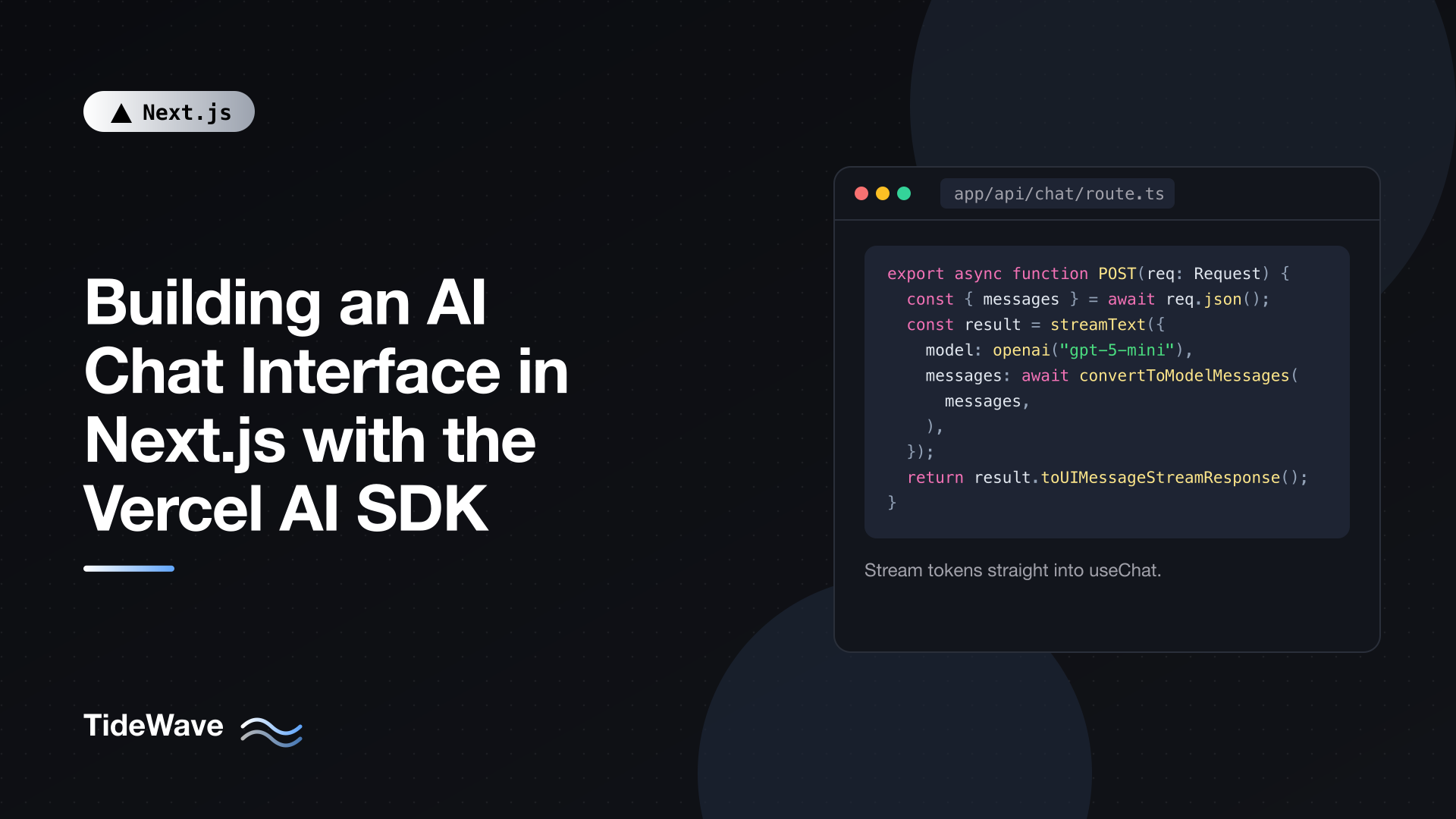
Building an AI Chat Interface in Next.js with the Vercel AI SDK
A chat interface looks like a simple feature: a list of messages and a text box. Under the hood, it needs streaming responses so text appears as the model generates it, message state that survives partial updates, a way to stop generation, error handling for flaky upstream APIs, and, increasingly, support for tools the model can call to fetch real data.
The Vercel AI SDK handles most of that plumbing. On the server, streamText calls a model and streams the result. On the client, the useChat hook manages messages, streaming state, and requests. Between them is a standard streaming protocol, so you write very little glue code. The SDK is provider-agnostic, so switching from one model provider to another is a one-line change.
In this post I'll build a working chat in a Next.js 16 App Router project: a Route Handler that streams responses, a chat UI with useChat, tool calling with typed inputs, saving conversations, and the safeguards you need before putting it in front of users.
Installing the SDK
The SDK is split into a core package, a React package, and one package per model provider:
npm install ai @ai-sdk/react @ai-sdk/openai zod
aiis the core:streamText, message conversion, tool helpers.@ai-sdk/reactprovides theuseChathook.@ai-sdk/openaiis the OpenAI provider. Swap it for@ai-sdk/anthropic,@ai-sdk/google, or another provider package; the rest of the code doesn't change.zoddefines tool input schemas.
Add your provider's API key to .env.local:
# .env.local
OPENAI_API_KEY="sk-..."
The provider package reads OPENAI_API_KEY automatically. The key has no NEXT_PUBLIC_ prefix, so it stays on the server; the browser only ever talks to your own Route Handler.
The examples use the AI SDK's current UIMessage API, introduced in version 5. Older tutorials that use handleSubmit, input, and message.content from useChat are written for version 4 and won't match.
The Streaming Route Handler
Create a Route Handler at app/api/chat/route.ts, which is where useChat sends requests by default:
// src/app/api/chat/route.ts
import { openai } from "@ai-sdk/openai";
import { convertToModelMessages, streamText, type UIMessage } from "ai";

export const maxDuration = 30;

export async function POST(request: Request) {
  const { messages }: { messages: UIMessage[] } = await request.json();

  const result = streamText({
    model: openai("gpt-5-mini"),
    system:
      "You are a concise, friendly assistant for Acme's documentation. " +
      "If you don't know something, say so.",
    messages: await convertToModelMessages(messages),
    abortSignal: request.signal,
  });

  return result.toUIMessageStreamResponse();
}
Here's what each part does:
maxDurationis a Next.js route segment config option that tells your hosting platform how long this function may run, in seconds. Model responses can take a while, and default timeouts on some platforms are short.UIMessage[]is the message format the client sends: each message has anid, arole, and an array ofparts(text, tool calls, files, and so on).convertToModelMessagesturns UI messages into the format model providers expect, dropping UI-only data. It's awaited because recent SDK versions return a promise; awaiting is harmless if yours doesn't.systemsets the model's instructions. Keep it on the server so users can't change it.abortSignal: request.signalcancels the model call when the client disconnects or the user presses stop, so you don't pay for tokens nobody will see.toUIMessageStreamResponse()returns a streamingResponsein the formatuseChatunderstands.
Route Handlers run on the Node.js runtime by default, which works fine for streaming. You don't need the Edge runtime, which is deprecated as a route segment option in Next.js 16. If you want to understand how streaming responses work at a lower level, Streaming Responses and Server-Sent Events with Next.js Route Handlers covers the underlying mechanics.
Model names change frequently. Check your provider's documentation for current model IDs, and consider reading the ID from an environment variable so you can switch without a deploy.
The Chat UI with useChat
Now the client. useChat holds the messages, sends them to the route, and updates them as the stream arrives.
// src/app/chat/chat.tsx
"use client";

import { useState } from "react";
import { useChat } from "@ai-sdk/react";

export function Chat() {
  const [input, setInput] = useState("");
  const { messages, sendMessage, status, stop, error, regenerate } = useChat();

  const isBusy = status === "submitted" || status === "streaming";

  return (
    <div className="mx-auto flex h-dvh max-w-2xl flex-col p-4">
      <div className="flex-1 space-y-4 overflow-y-auto" aria-live="polite">
        {messages.map((message) => (
          <div
            key={message.id}
            className={message.role === "user" ? "text-right" : "text-left"}
          >
            <span className="text-xs text-gray-500">
              {message.role === "user" ? "You" : "Assistant"}
            </span>
            {message.parts.map((part, index) =>
              part.type === "text" ? (
                <p key={index} className="whitespace-pre-wrap">
                  {part.text}
                </p>
              ) : null,
            )}
          </div>
        ))}

        {status === "submitted" && <p className="text-gray-500">Thinking...</p>}

        {error && (
          <div role="alert">
            <p>Something went wrong.</p>
            <button type="button" onClick={() => regenerate()}>
              Try again
            </button>
          </div>
        )}
      </div>

      <form
        className="flex gap-2 pt-4"
        onSubmit={(event) => {
          event.preventDefault();
          const text = input.trim();
          if (!text) return;
          sendMessage({ text });
          setInput("");
        }}
      >
        <input
          className="flex-1 rounded border px-3 py-2"
          value={input}
          onChange={(event) => setInput(event.target.value)}
          placeholder="Ask something..."
          disabled={status === "error"}
          aria-label="Message"
        />
        {isBusy ? (
          <button type="button" onClick={() => stop()}>
            Stop
          </button>
        ) : (
          <button type="submit" disabled={!input.trim()}>
            Send
          </button>
        )}
      </form>
    </div>
  );
}
And a page to host it:
// src/app/chat/page.tsx
import { Chat } from "./chat";

export default function ChatPage() {
  return <Chat />;
}
The important parts of the hook:
messagesis an array ofUIMessageobjects. While a response streams in, the last assistant message updates in place.sendMessage({ text })appends a user message and starts a request. The hook doesn't manage the input field for you, which is why there's a separateuseState. That makes it easy to add attachments, slash commands, or clearing behavior on your own terms.statusmoves through"submitted"(request sent, waiting for the first token),"streaming"(tokens arriving),"ready", and"error". Use it to show a thinking indicator and swap the send button for a stop button.stop()aborts the current request. Combined withabortSignalon the server, it stops generation upstream too.regenerate()retries the last assistant response, a natural action after an error.
Rendering message.parts rather than a single content string is what makes room for tool calls, reasoning, and files later. For now, only text parts are shown.
aria-live="polite" makes screen readers announce new content as it arrives. The styling uses Tailwind classes; if you haven't set that up, see Setting Up Tailwind CSS v4 in a Next.js Project.
Rendering Markdown
Models usually answer in Markdown: lists, code blocks, bold text. Showing it as plain text works, but rendering it reads much better. react-markdown is the common choice:
npm install react-markdown
// src/app/chat/message-text.tsx
"use client";

import Markdown from "react-markdown";

export function MessageText({ text }: { text: string }) {
  return (
    <div className="prose prose-sm max-w-none">
      <Markdown>{text}</Markdown>
    </div>
  );
}
Replace the p for text parts with MessageText. react-markdown doesn't render raw HTML by default, which is the safe behavior here: model output is untrusted text and shouldn't be able to inject markup into your page. Vercel also publishes Streamdown, a Markdown renderer designed to handle incomplete Markdown mid-stream (such as an unclosed code fence), which is worth a look if partial formatting flickers.
Adding Tools
Tools let the model call your code: look up an order, search documentation, check the weather. You describe each tool with a schema; the model decides when to call it; the SDK runs it and feeds the result back to the model.
// src/app/api/chat/route.ts
import { openai } from "@ai-sdk/openai";
import {
  convertToModelMessages,
  stepCountIs,
  streamText,
  tool,
  type UIMessage,
} from "ai";
import { z } from "zod";
import { searchDocs } from "@/lib/docs-search";

export const maxDuration = 30;

export async function POST(request: Request) {
  const { messages }: { messages: UIMessage[] } = await request.json();

  const result = streamText({
    model: openai("gpt-5-mini"),
    system:
      "You answer questions about Acme's product. " +
      "Use the searchDocs tool before answering product questions, " +
      "and cite the page titles you used.",
    messages: await convertToModelMessages(messages),
    tools: {
      searchDocs: tool({
        description: "Search Acme's documentation for relevant pages.",
        inputSchema: z.object({
          query: z.string().describe("A short search query"),
        }),
        execute: async ({ query }) => {
          const results = await searchDocs(query, { limit: 3 });
          return results.map((r) => ({
            title: r.title,
            url: r.url,
            snippet: r.snippet,
          }));
        },
      }),
    },
    stopWhen: stepCountIs(5),
    abortSignal: request.signal,
  });

  return result.toUIMessageStreamResponse();
}
How this works:
inputSchemais a Zod schema. The SDK converts it to JSON Schema for the model and validates the model's arguments before callingexecute, soqueryis guaranteed to be a string.executeruns on your server, with full access to your database and secrets.searchDocsstands in for your own search function. Return only what the model needs, since everything returned goes back into the conversation and counts toward tokens.stopWhen: stepCountIs(5)allows multiple steps. Without it, generation stops right after the tool call and the model never writes an answer using the results. With it, the model can call a tool, read the result, maybe call another, and then respond, up to five steps.
On the client, tool calls appear as message parts with the type tool- followed by the tool name. You can render progress while a tool runs:
{
  message.parts.map((part, index) => {
    switch (part.type) {
      case "text":
        return <MessageText key={index} text={part.text} />;
      case "tool-searchDocs":
        return part.state === "output-available" ? (
          <p key={index} className="text-xs text-gray-500">
            Searched the docs
          </p>
        ) : (
          <p key={index} className="text-xs text-gray-500">
            Searching the docs...
          </p>
        );
      default:
        return null;
    }
  });
}
A tool part moves through states such as "input-streaming", "input-available", "output-available", and "output-error", so you can show exactly where the model is in the process.
Treat tools as you would any API endpoint. The model chooses the arguments, and users can steer the model, so a tool that reads data must apply the same authorization rules as the rest of your app. Pass the current user's ID into tool logic from the server session, never from the model's arguments.
Saving Conversations
useChat keeps messages in memory, so a refresh loses them. To persist chats, give each conversation an ID, load stored messages on the server, and save the final messages when a response finishes.
// src/app/chat/[id]/page.tsx
import { notFound } from "next/navigation";
import { loadChat } from "@/lib/chat-store";
import { Chat } from "../chat";

export default async function ChatPage({
  params,
}: {
  params: Promise<{ id: string }>;
}) {
  const { id } = await params;
  const chat = await loadChat(id);
  if (!chat) notFound();

  return <Chat id={id} initialMessages={chat.messages} />;
}
Update the client component to accept those props and pass them to the hook:
// in src/app/chat/chat.tsx
import type { UIMessage } from "ai";

export function Chat({
  id,
  initialMessages,
}: {
  id: string;
  initialMessages: UIMessage[];
}) {
  const [input, setInput] = useState("");
  const { messages, sendMessage, status, stop, error, regenerate } = useChat({
    id,
    messages: initialMessages,
  });
  // ...rest unchanged
}
The hook includes the chat id in each request body, so the route can read it and save the conversation when streaming completes:
// src/app/api/chat/route.ts (persistence version)
import { openai } from "@ai-sdk/openai";
import { convertToModelMessages, streamText, type UIMessage } from "ai";
import { saveChat } from "@/lib/chat-store";

export const maxDuration = 30;

export async function POST(request: Request) {
  const { id, messages }: { id: string; messages: UIMessage[] } =
    await request.json();

  const result = streamText({
    model: openai("gpt-5-mini"),
    messages: await convertToModelMessages(messages),
    abortSignal: request.signal,
  });

  return result.toUIMessageStreamResponse({
    originalMessages: messages,
    onFinish: async ({ messages: finalMessages }) => {
      await saveChat({ id, messages: finalMessages });
    },
  });
}
Passing originalMessages lets the SDK hand onFinish the complete conversation, including the new assistant message with stable IDs. loadChat and saveChat are your storage layer: a JSON column in Postgres keyed by chat ID works well, since UIMessage objects serialize cleanly. Before loading or saving, check that the chat belongs to the signed-in user.
Once chats are stored on the server, you can stop sending the entire history with every request and send only the newest message, letting the route load the rest. The SDK supports this through a custom transport (DefaultChatTransport with prepareSendMessagesRequest), which keeps request sizes small for long conversations.
Production Safeguards
A public chat endpoint is a direct line to your model provider's bill. Before launch:
- Authenticate requests. Check the session at the top of the Route Handler and return 401 for anonymous users, unless anonymous chat is a deliberate product decision.
- Rate-limit per user and per IP. A simple fixed-window counter in Redis is enough to stop runaway scripts. Implementing Rate Limiting in Next.js Route Handlers walks through the options.
- Cap input size. Reject messages over a reasonable length and limit how many messages of history you forward. Long histories cost tokens on every turn.
- Set output limits.
streamTextacceptsmaxOutputTokensto bound the length, and therefore the cost, of each response. - Handle errors deliberately. By default, the SDK hides upstream error details from the client so you don't leak internals. Log errors on the server, and if you want friendlier messages, pass an
onErrorfunction totoUIMessageStreamResponsethat maps errors to user-safe text. - Don't trust model output. Render it as text or sanitized Markdown, never as raw HTML, and don't let it trigger privileged actions without your own checks.
- Monitor usage. The
onFinishcallback onstreamTextreceives token usage; record it per user so you can spot abuse and understand costs.
Conclusion
The Vercel AI SDK reduces a streaming chat to two small pieces. On the server, a Route Handler calls streamText with your model, system prompt, and converted messages, and returns toUIMessageStreamResponse(). On the client, useChat gives you messages, a sendMessage function, and a status to drive the UI. Messages are made of parts, which is what lets tool calls, Markdown, and other content types slot in without restructuring.
From there, the work is the same as any other feature: give tools the same authorization rules as your API, persist chats with ownership checks, and put rate limits and token caps in place before real users arrive.


