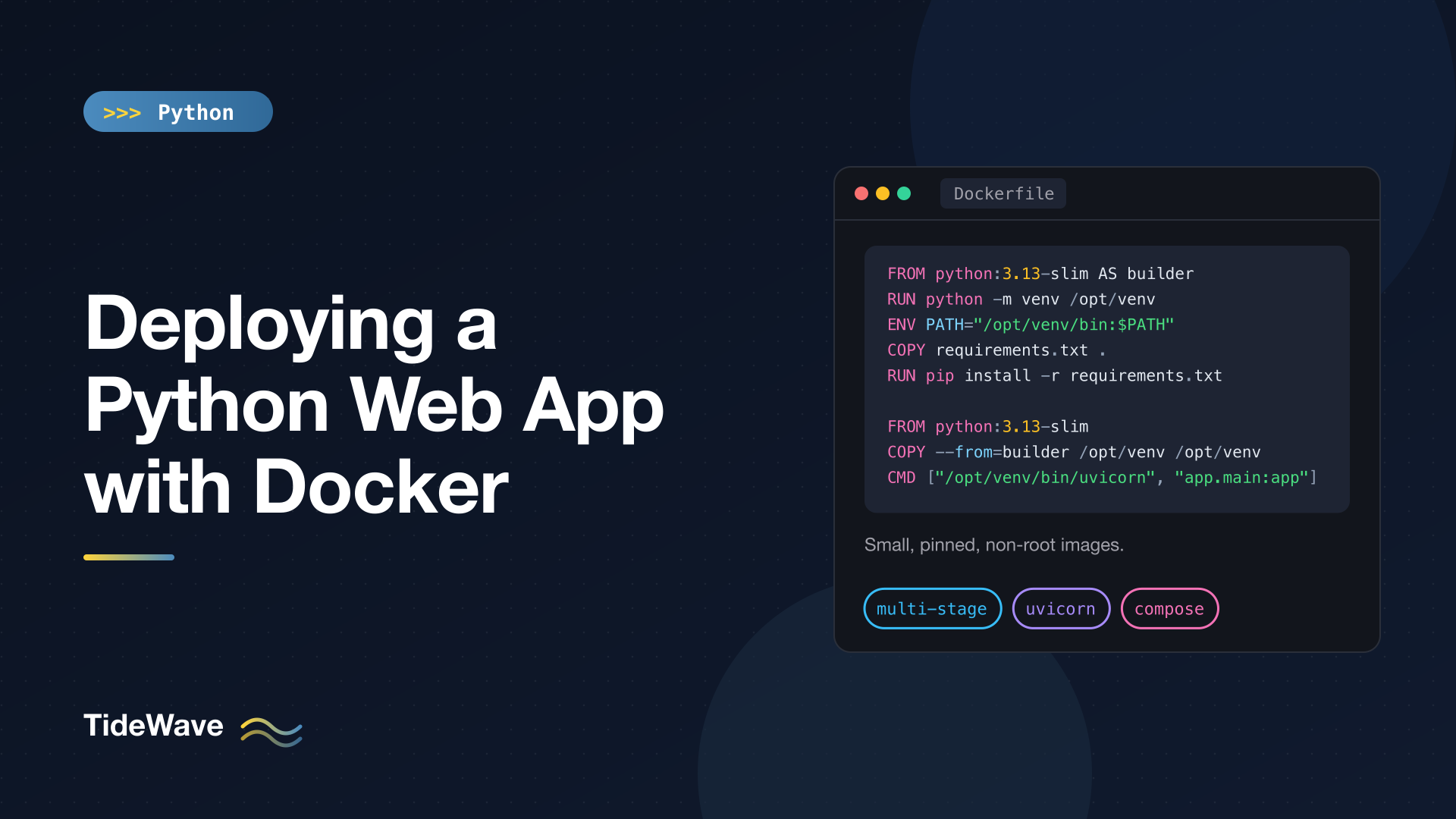
Deploying a Python Web App with Docker
"It works on my machine" is the oldest problem in deployment, and Python has its own flavor of it: a different Python version on the server, a missing system library for a database driver, a dependency that resolved to a newer release than the one you tested. Docker solves this by packaging your app, its exact dependencies, and the Python runtime into one image that runs the same way on your laptop, in CI, and in production.
Writing a Dockerfile that merely works is easy. Writing one that builds fast, produces a small image, runs as a non-root user, shuts down cleanly, and reports its health takes a bit more care. This guide builds that up step by step for a small FastAPI app backed by PostgreSQL, then covers a uv-based variant, Docker Compose for local development, and what changes for Django and Flask.
The Example App
The app is a minimal FastAPI service with a health check that verifies the database connection:
# app/main.py
import os

from fastapi import FastAPI, Response, status
from sqlalchemy import create_engine, text

DATABASE_URL = os.environ.get("DATABASE_URL", "sqlite:///./local.db")

engine = create_engine(DATABASE_URL, pool_pre_ping=True)
app = FastAPI(title="Notes API")


@app.get("/")
def index() -> dict[str, str]:
    return {"message": "Hello from a container"}


@app.get("/health")
def health(response: Response) -> dict[str, str]:
    try:
        with engine.connect() as conn:
            conn.execute(text("SELECT 1"))
    except Exception:
        response.status_code = status.HTTP_503_SERVICE_UNAVAILABLE
        return {"status": "unhealthy"}
    return {"status": "ok"}
Two habits here make containerizing easier:
- Configuration comes from environment variables. The same image then runs in every environment; only the variables change. Never bake secrets or environment-specific settings into the image. (For a typed approach to this, see the
pydantic-settingssection of data validation with Pydantic.) - A health endpoint lets Docker, load balancers and orchestrators know whether the app can actually serve requests, not just whether the process is alive.
Dependencies are pinned in requirements.txt:
# requirements.txt
fastapi==0.142.2
uvicorn[standard]==0.54.0
sqlalchemy==2.1.3
psycopg[binary]==3.3.6
Pin exact versions (or use a lock file, covered later) so the image you build next month contains the same code you tested today.
The project layout:
notes-api/
├── app/
│   ├── __init__.py
│   └── main.py
├── .dockerignore
├── compose.yaml
├── Dockerfile
└── requirements.txt
A First Dockerfile
Here's the simplest Dockerfile that works:
FROM python:3.13
WORKDIR /app
COPY . .
RUN pip install -r requirements.txt
CMD ["uvicorn", "app.main:app", "--host", "0.0.0.0", "--port", "8000"]
It runs, but it has several problems: the full python:3.13 image is around a gigabyte, every code change reinstalls all dependencies, it runs as root, and it copies whatever happens to be in your folder (including .env files and .git) into the image. Let's fix each of these.
A Production-Ready Dockerfile
# syntax=docker/dockerfile:1

# ---- Build stage: install dependencies into a virtual environment ----
FROM python:3.13-slim AS builder

ENV PIP_DISABLE_PIP_VERSION_CHECK=1 \
    PIP_NO_CACHE_DIR=1

RUN python -m venv /opt/venv
ENV PATH="/opt/venv/bin:$PATH"

COPY requirements.txt .
RUN pip install -r requirements.txt


# ---- Runtime stage: copy only what's needed to run ----
FROM python:3.13-slim

ENV PYTHONDONTWRITEBYTECODE=1 \
    PYTHONUNBUFFERED=1 \
    PATH="/opt/venv/bin:$PATH"

RUN useradd --create-home --uid 10001 appuser

WORKDIR /app
COPY --from=builder /opt/venv /opt/venv
COPY --chown=appuser:appuser app ./app

USER appuser

EXPOSE 8000

HEALTHCHECK --interval=30s --timeout=3s --start-period=10s --retries=3 \
    CMD ["python", "-c", "import urllib.request, sys; sys.exit(0 if urllib.request.urlopen('http://127.0.0.1:8000/health', timeout=2).status == 200 else 1)"]

CMD ["uvicorn", "app.main:app", "--host", "0.0.0.0", "--port", "8000", "--workers", "2", "--proxy-headers"]
Let's go through the decisions. (The # syntax=docker/dockerfile:1 line at the top is a parser directive that opts into the current Dockerfile syntax; it has to be the very first line of the file.)
The Base Image: python:3.13-slim
The official slim variants are Debian with just enough installed to run Python, a fraction of the size of the full image. They use glibc, so prebuilt wheels from PyPI (for NumPy, psycopg, cryptography and so on) install without compiling.
You'll see Alpine-based images recommended for size. For Python they're usually a poor trade: Alpine uses musl instead of glibc, many packages lack musl wheels or need compiling from source, and the build ends up slower and the image often no smaller.
Pin the Python minor version (3.13), not latest, so a new Python release doesn't change your runtime unexpectedly. For fully reproducible builds you can pin the image digest too.
Multi-Stage Builds
The file has two FROM lines. The first stage (builder) creates a virtual environment and installs dependencies into it. The second stage starts fresh from a clean slim image and copies in only the finished virtual environment and your code.
Anything needed only to build (compilers, build headers, pip's caches) stays behind in the builder stage. That matters most when a dependency has to be compiled: you could apt-get install build-essential in the builder, and none of it would end up in the final image.
Installing into a virtual environment at /opt/venv makes the copy between stages a single, self-contained directory. Putting its bin folder first in PATH means python and uvicorn resolve to the venv versions without activation. (Background in virtual environments with venv.)
Layer Caching: Dependencies Before Code
Docker caches each instruction as a layer and reuses it if nothing that went into it changed. The order of instructions decides how often the cache is invalidated:
COPY requirements.txt .
RUN pip install -r requirements.txt   # cached until requirements.txt changes
...
COPY --chown=appuser:appuser app ./app   # changes on every code edit
Because requirements.txt is copied and installed before the application code, editing main.py only invalidates the final COPY. Rebuilds take seconds instead of reinstalling every package. Copying the whole project before pip install (as in the first Dockerfile) throws that away.
Environment Variables
PYTHONDONTWRITEBYTECODE=1stops Python writing.pycfiles at runtime, which would be lost when the container is replaced anyway.PYTHONUNBUFFERED=1sendsprint()and log output straight to stdout instead of buffering it. Without it, logs can appear late or be lost when a container crashes. Container platforms collect stdout and stderr, so log there rather than to files.PIP_NO_CACHE_DIR=1keeps pip's download cache out of the layer.
Running as a Non-Root User
By default, processes in a container run as root. If an attacker finds a vulnerability in your app, root inside the container makes it much easier to do damage, and it's a step closer to the host if a container escape bug exists.
useradd creates an unprivileged user, COPY --chown makes the app files belong to it, and USER appuser switches to it for everything after, including the CMD. The fixed UID (10001) makes file permissions on mounted volumes predictable. Most platforms (and many Kubernetes security policies) expect non-root images.
The Server Process
uvicorn is an ASGI server. The flags:
--host 0.0.0.0listens on all interfaces. The default,127.0.0.1, is unreachable from outside the container, which is the most common "my container runs but I can't connect" bug.--workers 2runs two worker processes so the app can use more than one CPU core and survives a single worker crashing. A typical starting point is one or two per CPU core available to the container; measure from there.--proxy-headerstrustsX-Forwarded-ForandX-Forwarded-Protofrom a reverse proxy, so the app sees the real client IP and scheme. By default Uvicorn only trusts these from127.0.0.1; set--forwarded-allow-ipsto your proxy's address if it runs elsewhere.
The Exec Form of CMD and Clean Shutdowns
CMD ["uvicorn", ...] (a JSON array) is the exec form: Docker runs Uvicorn directly as process 1. The shell form, CMD uvicorn app.main:app ..., wraps it in /bin/sh -c, and the shell doesn't forward signals. When Docker stops the container it sends SIGTERM, which Uvicorn handles by finishing in-flight requests and exiting. With the shell form, the signal never reaches Uvicorn, Docker waits 10 seconds, then kills it hard, cutting off active requests.
Health Checks
HEALTHCHECK tells Docker how to test the app. The slim image doesn't include curl, but it does include Python, so a one-liner with urllib.request does the job without installing anything. A non-zero exit marks the container unhealthy; docker ps shows the status, and Compose can wait on it (shown below). Orchestrators like Kubernetes ignore the Dockerfile HEALTHCHECK and use their own probes, but they'd call the same /health endpoint.
Keep Junk Out with .dockerignore
When you build, Docker sends the build context (your project folder) to the builder. A .dockerignore file excludes things that should never end up in an image:
# .dockerignore
.git
.venv
__pycache__/
*.pyc
.pytest_cache/
.mypy_cache/
.ruff_cache/
.env
*.db
Dockerfile
compose.yaml
This matters for security as much as speed. Without it, COPY . . would copy your local .env with real credentials into an image layer, and anyone who can pull the image can extract it, even if a later instruction deletes the file.
Building and Running
docker build -t notes-api:1.0.0 .

docker run --rm -p 8000:8000 \
  -e DATABASE_URL="sqlite:////tmp/notes.db" \
  notes-api:1.0.0
-p 8000:8000 maps port 8000 on your machine to port 8000 in the container. Visit http://localhost:8000/health and you should get {"status":"ok"}. (The app runs as appuser, which can't write to /app, hence the SQLite file in /tmp for this quick test.)
Check the size and health:
docker image ls notes-api
docker ps   # STATUS shows "(healthy)" once the check passes
Tag images with a version or Git commit SHA rather than only latest, so you always know exactly what's running and can roll back.
Using uv Instead of pip
If you manage the project with uv, with dependencies in pyproject.toml and a uv.lock lock file, the Dockerfile changes slightly and installs get much faster:
# syntax=docker/dockerfile:1
FROM python:3.13-slim AS builder

COPY --from=ghcr.io/astral-sh/uv:0.12.22 /uv /bin/uv

ENV UV_COMPILE_BYTECODE=1 \
    UV_LINK_MODE=copy \
    UV_PYTHON_DOWNLOADS=0 \
    UV_PROJECT_ENVIRONMENT=/opt/venv

WORKDIR /app

# Install dependencies only (cached until the lock file changes)
RUN --mount=type=cache,target=/root/.cache/uv \
    --mount=type=bind,source=uv.lock,target=uv.lock \
    --mount=type=bind,source=pyproject.toml,target=pyproject.toml \
    uv sync --locked --no-install-project --no-dev


FROM python:3.13-slim

ENV PYTHONUNBUFFERED=1 \
    PATH="/opt/venv/bin:$PATH"

RUN useradd --create-home --uid 10001 appuser
WORKDIR /app
COPY --from=builder /opt/venv /opt/venv
COPY --chown=appuser:appuser app ./app
USER appuser

EXPOSE 8000
CMD ["uvicorn", "app.main:app", "--host", "0.0.0.0", "--port", "8000", "--workers", "2", "--proxy-headers"]
What's different:
- uv is copied in from its official image instead of being installed with pip. Pin its version too.
--lockedfails the build ifuv.lockis out of date withpyproject.toml, so the image always matches the lock file you committed.--no-install-projectinstalls only the dependencies, not your own package, which keeps this layer cached across code changes.--no-devskips test and lint tools.- The cache mount (
--mount=type=cache) keeps uv's download cache on the build machine between builds without putting it in the image.UV_LINK_MODE=copyis needed because the cache lives on a different filesystem than the venv. UV_COMPILE_BYTECODE=1precompiles.pycfiles at build time, which speeds up container startup. Because the bytecode is created at build time,PYTHONDONTWRITEBYTECODEis no longer needed.UV_PYTHON_DOWNLOADS=0makes uv use the image's Python instead of downloading its own.
Docker Compose for Local Development
Real apps need more than one container. Compose describes the whole stack in one file:
# compose.yaml
services:
  web:
    build: .
    ports:
      - "8000:8000"
    environment:
      DATABASE_URL: postgresql+psycopg://notes:notes@db:5432/notes
    depends_on:
      db:
        condition: service_healthy

  db:
    image: postgres:17
    environment:
      POSTGRES_USER: notes
      POSTGRES_PASSWORD: notes
      POSTGRES_DB: notes
    volumes:
      - pgdata:/var/lib/postgresql/data
    healthcheck:
      test: ["CMD-SHELL", "pg_isready -U notes -d notes"]
      interval: 5s
      timeout: 3s
      retries: 10

volumes:
  pgdata:
docker compose up --build
Points to notice:
- Services reach each other by service name. Inside the
webcontainer, the database host isdb, notlocalhost(localhostwould be the web container itself). depends_onwithcondition: service_healthywaits for Postgres to pass its health check before starting the app. Plaindepends_ononly waits for the container to start, which is before the database accepts connections.- The named volume
pgdatakeeps database data acrossdocker compose downandup.docker compose down -vdeletes it. - The plain-text password is fine for local development only. In production, use your platform's secret management, and don't publish the database port.
For a faster edit loop, the develop.watch section of Compose (used with docker compose watch) can sync source changes into the running container, or you can bind-mount your code and run Uvicorn with --reload in a development-only override file.
Database Migrations
Don't run migrations automatically every time a container starts. With several replicas, they'd race each other. Run them as a separate one-off step in your deploy pipeline, using the same image:
# Alembic (SQLAlchemy projects)
docker compose run --rm web alembic upgrade head

# Django
docker compose run --rm web python manage.py migrate
Running migrations from the same image guarantees they match the code being deployed.
Django and Flask
The Dockerfile structure stays the same; only the server command and a few framework details change.
Flask (a WSGI app) is served with Gunicorn:
CMD ["gunicorn", "--bind", "0.0.0.0:8000", "--workers", "3", "--access-logfile", "-", "app:app"]
app:app means "the app object in app.py". If you use an application factory, Gunicorn accepts "app:create_app()". --access-logfile - sends access logs to stdout.
Django also runs under Gunicorn (config.wsgi:application), or under Uvicorn via config.asgi:application if you use async views. It needs two extra steps:
# Collect static files into STATIC_ROOT at build time
RUN DJANGO_SECRET_KEY=build-only python manage.py collectstatic --noinput

CMD ["gunicorn", "--bind", "0.0.0.0:8000", "--workers", "3", "config.wsgi:application"]
collectstatic runs during the build with a throwaway secret, because settings modules often require one just to import. Serve the collected files with WhiteNoise, a CDN, or a reverse proxy, since Gunicorn isn't designed to serve static files efficiently. Set DEBUG=False, ALLOWED_HOSTS, and the real secret key through environment variables at runtime, and run python manage.py check --deploy in CI. Getting started with Django covers those settings.
Production Checklist
- Small, pinned base image:
python:3.13-slim, with a pinned Python minor version. - Pinned dependencies: exact versions in
requirements.txtor a lock file. - Multi-stage build so build tools don't ship.
- Dependencies installed before code is copied, for fast rebuilds.
.dockerignoreexcluding.git,.env, virtual environments and caches.- Non-root user.
- Exec-form
CMDsoSIGTERMreaches the server and shutdowns are graceful. - A real server (Uvicorn or Gunicorn) with an appropriate number of workers, never a framework's development server.
- Configuration and secrets from the environment or a secret manager, never in the image.
- Logs to stdout, unbuffered.
- A health endpoint and a
HEALTHCHECKor platform probe that uses it. - Migrations as a separate deploy step.
- Scan images for known vulnerabilities (
docker scout, Trivy, or your registry's scanner) and rebuild regularly to pick up base-image security fixes. - Versioned tags (Git SHA or release number), not just
latest.
Conclusion
A good Python Dockerfile follows a handful of rules: start from a slim official image, install pinned dependencies into a virtual environment in a build stage, copy only that environment and your code into the final stage, and order instructions so code changes don't reinstall everything. Then run as a non-root user with an exec-form CMD, a real application server bound to 0.0.0.0, and a health check. Add a .dockerignore, keep configuration in environment variables, and use Compose to run the app alongside its database locally. The result is an image that behaves the same everywhere you run it.


