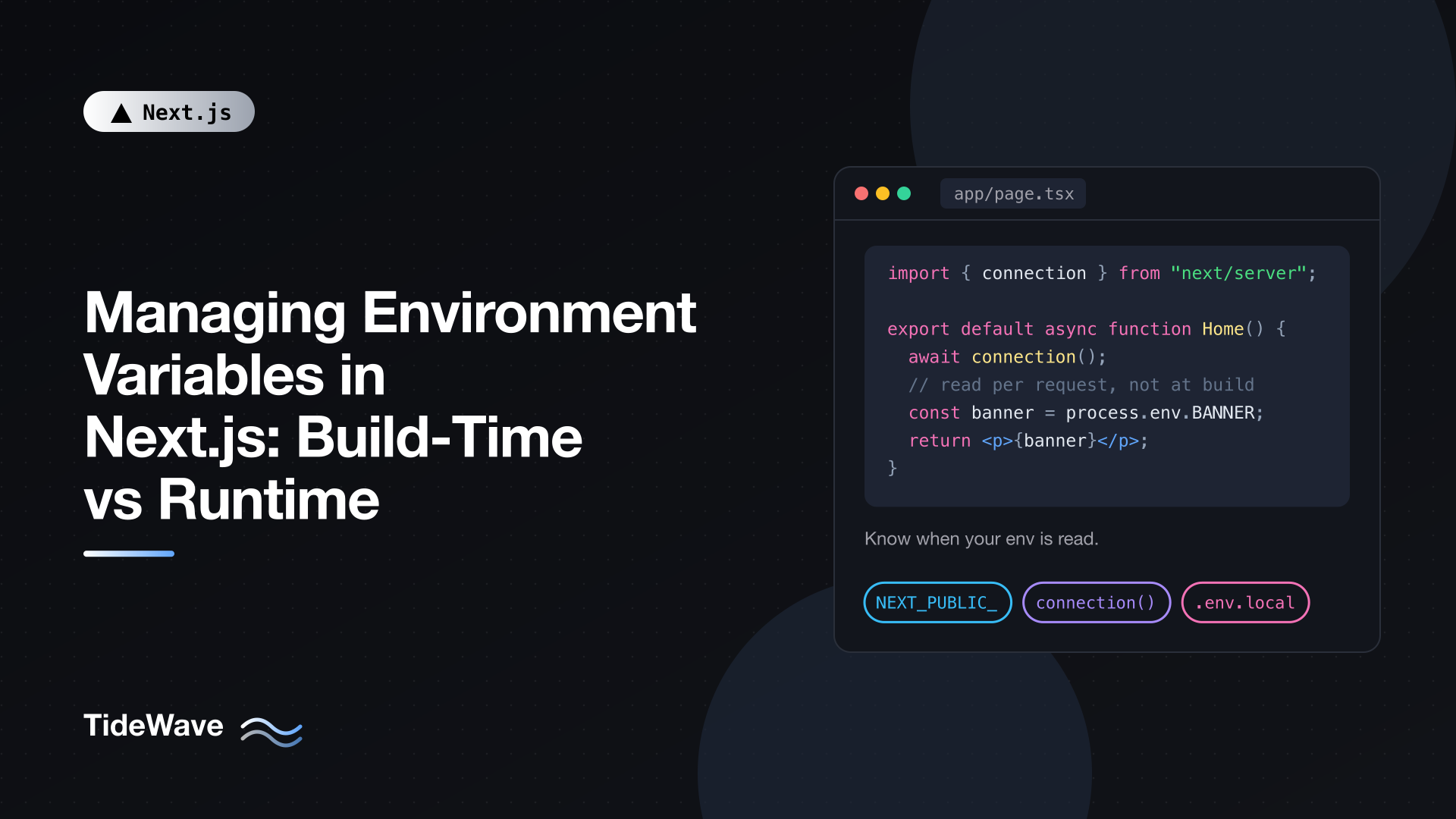
Managing Environment Variables in Next.js: Build-Time vs Runtime
Environment variables in Next.js look simple: put a value in .env, read it with process.env.SOMETHING, done. Then you deploy, change a value in your hosting dashboard, and nothing happens. Or you build one Docker image, promote it from staging to production, and the production site happily keeps calling the staging API. The cause is almost always the same: the value was read at build time, and you expected it to be read at runtime.
Next.js reads environment variables in two very different ways, and which one applies depends on the variable's name and where the code that reads it runs. Once you know the rules, the surprises go away.
This post covers how .env files are loaded, what NEXT_PUBLIC_ actually does to your bundle, how to read values at request time in the App Router, how to expose runtime config to the browser, and how to validate everything so a missing variable fails loudly instead of quietly.
The Two Moments a Variable Can Be Read
Every Next.js app has at least two phases where code runs:
- Build time:
next buildcompiles your code, bundles client JavaScript, and prerenders every page it can. - Runtime:
next start(or your host's server) handles real requests.
A variable can be "baked in" during the first phase or looked up during the second. Here's the short version:
| Where the variable is read | When the value is resolved | Changes after deploy? |
|---|---|---|
NEXT_PUBLIC_* anywhere | Build time (inlined into JS) | No, requires a rebuild |
| Server code in a prerendered (static) page | Build time (output is cached HTML) | No, until the page is regenerated |
| Server code during dynamic rendering | Request time | Yes |
Route Handlers, Server Actions, proxy.ts | Request time | Yes |
next.config.ts env option | Build time (always inlined) | No |
The rest of this post is really just an explanation of that table.
Loading Variables from .env Files
Next.js loads .env* files from the project root into process.env automatically. You don't need dotenv.
# .env
DATABASE_URL=postgres://localhost:5432/app
STRIPE_SECRET_KEY=sk_test_123
NEXT_PUBLIC_SITE_URL=http://localhost:3000
If you use a src/ directory, the .env files still belong in the project root, not inside src/. This is a common reason values come back undefined.
Load Order
Several files can define the same variable. Next.js checks them in this order and stops at the first match:
process.env(whatever the shell or host already set).env.$(NODE_ENV).local.env.local(skipped whenNODE_ENVistest).env.$(NODE_ENV).env
So a variable set by your hosting platform always wins over anything in a file. That's what you want in production: the files hold sensible defaults, and the platform holds the real secrets.
NODE_ENV itself is set for you: development for next dev, production for next build and next start. The only allowed values are development, production, and test. Don't try to use NODE_ENV=staging; use a separate variable like APP_ENV for that.
A sensible convention:
.env: shared, non-secret defaults. Committed..env.development/.env.production: environment-specific defaults. Committed..env.local: your personal secrets and overrides. Never committed..env.test: test defaults. Committed.
The default create-next-app template gitignores .env*, so if you want to commit .env or .env.development, adjust .gitignore deliberately rather than by accident.
Referencing Other Variables
You can reference other variables with $:
# .env
API_HOST=api.example.com
API_URL=https://$API_HOST/v2
process.env.API_URL becomes https://api.example.com/v2. If you need a literal dollar sign in a value (common in generated passwords), escape it as \$.
Multiline values work too, which is handy for private keys:
# .env.local
PRIVATE_KEY="-----BEGIN PRIVATE KEY-----\nMIIEv...\n-----END PRIVATE KEY-----\n"
How NEXT_PUBLIC_ Inlining Works
By default, environment variables only exist on the server. Client Components run in the browser, and the browser has no process.env. To make a value available there, you prefix it with NEXT_PUBLIC_.
What the prefix does is easy to misunderstand. Next.js doesn't send the variable to the browser at runtime. During next build, it finds every literal reference to process.env.NEXT_PUBLIC_SOMETHING and replaces it with the string value that existed on the build machine.
// app/components/analytics.tsx
"use client";

import { useEffect } from "react";

export function Analytics() {
  useEffect(() => {
    // After build this line literally becomes:
    // console.log("Analytics ID:", "G-ABC123");
    console.log("Analytics ID:", process.env.NEXT_PUBLIC_ANALYTICS_ID);
  }, []);

  return null;
}
Two consequences follow.
The value is frozen. If you build once and deploy that artifact to staging and production, both get the value from the build machine. Changing NEXT_PUBLIC_ANALYTICS_ID in production's environment does nothing until you rebuild.
Only literal references are replaced. Dynamic access is not inlined:
// None of these get inlined in client code:
const name = "NEXT_PUBLIC_ANALYTICS_ID";
process.env[name];

const env = process.env;
env.NEXT_PUBLIC_ANALYTICS_ID;

const { NEXT_PUBLIC_ANALYTICS_ID } = process.env;
In the browser these all evaluate to undefined. Always write the full process.env.NEXT_PUBLIC_X expression.
Never Put Secrets Behind NEXT_PUBLIC_
Anything with the prefix ends up in a JavaScript file anyone can download. That's fine for a public analytics ID, a Stripe publishable key, or your site URL. It's a leak for an API secret. If you're ever tempted to add NEXT_PUBLIC_ just to make an error go away, the real fix is usually to move that code to the server. The post on passing data from Server Components to Client Components without leaking secrets goes deeper on that boundary.
The env Option in next.config.ts
There's also a legacy env key in next.config.ts:
// next.config.ts
import type { NextConfig } from "next";

const nextConfig: NextConfig = {
  env: {
    BUILD_CHANNEL: "beta",
  },
};

export default nextConfig;
Values defined here are always inlined into the bundle, prefix or not. It's useful for computed build metadata (a git SHA, a build timestamp), but it's the wrong tool for anything secret or anything that should vary per deployment.
Server Variables: Build Time Can Still Bite You
Server-only variables (no prefix) are never inlined into client bundles. They're read from process.env when the server code runs. The catch is when that code runs.
In the App Router, pages are prerendered at build time whenever possible. If a Server Component reads process.env.FEATURE_BANNER and nothing on the page is dynamic, that component runs during next build, and the result is saved as static HTML:
// app/page.tsx
export default function Home() {
  // Read once during `next build`, then baked into the HTML.
  const banner = process.env.FEATURE_BANNER;

  return <main>{banner && <p className="banner">{banner}</p>}</main>;
}
Change FEATURE_BANNER on the server and restart: the page still shows the old text, because the server is serving the prerendered HTML, not re-running the component.
Reading at Request Time with connection()
To make the read happen per request, the code has to run during dynamic rendering. Using a request-time API such as cookies() or headers() does that, but if you don't need either, connection() from next/server is the explicit way to say "wait for a real request":
// app/page.tsx
import { connection } from "next/server";

export default async function Home() {
  await connection();
  // Everything below runs at request time.
  const banner = process.env.FEATURE_BANNER;

  return <main>{banner && <p className="banner">{banner}</p>}</main>;
}
Now the value comes from the running server's environment, so the same build can behave differently in staging and production.
If you've enabled cacheComponents in next.config.ts, you don't want an entire page to become dynamic just for one value. Push the runtime read into a small component and wrap it in Suspense, so the rest of the page can still be prerendered:
// app/page.tsx
import { Suspense } from "react";
import { connection } from "next/server";

async function Banner() {
  await connection();
  const banner = process.env.FEATURE_BANNER;
  return banner ? <p className="banner">{banner}</p> : null;
}

export default function Home() {
  return (
    <main>
      <Suspense fallback={null}>
        <Banner />
      </Suspense>
      <h1>Welcome</h1>
    </main>
  );
}
The static shell (the heading) is generated at build time, and the banner streams in per request with whatever value the server currently has.
Code That Always Runs at Runtime
Some server code never runs at build time, so there's nothing to worry about:
- Route Handlers that handle
POST,PUT,DELETE, or that read the request. - Server Actions.
proxy.ts(the replacement formiddleware.tsin Next.js 16).instrumentation.ts'sregisterfunction, which runs when the server starts.
Database URLs, API secrets, and signing keys read in these places pick up the deployed environment's values. One thing to watch: a GET Route Handler that doesn't touch the request can be prerendered, so the same "build time" caveat applies there.
Exposing Runtime Config to the Browser
The NEXT_PUBLIC_ freeze is a real problem if you want build once, deploy many: one Docker image that runs in staging, production, and a customer's private cloud, each with a different API URL.
The fix is to stop relying on inlining for anything that varies per environment. Read the value on the server at request time and hand it to the client as data.
First, a server-side helper that collects the public config:
// lib/public-config.ts
import "server-only";

export type PublicConfig = {
  apiUrl: string;
  sentryDsn: string | null;
  environment: string;
};

export function getPublicConfig(): PublicConfig {
  return {
    apiUrl: process.env.PUBLIC_API_URL ?? "http://localhost:4000",
    sentryDsn: process.env.PUBLIC_SENTRY_DSN ?? null,
    environment: process.env.APP_ENV ?? "development",
  };
}
Note the names deliberately skip the NEXT_PUBLIC_ prefix. These values are public in the sense that you're happy for the browser to see them, but you don't want Next.js to inline them at build time. The server-only import makes the build fail if a Client Component ever imports this module directly.
Next, a small Client Component context to hold the config:
// app/config-provider.tsx
"use client";

import { createContext, useContext } from "react";
import type { PublicConfig } from "@/lib/public-config";

const ConfigContext = createContext<PublicConfig | null>(null);

export function ConfigProvider({
  config,
  children,
}: {
  config: PublicConfig;
  children: React.ReactNode;
}) {
  return (
    <ConfigContext.Provider value={config}>{children}</ConfigContext.Provider>
  );
}

export function usePublicConfig() {
  const config = useContext(ConfigContext);
  if (!config) {
    throw new Error("usePublicConfig must be used inside ConfigProvider");
  }
  return config;
}
Importing only the PublicConfig type from the server-only module is fine: type imports are erased at compile time.
Finally, read the config in the root layout and pass it down:
// app/layout.tsx
import { connection } from "next/server";
import { ConfigProvider } from "./config-provider";
import { getPublicConfig } from "@/lib/public-config";

export default async function RootLayout({
  children,
}: {
  children: React.ReactNode;
}) {
  await connection();
  const config = getPublicConfig();

  return (
    <html lang="en">
      <body>
        <ConfigProvider config={config}>{children}</ConfigProvider>
      </body>
    </html>
  );
}
Any Client Component can now call usePublicConfig().apiUrl and get the value from the server that rendered the page.
The trade-off: calling connection() in the root layout makes every route dynamic, which gives up static prerendering. If that's too expensive, alternatives include:
- Reading the config inside a
Suspense-wrapped component deeper in the tree (withcacheComponents), so the shell stays static. - Serving the config from a Route Handler like
app/api/config/route.tsand fetching it on the client at startup. - Rebuilding per environment and keeping
NEXT_PUBLIC_variables, which is perfectly valid if your pipeline already builds per environment.
Pick the one that matches how you deploy. If you rebuild for each environment anyway, plain NEXT_PUBLIC_ is the simplest choice.
Validating Environment Variables at Startup
A missing variable usually shows up as a confusing error deep inside a request: Cannot read properties of undefined, or a database driver complaining about an invalid URL. Validate the environment once, up front, and fail with a clear message.
Zod works well for this:
// lib/env.ts
import "server-only";
import { z } from "zod";

const serverSchema = z.object({
  DATABASE_URL: z.url(),
  STRIPE_SECRET_KEY: z.string().startsWith("sk_"),
  APP_ENV: z
    .enum(["development", "staging", "production"])
    .default("development"),
  RATE_LIMIT_PER_MINUTE: z.coerce.number().int().positive().default(60),
});

const parsed = serverSchema.safeParse(process.env);

if (!parsed.success) {
  console.error(
    "Invalid environment variables:",
    z.flattenError(parsed.error).fieldErrors,
  );
  throw new Error("Invalid environment variables");
}

export const env = parsed.data;
Now you import env instead of touching process.env directly:
// app/api/orders/route.ts
import { env } from "@/lib/env";

export async function POST(request: Request) {
  const body = await request.json();
  // env.DATABASE_URL is typed as string, guaranteed present.
  // env.RATE_LIMIT_PER_MINUTE is already a number.
  return Response.json({
    ok: true,
    env: env.APP_ENV,
    items: body.items?.length ?? 0,
  });
}
A few details worth calling out:
z.coerce.number()matters because every environment variable is a string. Without coercion,"60"fails a number check..default()gives you safe fallbacks for optional values.- The module throws on import, so a misconfigured deployment fails at the first request that needs the environment rather than halfway through a checkout.
Validating Public Variables
Client-side variables need special care because of the literal-reference rule. You can't pass process.env to Zod in the browser; it would be empty. Reference each one explicitly:
// lib/env.client.ts
import { z } from "zod";

const clientSchema = z.object({
  NEXT_PUBLIC_SITE_URL: z.url(),
  NEXT_PUBLIC_ANALYTICS_ID: z.string().optional(),
});

export const clientEnv = clientSchema.parse({
  NEXT_PUBLIC_SITE_URL: process.env.NEXT_PUBLIC_SITE_URL,
  NEXT_PUBLIC_ANALYTICS_ID: process.env.NEXT_PUBLIC_ANALYTICS_ID,
});
Each process.env.NEXT_PUBLIC_* here is a literal reference, so the build inlines it correctly.
Fail the Build, Not the Request
To catch problems even earlier, import your env module from next.config.ts. The config file is evaluated at the start of next build and next start, so a missing variable stops the process before anything is served. Because lib/env.ts imports server-only, create a tiny separate check (or reuse the schema from a shared file without that import) for the config:
// next.config.ts
import type { NextConfig } from "next";
import { z } from "zod";

z.object({
  DATABASE_URL: z.url(),
}).parse(process.env);

const nextConfig: NextConfig = {};

export default nextConfig;
Be careful in CI: if your build doesn't need the real database URL, the check will fail builds that would otherwise succeed. Either provide placeholder values in CI or only validate the variables the build genuinely needs.
Using .env Files Outside Next.js
Tools like ORMs, migration scripts, and test runners don't go through Next.js, so they don't see your .env.local. The @next/env package exposes the same loader Next.js uses:
// env-config.ts
import { loadEnvConfig } from "@next/env";

loadEnvConfig(process.cwd());
Import it at the top of a config file, such as drizzle.config.ts or a test setup file, and the same load order applies. That keeps a single source of truth instead of a separate dotenv setup that may load files in a different order.
Environment Variables in Tests
Next.js has a third mode, test, with two differences:
- It loads
.env.testand.env.test.local, not the development or production files. - It ignores
.env.local, so everyone on the team gets the same test results regardless of their personal overrides.
Most test runners set NODE_ENV=test automatically. Commit .env.test with deterministic values and keep secrets for integration tests in .env.test.local.
A Quick Debugging Checklist
When a variable doesn't behave the way you expect:
- Is it
undefinedin a Client Component? It needs theNEXT_PUBLIC_prefix, and you must reference it as a literalprocess.env.NEXT_PUBLIC_X. - Is a
NEXT_PUBLIC_value stale? It was inlined at build time. Rebuild, or switch to runtime config. - Is a server value stale? The page was prerendered. Add
connection()or another request-time API, or regenerate the page. - Is it
undefinedeverywhere? Check that the.envfile is in the project root, notsrc/, and restartnext devafter editing it. - Is the wrong value winning? Remember the load order: the host's environment beats every file, and
.env.localbeats.env.
Conclusion
Most environment variable bugs in Next.js come down to one question: was the value read during next build or during a request? NEXT_PUBLIC_ variables and anything in a prerendered page are fixed at build time. Server code running during dynamic rendering, Route Handlers, Server Actions, and proxy.ts read the live environment.
If you rebuild for every environment, inlining is simple and fine. If you want one artifact for many environments, keep per-environment values out of NEXT_PUBLIC_, read them on the server at request time, and pass them to the client as data. Validate everything once with a schema, and a missing variable becomes a clear error at startup instead of a mystery in production. If you're deploying with containers, the post on self-hosting Next.js with Docker builds on these ideas.


