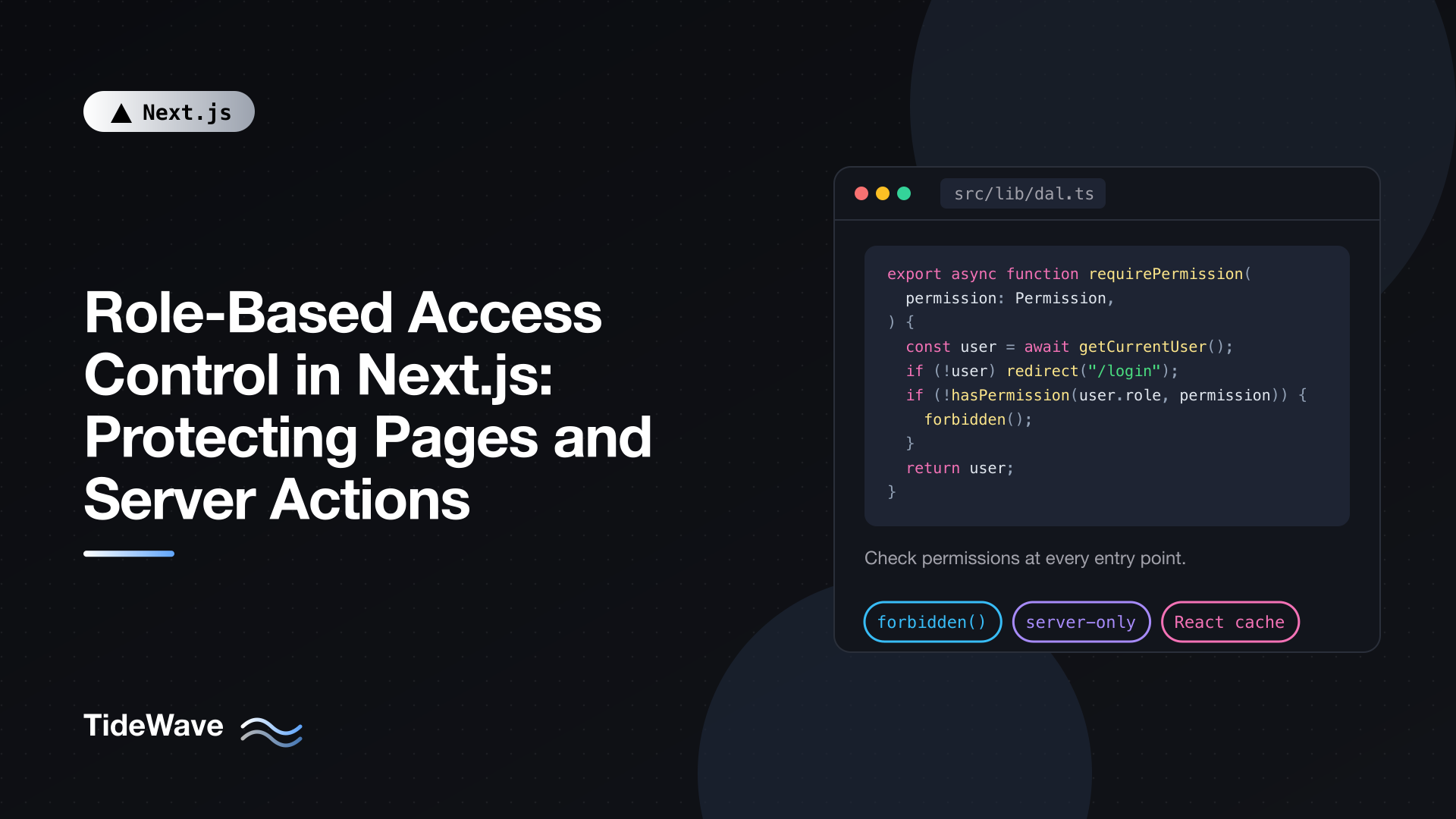
Role-Based Access Control in Next.js: Protecting Pages and Server Actions
Authentication answers "who are you?". Authorization answers "what are you allowed to do?". Most Next.js tutorials stop at the first question: once the user is signed in, they can see the dashboard. Real apps need more than that. Editors can publish posts but not manage billing. Viewers can read but not edit. Admins can do everything, and support staff can see accounts without changing them.
Role-based access control (RBAC) is the standard way to model that. Each user has a role, each role grants a set of permissions, and your code checks permissions before showing pages or performing actions. The concept is simple. The hard part in Next.js is that there are several entry points into your server code, and every one of them needs a check.
This post assumes you already have sign-in working (if not, start with Managing Authentication in a Next.js Application). I'll cover how to model roles and permissions in TypeScript, where to put authorization checks, protecting pages with forbidden(), securing Server Actions and Route Handlers, combining roles with resource ownership, and using Proxy for optimistic redirects without relying on it.
Every Entry Point Needs Its Own Check
Before writing code, it helps to list the ways a request can reach your server in the App Router:
- Pages and layouts rendered on navigation or direct visits.
- Server Actions, which are compiled into POST endpoints. Anyone can call them with the right request, whether or not they can see the page that uses them.
- Route Handlers (
route.ts), which are ordinary HTTP endpoints. - Proxy (
proxy.ts), which runs before matching routes.
A check in one place doesn't protect the others. Hiding the "Delete" button doesn't stop someone from calling the delete action. Protecting the /admin page doesn't protect a Server Action defined in it, because the action is a separate endpoint. Layouts are a particularly weak spot: with partial rendering, a layout doesn't re-render on every navigation, and it doesn't stop child segments or actions from running.
So the rule for this whole post: check authorization as close to the data as possible, on every entry point.
Modeling Roles and Permissions
Start with a single file that defines your roles and what each one can do. Checking permissions rather than role names keeps your code readable when roles change. Code that asks "can this user publish?" survives the day you add a "senior editor" role; code that asks "is this user an editor or admin?" doesn't.
// src/lib/permissions.ts
export const ROLES = ["viewer", "editor", "admin"] as const;
export type Role = (typeof ROLES)[number];

export const PERMISSIONS = [
  "post:read",
  "post:create",
  "post:update:own",
  "post:update:any",
  "post:publish",
  "post:delete",
  "user:manage",
  "billing:manage",
] as const;
export type Permission = (typeof PERMISSIONS)[number];

const ROLE_PERMISSIONS: Record<Role, readonly Permission[]> = {
  viewer: ["post:read"],
  editor: [
    "post:read",
    "post:create",
    "post:update:own",
    "post:update:any",
    "post:publish",
  ],
  admin: PERMISSIONS,
};

export function hasPermission(role: Role, permission: Permission) {
  return ROLE_PERMISSIONS[role].includes(permission);
}
Because Permission is a union of string literals, a typo like "post:pubish" is a compile error. The map is plain data, so it's easy to review in a pull request and easy to unit test. Note that this file has no server-only import: it contains no secrets, and you'll occasionally want to use hasPermission for UI decisions. The enforcement happens in server-only code that calls it.
Store the role on the user record in your database, for example a role column constrained to those three values. For apps where users belong to several organizations with different roles in each, the role lives on a membership table instead, keyed by user and organization. The checks below work the same way; they just take the organization into account.
Building the Authorization Layer
Next.js recommends a Data Access Layer (DAL): a server-only module that verifies the session and returns safe data. Authorization belongs there too.
// src/lib/dal.ts
import "server-only";
import { cache } from "react";
import { cookies } from "next/headers";
import { forbidden, redirect } from "next/navigation";
import { decrypt } from "@/lib/session";
import { db } from "@/lib/db";
import { hasPermission, type Permission, type Role } from "@/lib/permissions";

export type CurrentUser = {
  id: string;
  email: string;
  name: string;
  role: Role;
};

export const getCurrentUser = cache(async (): Promise<CurrentUser | null> => {
  const cookieStore = await cookies();
  const session = await decrypt(cookieStore.get("session")?.value);
  if (!session?.userId) return null;

  const user = await db.user.findUnique({
    where: { id: session.userId },
    select: { id: true, email: true, name: true, role: true },
  });

  return user ?? null;
});

export async function requireUser() {
  const user = await getCurrentUser();
  if (!user) redirect("/login");
  return user;
}

export async function requirePermission(permission: Permission) {
  const user = await requireUser();
  if (!hasPermission(user.role, permission)) forbidden();
  return user;
}
The pieces:
cachefrom React deduplicatesgetCurrentUserwithin a single request. A layout, a page, and three components can all call it, and the database is queried once.- The role is loaded from the database, not read from the session cookie. If you demote a user, the change takes effect on their next request instead of when their token expires. If you need to avoid that query, put the role in the session token, but accept that role changes are delayed until the token is refreshed.
decryptanddbstand in for your session library and database client. Any auth solution that gives you a verified user ID on the server works here.requireUserredirects signed-out users to the login page.requirePermissioncallsforbidden()when the user is signed in but lacks the permission. That renders a 403 page instead of pretending the page doesn't exist or bouncing them to login.
Enabling forbidden()
forbidden() and its sibling unauthorized() are still experimental in Next.js 16, so you opt in through next.config.ts:
// next.config.ts
import type { NextConfig } from "next";

const nextConfig: NextConfig = {
  experimental: {
    authInterrupts: true,
  },
};

export default nextConfig;
Then add a forbidden.tsx file to customize the 403 page:
// src/app/forbidden.tsx
import Link from "next/link";
export default function Forbidden() {
return (
<main>
<h1>Access denied</h1>
<p>Your account doesn't have permission to view this page.</p>
<Link href="/dashboard">Back to dashboard</Link>
</main>
);
}
Next.js responds with a 403 status and adds a noindex robots tag. forbidden() works by throwing, so don't wrap calls to it in a try/catch that swallows errors.
If you'd rather not use an experimental API, replace forbidden() with redirect("/403") or notFound(). notFound() is a reasonable choice for admin areas when you'd rather not reveal that the page exists at all.
Protecting Pages
With the helpers in place, protecting a page is one line at the top:
// src/app/admin/users/page.tsx
import { requirePermission } from "@/lib/dal";
import { db } from "@/lib/db";
import { RoleSelect } from "./role-select";

export default async function ManageUsersPage() {
  await requirePermission("user:manage");

  const users = await db.user.findMany({
    select: { id: true, name: true, email: true, role: true },
    orderBy: { name: "asc" },
  });

  return (
    <main>
      <h1>Users</h1>
      <table>
        <tbody>
          {users.map((user) => (
            <tr key={user.id}>
              <td>{user.name}</td>
              <td>{user.email}</td>
              <td>
                <RoleSelect userId={user.id} currentRole={user.role} />
              </td>
            </tr>
          ))}
        </tbody>
      </table>
    </main>
  );
}
The check runs before any data is loaded, so an unauthorized user never triggers the query. Put the check in each page rather than in app/admin/layout.tsx. A layout check feels convenient but, as covered above, it doesn't run on every navigation and doesn't guard the actions and child segments beneath it. It's fine for a layout to display user information, such as the name in the header, as long as the actual authorization happens in pages and the DAL.
The select clause matters too: it limits what gets fetched and rendered to what the page needs, so password hashes and internal fields never reach a component.
Protecting Server Actions
Server Actions are where missing checks cause real damage, because they change data. Every action starts with an authorization call, even if the only UI that calls it lives on a protected page.
// src/app/admin/users/actions.ts
"use server";

import { revalidatePath } from "next/cache";
import { getCurrentUser } from "@/lib/dal";
import { db } from "@/lib/db";
import { ROLES, hasPermission, type Role } from "@/lib/permissions";

export type ActionResult = { ok: true } | { ok: false; error: string };

export async function changeUserRole(
  userId: string,
  newRole: string,
): Promise<ActionResult> {
  const actor = await getCurrentUser();
  if (!actor) return { ok: false, error: "You need to sign in." };
  if (!hasPermission(actor.role, "user:manage")) {
    return { ok: false, error: "You don't have permission to do that." };
  }

  if (!ROLES.includes(newRole as Role)) {
    return { ok: false, error: "Unknown role." };
  }
  if (userId === actor.id) {
    return { ok: false, error: "You can't change your own role." };
  }

  await db.user.update({
    where: { id: userId },
    data: { role: newRole as Role },
  });

  revalidatePath("/admin/users");
  return { ok: true };
}
A few deliberate choices:
- Return errors instead of throwing. In a Server Action, a structured result lets the client show a helpful message. A thrown error shows up as a generic error boundary in production, because Next.js hides error details from the client.
- Validate every argument.
newRolearrives from the client as untrusted input, so it's checked against the list of real roles even though TypeScript says it's a string. TypeScript types don't exist at runtime. - Guard against self-escalation and lockout. Preventing users from changing their own role stops an admin from accidentally demoting themselves and leaving nobody able to manage users.
The client component calls the action and displays the result:
// src/app/admin/users/role-select.tsx
"use client";

import { useState, useTransition } from "react";
import { changeUserRole } from "./actions";
import { ROLES, type Role } from "@/lib/permissions";

export function RoleSelect({
  userId,
  currentRole,
}: {
  userId: string;
  currentRole: Role;
}) {
  const [error, setError] = useState<string | null>(null);
  const [pending, startTransition] = useTransition();

  return (
    <>
      <select
        defaultValue={currentRole}
        disabled={pending}
        onChange={(event) => {
          const role = event.target.value;
          startTransition(async () => {
            const result = await changeUserRole(userId, role);
            setError(result.ok ? null : result.error);
          });
        }}
      >
        {ROLES.map((role) => (
          <option key={role} value={role}>
            {role}
          </option>
        ))}
      </select>
      {error && <span role="alert">{error}</span>}
    </>
  );
}
This component imports ROLES from permissions.ts, which is safe precisely because that file holds no secrets.
Combining Roles with Ownership
Roles alone often aren't enough. An editor may update any post, but a contributor may only update their own. That's where the post:update:own and post:update:any permissions come in. The check needs both the user and the resource:
// src/lib/policies/posts.ts
import "server-only";
import { hasPermission } from "@/lib/permissions";
import type { CurrentUser } from "@/lib/dal";

type PostOwnership = { authorId: string };

export function canUpdatePost(user: CurrentUser, post: PostOwnership) {
  if (hasPermission(user.role, "post:update:any")) return true;
  return (
    hasPermission(user.role, "post:update:own") && post.authorId === user.id
  );
}
Use it in a server-only data function that loads the resource and checks it before writing:
// src/data/posts.ts
import "server-only";
import { getCurrentUser } from "@/lib/dal";
import { db } from "@/lib/db";
import { canUpdatePost } from "@/lib/policies/posts";

export async function updatePostTitle(postId: string, title: string) {
  const user = await getCurrentUser();
  if (!user) throw new Error("Unauthenticated");

  const post = await db.post.findUnique({
    where: { id: postId },
    select: { authorId: true },
  });
  if (!post) throw new Error("Not found");
  if (!canUpdatePost(user, post)) throw new Error("Forbidden");

  return db.post.update({ where: { id: postId }, data: { title } });
}
The Server Action becomes a thin wrapper that validates the form input, calls updatePostTitle, and revalidates. Putting the check inside the data function rather than the action means any other caller, such as a Route Handler or a different action, gets the same protection automatically. That's the Data Access Layer pattern applied to writes.
Skipping the ownership check is a classic vulnerability known as an insecure direct object reference: the user changes an ID in the request and edits someone else's data. Role checks don't catch it, because the attacker has a legitimate role.
Protecting Route Handlers
Route Handlers use the same helpers but return HTTP status codes:
// src/app/api/admin/export/route.ts
import { getCurrentUser } from "@/lib/dal";
import { hasPermission } from "@/lib/permissions";
import { db } from "@/lib/db";

export async function GET() {
  const user = await getCurrentUser();
  if (!user) {
    return Response.json({ error: "Unauthenticated" }, { status: 401 });
  }
  if (!hasPermission(user.role, "user:manage")) {
    return Response.json({ error: "Forbidden" }, { status: 403 });
  }

  const users = await db.user.findMany({
    select: { id: true, email: true, role: true },
  });
  return Response.json(users);
}
401 means "I don't know who you are"; 403 means "I know who you are, and the answer is no". API clients rely on that distinction to decide whether to prompt for login.
Showing and Hiding UI by Permission
Users shouldn't see buttons they can't use. Compute permissions on the server and pass simple booleans to Client Components:
// src/app/posts/[id]/page.tsx
import { notFound } from "next/navigation";
import { requireUser } from "@/lib/dal";
import { hasPermission } from "@/lib/permissions";
import { canUpdatePost } from "@/lib/policies/posts";
import { db } from "@/lib/db";
import { PostToolbar } from "./post-toolbar";

export default async function PostPage({
  params,
}: {
  params: Promise<{ id: string }>;
}) {
  const { id } = await params;
  const user = await requireUser();

  const post = await db.post.findUnique({
    where: { id },
    select: { id: true, title: true, body: true, authorId: true },
  });
  if (!post) notFound();

  return (
    <article>
      <h1>{post.title}</h1>
      <PostToolbar
        postId={post.id}
        canEdit={canUpdatePost(user, post)}
        canPublish={hasPermission(user.role, "post:publish")}
        canDelete={hasPermission(user.role, "post:delete")}
      />
      <p>{post.body}</p>
    </article>
  );
}
Passing booleans rather than the whole user object keeps the client payload small and avoids sending fields the browser doesn't need. Remember that this is purely a UX layer. The actions behind those buttons still run their own checks, because anyone can call them directly. Passing Data from Server Components to Client Components Without Leaking Secrets covers this boundary in more detail.
Optimistic Checks in Proxy
Proxy (proxy.ts, the Next.js 16 name for middleware) runs before a route renders. It's useful for redirecting obviously unauthorized users early, for example sending signed-out visitors to the login page, or non-admins away from /admin. Keep it fast: read the session cookie and decode it, but don't query the database.
// proxy.ts
import { NextResponse, type NextRequest } from "next/server";
import { decrypt } from "@/lib/session";

export async function proxy(request: NextRequest) {
  const session = await decrypt(request.cookies.get("session")?.value);
  const { pathname } = request.nextUrl;

  if (!session?.userId) {
    return NextResponse.redirect(new URL("/login", request.url));
  }

  if (pathname.startsWith("/admin") && session.role !== "admin") {
    return NextResponse.redirect(new URL("/dashboard", request.url));
  }

  return NextResponse.next();
}

export const config = {
  matcher: ["/dashboard/:path*", "/admin/:path*"],
};
This assumes your session token includes the role, so the check costs nothing. Treat it as a convenience that improves the experience and saves some rendering work, never as the real check. The role in the token may be stale, matchers can be changed in a refactor, and the Next.js docs are explicit that Server Actions should verify authorization themselves rather than rely on Proxy. Your DAL checks are the actual security boundary. Understanding Middleware in Next.js explains how this layer fits into the request lifecycle.
Testing Your Permission Rules
Because the role map and policy functions are plain TypeScript, they're easy to test without rendering anything:
// src/lib/permissions.test.ts
import { describe, expect, it } from "vitest";
import { hasPermission } from "./permissions";

describe("hasPermission", () => {
  it("lets editors publish but not manage users", () => {
    expect(hasPermission("editor", "post:publish")).toBe(true);
    expect(hasPermission("editor", "user:manage")).toBe(false);
  });

  it("limits viewers to reading", () => {
    expect(hasPermission("viewer", "post:read")).toBe(true);
    expect(hasPermission("viewer", "post:create")).toBe(false);
  });
});
Add end-to-end tests that sign in as each role and attempt restricted actions directly, not just through the UI. Those catch the most dangerous bug: an action whose check was forgotten.
Conclusion
Role-based access control in Next.js works when the checks live in the right places. Define roles and permissions once as typed data. Load the current user in a cached, server-only Data Access Layer. Call requirePermission at the top of protected pages, check permissions and ownership inside every Server Action and Route Handler, and pass booleans to Client Components purely for display. Proxy can redirect early, but it's never the guard.
If you remember one thing, make it this: every Server Action is a public endpoint. Write each one as if the page that renders it didn't exist, and your authorization will hold up.


