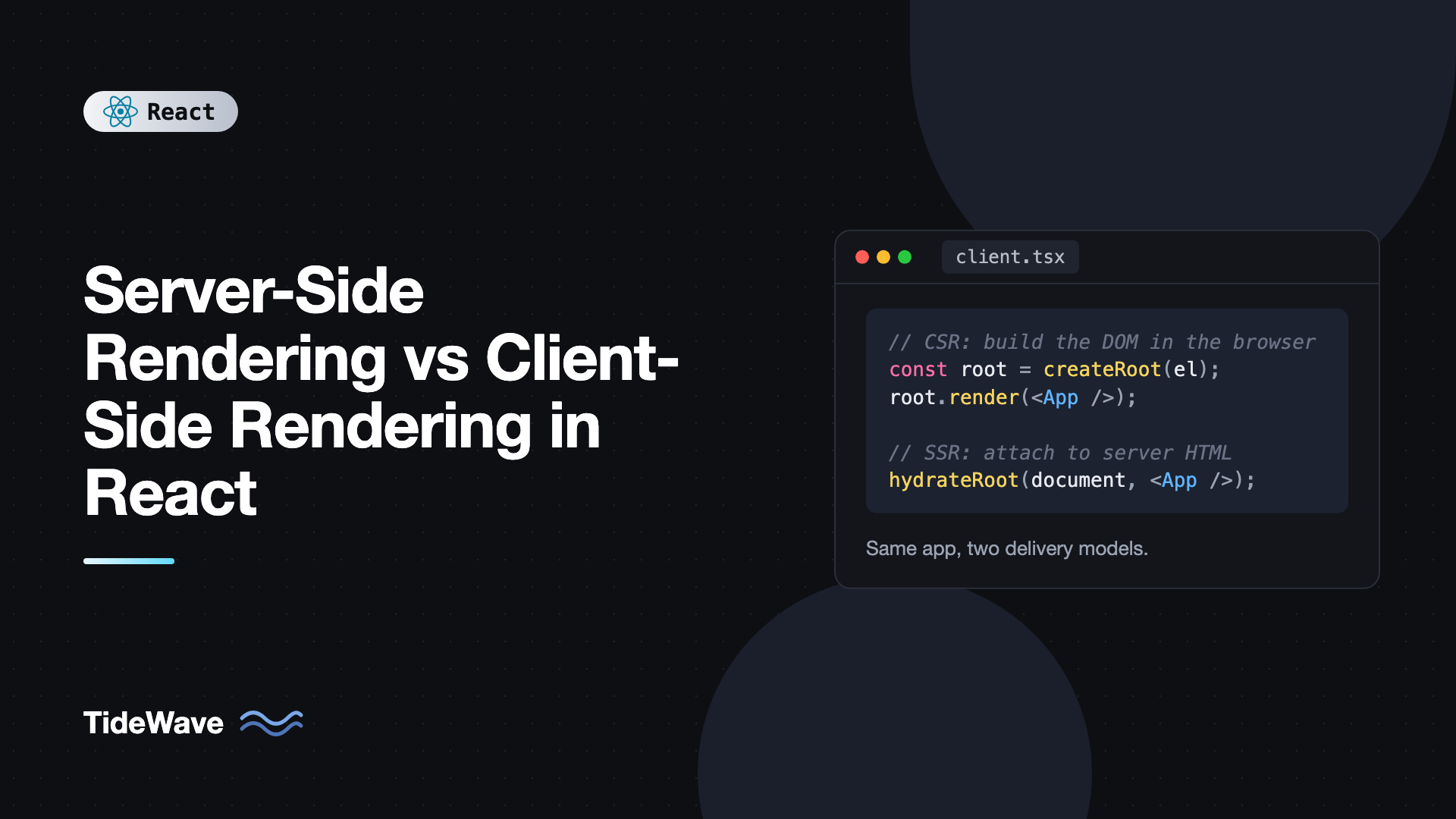
Server-Side Rendering vs Client-Side Rendering in React
Open the page source of a typical Vite React app and you'll see almost nothing: an empty div with an ID of root and a script tag. Everything the user sees is built by JavaScript after it downloads. Open the source of a Next.js page and you'll see the full content already in the HTML. Same library, very different delivery.
That difference is client-side rendering (CSR) versus server-side rendering (SSR), and it affects how fast your pages appear, how search engines and link previews see them, how much your servers cost, and how complex your deployment is. Neither one is always better.
This post explains how each approach works in React, with code for both, then covers hydration, streaming SSR, static generation, the performance metrics each one affects, and a practical way to decide which to use for a given app or page.
How Client-Side Rendering Works
With CSR, the server sends a nearly empty HTML file. The browser downloads your JavaScript bundle, runs it, and React builds the entire DOM in the browser.
The HTML looks like this:
<!doctype html>
<html lang="en">
  <head>
    <meta charset="UTF-8" />
    <title>Dashboard</title>
    <script type="module" src="/assets/index-4f8a2c.js"></script>
  </head>
  <body>
    <div id="root"></div>
  </body>
</html>
And the entry point creates a root and renders into it:
// src/main.tsx
import { StrictMode } from "react";
import { createRoot } from "react-dom/client";
import { App } from "./App";

createRoot(document.getElementById("root")!).render(
  <StrictMode>
    <App />
  </StrictMode>,
);
The sequence in the browser is:
- Download HTML (fast, it's tiny).
- Download the JavaScript bundle.
- Parse and execute it.
- React renders components. The user finally sees the UI.
- Components fetch data. The user sees loading states, then real content.
Until step 4, the user stares at a blank page. Until step 5, they see spinners. On a fast laptop that's a fraction of a second. On a mid-range phone over a slow network it can be several seconds.
Why CSR is still popular
CSR is simple. The build output is static files you can host on any CDN for almost nothing. There's no server to scale or keep running, no code that has to work in both Node and the browser, and after the first load, navigation is instant because everything is already on the client. For apps behind a login, like dashboards, admin panels, and internal tools, those benefits usually outweigh the slower first paint.
How Server-Side Rendering Works
With SSR, a server runs your React components for each request and sends real HTML. The browser can display content as soon as the HTML arrives, before any JavaScript runs. Then the JavaScript loads and React hydrates the page, attaching event handlers to the existing HTML so it becomes interactive.
Here's a minimal SSR setup with Express and React's streaming server API. The App component renders the whole document, including the html and body tags:
// src/App.tsx
import { useState } from "react";

export function App({ initialCount }: { initialCount: number }) {
  const [count, setCount] = useState(initialCount);

  return (
    <html lang="en">
      <head>
        <meta charSet="utf-8" />
        <title>SSR Demo</title>
      </head>
      <body>
        <h1>Server-rendered counter</h1>
        <button onClick={() => setCount((c) => c + 1)}>Clicked {count} times</button>
        <script
          dangerouslySetInnerHTML={{
            __html: `window.__INITIAL_COUNT__ = ${JSON.stringify(initialCount)};`,
          }}
        />
      </body>
    </html>
  );
}
The server renders it to a stream:
// server.tsx
import express from "express";
import { renderToPipeableStream } from "react-dom/server";
import { App } from "./src/App";

const app = express();
app.use("/assets", express.static("dist/assets"));

app.use((req, res) => {
  const initialCount = 5;
  let didError = false;

  const { pipe, abort } = renderToPipeableStream(<App initialCount={initialCount} />, {
    bootstrapScripts: ["/assets/client.js"],
    onShellReady() {
      res.statusCode = didError ? 500 : 200;
      res.setHeader("Content-Type", "text/html; charset=utf-8");
      pipe(res);
    },
    onShellError() {
      res.statusCode = 500;
      res.setHeader("Content-Type", "text/html; charset=utf-8");
      res.send("<h1>Something went wrong</h1>");
    },
    onError(error) {
      didError = true;
      console.error(error);
    },
  });

  setTimeout(() => abort(), 10_000);
});

app.listen(3000, () => console.log("http://localhost:3000"));
And the client hydrates the existing document instead of creating a fresh root:
// src/client.tsx
import { hydrateRoot } from "react-dom/client";
import { App } from "./App";

declare global {
  interface Window {
    __INITIAL_COUNT__: number;
  }
}

hydrateRoot(document, <App initialCount={window.__INITIAL_COUNT__} />);
The sequence now is:
- The server runs components and fetches data.
- The browser receives full HTML. The user sees content.
- JavaScript downloads and runs.
- React hydrates. The page becomes interactive.
The content appears much earlier, but there's a window between steps 2 and 4 where the page looks ready and isn't. Clicking the button during that window does nothing, because no handler is attached yet.
In practice you rarely write this plumbing yourself. Frameworks like Next.js and React Router in framework mode handle the server, bundling for both environments, data loading, and passing data to the client. The code above is what they do underneath.
Hydration and Hydration Mismatches
Hydration only works if the client's first render produces exactly the same output as the server's render. React walks the existing DOM and expects it to match. If it doesn't, you get a hydration mismatch: React logs an error and re-renders that part of the tree on the client, throwing away the server HTML for it.
The usual causes are values that differ between server and browser:
// Mismatch: the server and client compute different times
export function Timestamp() {
  return <p>Rendered at {new Date().toLocaleTimeString()}</p>;
}
// Mismatch: window doesn't exist on the server
export function ScreenWidth() {
  const width = typeof window !== "undefined" ? window.innerWidth : 0;
  return <p>Width: {width}</p>;
}
The fix is to render the same thing on both sides first, then update on the client after hydration with an effect:
import { useEffect, useState } from "react";

export function ScreenWidth() {
  const [width, setWidth] = useState<number | null>(null);

  useEffect(() => {
    const update = () => setWidth(window.innerWidth);
    update();
    window.addEventListener("resize", update);
    return () => window.removeEventListener("resize", update);
  }, []);

  return <p>Width: {width ?? "measuring..."}</p>;
}
Effects don't run on the server, so the server renders the placeholder, the client's first render matches, and then the effect fills in the real value. For browser-only state you subscribe to, useSyncExternalStore with a getServerSnapshot argument does the same job more cleanly.
For small, intentional differences like a formatted timestamp, you can add suppressHydrationWarning to that one element. Use it sparingly. It only applies one level deep and hides real bugs if overused.
Streaming SSR and Suspense
Classic SSR has a weakness: the server can't send anything until every component has its data. One slow API call delays the whole page.
React 18 introduced streaming SSR, which renderToPipeableStream uses. Combined with Suspense, the server sends the page shell immediately, with fallbacks for slow parts, and then streams the remaining HTML into the same response as each part becomes ready:
import { Suspense } from "react";

export function ProductPage({ id }: { id: string }) {
  return (
    <main>
      <ProductDetails id={id} />
      <Suspense fallback={<p>Loading reviews...</p>}>
        <Reviews productId={id} />
      </Suspense>
    </main>
  );
}
If Reviews suspends while its data loads, the user immediately gets the product details plus the "Loading reviews..." fallback. When the reviews are ready, React streams their HTML along with a tiny inline script that swaps it into place. On the client, React also hydrates each Suspense boundary independently and prioritizes the ones the user interacts with first. That's called selective hydration.
This removes most of the "SSR is slow because of the slowest query" problem. The post on how Suspense for data fetching works under the hood covers the mechanics.
Static Site Generation: SSR at Build Time
There's a third option that gets lumped in with SSR. Static site generation (SSG) runs the same server rendering, but once at build time instead of on every request. You get full HTML files you can host on a CDN, just like CSR, but with the content already in them.
React exposes prerender from react-dom/static for this, and frameworks build on it. This blog is an example: every post is rendered to HTML during the build, so pages load instantly and need no server.
SSG works when content is the same for every visitor and changes on publish rather than per request. It doesn't work for personalized pages or data that changes every few seconds. Many frameworks offer incremental regeneration, rebuilding individual pages in the background on a schedule or on demand, to stretch SSG further.
Comparing Performance
The rendering strategy mainly moves work between server and client and changes when things happen. The Core Web Vitals show the trade-offs:
| Metric | CSR | SSR | SSG |
|---|---|---|---|
| Time to First Byte (TTFB) | Fast (static file) | Slower (server renders first) | Fast (static file) |
| First / Largest Contentful Paint | Slow (waits for JS and data) | Fast | Fastest |
| Time to interactive | After JS runs | After JS runs and hydration | After JS runs and hydration |
| Navigation after first load | Fast | Fast with client routing | Fast with client routing |
| Server cost | Static hosting only | Compute per request | Static hosting only |
Two things stand out. SSR doesn't make the JavaScript disappear, so interactivity still depends on bundle size. A page that shows content in one second but takes four seconds to hydrate can feel broken, because buttons don't respond. Keeping bundles lean matters in every strategy, and the post on optimizing bundle size in React applications covers the main techniques.
Second, SSR adds server time to every request. A slow database query on the server delays the first byte. Caching rendered pages, or the data they depend on, is what makes SSR fast in practice.
SEO and Social Sharing
Google's crawler renders JavaScript, so CSR pages can be indexed. But rendering happens in a second, delayed pass, and anything that fails or times out isn't indexed. Other crawlers, including most social networks generating link previews, don't run JavaScript at all. A CSR page shared on a messaging app shows whatever's in the static HTML, which is usually just the site title.
If a page needs to rank in search or look good when shared, render its content and meta tags on the server or at build time.
Choosing Between CSR and SSR
Here's a practical decision guide:
Choose CSR when:
- The app is behind a login, so SEO doesn't matter.
- Users stay in the app for long sessions, so first load is a small part of their time.
- You want the simplest possible hosting and deployment.
- Examples: dashboards, admin panels, internal tools, editors.
Choose SSR when:
- Pages need SEO or rich link previews, and content is dynamic or personalized.
- First-load speed on slow devices is important, like e-commerce product pages.
- Data changes per request, like search results or a personalized feed.
Choose SSG when:
- Content is the same for everyone and changes when you publish.
- Examples: blogs, documentation, marketing pages.
You also don't have to choose one for the whole app. Modern frameworks let each route pick: static marketing pages, server-rendered product pages, and a client-heavy dashboard all in one codebase.
Where React Server Components Fit
React Server Components are a separate idea that's often confused with SSR. SSR renders your components to HTML on the server, then sends all of their code to the client for hydration. Server Components run only on the server and send no JavaScript for themselves. Only components marked with "use client" are shipped and hydrated.
They work together: a framework like Next.js renders Server and Client Components to HTML with SSR, and only the Client Components hydrate. The result is SSR's fast first paint with less JavaScript to hydrate. If you're curious how much of that requires a framework, see React Server Components without a framework.
Common Mistakes
- Treating SSR as a performance fix by itself. A huge bundle still makes the page unresponsive until hydration finishes.
- Reading
window,localStorage, or the current time during render. It causes hydration mismatches. Move it into an effect oruseSyncExternalStore. - Fetching the same data twice. If the server fetches data to render, pass it to the client instead of having the client refetch on mount.
- Blocking the whole page on the slowest query. Wrap slow sections in
Suspenseso streaming can send the rest first. - Picking SSR for an internal tool. You take on server costs and complexity for SEO benefits nobody needs.
- Using
createRooton server-rendered HTML. It discards the server markup and renders from scratch. UsehydrateRoot.
Frequently Asked Questions (FAQ) About SSR vs CSR in React
No. SSR usually shows content sooner on the first load, but the server has to render before sending anything, so time to first byte is slower. The page also isn't interactive until hydration finishes. For repeat visits and in-app navigation, CSR and SSR apps feel about the same.
Yes, Google renders JavaScript, but it does so in a delayed second pass and can miss content that loads slowly or fails. Other search engines and social media link previews often don't run JavaScript. For pages that must rank or be shared, server or static rendering is safer.
Hydration is the process of React attaching event handlers and state to HTML that was already rendered on the server. You start it with hydrateRoot instead of createRoot. React expects the client's first render to match the server HTML exactly, otherwise it reports a mismatch and re-renders that part.
No. React's renderToPipeableStream and hydrateRoot are enough, as the Express example shows. In practice a framework like Next.js or React Router in framework mode saves you from building routing, data loading, and dual bundling yourself, which is a lot of work to get right.
SSR renders components to HTML on the server, and all of them still ship to the browser for hydration. Server Components run only on the server and never ship their code to the client. Frameworks combine both: Server Components reduce JavaScript, and SSR produces the initial HTML.
Yes, and most real apps should. Frameworks let you choose per route, so public pages can be static or server-rendered while authenticated sections behave like a client-side app. Even on a server-rendered page, parts that depend on the browser can render on the client after hydration.
Conclusion
CSR sends an empty page and builds everything in the browser, which keeps hosting simple and suits logged-in apps. SSR renders HTML on the server for each request, giving faster first paint and better SEO at the cost of server work and hydration complexity. SSG does that rendering once at build time, which is ideal for content that doesn't change per visitor. Streaming with Suspense and Server Components narrow the trade-offs further.
To decide for your own project, look at each section of your app separately and ask two questions: does this page need to be seen by search engines or link previews, and does its content change per request? Then measure. Run Lighthouse on a throttled mobile profile, look at LCP and interaction delay, and let the numbers, not trends, guide which rendering strategy each route uses.


