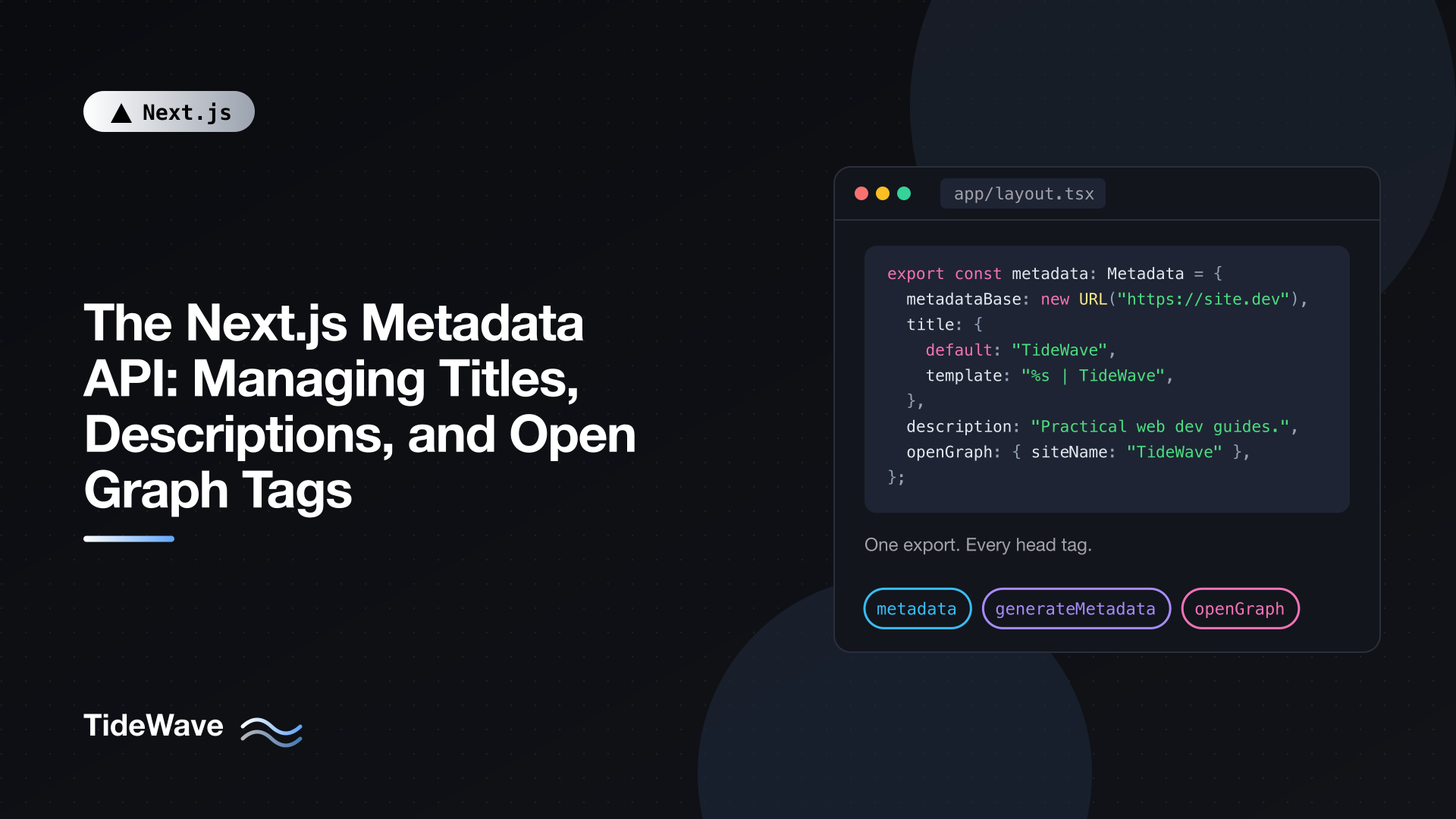
The Next.js Metadata API: Managing Titles, Descriptions, and Open Graph Tags
Every page on your site needs a title, a description, and a set of tags that tell search engines and social platforms how to present it. In the Pages Router you did this by dropping next/head into each page and hoping you didn't forget one. In the App Router, there's a dedicated Metadata API: you export an object or a function from a layout or page, and Next.js generates the head tags for you, merges them across nested layouts, and deduplicates them.
It's a simple API on the surface, but a few behaviors catch people out: title templates that don't apply where you expect, Open Graph fields that disappear on child pages, and relative image URLs that break the build. This post covers how to set up metadata properly from the root layout down to dynamic pages, with the reasoning behind each choice.
Two Ways to Define Metadata
There are two exports, and you use one or the other per route segment, never both.
Static metadata object, for values known at build time:
// app/about/page.tsx
import type { Metadata } from "next";

export const metadata: Metadata = {
  title: "About",
  description: "Who we are and why we started TideWave.",
};

export default function AboutPage() {
  return <h1>About</h1>;
}
generateMetadata function, for values that depend on route params or fetched data:
// app/blog/[slug]/page.tsx
import type { Metadata } from "next";
import { notFound } from "next/navigation";
import { getPost } from "@/lib/posts";

type Props = { params: Promise<{ slug: string }> };

export async function generateMetadata({ params }: Props): Promise<Metadata> {
  const { slug } = await params;
  const post = await getPost(slug);
  if (!post) notFound();

  return {
    title: post.title,
    description: post.excerpt,
  };
}

export default async function PostPage({ params }: Props) {
  const { slug } = await params;
  const post = await getPost(slug);
  if (!post) notFound();

  return <article>{/* ... */}</article>;
}
Note that params is a promise in Next.js 16 and has to be awaited, in generateMetadata just like in the page component. You can also call notFound() or redirect() from inside generateMetadata.
Both exports only work in Server Components. If your page needs client-side interactivity, keep page.tsx as a Server Component that exports metadata and renders a separate Client Component.
Setting Up the Root Layout
Most of your metadata strategy lives in app/layout.tsx. Defaults set here apply to every route unless a deeper segment overrides them.
// app/layout.tsx
import type { Metadata } from "next";
import type { ReactNode } from "react";

export const metadata: Metadata = {
  metadataBase: new URL("https://tidewave.dev"),
  title: {
    default: "TideWave",
    template: "%s | TideWave",
  },
  description: "Practical guides to Next.js, CSS, and modern web development.",
  applicationName: "TideWave",
  openGraph: {
    type: "website",
    siteName: "TideWave",
    locale: "en_US",
  },
  twitter: {
    card: "summary_large_image",
    creator: "@tidewave",
  },
};

export default function RootLayout({ children }: { children: ReactNode }) {
  return (
    <html lang="en">
      <body>{children}</body>
    </html>
  );
}
Let's go through each piece.
metadataBase
Several metadata fields require absolute URLs: Open Graph images, canonical URLs, alternate language links. metadataBase lets you write those as relative paths everywhere else and have Next.js prefix them. Without it, using a relative path in a URL-based field causes a build error.
Hardcoding the domain is fine for a single production site. If you deploy previews to different hostnames, read it from an environment variable:
metadataBase: new URL(process.env.NEXT_PUBLIC_SITE_URL ?? "http://localhost:3000"),
Next.js normalizes slashes when composing URLs, so metadataBase of https://tidewave.dev/ plus /blog gives https://tidewave.dev/blog, not a double slash.
Title templates
title.template adds a prefix or suffix to titles set in child segments. With the template above, a page that sets title: "About" renders About | TideWave. title.default is the fallback for any child that doesn't set a title at all, and it's required whenever you define a template.
The rules that trip people up:
- A template applies to children, not to the segment that defines it. A template in
app/layout.tsxapplies toapp/page.tsxand every nested page, because they're all children of that layout. It does not apply to atitleset in that samelayout.tsx. - A template in
page.tsxdoes nothing, because a page has no children. - Use
title.absoluteto opt out. If your home page should be just "TideWave" without the suffix, or a landing page needs an exact title, settitle: { absolute: "..." }.
// app/page.tsx
import type { Metadata } from "next";

export const metadata: Metadata = {
  title: { absolute: "TideWave: Practical Web Development Guides" },
};

export default function HomePage() {
  return <h1>Welcome</h1>;
}
Nested layouts can define their own template. A app/docs/layout.tsx with template: "%s | Docs | TideWave" gives everything under /docs a section-specific suffix, while the rest of the site keeps the root template.
Description
Keep descriptions between roughly 120 and 160 characters and write them for people, not keyword density. Search engines may rewrite them, but a specific, accurate description is used more often than a vague one. Every indexable page should have its own; inheriting the root description on hundreds of pages makes them look like duplicates.
How Metadata Merges Across Segments
Next.js evaluates metadata from the root layout down to the page, then merges the results shallowly. Top-level keys from deeper segments replace the same keys from higher segments. Nested objects aren't deep-merged.
This is the single most common source of missing tags. Consider:
// app/layout.tsx
export const metadata: Metadata = {
  openGraph: {
    siteName: "TideWave",
    type: "website",
    locale: "en_US",
  },
};
// app/blog/[slug]/page.tsx
export const metadata: Metadata = {
  openGraph: {
    title: "My Post",
  },
};
The post page ends up with og:title and nothing else. Because it defined openGraph, the whole object from the layout was replaced, and og:site_name, og:type, and og:locale are gone.
If the page doesn't define openGraph at all, the layout's object is inherited intact. The problem only appears when you set it partially.
The fix is to share the common fields explicitly:
// lib/metadata.ts
export const baseOpenGraph = {
  siteName: "TideWave",
  locale: "en_US",
};
// app/about/page.tsx
import type { Metadata } from "next";
import { baseOpenGraph } from "@/lib/metadata";

export const metadata: Metadata = {
  title: "About",
  openGraph: {
    ...baseOpenGraph,
    type: "website",
    title: "About TideWave",
  },
};
The type stays on each page because it differs between pages ("website" here, "article" for posts), and keeping it out of the shared object keeps TypeScript happy when you add article-only fields later.
Alternatively, generateMetadata receives a second argument, parent, a promise of the resolved metadata from parent segments. You can read from it and extend rather than replace:
// app/blog/[slug]/page.tsx
import type { Metadata, ResolvingMetadata } from "next";
import { baseOpenGraph } from "@/lib/metadata";

export async function generateMetadata(
  { params }: { params: Promise<{ slug: string }> },
  parent: ResolvingMetadata,
): Promise<Metadata> {
  const { slug } = await params;
  const previousImages = (await parent).openGraph?.images ?? [];

  return {
    title: slug,
    openGraph: {
      ...baseOpenGraph,
      title: slug,
      images: [`/og/${slug}.png`, ...previousImages],
    },
  };
}
Here the page puts its own image first and keeps the layout's images as fallbacks. Use parent when you genuinely need to build on what a layout computed, like this list of images. For plain shared fields, a constant is easier to read and doesn't require awaiting anything.
Open Graph Tags
Open Graph tags control how your link looks when shared on social networks, in messaging apps, and in many link-preview tools. The fields you'll use most:
| Field | Output | Notes |
|---|---|---|
title | og:title | Can differ from the page title; no template applied. |
description | og:description | Often the same as the meta description. |
url | og:url | The canonical URL of the page. |
siteName | og:site_name | Your site's name. |
images | og:image, plus width, height, alt | Absolute URLs (or relative with metadataBase). |
type | og:type | "website" for most pages, "article" for posts. |
locale | og:locale | e.g. "en_US". |
Note that openGraph.title doesn't use your title template. If you want "My Post | TideWave" in previews too, set it explicitly. Many sites prefer the shorter title for social previews, since the site name already appears via og:site_name.
Article metadata
For blog posts, set type: "article" and Next.js accepts article-specific fields:
// app/blog/[slug]/page.tsx
import type { Metadata } from "next";
import { notFound } from "next/navigation";
import { getPost } from "@/lib/posts";
import { baseOpenGraph } from "@/lib/metadata";

type Props = { params: Promise<{ slug: string }> };

export async function generateMetadata({ params }: Props): Promise<Metadata> {
  const { slug } = await params;
  const post = await getPost(slug);
  if (!post) notFound();

  const url = `/blog/${post.slug}`;

  return {
    title: post.title,
    description: post.excerpt,
    alternates: { canonical: url },
    openGraph: {
      ...baseOpenGraph,
      type: "article",
      url,
      title: post.title,
      description: post.excerpt,
      publishedTime: post.publishedAt,
      modifiedTime: post.updatedAt,
      authors: [post.author.name],
      tags: post.tags,
      images: [
        {
          url: post.coverImage,
          width: 1200,
          height: 630,
          alt: post.title,
        },
      ],
    },
    twitter: {
      card: "summary_large_image",
      title: post.title,
      description: post.excerpt,
      images: [post.coverImage],
    },
  };
}
This produces og:type of article plus article:published_time, article:modified_time, article:author, and article:tag tags. Dates should be ISO 8601 strings.
Images
Social platforms generally expect a 1200 by 630 image for large previews. Always include width, height, and alt: the dimensions let platforms render the preview without downloading the image first, and alt makes the preview accessible.
For images that don't change per page, the file-based convention is easier than listing them in metadata. Drop an opengraph-image.png (or .jpg) into a route folder and Next.js adds the og:image tags, including dimensions, for that segment and everything below it. Put one in app/ for a site-wide default and another in app/blog/ for the blog. File-based metadata takes priority over the metadata object for the same segment.
For per-post images generated from the title, you can create them on the fly with ImageResponse. That's a topic of its own, covered in generating dynamic Open Graph images in Next.js.
Twitter (X) Cards
The twitter field outputs twitter:* meta tags. Many other services read these too, so they're worth setting even if you don't care about X specifically.
twitter: {
  card: "summary_large_image",
  site: "@tidewave",
  creator: "@maria",
  title: "Post title",
  description: "Post description",
  images: ["/og/default.png"],
},
card: "summary_large_image" gives you the wide image preview; "summary" shows a small square thumbnail. If you omit twitter.title, twitter.description, or twitter.images, X falls back to the matching Open Graph values, so on most sites you can set only card and the handles in the root layout and let Open Graph do the rest.
Canonical URLs and Alternates
A canonical URL tells search engines which URL is the primary version of a page, which matters when the same content is reachable at more than one address (query strings, trailing slashes, tracking parameters, syndicated copies).
alternates: {
  canonical: "/blog/my-post",
  languages: {
    "en-US": "/en/blog/my-post",
    "de-DE": "/de/blog/my-post",
  },
  types: {
    "application/rss+xml": "/feed.xml",
  },
},
canonical becomes link rel="canonical", languages produces hreflang alternates for translated versions, and types advertises things like your RSS feed. With metadataBase set, all of these can be relative.
A common mistake is setting canonical: "/" in the root layout. Because metadata is inherited, every page that doesn't override it will then claim the home page as its canonical, which tells search engines to ignore them. Set canonicals per page, not in a layout.
Robots Directives
Use the robots field for per-page indexing instructions:
// app/search/page.tsx
import type { Metadata } from "next";

export const metadata: Metadata = {
  title: "Search",
  robots: {
    index: false,
    follow: true,
  },
};
This outputs meta name="robots" content="noindex, follow", which is right for internal search results, thank-you pages, and other thin pages you don't want in search results but whose links should still be followed. Site-wide crawl rules belong in robots.txt instead; see creating sitemap.xml and robots.txt programmatically.
For preview deployments, a common pattern is to block indexing in the root layout based on an environment variable:
robots: process.env.VERCEL_ENV === "production"
  ? { index: true, follow: true }
  : { index: false, follow: false },
Replace VERCEL_ENV with whatever variable your host sets to distinguish production from previews.
Viewport and Theme Color Live Elsewhere
themeColor, colorScheme, and viewport settings used to be part of metadata. They now have their own export, viewport (or generateViewport):
// app/layout.tsx
import type { Viewport } from "next";

export const viewport: Viewport = {
  themeColor: [
    { media: "(prefers-color-scheme: light)", color: "#ffffff" },
    { media: "(prefers-color-scheme: dark)", color: "#0b1120" },
  ],
};
If you still have themeColor inside metadata, Next.js warns about it. The metadata-to-viewport-export codemod moves it for you.
Avoiding Duplicate Data Fetching
In the blog example, both generateMetadata and the page call getPost(slug). If getPost uses fetch, Next.js memoizes identical requests within a render, so it only runs once. If it queries a database or reads files directly, wrap it in React's cache:
// lib/posts.ts
import { cache } from "react";
import { db } from "@/lib/db";

export const getPost = cache(async (slug: string) => {
  return db.post.findUnique({ where: { slug } });
});
Now the metadata and the page share one call per request.
Streaming Metadata and Bots
For dynamically rendered pages, Next.js doesn't make the whole page wait for generateMetadata. It sends the UI first and streams the metadata tags in when they resolve. Bots that execute JavaScript (Googlebot, for example) handle this fine.
For bots that only read raw HTML, such as the crawlers behind link previews in social apps, Next.js detects them by user agent and waits for metadata so it lands in the head. You can customize that list with the htmlLimitedBots option in next.config.ts, but the default is right for almost everyone. Prerendered pages aren't affected at all, because their metadata is resolved at build time.
If you've enabled Cache Components, a generateMetadata that fetches uncached data on an otherwise static page raises a build error asking you to be explicit. Usually the fix is adding "use cache" inside generateMetadata so the result can be prerendered.
Checking Your Output
Before shipping, look at what's actually rendered:
- View source (not DevTools Elements) on a production build to see the tags in the initial HTML.
- Test with a link preview. Paste a URL into a private message to yourself in the apps your audience uses.
- Validate structured previews with the platforms' own debugging tools, which also force them to refresh a cached preview.
Things worth checking on every page template: a unique title, a unique description, a page-specific canonical, og:image with an absolute URL, and og:type set correctly.
For the broader SEO picture beyond metadata, our post on the SEO benefits of Next.js is a good companion.
Conclusion
The Metadata API replaces scattered head tags with a typed object per route segment. Set metadataBase, a title template, and shared defaults in the root layout; override title, description, and alternates.canonical on each page; and use generateMetadata when values come from data. Remember that merging is shallow, so a page that sets openGraph must include every Open Graph field it needs, and keep canonicals and noindex decisions on the pages they belong to. Get those few rules right and every page ships with correct, consistent tags without any per-page boilerplate.


