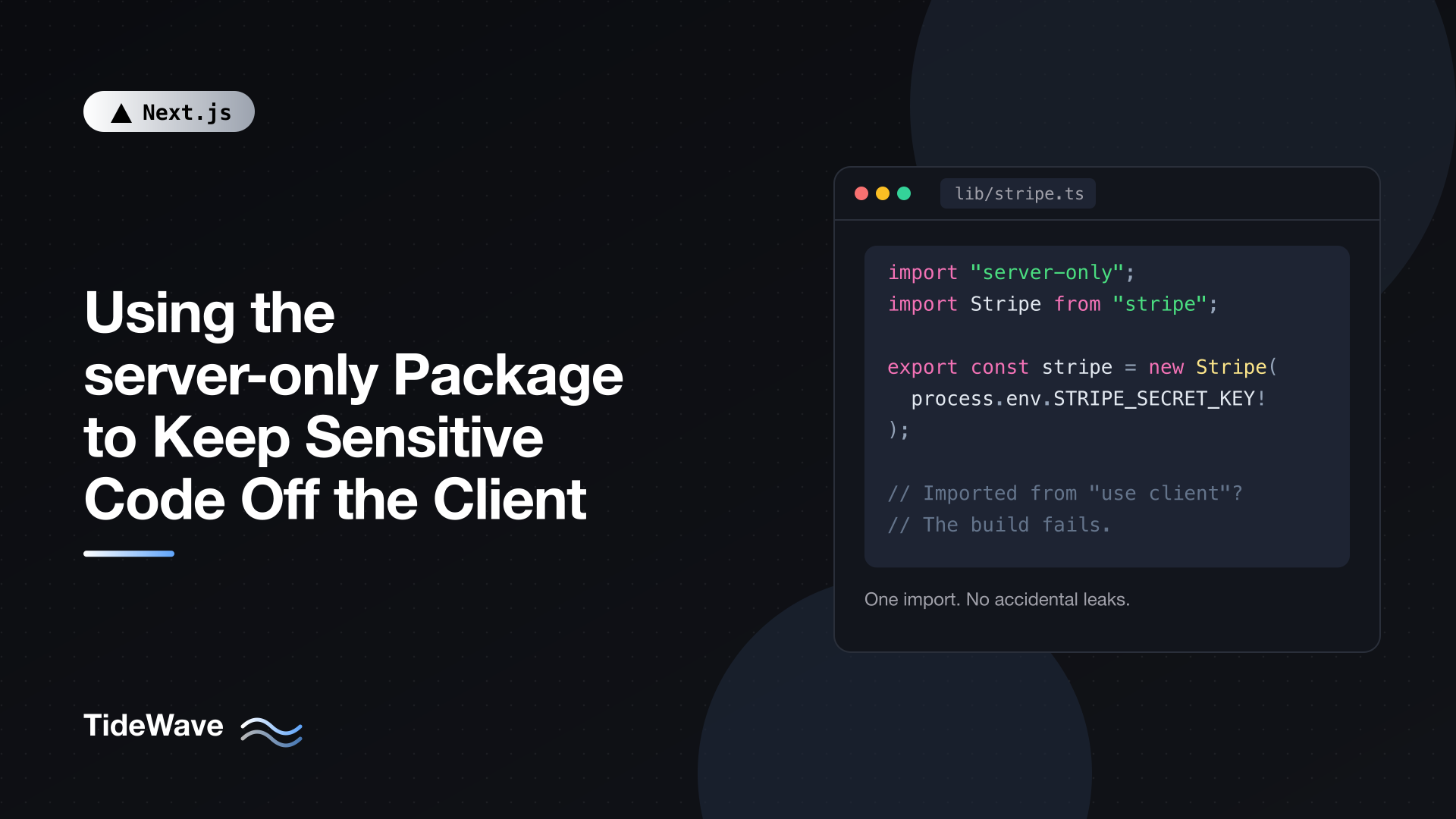
Using the server-only Package to Keep Sensitive Code Off the Client
In the App Router, a module doesn't declare whether it's server code or client code. It becomes one or the other, or both, depending on who imports it. Your lib/db.ts is server code because only Server Components import it today. The moment someone imports it from a file with "use client", even indirectly through a helper, it's bundled for the browser.
Sometimes that fails loudly, for example when the module uses a Node.js API that doesn't exist in the browser. Often it doesn't. A module that reads process.env.STRIPE_SECRET_KEY gets an empty value in the client bundle and fails at runtime in confusing ways. A module with proprietary pricing logic quietly ships its source code to every visitor.
The server-only package closes that gap. One import line at the top of a module, and any attempt to pull it into the client graph becomes a build error. This post covers how it works, where to use it, how it fits with a data access layer, and the things it does not protect you from.
The Problem: Environment Poisoning
Consider a typical data helper:
// lib/analytics.ts
export async function getRevenueReport(month: string) {
  const res = await fetch(
    `https://internal.example.com/revenue?month=${month}`,
    {
      headers: { Authorization: `Bearer ${process.env.INTERNAL_API_TOKEN}` },
    },
  );
  if (!res.ok) throw new Error("Failed to load revenue report");
  return res.json();
}
It's written for the server. Now someone building a chart component does this:
// app/reports/revenue-chart.tsx
"use client";

import { useEffect, useState } from "react";
import { getRevenueReport } from "@/lib/analytics";

export function RevenueChart({ month }: { month: string }) {
  const [data, setData] = useState<unknown>(null);

  useEffect(() => {
    getRevenueReport(month).then(setData);
  }, [month]);

  return <pre>{JSON.stringify(data, null, 2)}</pre>;
}
Nothing stops the build. Next.js only inlines environment variables prefixed with NEXT_PUBLIC_ into client code, so INTERNAL_API_TOKEN becomes empty in the browser, and the request fails with a 401 at runtime. The token didn't leak this time, but:
- The internal URL and request shape did, since the function's source is now in the client bundle.
- The bug only shows up at runtime, possibly only in production.
- If the module had hardcoded a key, or used a
NEXT_PUBLIC_variable it shouldn't have, the secret would be public.
This kind of mistake is called environment poisoning: code written for one environment running in another. The import graph decides where code runs, and the import graph is easy to change by accident.
The Fix: import "server-only"
Install the package (optional in Next.js, but helpful if your linter flags unlisted dependencies):
npm install server-only
Then add one line to the top of any module that must never reach the browser:
// lib/analytics.ts
import "server-only";

export async function getRevenueReport(month: string) {
  const res = await fetch(
    `https://internal.example.com/revenue?month=${month}`,
    {
      headers: { Authorization: `Bearer ${process.env.INTERNAL_API_TOKEN}` },
    },
  );
  if (!res.ok) throw new Error("Failed to load revenue report");
  return res.json();
}
Now the RevenueChart import from the previous section fails at build time (and immediately in next dev), with an error pointing at the import chain that pulled the module into a Client Component. The mistake never reaches a browser.
Server Components, Route Handlers, and Server Actions can keep importing lib/analytics.ts exactly as before.
How It Works
The package is tiny. Its package.json uses conditional exports:
{
  "name": "server-only",
  "exports": {
    ".": {
      "react-server": "./empty.js",
      "default": "./index.js"
    }
  }
}
When a bundler resolves the import for the server component graph, it uses the react-server condition and gets an empty module. Anywhere else, including the client graph, it gets index.js, which throws:
throw new Error(
  "This module cannot be imported from a Client Component module. " +
    "It should only be used from a Server Component.",
);
Next.js goes a step further and recognizes server-only (and its counterpart client-only) internally, so you get a clear compile-time error with an import trace rather than a runtime throw. Next.js doesn't actually use the package's files from npm, which is why installing it is optional. It also ships type declarations for both, which matters if you've enabled TypeScript's noUncheckedSideEffectImports.
Where to Use It
A good rule: any module that touches secrets, privileged data, or server-only infrastructure gets import "server-only". In practice that's:
Database Clients
// lib/db.ts
import "server-only";
import { PrismaClient } from "@prisma/client";

const globalForPrisma = globalThis as unknown as { prisma?: PrismaClient };

export const db = globalForPrisma.prisma ?? new PrismaClient();

if (process.env.NODE_ENV !== "production") {
  globalForPrisma.prisma = db;
}
Database drivers usually fail in the browser anyway, but the error you'd get is an obscure bundling failure about fs or net. server-only gives you a clear message that names the problem.
Configuration and Secrets
Centralize server environment variables in one module and protect it:
// lib/env.server.ts
import "server-only";

function required(name: string): string {
  const value = process.env[name];
  if (!value) throw new Error(`Missing required environment variable: ${name}`);
  return value;
}

export const serverEnv = {
  databaseUrl: required("DATABASE_URL"),
  stripeSecretKey: required("STRIPE_SECRET_KEY"),
  sessionSecret: required("SESSION_SECRET"),
};
Other modules import serverEnv instead of reading process.env directly. Since this file is server-only, so is anything that depends on it, transitively. The .server.ts suffix is just a naming convention, not a Next.js feature, but it makes the intent visible in file trees and code review.
Third-Party SDKs with Secret Keys
// lib/stripe.ts
import "server-only";
import Stripe from "stripe";
import { serverEnv } from "./env.server";

export const stripe = new Stripe(serverEnv.stripeSecretKey);
The same goes for email providers, storage SDKs with write credentials, AI provider clients, and anything else initialized with a secret.
Sessions and Auth Helpers
Code that signs, verifies, or decrypts session tokens must never be in the browser:
// lib/session.ts
import "server-only";
import { cookies } from "next/headers";
import { SignJWT, jwtVerify } from "jose";
import { serverEnv } from "./env.server";

const key = new TextEncoder().encode(serverEnv.sessionSecret);

export async function createSession(userId: string) {
  const token = await new SignJWT({ userId })
    .setProtectedHeader({ alg: "HS256" })
    .setIssuedAt()
    .setExpirationTime("7d")
    .sign(key);

  const cookieStore = await cookies();
  cookieStore.set("session", token, {
    httpOnly: true,
    secure: true,
    sameSite: "lax",
    path: "/",
  });
}

export async function getSession(): Promise<{ userId: string } | null> {
  const cookieStore = await cookies();
  const token = cookieStore.get("session")?.value;
  if (!token) return null;

  try {
    const { payload } = await jwtVerify(token, key, { algorithms: ["HS256"] });
    return typeof payload.userId === "string"
      ? { userId: payload.userId }
      : null;
  } catch {
    return null;
  }
}
cookies() from next/headers is async in Next.js 16, hence the await. For a broader look at auth flows, see managing authentication in a Next.js application.
The Data Access Layer
The Next.js docs recommend putting all data fetching for new projects behind a data access layer: server-only modules that run queries, check authorization, and return minimal objects. server-only is what enforces the "server-only" part:
// data/invoices.ts
import "server-only";
import { cache } from "react";
import { db } from "@/lib/db";
import { getSession } from "@/lib/session";

export type InvoiceSummary = {
  id: string;
  number: string;
  totalCents: number;
  status: "draft" | "sent" | "paid";
};

export const getMyInvoices = cache(async (): Promise<InvoiceSummary[]> => {
  const session = await getSession();
  if (!session) return [];

  const rows = await db.invoice.findMany({
    where: { ownerId: session.userId },
    select: { id: true, number: true, totalCents: true, status: true },
    orderBy: { createdAt: "desc" },
  });

  return rows.map((r) => ({
    id: r.id,
    number: r.number,
    totalCents: r.totalCents,
    status: r.status as InvoiceSummary["status"],
  }));
});
Server Action Files
Server Actions often delegate to the data access layer. You can also add import "server-only" to a "use server" file. That's safe even though Client Components import actions to call them: Next.js resolves "use server" modules in the server layer and gives the client only references, so the import doesn't trip the check.
// app/invoices/actions.ts
"use server";

import "server-only";
import { revalidatePath } from "next/cache";
import { markInvoicePaid } from "@/data/invoices-mutations";

export async function markPaidAction(invoiceId: string) {
  await markInvoicePaid(invoiceId); // auth and ownership checks live in the DAL
  revalidatePath("/invoices");
}
Splitting Shared Modules
server-only applies to the whole module. That becomes a problem when a file mixes server logic with helpers the client legitimately needs:
// lib/pricing.ts: mixed concerns
import "server-only";
import { db } from "./db";

export function formatPrice(cents: number) {
  return new Intl.NumberFormat("en-US", {
    style: "currency",
    currency: "USD",
  }).format(cents / 100);
}

export async function getDiscountedPrice(productId: string, userId: string) {
  // proprietary discount rules + database lookups
}
A Client Component that only wants formatPrice can't import this file anymore. The fix is to split by environment:
lib/
├── pricing/format.ts      # pure helpers, safe anywhere
└── pricing/rules.ts       # import "server-only"; discount logic and db access
Watch for barrel files too. If lib/index.ts re-exports from both a server-only module and a client-safe one, any client import from @/lib pulls in the server-only module and fails. Keep server and client entry points separate, or avoid barrels for mixed directories.
The client-only Counterpart
The reverse problem exists too: code that only makes sense in the browser, such as anything touching window, localStorage, or browser-only libraries. Mark those modules with client-only:
// lib/local-prefs.ts
import "client-only";

export function getSavedLayout(): "grid" | "list" {
  return window.localStorage.getItem("layout") === "list" ? "list" : "grid";
}
Importing this from a Server Component becomes a build error instead of a window is not defined crash during rendering. Keep in mind that Client Components still render on the server for the initial HTML, so client-only code should still be called from effects or event handlers, not during render.
What server-only Doesn't Do
It's easy to over-trust a one-line fix. server-only protects code from being bundled for the client. It does nothing about data you send there on purpose:
// app/settings/page.tsx
import { getFullUserRecord } from "@/data/users"; // server-only module
import { SettingsForm } from "./settings-form"; // Client Component

export default async function SettingsPage() {
  const user = await getFullUserRecord();
  // server-only is satisfied: the module is imported by a Server Component.
  // But every field of `user` is now serialized to the browser.
  return <SettingsForm user={user} />;
}
The build passes, and the password hash ships anyway. Props to Client Components, Server Action return values, and promises passed to the client are all serialized into the page. Preventing that takes narrow props and DTOs, which I cover in passing data from Server to Client Components without leaking secrets.
A few other limits:
- It doesn't validate secrets. A
NEXT_PUBLIC_variable holding a secret is public no matter which module reads it. - It doesn't add authorization. Server-only code can still return data to the wrong user. Checks belong in the data access layer and in every Server Action.
- It only guards the module it's in. If you copy a function into another file without the import, the protection doesn't come with it.
Testing Modules That Import server-only
Test runners don't usually resolve the react-server export condition, so importing a server-only module in a unit test can hit the throwing branch.
- Jest with
next/jest: the Next.js Jest config already mapsserver-onlyto an empty module, so tests just work. - Vitest: mock the package in your setup file.
// vitest.setup.ts
import { vi } from "vitest";

vi.mock("server-only", () => ({}));
// vitest.config.ts
import { defineConfig } from "vitest/config";

export default defineConfig({
  test: {
    environment: "node",
    setupFiles: ["./vitest.setup.ts"],
  },
});
Use the node environment for server-only modules rather than jsdom, so the tests run under the same assumptions as production.
An Audit Checklist
When reviewing a codebase, I look for:
- Every module that reads
process.env(other thanNEXT_PUBLIC_values) starts withimport "server-only", or better, only one module reads it. - Database clients, ORM instances, and SDKs initialized with secret keys are server-only.
- Session, token, and crypto helpers are server-only.
- The data access layer directory is server-only throughout.
- No barrel file mixes server-only and client-safe exports.
- Client Component props are narrow, because
server-onlywon't catch data leaks.
A quick search helps find gaps:
grep -rL "server-only" $(grep -rl "process.env\." src/lib src/data --include=*.ts)
That lists files under src/lib and src/data that read environment variables but don't import server-only. Adjust the paths to your project.
Conclusion
The App Router decides where code runs based on the import graph, and the import graph changes every time someone adds an import. import "server-only" makes your intent explicit and enforced: if a module that touches secrets, databases, or privileged logic ever gets pulled into a Client Component, the build fails with a clear trace instead of shipping your code to the browser.
Put it on database clients, environment and SDK modules, auth helpers, and your entire data access layer. Split mixed modules by environment, use client-only for the reverse case, and mock it in tests. Then pair it with narrow props and DTOs, because server-only keeps your code on the server, while keeping your data there is still up to you.


