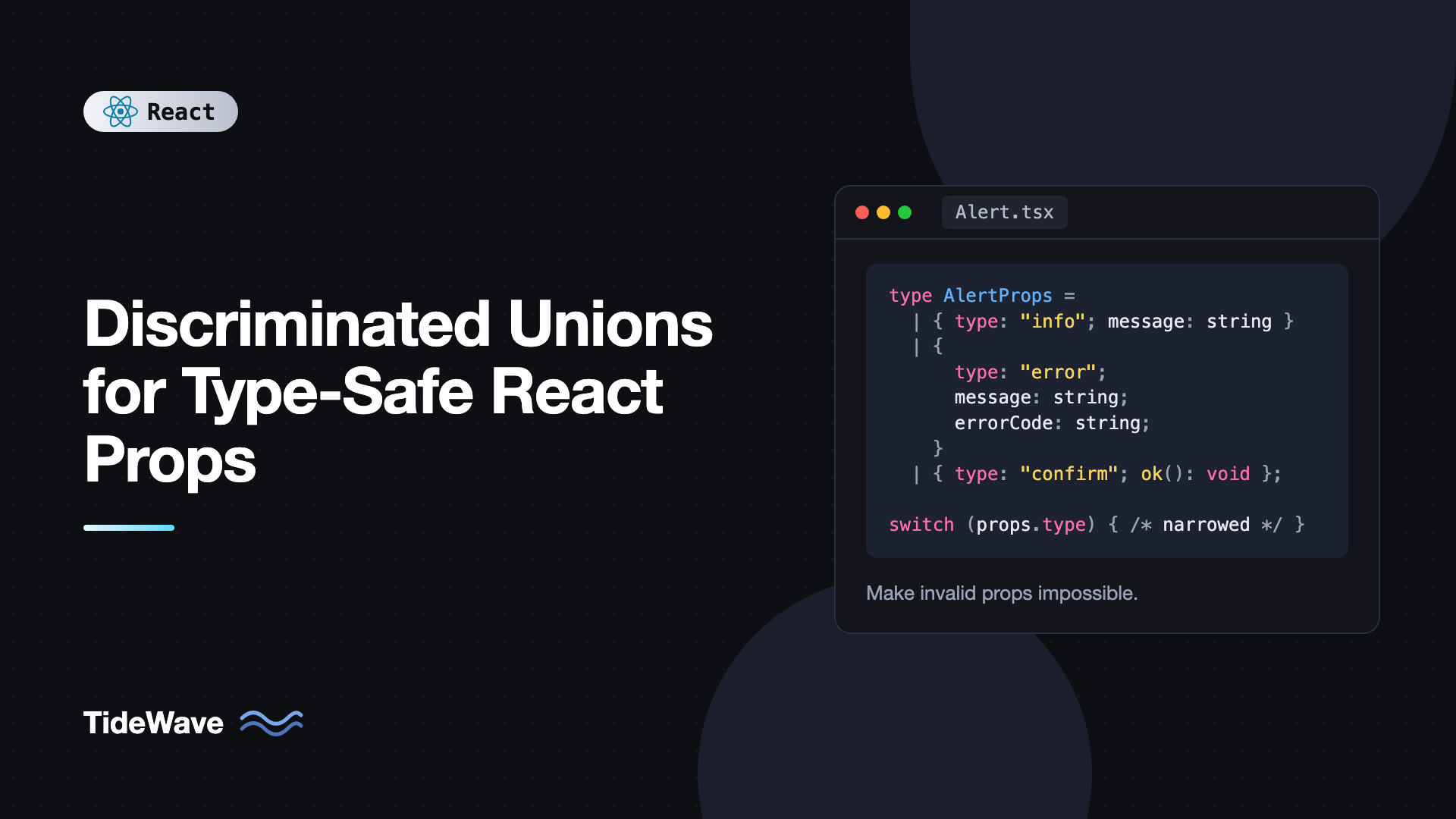
Discriminated Unions for Type-Safe React Props
Look at almost any growing component library and you'll find props types like this: href?: string, onClick?: () => void, isLoading?: boolean, error?: string, data?: User[]. Every prop is optional, which means every combination is allowed, including the nonsensical ones. A button with both href and onClick. A request that's loading, failed, and has data at the same time. The component either guesses what you meant or quietly does the wrong thing.
TypeScript has a precise tool for this: discriminated unions. Instead of one object type with a pile of optional fields, you describe each valid shape separately and tag them with a shared literal property. The compiler then rejects invalid combinations at the call site and narrows the type inside the component, so you only access fields that exist.
In this post I'll show how discriminated unions work, then apply them to real React components: a link-or-button component, a notification with variant-specific props, async request state, a modal with mode-specific callbacks, and reducers. I'll also cover destructuring pitfalls and exhaustive checks with never.
The Problem with Optional Props
Here's a typical "flexible" alert component:
type AlertProps = {
  type: "info" | "error" | "confirm";
  message: string;
  errorCode?: string;
  onRetry?: () => void;
  onConfirm?: () => void;
  onCancel?: () => void;
};
The intent is that errorCode and onRetry belong to errors, and onConfirm and onCancel belong to confirmations. But the type says something different. It says any alert can have any of these props. Nothing stops this:
<Alert type="info" message="Saved" onConfirm={deleteAccount} />
Inside the component, you'll write props.onConfirm?.() with optional chaining everywhere, because TypeScript can't know which props exist for which type. The type tells you what's possible to pass, not what's valid to pass.
What Is a Discriminated Union?
A discriminated union is a union of object types that each have a common property with a literal type. That property is the discriminant, sometimes called the tag:
type Shape =
  | { kind: "circle"; radius: number }
  | { kind: "rect"; width: number; height: number };

function area(shape: Shape) {
  if (shape.kind === "circle") {
    return Math.PI * shape.radius ** 2; // shape is the circle member here
  }
  return shape.width * shape.height; // shape is the rect member here
}
When you check shape.kind, TypeScript narrows the union to the matching member. In the circle branch, shape.radius exists and shape.width doesn't. Narrowing works with if, switch, ternaries, and early returns.
The discriminant can be a string literal, number literal, boolean literal, or undefined. String literals are the most common because they read well in JSX.
Rewriting the Alert with a Union
Apply the same idea to the alert:
type BaseAlert = {
  message: string;
};

type InfoAlert = BaseAlert & {
  type: "info";
};

type ErrorAlert = BaseAlert & {
  type: "error";
  errorCode: string;
  onRetry?: () => void;
};

type ConfirmAlert = BaseAlert & {
  type: "confirm";
  onConfirm: () => void;
  onCancel: () => void;
  confirmLabel?: string;
};

type AlertProps = InfoAlert | ErrorAlert | ConfirmAlert;

export function Alert(props: AlertProps) {
  switch (props.type) {
    case "info":
      return <div role="status" className="alert alert-info">{props.message}</div>;

    case "error":
      return (
        <div role="alert" className="alert alert-error">
          <p>
            {props.message} <code>{props.errorCode}</code>
          </p>
          {props.onRetry && <button onClick={props.onRetry}>Try again</button>}
        </div>
      );

    case "confirm":
      return (
        <div role="alertdialog" aria-label={props.message} className="alert alert-confirm">
          <p>{props.message}</p>
          <button onClick={props.onConfirm}>{props.confirmLabel ?? "Confirm"}</button>
          <button onClick={props.onCancel}>Cancel</button>
        </div>
      );
  }
}
Now the rules live in the type. errorCode is required for errors and not allowed anywhere else. Confirm alerts must pass both callbacks. And the earlier bug fails to compile:
// Error: Property 'onConfirm' does not exist on type 'InfoAlert'
<Alert type="info" message="Saved" onConfirm={deleteAccount} />

// Error: Property 'errorCode' is missing
<Alert type="error" message="Upload failed" />

// OK
<Alert type="confirm" message="Delete this file?" onConfirm={remove} onCancel={close} />
Inside each case, props is narrowed, so props.onConfirm is a required function in the confirm branch. No optional chaining, no guessing.
Don't Destructure Too Early
There's a catch that bites everyone once. Destructuring every prop in the parameter list doesn't work with a union:
// Problematic: errorCode doesn't exist on every member
export function Alert({ type, message, errorCode }: AlertProps) {
  // Error: Property 'errorCode' does not exist on type 'AlertProps'
}
You can't destructure a property that only exists on some members. Keep props whole and narrow it, or destructure only the shared fields and narrow the rest:
export function Alert(props: AlertProps) {
  const { message } = props; // shared, safe to destructure

  if (props.type === "error") {
    const { errorCode, onRetry } = props; // safe after narrowing
    // ...
  }
}
TypeScript 4.6 and later can narrow destructured discriminants when they're declared with const and come from the same object, but keeping props intact is simpler and always works.
Mutually Exclusive Props: Link or Button
A very common case is a component that renders either an anchor or a button. With optional props, people pass href and onClick together and get confused about which wins. With a union, you can make them mutually exclusive.
Here the discriminant is the presence of href itself. Use ?: never to forbid a prop on one member:
import type { ComponentProps, ReactNode } from "react";

type CommonProps = {
  children: ReactNode;
  variant?: "primary" | "ghost";
};

type AsLink = CommonProps &
  Omit<ComponentProps<"a">, keyof CommonProps> & {
    href: string;
  };

type AsButton = CommonProps &
  Omit<ComponentProps<"button">, keyof CommonProps> & {
    href?: never;
  };

type ActionProps = AsLink | AsButton;

function isLink(props: ActionProps): props is AsLink {
  return props.href !== undefined;
}

export function Action(props: ActionProps) {
  const className = `action action-${props.variant ?? "primary"}`;

  if (isLink(props)) {
    const { variant, children, ...rest } = props;
    return (
      <a {...rest} className={className}>
        {children}
      </a>
    );
  }

  const { variant, children, ...rest } = props;
  return (
    <button type="button" {...rest} className={className}>
      {children}
    </button>
  );
}
href?: never on the button member means "this member never has an href". So if a caller passes href, TypeScript picks the link member, and button-only attributes like type="submit" or disabled are rejected. Without href, it's a button, and target or download are rejected.
I used a small type guard isLink here instead of checking "href" in props, because href can be present but undefined on the button member, and the in check would be misleading. The polymorphic components with the "as" prop post takes this idea further for components that can render any element.
Modeling Async State
Loading state is where discriminated unions prevent the most real bugs. The separate-flags approach looks like this:
type State = {
  isLoading: boolean;
  error: Error | null;
  data: User[] | null;
};
That type allows eight combinations of loading, error, and data, and only about four of them make sense. Components end up with defensive checks like if (data && !isLoading && !error). A union says exactly which states exist:
import { useEffect, useState } from "react";

type User = { id: number; name: string };

type RequestState<T> =
  | { status: "idle" }
  | { status: "loading" }
  | { status: "success"; data: T }
  | { status: "error"; error: Error };

function useUsers() {
  const [state, setState] = useState<RequestState<User[]>>({ status: "idle" });

  useEffect(() => {
    const controller = new AbortController();
    setState({ status: "loading" });

    fetch("/api/users", { signal: controller.signal })
      .then((res) => {
        if (!res.ok) throw new Error(`HTTP ${res.status}`);
        return res.json() as Promise<User[]>;
      })
      .then((data) => setState({ status: "success", data }))
      .catch((error: unknown) => {
        if (controller.signal.aborted) return;
        setState({ status: "error", error: error instanceof Error ? error : new Error(String(error)) });
      });

    return () => controller.abort();
  }, []);

  return state;
}

export function UserDirectory() {
  const state = useUsers();

  switch (state.status) {
    case "idle":
    case "loading":
      return <p>Loading users...</p>;
    case "error":
      return <p role="alert">Could not load users: {state.error.message}</p>;
    case "success":
      return (
        <ul>
          {state.data.map((u) => (
            <li key={u.id}>{u.name}</li>
          ))}
        </ul>
      );
  }
}
state.data is only reachable in the success branch, and state.error only in the error branch. You can't accidentally render stale data next to an error, because the type has no such state. Libraries like TanStack Query expose a similar status field on query results for exactly this reason.
Exhaustiveness Checking with never
The real long-term value shows up when someone adds a new variant. Suppose you add a "warning" alert type to the union. Any switch that doesn't handle it should fail to compile. The standard trick is an assertNever helper:
export function assertNever(value: never): never {
  throw new Error(`Unhandled variant: ${JSON.stringify(value)}`);
}
Use it in the default branch:
function alertIcon(props: AlertProps): string {
  switch (props.type) {
    case "info":
      return "i";
    case "error":
      return "!";
    case "confirm":
      return "?";
    default:
      return assertNever(props);
  }
}
After all cases are handled, props in default has type never, so the call type-checks. Add a "warning" member and props in default becomes the warning type, which isn't assignable to never, so the compiler points you to every switch that needs updating. At runtime, the throw guards against data from outside TypeScript, like an API returning an unexpected value.
A lighter alternative is satisfies never in the default branch, for example default: props satisfies never. It gives the same compile-time error without the runtime helper.
Variant-Specific Callbacks in a Modal
Discriminated unions also make callback signatures precise. Here's a form modal that's used for both creating and editing. In edit mode it needs the existing item and reports updates with an id. In create mode there's no item:
import { useState, type FormEvent } from "react";

type Tag = { id: string; name: string; color: string };
type TagInput = Omit<Tag, "id">;

type TagModalProps =
  | {
      mode: "create";
      onSubmit: (input: TagInput) => void;
      onClose: () => void;
    }
  | {
      mode: "edit";
      tag: Tag;
      onSubmit: (id: string, input: TagInput) => void;
      onClose: () => void;
    };

export function TagModal(props: TagModalProps) {
  const initial = props.mode === "edit" ? props.tag : { name: "", color: "#3b82f6" };
  const [name, setName] = useState(initial.name);
  const [color, setColor] = useState(initial.color);

  function handleSubmit(e: FormEvent<HTMLFormElement>) {
    e.preventDefault();
    const input = { name, color };
    if (props.mode === "edit") {
      props.onSubmit(props.tag.id, input);
    } else {
      props.onSubmit(input);
    }
    props.onClose();
  }

  return (
    <form onSubmit={handleSubmit}>
      <h2>{props.mode === "edit" ? `Edit "${props.tag.name}"` : "New tag"}</h2>
      <input value={name} onChange={(e) => setName(e.target.value)} required />
      <input type="color" value={color} onChange={(e) => setColor(e.target.value)} />
      <button type="submit">{props.mode === "edit" ? "Save" : "Create"}</button>
      <button type="button" onClick={props.onClose}>Cancel</button>
    </form>
  );
}
The caller writes the natural thing for each mode, and TypeScript enforces it:
<TagModal mode="create" onSubmit={(input) => createTag(input)} onClose={close} />
<TagModal mode="edit" tag={tag} onSubmit={(id, input) => updateTag(id, input)} onClose={close} />
The parameters of each onSubmit are inferred from the mode literal, so id and input are fully typed without annotations.
Discriminated Unions in Reducers
Reducer actions are the classic use case, and the pattern is the same. Each action is a member tagged by type, and the reducer switches on it:
type Action =
  | { type: "fetchStart" }
  | { type: "fetchSuccess"; items: string[] }
  | { type: "fetchError"; message: string }
  | { type: "clear" };
dispatch({ type: "fetchSuccess" }) without items fails to compile, and inside the "fetchError" case, action.message is a string. Redux Toolkit generates these unions for you with createSlice, but the underlying idea is identical. For a broader look at choosing between reducers and plain state, see useState vs useReducer.
Best Practices for Discriminated Union Props
- Use one clear discriminant. Name it
type,variant,kind,mode, orstatus, and keep it a required literal on every member. - Keep shared props in a base type. Intersect it into each member so common fields aren't repeated and stay in sync.
- Narrow
props, don't destructure variant fields up front. Destructure shared fields freely, and variant fields only after narrowing. - Forbid props with
?: never. It's the cleanest way to express "this prop is not allowed in this variant" for mutually exclusive props. - Add exhaustive checks.
assertNeverorsatisfies neverturns "I forgot to handle the new variant" into a compile error. - Don't overdo it. If two props are genuinely independent, keep them optional. Unions are for props that depend on each other.
Frequently Asked Questions (FAQ) About Discriminated Unions in React
It's a union of object types that share a property with a literal type, such as status: "loading" or status: "success". Checking that property lets TypeScript narrow the union to one member, so you can safely access the fields that belong to it.
You can only destructure properties that exist on every member of the union. A property like errorCode that exists on one member isn't part of the union's common shape. Keep props intact, narrow it with the discriminant, then destructure inside the narrowed branch.
A property typed as ?: never can't be given any value, so it effectively forbids that prop on that union member. It's the standard way to make two props mutually exclusive, such as href on a link versus a button.
Add a default branch that passes the narrowed value to a function accepting never, or write value satisfies never. When all members are handled, the value is never and compiles. When a new member is added, it no longer compiles until you handle it.
No. They're purely a type-level feature. The discriminant is a normal property you'd likely have anyway, and the rest of the type information is erased when TypeScript compiles to JavaScript.
Yes. Literal true and false work as discriminants, for example isEditing: true with an item and isEditing: false without one. String literals usually read better and scale beyond two variants, so most teams prefer them.
Conclusion
Discriminated unions move your component's rules from documentation and runtime checks into the type system. Describe each valid prop shape as its own member, tag them with a literal discriminant, forbid conflicting props with ?: never, and let narrowing give you the right fields in each branch. Add an exhaustive check so new variants can't be silently ignored.
Start with the component in your codebase that has the most optional props, and ask which ones depend on each other. That's usually a union waiting to happen. Async state with separate isLoading, error, and data flags is another quick win. If you want more practice with the fundamentals first, typing props, state, and events covers the building blocks these patterns rely on.


