Feature-Sliced Design for Large React Codebases
Large React codebases rarely fail because of one bad component. They fail because nobody can answer simple questions anymore. Where does this new code go? Can I change this hook without breaking checkout? Why does the profile page import something from the admin dashboard? Every team invents its own answers, and after a few years the folder tree reflects the org chart history more than the product.
Feature-Sliced Design (FSD) is an architectural methodology for frontend projects that answers those questions with a small set of explicit rules. It defines standard layers, says what belongs in each, and restricts which layers can import from which. The result is a codebase where the location of a file tells you what it does and what it's allowed to depend on.
This guide explains FSD's building blocks (layers, slices, and segments), walks through a working e-commerce example in React and TypeScript, covers the import rules and how to enforce them, and shows how to migrate an existing app gradually.
The Three Levels: Layers, Slices, Segments
FSD organizes code on three levels.
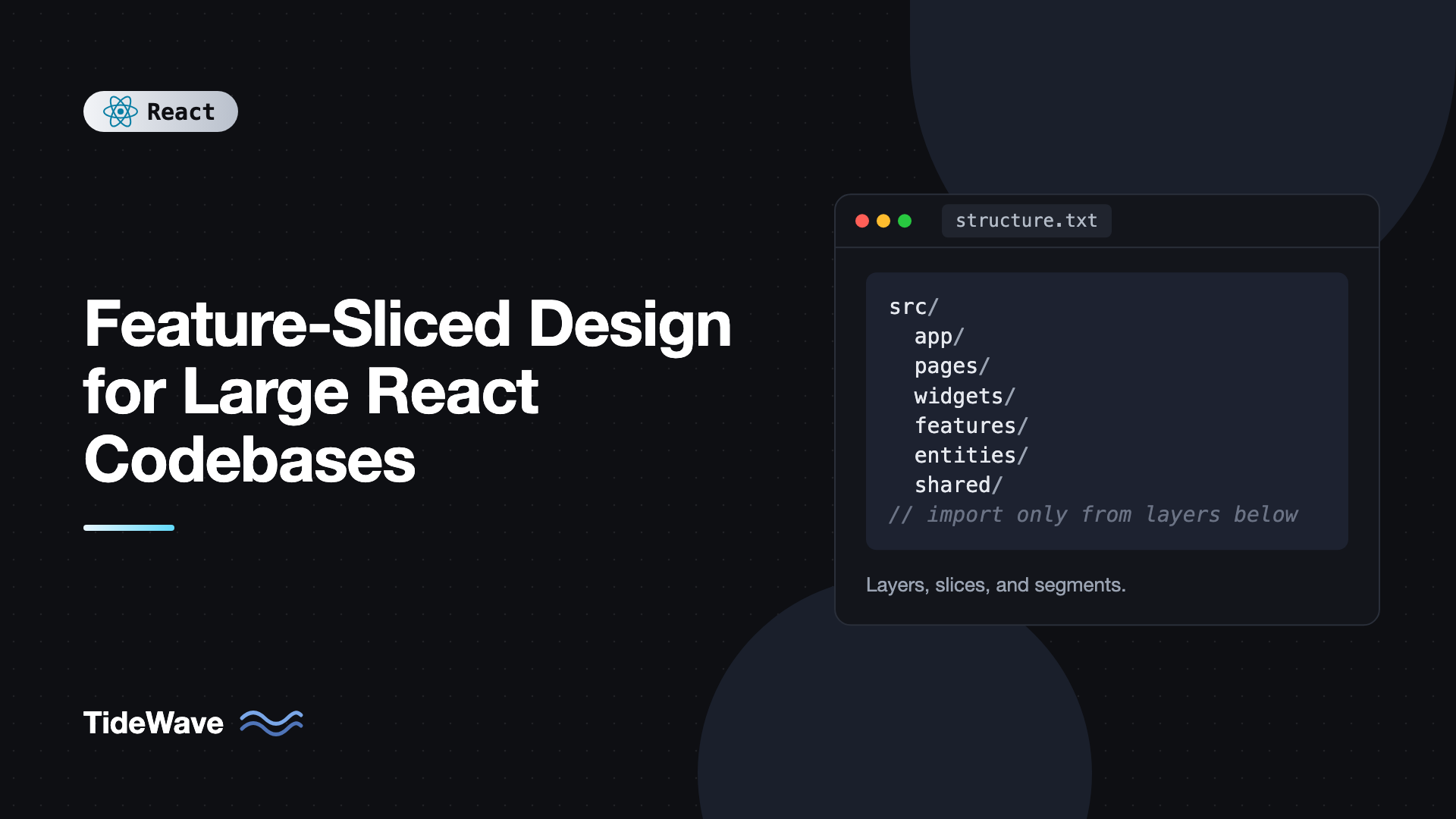
Layers are the top-level folders under src. There's a fixed, standardized list, ordered from most specific to most generic:
src/
  app/        # app setup: providers, router, global styles
  pages/      # full pages for each route
  widgets/    # large self-contained UI blocks composed of features and entities
  features/   # user interactions that bring business value
  entities/   # business entities the app works with
  shared/     # reusable code with no business logic
Older versions of the methodology also had a processes layer, which is now deprecated. Most apps don't need every layer, and that's fine. Only app and shared are effectively always present.
Slices divide a layer by business domain. Inside entities, you might have user, product, and cart. Inside features, you might have add-to-cart, auth-by-email, and filter-products. The app and shared layers don't have slices, since they aren't about any one domain.
Segments divide a slice by technical purpose. The standard ones are:
ui: components, styles, and anything visual.model: state, stores, business logic, and types.api: requests and data mapping for the backend.lib: helper code used inside the slice.config: constants and feature flags.
So a full path reads like a sentence: features/add-to-cart/ui/AddToCartButton.tsx is the UI of the add-to-cart feature.
What Goes in Each Layer
The hardest part of FSD is deciding where something belongs. These definitions help.
Shared
Code that knows nothing about your business. UI kit components like Button and Modal, the API client, generic hooks, date and currency formatters, environment config. If you could copy it into another company's app unchanged, it belongs in shared.
Entities
The nouns of your business: user, product, order, cart. An entity slice holds the type definitions, the data-fetching for that entity, its store if it has one, and UI that displays it, such as a ProductCard or UserAvatar. Entity UI shows data but doesn't contain the actions that change it.
Features
The verbs: things users do that create value. add-to-cart, toggle-favorite, auth-by-email, change-theme. A feature typically combines an interaction (a button or form) with the logic to perform it, using one or more entities.
Widgets
Larger blocks that combine entities and features into a meaningful chunk of UI, such as a header, a product list with filters, or a sidebar. Widgets are useful when the same composition appears on several pages, or when a page would otherwise get very large.
Pages
One slice per route. A page composes widgets, features, and entities into a screen. Current FSD guidance encourages keeping code in the page until it's genuinely reused, rather than eagerly extracting everything into lower layers.
App
Everything that makes the app run: the root component, router configuration, providers (TanStack Query, theme, auth), and global styles.
The Import Rule
FSD has one rule that does most of the work:
A module can only import from layers strictly below its own.
Pages can import from widgets, features, entities, and shared. Features can import from entities and shared. Entities can import only from shared. Shared imports from nothing in the app.
A second rule follows: slices on the same layer can't import from each other. The add-to-cart feature can't import from the toggle-favorite feature. The product entity can't import from the cart entity. If two slices need to cooperate, the composition happens on a higher layer, typically a widget or page that uses both.
These two rules give you a dependency graph with no cycles and very predictable change impact. Changing a page affects only that page. Changing a feature affects the widgets and pages that use it. Changing shared affects everything, which is exactly why shared should be stable and generic.
Public API for Every Slice
Each slice exposes a single entry point, index.ts, and nothing outside the slice may import its internal files.
// entities/product/index.ts
export type { Product } from "./model/types";
export { ProductCard } from "./ui/ProductCard";
export { useProducts, productQueries } from "./api/productQueries";
Consumers always import from the slice root:
import { ProductCard, type Product } from "@/entities/product";
Inside the slice, use relative imports between segments. The public API is the contract, and everything behind it can be refactored freely. This is the same principle covered in folder structure best practices for scalable React projects, formalized for every slice.
A Working Example: Product Catalog With a Cart
Let's build a small slice of an e-commerce app: a catalog page that lists products, each with an "Add to cart" button, and a header showing the cart count. Here's the target structure:
src/
  app/
    App.tsx
    providers.tsx
  pages/
    catalog/
      ui/CatalogPage.tsx
      index.ts
  widgets/
    header/
      ui/Header.tsx
      index.ts
    product-list/
      ui/ProductList.tsx
      index.ts
  features/
    add-to-cart/
      ui/AddToCartButton.tsx
      index.ts
  entities/
    cart/
      model/cartStore.ts
      ui/CartBadge.tsx
      index.ts
    product/
      api/productQueries.ts
      model/types.ts
      ui/ProductCard.tsx
      index.ts
  shared/
    api/client.ts
    ui/Button.tsx
Shareds
// shared/api/client.ts
const BASE_URL = "https://dummyjson.com";

export async function apiGet<T>(
  path: string,
  signal?: AbortSignal,
): Promise<T> {
  const res = await fetch(`${BASE_URL}${path}`, { signal });
  if (!res.ok) throw new Error(`GET ${path} failed with ${res.status}`);
  return res.json() as Promise<T>;
}
// shared/ui/Button.tsx
import type { ComponentProps } from "react";

export function Button({ className = "", ...props }: ComponentProps<"button">) {
  return <button className={`btn ${className}`} {...props} />;
}
The Product Entity
// entities/product/model/types.ts
export type Product = {
  id: number;
  title: string;
  price: number;
  thumbnail: string;
};
// entities/product/api/productQueries.ts
import { queryOptions, useQuery } from "@tanstack/react-query";
import { apiGet } from "@/shared/api/client";
import type { Product } from "../model/types";

export const productQueries = {
  list: () =>
    queryOptions({
      queryKey: ["products", "list"],
      queryFn: ({ signal }) =>
        apiGet<{ products: Product[] }>("/products?limit=12", signal).then(
          (d) => d.products,
        ),
    }),
};

export function useProducts() {
  return useQuery(productQueries.list());
}
// entities/product/ui/ProductCard.tsx
import type { ReactNode } from "react";
import type { Product } from "../model/types";

type Props = { product: Product; actions?: ReactNode };

export function ProductCard({ product, actions }: Props) {
  return (
    <article className="product-card">
      <img src={product.thumbnail} alt="" width={160} height={160} />
      <h3>{product.title}</h3>
      <p>${product.price.toFixed(2)}</p>
      {actions}
    </article>
  );
}
Notice the actions slot. The entity's card doesn't know about adding to cart, because that would make an entity depend on a feature, which breaks the import rule. Instead it accepts a slot, and a higher layer fills it in. This slot pattern is the standard way to combine entities and features in FSD.
The Cart Entity
The cart's state lives in a small Zustand store.
// entities/cart/model/cartStore.ts
import { create } from "zustand";

type CartLine = { productId: number; quantity: number };

type CartState = {
  lines: CartLine[];
  add: (productId: number) => void;
  remove: (productId: number) => void;
};

export const useCartStore = create<CartState>()((set) => ({
  lines: [],
  add: (productId) =>
    set((state) => {
      const existing = state.lines.find((l) => l.productId === productId);
      if (existing) {
        return {
          lines: state.lines.map((l) =>
            l.productId === productId ? { ...l, quantity: l.quantity + 1 } : l,
          ),
        };
      }
      return { lines: [...state.lines, { productId, quantity: 1 }] };
    }),
  remove: (productId) =>
    set((state) => ({
      lines: state.lines.filter((l) => l.productId !== productId),
    })),
}));

export const selectItemCount = (state: CartState) =>
  state.lines.reduce((sum, l) => sum + l.quantity, 0);
// entities/cart/ui/CartBadge.tsx
import { selectItemCount, useCartStore } from "../model/cartStore";

export function CartBadge() {
  const count = useCartStore(selectItemCount);
  return <span aria-label={`${count} items in cart`}>Cart ({count})</span>;
}
// entities/cart/index.ts
export { useCartStore, selectItemCount } from "./model/cartStore";
export { CartBadge } from "./ui/CartBadge";
The Add-to-Cart Feature
// features/add-to-cart/ui/AddToCartButton.tsx
import { useCartStore } from "@/entities/cart";
import { Button } from "@/shared/ui/Button";

export function AddToCartButton({ productId }: { productId: number }) {
  const add = useCartStore((state) => state.add);
  return <Button onClick={() => add(productId)}>Add to cart</Button>;
}
// features/add-to-cart/index.ts
export { AddToCartButton } from "./ui/AddToCartButton";
The feature imports from an entity and from shared, both lower layers. That's allowed.
Widgets and the Page
// widgets/product-list/ui/ProductList.tsx
import { ProductCard, useProducts } from "@/entities/product";
import { AddToCartButton } from "@/features/add-to-cart";

export function ProductList() {
  const { data, isPending, isError } = useProducts();

  if (isPending) return <p>Loading products...</p>;
  if (isError) return <p role="alert">Could not load products.</p>;

  return (
    <div className="product-grid">
      {data.map((product) => (
        <ProductCard
          key={product.id}
          product={product}
          actions={<AddToCartButton productId={product.id} />}
        />
      ))}
    </div>
  );
}
// widgets/header/ui/Header.tsx
import { CartBadge } from "@/entities/cart";

export function Header() {
  return (
    <header className="site-header">
      <strong>TideShop</strong>
      <CartBadge />
    </header>
  );
}
// pages/catalog/ui/CatalogPage.tsx
import { Header } from "@/widgets/header";
import { ProductList } from "@/widgets/product-list";

export function CatalogPage() {
  return (
    <>
      <Header />
      <main>
        <h1>Catalog</h1>
        <ProductList />
      </main>
    </>
  );
}
The ProductList widget is where the entity (ProductCard) and the feature (AddToCartButton) meet. Neither one knows about the other. If you later add a "toggle favorite" feature, you add it to the actions slot in the widget, without touching the product entity or the cart.
The App Layer
// app/providers.tsx
import { QueryClient, QueryClientProvider } from "@tanstack/react-query";
import { useState, type ReactNode } from "react";

export function Providers({ children }: { children: ReactNode }) {
  const [queryClient] = useState(() => new QueryClient());
  return (
    <QueryClientProvider client={queryClient}>{children}</QueryClientProvider>
  );
}
// app/App.tsx
import { CatalogPage } from "@/pages/catalog";
import { Providers } from "./providers";

export function App() {
  return (
    <Providers>
      <CatalogPage />
    </Providers>
  );
}
Handling Cross-Entity Relationships
Real entities reference each other. An order has a user, and a cart line has a product. Since entities can't import from each other, you have a few options:
- Compose higher up. A widget fetches the product and passes it into cart UI as props. This is the preferred approach.
- Keep shared types minimal. Store IDs in an entity, such as
productIdin a cart line, rather than importing the other entity's full type. - Use the explicit cross-import notation. Recent FSD versions allow an entity to expose a dedicated public API for another entity through an
@xfolder, such asentities/product/@x/cart.ts, whichentities/cartcan import from. It makes the coupling visible and intentional. Use it sparingly.
If you find many cross-references between two entities, consider whether they're really one entity.
Enforcing the Rules
Architecture rules without tooling erode. The FSD community maintains Steiger, a linter that checks a project against the methodology: layer imports, slice isolation, public API usage, and naming.
npm install -D steiger @feature-sliced/steiger-plugin
npx steiger ./src
// steiger.config.js
import { defineConfig } from "steiger";
import fsd from "@feature-sliced/steiger-plugin";

export default defineConfig([...fsd.configs.recommended]);
You can also enforce the most important rule with plain ESLint, using no-restricted-imports per layer. For example, block entities from importing anything above them:
// eslint.config.js (excerpt)
export default [
  {
    files: ["src/entities/**/*.{ts,tsx}"],
    rules: {
      "no-restricted-imports": [
        "error",
        {
          patterns: [
            {
              group: ["@/features/*", "@/widgets/*", "@/pages/*", "@/app/*"],
              message: "Entities may only import from shared.",
            },
          ],
        },
      ],
    },
  },
];
Repeat for each layer, and add a pattern like @/entities/*/* to force imports through slice public APIs. Run both in CI.
Migrating an Existing App Gradually
You don't need to rewrite anything to adopt FSD. A practical sequence:
- Create
appandshared. Move providers and the router intoapp. Move generic UI, the API client, and utilities intoshared. This alone clarifies a lot. - Create
pages. Move each route's component and its page-specific code into a page slice. At this point, most business code may live in pages, which is acceptable. - Extract entities as you notice the same business types and UI reused across pages.
- Extract features when user interactions are reused or grow complex enough to deserve their own slice.
- Add widgets only when page compositions repeat or pages get too large.
- Turn on linting for the layers you've migrated, and tighten it as more code moves.
Path aliases like @/entities/product make the moves less painful, because only the alias path changes, not a chain of ../../.
When FSD Is (and Isn't) a Good Fit
FSD pays off when the codebase is large, long-lived, and touched by several developers or teams. The explicit layers reduce debates, make onboarding faster, and keep change impact predictable.
It's overkill for small apps, prototypes, and short-lived projects. The layer distinctions, especially between features and entities, take time to learn, and a team that argues about every placement loses the benefit. If your app has a handful of screens, a simple feature-based structure is enough.
Common Mistakes With Feature-Sliced Design
- Importing upward or sideways. An entity importing a feature, or one feature importing another, breaks the dependency graph. Compose on a higher layer instead.
- Bypassing public APIs. Deep imports like
@/entities/product/ui/ProductCardcouple consumers to internals. - Putting business logic in
shared. If code knows about products or users, it isn't shared. - Making everything a feature. Not every component is a feature. Displaying data belongs in entities, and one-off page code can stay in the page.
- Extracting too early. Moving code into lower layers before it's reused adds indirection with no benefit.
- Creating widgets for everything. Widgets are for reusable compositions or very large page sections.
- Skipping enforcement. Without Steiger or lint rules, violations accumulate quickly.
Frequently Asked Questions (FAQ) About Feature-Sliced Design
Feature-Sliced Design is an architectural methodology for frontend apps. It splits code into standard layers (app, pages, widgets, features, entities, shared), divides layers into business-domain slices, and divides slices into technical segments like ui, model, and api. Strict import rules keep dependencies flowing in one direction.
Entities are the nouns of your business, such as user, product, or order, including their data, types, and display components. Features are the actions users take that bring value, such as adding to cart or logging in. Features use entities, but entities never depend on features.
No. Slices on the same layer must be isolated. If two features or entities need to work together, compose them on a higher layer like a widget or page. For unavoidable entity relationships, recent FSD versions offer an explicit cross-import notation with an @x folder.
No. It's framework-agnostic and is used with Vue, Angular, Svelte, and others. React fits it well because components compose naturally across layers, and patterns like render slots make it easy to combine entities and features without breaking import rules.
No. Most projects use only some layers. App and shared are almost always present, and pages exist in any app with routing. Add entities, features, and widgets as the codebase grows and you notice repeated business logic or compositions.
Use Steiger, the official FSD linter, which checks layer imports, slice isolation, and public API usage. You can also use ESLint's no-restricted-imports with per-layer file patterns. Run them in CI so violations fail the build.
Conclusion
Feature-Sliced Design gives large React codebases a shared vocabulary and a set of rules that hold up over time. Layers say how specific a piece of code is, slices group it by business domain, and segments separate UI, state, and API code. The import rule, which says only import from lower layers and never between sibling slices, keeps the dependency graph acyclic and change impact predictable.
Adopt it incrementally. Start with app, shared, and pages, extract entities and features as reuse appears, compose them with slots in widgets and pages, and enforce the boundaries with Steiger or ESLint. For smaller projects, a lighter feature-based structure is often enough, and FSD is there when the codebase outgrows it.


