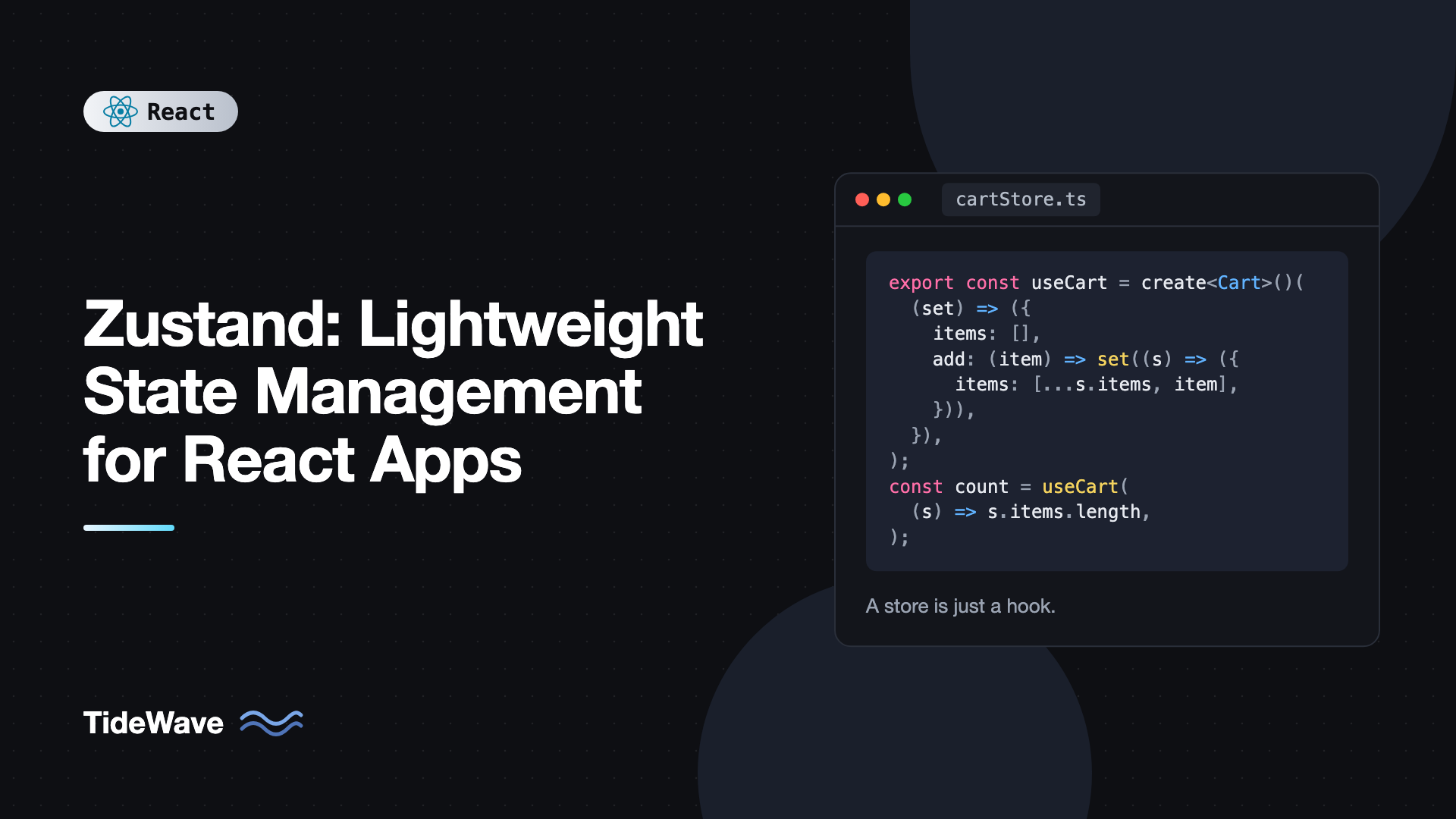
Zustand: Lightweight State Management for React Apps
Most React apps reach a point where useState and props stop being enough. A cart count in the header, a sidebar toggle shared across layouts, or a filter panel that several components read from all need state that lives outside any single component. Context works, but every consumer re-renders when the value changes, and you end up splitting providers or memoizing values to keep things fast. Redux Toolkit works too, but it can feel like a lot of ceremony for a handful of values.
Zustand sits in the middle. A store is a hook. You create it with one function call, read from it with selectors, and update it with plain functions. There is no provider to wrap your app in, no action types, and components only re-render when the part of the state they selected actually changes.
This guide covers Zustand 5: creating and typing stores, selectors and useShallow, async actions, the persist, devtools, and immer middleware, splitting a large store into slices, using a store outside React, and testing.
Installing Zustand
npm install zustand
Zustand 5 requires React 18 or newer and has no other runtime dependencies. The core is small, around 1 kB minified and gzipped.
Creating Your First Store
A store is created with create. You pass it a function that receives set and get and returns the initial state along with the actions that change it.
// src/stores/counterStore.ts
import { create } from "zustand";

interface CounterState {
  count: number;
  increment: () => void;
  decrement: () => void;
  reset: () => void;
}

export const useCounterStore = create<CounterState>()((set) => ({
  count: 0,
  increment: () => set((state) => ({ count: state.count + 1 })),
  decrement: () => set((state) => ({ count: state.count - 1 })),
  reset: () => set({ count: 0 }),
}));
Two things to note about TypeScript here:
- The double call,
create<CounterState>()(...), is intentional. It is a workaround for TypeScript's lack of partial type argument inference and is required when you use middleware. Using it everywhere keeps things consistent. - Actions live in the store alongside the data. That is the idiomatic Zustand style, and it means components never need to know how state is updated.
set merges the object you return into the existing state at the top level. You do not need to spread ...state yourself. Nested objects are not merged, though, so updating user.name still requires spreading user.
Reading State With Selectors
The returned hook takes a selector, a function that picks what the component needs:
// src/components/Counter.tsx
import { useCounterStore } from "../stores/counterStore";

export function Counter() {
  const count = useCounterStore((state) => state.count);
  const increment = useCounterStore((state) => state.increment);
  const decrement = useCounterStore((state) => state.decrement);

  return (
    <div>
      <button onClick={decrement}>-</button>
      <span>{count}</span>
      <button onClick={increment}>+</button>
    </div>
  );
}

export function ResetButton() {
  const reset = useCounterStore((state) => state.reset);
  return <button onClick={reset}>Reset</button>;
}
Zustand compares the selector's result with Object.is after every state change. ResetButton selects only the reset function, which never changes, so it never re-renders when the count changes. This is the main performance advantage over a single Context value.
You can call the hook with no selector, useCounterStore(), to get the whole state. It works, but the component then re-renders on every change to any field. Avoid it in anything but tiny stores.
Selecting Multiple Values With useShallow
It is tempting to select several values at once by returning an object:
// Avoid: creates a new object on every call
const { count, increment } = useCounterStore((state) => ({
  count: state.count,
  increment: state.increment,
}));
In Zustand 5 this is a real problem, not just a performance one. The selector returns a new object every time it runs, so Object.is always reports a change, and React can end up in an infinite render loop with a "Maximum update depth exceeded" error.
The fix is useShallow, which compares the selected object's top-level values instead of its identity:
import { useShallow } from "zustand/react/shallow";
import { useCounterStore } from "../stores/counterStore";

export function CounterSummary() {
  const { count, increment } = useCounterStore(
    useShallow((state) => ({
      count: state.count,
      increment: state.increment,
    })),
  );

  return <button onClick={increment}>Clicked {count} times</button>;
}
The same applies to selectors that return arrays, such as state.items.map((i) => i.id) or Object.keys(state.byId). Wrap them in useShallow, or select the raw value and derive from it in the component.
A Realistic Example: A Shopping Cart
Here is a cart store with derived values, actions that read current state with get, and data shaped for easy updates:
// src/stores/cartStore.ts
import { create } from "zustand";

export interface CartItem {
  id: string;
  name: string;
  price: number;
  quantity: number;
}

interface CartState {
  items: CartItem[];
  addItem: (item: Omit<CartItem, "quantity">) => void;
  removeItem: (id: string) => void;
  setQuantity: (id: string, quantity: number) => void;
  clear: () => void;
  total: () => number;
}

export const useCartStore = create<CartState>()((set, get) => ({
  items: [],
  addItem: (item) =>
    set((state) => {
      const existing = state.items.find((i) => i.id === item.id);
      if (existing) {
        return {
          items: state.items.map((i) =>
            i.id === item.id ? { ...i, quantity: i.quantity + 1 } : i,
          ),
        };
      }
      return { items: [...state.items, { ...item, quantity: 1 }] };
    }),
  removeItem: (id) =>
    set((state) => ({ items: state.items.filter((i) => i.id !== id) })),
  setQuantity: (id, quantity) =>
    set((state) => ({
      items:
        quantity <= 0
          ? state.items.filter((i) => i.id !== id)
          : state.items.map((i) => (i.id === id ? { ...i, quantity } : i)),
    })),
  clear: () => set({ items: [] }),
  total: () =>
    get().items.reduce((sum, i) => sum + i.price * i.quantity, 0),
}));
Components select exactly what they display:
// src/components/CartBadge.tsx
import { useCartStore } from "../stores/cartStore";

export function CartBadge() {
  const count = useCartStore((state) =>
    state.items.reduce((n, i) => n + i.quantity, 0),
  );
  return <span aria-label={`${count} items in cart`}>{count}</span>;
}
The selector returns a number, a primitive, so Object.is comparison works and CartBadge only re-renders when the count changes. Derived values like this belong in selectors rather than in stored fields. Storing count separately would mean keeping it in sync by hand in every action, which is a classic source of bugs. The post on derived state in React covers this idea in more depth.
The total action uses get() to read current state. That is fine for event handlers, but calling total() inside a selector does not subscribe to items, so prefer computing totals inside a selector when you render them.
Async Actions
Zustand does not need special middleware for async work. Actions are plain functions, so they can be async and call set whenever they like.
// src/stores/userStore.ts
import { create } from "zustand";

interface User {
  id: string;
  name: string;
  email: string;
}

interface UserState {
  user: User | null;
  status: "idle" | "loading" | "error";
  fetchUser: (id: string) => Promise<void>;
}

export const useUserStore = create<UserState>()((set) => ({
  user: null,
  status: "idle",
  fetchUser: async (id) => {
    set({ status: "loading" });
    try {
      const res = await fetch(`/api/users/${id}`);
      if (!res.ok) throw new Error(`HTTP ${res.status}`);
      const user: User = await res.json();
      set({ user, status: "idle" });
    } catch {
      set({ status: "error" });
    }
  },
}));
This is fine for small cases. For anything with caching, refetching, pagination, or shared server data, a dedicated tool like TanStack Query for server state handles far more edge cases. A common and effective split is TanStack Query for data from the server and Zustand for client state like UI toggles, selections, and drafts.
Middleware
Zustand's middleware wraps the store creator function. You can stack several of them.
persist: Saving State to Storage
persist saves the store to localStorage by default and rehydrates it on load:
// src/stores/settingsStore.ts
import { create } from "zustand";
import { persist, createJSONStorage } from "zustand/middleware";

type Theme = "light" | "dark" | "system";

interface SettingsState {
  theme: Theme;
  sidebarOpen: boolean;
  setTheme: (theme: Theme) => void;
  toggleSidebar: () => void;
}

export const useSettingsStore = create<SettingsState>()(
  persist(
    (set) => ({
      theme: "system",
      sidebarOpen: true,
      setTheme: (theme) => set({ theme }),
      toggleSidebar: () => set((s) => ({ sidebarOpen: !s.sidebarOpen })),
    }),
    {
      name: "app-settings",
      storage: createJSONStorage(() => localStorage),
      partialize: (state) => ({ theme: state.theme }),
      version: 1,
    },
  ),
);
nameis the storage key and must be unique per store.partializepicks which fields to save. Here only the theme is persisted, and the sidebar resets on every visit.versiontogether with amigratefunction lets you change the stored shape later without breaking users who have old data.
In server-rendered apps, the server has no localStorage, so the first render uses default values and rehydration happens on the client. If you render persisted values directly, you may see a flash or a hydration mismatch. Rendering those parts only after mount, or using the skipHydration option and calling useSettingsStore.persist.rehydrate() in an effect, avoids it.
devtools: Redux DevTools Integration
import { create } from "zustand";
import { devtools } from "zustand/middleware";

interface BearState {
  bears: number;
  addBear: () => void;
}

export const useBearStore = create<BearState>()(
  devtools(
    (set) => ({
      bears: 0,
      addBear: () =>
        set((s) => ({ bears: s.bears + 1 }), undefined, "bears/add"),
    }),
    { name: "BearStore" },
  ),
);
The third argument to set is an action name shown in the Redux DevTools extension. Without it, every update appears as "anonymous".
immer: Mutable-Style Updates
For deeply nested state, the immer middleware lets you write updates as mutations. It requires the immer package.
npm install immer
import { create } from "zustand";
import { immer } from "zustand/middleware/immer";

interface Todo {
  id: string;
  title: string;
  done: boolean;
}

interface TodoState {
  todos: Record<string, Todo>;
  toggle: (id: string) => void;
}

export const useTodoStore = create<TodoState>()(
  immer((set) => ({
    todos: {},
    toggle: (id) =>
      set((state) => {
        state.todos[id].done = !state.todos[id].done;
      }),
  })),
);
When combining middleware, the usual order is devtools(persist(immer(...))), with devtools outermost so it sees every update.
Splitting a Large Store Into Slices
As a store grows, you can split it into slice creators and combine them. Each slice is typed with StateCreator, which knows about the full combined state:
// src/stores/appStore.ts
import { create, type StateCreator } from "zustand";

interface AuthSlice {
  userId: string | null;
  login: (id: string) => void;
  logout: () => void;
}

interface UiSlice {
  modalOpen: boolean;
  openModal: () => void;
  closeModal: () => void;
}

type AppState = AuthSlice & UiSlice;

const createAuthSlice: StateCreator<AppState, [], [], AuthSlice> = (set) => ({
  userId: null,
  login: (id) => set({ userId: id }),
  logout: () => set({ userId: null, modalOpen: false }),
});

const createUiSlice: StateCreator<AppState, [], [], UiSlice> = (set) => ({
  modalOpen: false,
  openModal: () => set({ modalOpen: true }),
  closeModal: () => set({ modalOpen: false }),
});

export const useAppStore = create<AppState>()((...a) => ({
  ...createAuthSlice(...a),
  ...createUiSlice(...a),
}));
Notice that logout can also close the modal, because set operates on the combined state. Slices are a code organization tool; at runtime it is still one store. Many teams prefer several small independent stores instead, which is also perfectly valid in Zustand.
Using the Store Outside React
The hook returned by create also carries the store API. You can read, write, and subscribe from anywhere, including API clients, WebSocket handlers, and tests:
import { useSettingsStore } from "./stores/settingsStore";

// Read current state
const theme = useSettingsStore.getState().theme;

// Update state
useSettingsStore.setState({ sidebarOpen: false });

// Subscribe to changes
const unsubscribe = useSettingsStore.subscribe((state, prevState) => {
  if (state.theme !== prevState.theme) {
    document.documentElement.dataset.theme = state.theme;
  }
});
This is one of Zustand's practical strengths compared to Context, which is only reachable from inside the React tree.
Stores Per Request or Per Component
A store made with create is a module-level singleton. In a client-only app that is exactly what you want. In server-rendered apps, though, a singleton is shared across requests on the server, which can leak one user's data into another user's page.
For those cases, create a vanilla store with createStore and provide it through Context:
// src/stores/CounterStoreProvider.tsx
import { createContext, useContext, useState, type ReactNode } from "react";
import { createStore, useStore, type StoreApi } from "zustand";

interface CounterState {
  count: number;
  increment: () => void;
}

const createCounterStore = (initial: number) =>
  createStore<CounterState>()((set) => ({
    count: initial,
    increment: () => set((s) => ({ count: s.count + 1 })),
  }));

const CounterStoreContext = createContext<StoreApi<CounterState> | null>(null);

export function CounterStoreProvider({
  initial,
  children,
}: {
  initial: number;
  children: ReactNode;
}) {
  const [store] = useState(() => createCounterStore(initial));
  return (
    <CounterStoreContext value={store}>{children}</CounterStoreContext>
  );
}

export function useCounter<T>(selector: (state: CounterState) => T): T {
  const store = useContext(CounterStoreContext);
  if (!store) throw new Error("useCounter must be used inside the provider");
  return useStore(store, selector);
}
Context here only passes the store reference, which never changes, so you keep Zustand's selective re-renders. React 19 lets you render the context object directly as a provider, as shown above. This pattern is also handy for reusable widgets that need independent state per instance.
Best Practices for Zustand
- Always select, never grab the whole store. Select the smallest value each component needs.
- Return primitives or use
useShallow. Object and array selectors withoutuseShallowcause extra renders or infinite loops in Zustand 5. - Keep actions in the store. Components call
addItem(product)rather than computing the next state themselves. - Derive, do not duplicate. Compute totals and counts in selectors instead of storing them.
- Keep server data out when you can. Use a data fetching library for caching and refetching, and Zustand for client state.
- Prefer several small stores. Separate stores for unrelated concerns are easier to reason about than one giant store.
Frequently Asked Questions (FAQ) About Zustand
No. A store created with create is a hook you can call from any component without wrapping the app. You only need Context when you want separate store instances, for example per request in server-rendered apps or per widget instance, using createStore and useStore.
In Zustand 5, a selector that returns a new object or array on every call, such as (s) => ({ a: s.a, b: s.b }), looks like a change every time. Wrap the selector in useShallow from zustand/react/shallow, split it into separate selectors, or return primitive values.
It depends on the app. Zustand has less boilerplate and is excellent for small and medium client state. Redux Toolkit offers stronger conventions, RTK Query for data fetching, and mature DevTools workflows that help large teams. Both are solid choices, and many apps can use either successfully.
Yes, and it works well. Define an interface for your state and actions, then call create<YourState>()(...) with the extra parentheses. Middleware and slices are fully typed, and selectors infer their return types automatically.
Save the initial state with useStore.getState() before tests run, then call useStore.setState(initialState, true) in a beforeEach. The second argument true replaces the state instead of merging. The Zustand docs also show a mock that resets all stores automatically after each test.
You can for simple cases, but you will have to handle caching, loading states, refetching, and invalidation yourself. Libraries like TanStack Query do this much better. A common setup is TanStack Query for server data and Zustand for client-only state.
Conclusion
Zustand gives you shared state with very little code. Create a store with create, put your actions next to your data, and read from it with focused selectors so components only re-render when their slice changes. Use useShallow when selecting multiple values, add persist or devtools when you need them, and switch to createStore with Context when you need one store per request or per component.
A good way to start is to take one piece of state you currently pass through several layers of props or Context, such as theme settings or a cart, and move it into a small Zustand store. If you are still weighing options, compare it with the Context API for avoiding prop drilling and Redux Toolkit, and pick the lightest tool that covers your needs.


