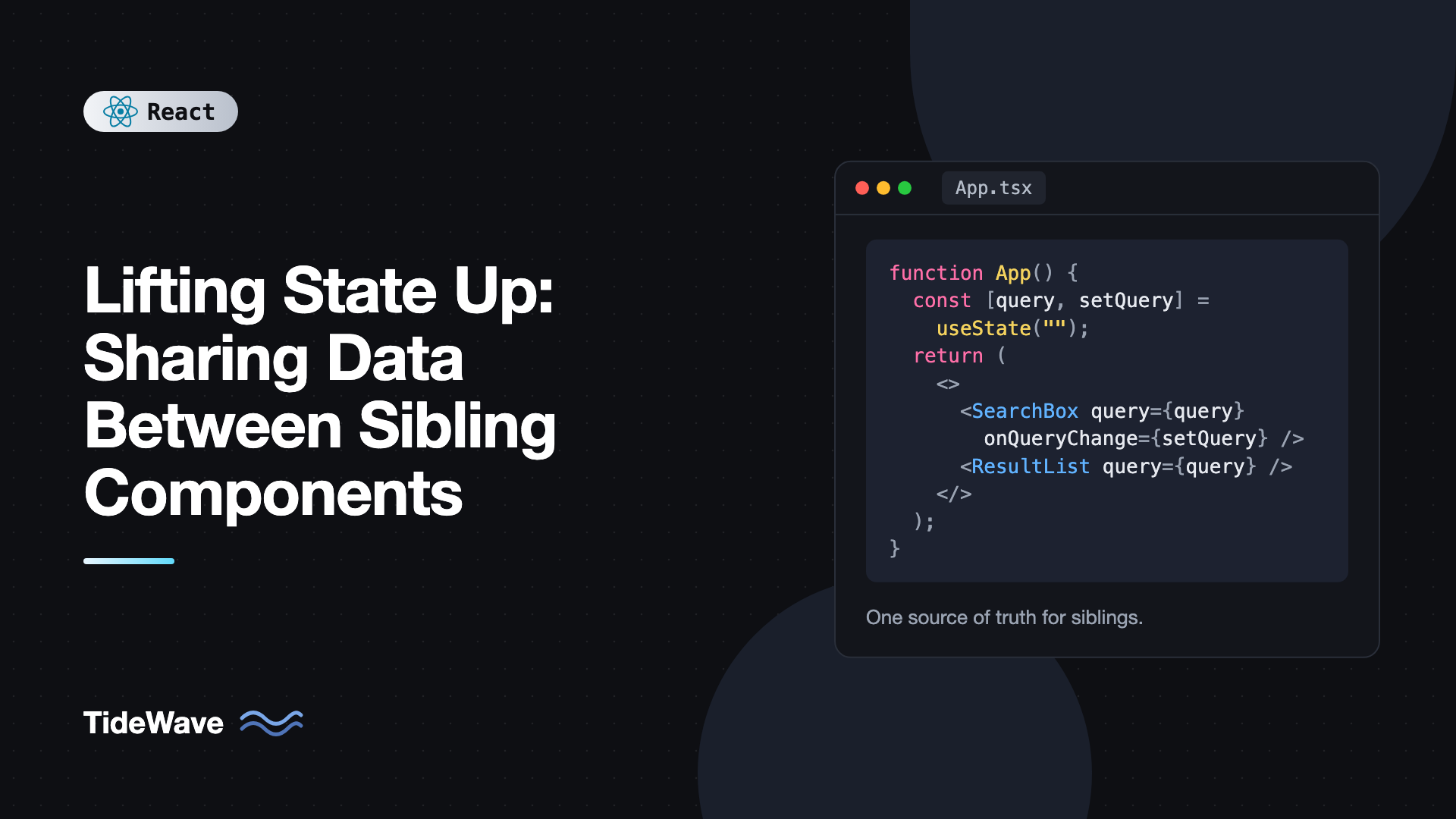
Lifting State Up: Sharing Data Between Sibling Components
You've built a search input and a results list as two separate components. Each works on its own, but now the list needs to know what the user typed. Or you have a product filter sidebar and a product grid, and changing a filter must update the grid. React data flows down from parent to child through props, so two siblings have no direct way to talk to each other.
The standard solution is called lifting state up: move the state out of the child that owns it and into the closest common parent, then pass the value down to both siblings and pass a function down so the child can change it. It's one of the first patterns in the React docs, and it's still the right answer far more often than reaching for a state library.
This post walks through the pattern step by step, then covers realistic examples, how to avoid duplicating state while lifting, how to keep the parent from turning into a mess, and when lifting is no longer the best tool.
The Problem: Siblings Can't Share State Directly
Here are two components, each with its own state:
import { useState } from "react";

function SearchBox() {
  const [query, setQuery] = useState("");
  return <input value={query} onChange={(e) => setQuery(e.target.value)} placeholder="Search" />;
}

function ResultList() {
  const fruits = ["Apple", "Banana", "Cherry", "Mango", "Orange"];
  // How do we get the query in here?
  return (
    <ul>
      {fruits.map((f) => (
        <li key={f}>{f}</li>
      ))}
    </ul>
  );
}

export default function App() {
  return (
    <>
      <SearchBox />
      <ResultList />
    </>
  );
}
query lives inside SearchBox. ResultList can't read it, and there's no React mechanism for one sibling to reach into another. Each component's state is private to that component instance.
Lifting State Up in Three Steps
The fix follows the same three steps every time.
Step 1: Remove State From the Child
SearchBox stops owning query. It receives the value and a change handler as props, which makes it a controlled component:
type SearchBoxProps = {
  query: string;
  onQueryChange: (value: string) => void;
};

function SearchBox({ query, onQueryChange }: SearchBoxProps) {
  return (
    <input
      value={query}
      onChange={(e) => onQueryChange(e.target.value)}
      placeholder="Search"
    />
  );
}
Step 2: Add State to the Common Parent
Find the closest component that renders both siblings. Here it's App. Declare the state there:
export default function App() {
  const [query, setQuery] = useState("");
  // ...
}
Step 3: Pass It Down
Give the value and the setter to the child that changes it, and the value to the child that reads it:
import { useState } from "react";

const FRUITS = ["Apple", "Banana", "Cherry", "Mango", "Orange"];

function ResultList({ query }: { query: string }) {
  const normalized = query.trim().toLowerCase();
  const matches = FRUITS.filter((f) => f.toLowerCase().includes(normalized));

  if (matches.length === 0) return <p>No fruit matches "{query}".</p>;

  return (
    <ul>
      {matches.map((f) => (
        <li key={f}>{f}</li>
      ))}
    </ul>
  );
}

export default function App() {
  const [query, setQuery] = useState("");

  return (
    <>
      <SearchBox query={query} onQueryChange={setQuery} />
      <ResultList query={query} />
    </>
  );
}
Now there's a single source of truth. When the user types, SearchBox calls onQueryChange, App updates its state and re-renders, and both children receive the new query. They can never disagree, because there's only one value.
Notice the filtered list isn't stored in state anywhere. It's computed during render from query. That's an important habit we'll come back to.
A Realistic Example: An Accordion With One Open Panel
Lifting state isn't only about passing data sideways. It's also how you coordinate siblings. Say you want an accordion where opening one panel closes the others.
If each panel tracks its own isOpen, they can't know about each other:
import { useState, type ReactNode } from "react";

// Each panel is independent: several can be open at once
function Panel({ title, children }: { title: string; children: ReactNode }) {
  const [isOpen, setIsOpen] = useState(false);
  return (
    <section>
      <button onClick={() => setIsOpen(!isOpen)}>{title}</button>
      {isOpen && <div>{children}</div>}
    </section>
  );
}
Lift the "which one is open" decision to the parent. The panels become simple and stateless:
import { useState, type ReactNode } from "react";

type PanelProps = {
  title: string;
  isOpen: boolean;
  onToggle: () => void;
  children: ReactNode;
};

function Panel({ title, isOpen, onToggle, children }: PanelProps) {
  return (
    <section>
      <h3>
        <button type="button" aria-expanded={isOpen} onClick={onToggle}>
          {title}
        </button>
      </h3>
      {isOpen && <div>{children}</div>}
    </section>
  );
}

const FAQ = [
  { id: "shipping", title: "Shipping", body: "We ship worldwide within 5 business days." },
  { id: "returns", title: "Returns", body: "Return any item within 30 days." },
  { id: "warranty", title: "Warranty", body: "All products include a 1-year warranty." },
];

export function FaqAccordion() {
  const [openId, setOpenId] = useState<string | null>(FAQ[0].id);

  return (
    <div>
      {FAQ.map((item) => (
        <Panel
          key={item.id}
          title={item.title}
          isOpen={openId === item.id}
          onToggle={() => setOpenId(openId === item.id ? null : item.id)}
        >
          {item.body}
        </Panel>
      ))}
    </div>
  );
}
The parent stores one value, openId, and every panel derives its isOpen from it. Storing an ID instead of an array of booleans makes "only one open" impossible to violate.
A Bigger Example: Filters, Grid, and Summary
Let's build something closer to a real page: a filter panel, a product grid, and a summary bar showing the count. Three siblings, all depending on the same filters.
// types.ts
export type Product = {
  id: number;
  name: string;
  category: "laptops" | "phones" | "audio";
  price: number;
  inStock: boolean;
};

export type Filters = {
  category: Product["category"] | "all";
  maxPrice: number;
  inStockOnly: boolean;
};
// FilterPanel.tsx
import type { Filters } from "./types";

type FilterPanelProps = {
  filters: Filters;
  onChange: (next: Filters) => void;
};

export function FilterPanel({ filters, onChange }: FilterPanelProps) {
  return (
    <aside>
      <label>
        Category
        <select
          value={filters.category}
          onChange={(e) => onChange({ ...filters, category: e.target.value as Filters["category"] })}
        >
          <option value="all">All</option>
          <option value="laptops">Laptops</option>
          <option value="phones">Phones</option>
          <option value="audio">Audio</option>
        </select>
      </label>
      <label>
        Max price: ${filters.maxPrice}
        <input
          type="range"
          min={50}
          max={3000}
          step={50}
          value={filters.maxPrice}
          onChange={(e) => onChange({ ...filters, maxPrice: Number(e.target.value) })}
        />
      </label>
      <label>
        <input
          type="checkbox"
          checked={filters.inStockOnly}
          onChange={(e) => onChange({ ...filters, inStockOnly: e.target.checked })}
        />
        In stock only
      </label>
    </aside>
  );
}
// ProductGrid.tsx and SummaryBar.tsx
import type { Product } from "./types";

export function ProductGrid({ products }: { products: Product[] }) {
  return (
    <div className="grid">
      {products.map((p) => (
        <article key={p.id}>
          <h4>{p.name}</h4>
          <p>${p.price}</p>
          {!p.inStock && <small>Out of stock</small>}
        </article>
      ))}
    </div>
  );
}

export function SummaryBar({ shown, total, onReset }: { shown: number; total: number; onReset: () => void }) {
  return (
    <p>
      Showing {shown} of {total} products <button onClick={onReset}>Reset filters</button>
    </p>
  );
}
And the parent that owns the state:
// ShopPage.tsx
import { useState } from "react";
import { FilterPanel } from "./FilterPanel";
import { ProductGrid, SummaryBar } from "./ProductGrid";
import type { Filters, Product } from "./types";

const DEFAULT_FILTERS: Filters = { category: "all", maxPrice: 3000, inStockOnly: false };

export function ShopPage({ products }: { products: Product[] }) {
  const [filters, setFilters] = useState<Filters>(DEFAULT_FILTERS);

  const visible = products.filter(
    (p) =>
      (filters.category === "all" || p.category === filters.category) &&
      p.price <= filters.maxPrice &&
      (!filters.inStockOnly || p.inStock),
  );

  return (
    <div className="shop">
      <FilterPanel filters={filters} onChange={setFilters} />
      <main>
        <SummaryBar shown={visible.length} total={products.length} onReset={() => setFilters(DEFAULT_FILTERS)} />
        <ProductGrid products={visible} />
      </main>
    </div>
  );
}
Each child has one job. FilterPanel edits filters, ProductGrid displays products, and SummaryBar shows counts. None of them know about each other. All the coordination happens in ShopPage.
Lift the Minimum, Derive the Rest
When lifting state, the temptation is to lift everything: the filters, the filtered list, the count. Don't. Store the smallest amount of state that can't be computed from something else, and calculate everything else during render.
// Avoid: duplicated, derived state
const [filters, setFilters] = useState(DEFAULT_FILTERS);
const [visible, setVisible] = useState(products);
const [count, setCount] = useState(products.length);

useEffect(() => {
  const next = products.filter(/* ... */);
  setVisible(next);
  setCount(next.length);
}, [filters, products]);
This version renders twice for every change, briefly shows stale results, and has three values that can drift apart. Computing visible inline removes all of that. If the filtering ever becomes genuinely expensive, wrap it in useMemo (or let the React Compiler handle it). Derived state in React: common mistakes and better patterns covers this in depth.
Keeping the Parent Clean
As more state gets lifted, the parent can fill up with handlers. Two techniques help.
Pass Specific Callbacks, Not Raw Setters
Passing setFilters directly is fine for small components. For larger ones, named callbacks describe intent and hide the shape of the state:
<FilterPanel
  filters={filters}
  onCategoryChange={(category) => setFilters((f) => ({ ...f, category }))}
  onMaxPriceChange={(maxPrice) => setFilters((f) => ({ ...f, maxPrice }))}
/>
The child doesn't need to know how filters are stored, and you can change the parent's state shape without touching the child.
Move Logic Into a Reducer or Custom Hook
When the parent's update logic grows, extract it. A reducer keeps all transitions in one place, and a custom hook keeps the component focused on layout:
import { useReducer } from "react";
import type { Filters } from "./types";

type FilterAction =
  | { type: "setCategory"; category: Filters["category"] }
  | { type: "setMaxPrice"; maxPrice: number }
  | { type: "toggleInStock" }
  | { type: "reset" };

const DEFAULT_FILTERS: Filters = { category: "all", maxPrice: 3000, inStockOnly: false };

function filtersReducer(state: Filters, action: FilterAction): Filters {
  switch (action.type) {
    case "setCategory":
      return { ...state, category: action.category };
    case "setMaxPrice":
      return { ...state, maxPrice: action.maxPrice };
    case "toggleInStock":
      return { ...state, inStockOnly: !state.inStockOnly };
    case "reset":
      return DEFAULT_FILTERS;
  }
}

export function useFilters() {
  return useReducer(filtersReducer, DEFAULT_FILTERS);
}
If you're deciding between the two, see useState vs useReducer.
When Lifting State Is Not Enough
Lifting works well when the common parent is close. It starts to hurt when:
- The common parent is far up the tree. If the state must pass through five layers of components that don't use it, that's prop drilling. Context is usually the next step. See avoiding prop drilling with the React Context API.
- The state is server data. Fetched data shared between distant components is better handled by a data library like TanStack Query, which caches it so every component can read it directly.
- The state belongs in the URL. Filters, search queries, and pagination often should be in the query string so users can share and bookmark the page. Then the "parent" is the router.
- Re-renders become a problem. Lifting state means the parent and all its children re-render on change. Usually fine, but for very large trees it may be worth moving state back down or splitting components.
Common Mistakes When Lifting State
- Keeping a copy of the prop in child state. Writing
useState(props.value)in a child creates a second source of truth that doesn't update when the parent changes. Use the prop directly. - Lifting too high. Put state in the closest common parent, not at the top of the app. State that's lifted too far causes needless re-renders and makes components harder to move.
- Storing derived values. Lift the inputs, compute the outputs during render.
- Mutating lifted state. Always create new objects and arrays:
{ ...filters, maxPrice }rather thanfilters.maxPrice = 100. - Unclear prop names. Follow the
valueandonValueChangeconvention so it's obvious which prop is data and which is the way to change it.
Frequently Asked Questions (FAQ) About Lifting State Up
It means moving state from a child component to the closest parent that contains every component needing that state. The parent then passes the value down as props, along with a function that children call to update it. This gives you a single source of truth.
Through their common parent. The parent holds the shared state, passes it to the sibling that displays it, and passes an update function to the sibling that changes it. Siblings never talk directly.
Usually not. It causes the parent and its children to re-render when the state changes, which is fast for most component trees. If a child is expensive, memoize it or use the React Compiler, and avoid lifting state higher than needed.
Use Context when the state has to pass through several intermediate components that don't use it, or when many components across the tree need it. If the shared state only travels one or two levels, lifting with props is simpler and more explicit.
Yes, indirectly. The parent passes a callback such as onChange as a prop, and the child calls it with the new value. The parent decides how to update its own state.
It means each piece of data is owned by exactly one component's state. Every other component that needs it receives it as a prop or computes something from it. This prevents values getting out of sync.
Conclusion
Lifting state up is how React components share data: move the state to the closest common parent, pass the value down to whoever reads it, and pass a callback down to whoever changes it. Store only the minimal state, derive everything else during render, and keep children simple and controlled.
Look for components in your app that use useEffect to keep two pieces of state in sync, or that copy props into state. Those are signs that state should be lifted. When lifting starts sending props through many layers, that's the point to look at Context or a dedicated state library.


