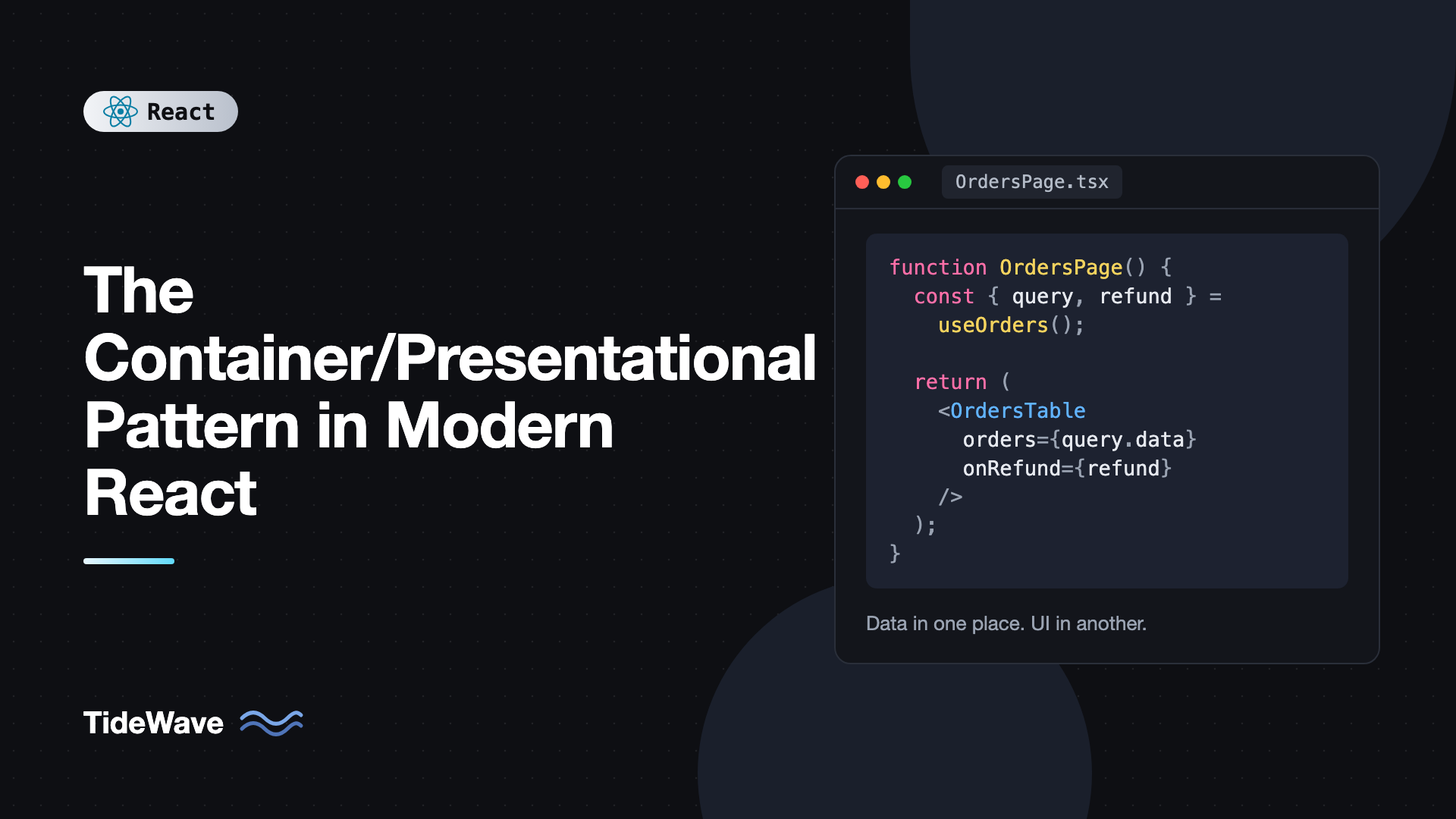
The Container/Presentational Pattern in Modern React
You've probably seen a component like this: it fetches data in an effect, tracks loading and error state, handles pagination, formats dates, filters by a search term, and then renders 150 lines of JSX. It works, but it's hard to test because you have to mock fetch to see a single button. It's hard to reuse because the markup is welded to one API endpoint. And it's hard to put in Storybook because it can't render without a network.
The container/presentational pattern addresses this by splitting such a component in two. A container knows where data comes from and what happens when the user acts. A presentational component receives data and callbacks through props and only decides how things look. Dan Abramov popularized the idea in 2015, and later wrote that he no longer recommends splitting components this way dogmatically, because hooks made it possible to reuse logic without the split.
So is the pattern still useful? Yes, if you apply it deliberately rather than everywhere. In this post I'll show the pattern with modern tools: custom hooks, TanStack Query, and React Server Components. I'll also cover how it improves testing and Storybook stories, and when it's just extra files.
The Idea in One Example
Here's the "everything in one component" version of an orders list:
import { useEffect, useState } from "react";

type Order = { id: string; customer: string; total: number; status: "paid" | "pending" | "refunded"; createdAt: string };

export function OrdersPage() {
  const [orders, setOrders] = useState<Order[]>([]);
  const [loading, setLoading] = useState(true);
  const [error, setError] = useState<string | null>(null);
  const [status, setStatus] = useState<Order["status"] | "all">("all");

  useEffect(() => {
    setLoading(true);
    fetch(`/api/orders?status=${status}`)
      .then((r) => r.json())
      .then((data: Order[]) => setOrders(data))
      .catch(() => setError("Could not load orders"))
      .finally(() => setLoading(false));
  }, [status]);

  if (loading) return <p>Loading...</p>;
  if (error) return <p role="alert">{error}</p>;

  return (
    <section>
      <select value={status} onChange={(e) => setStatus(e.target.value as typeof status)}>
        <option value="all">All</option>
        <option value="paid">Paid</option>
        <option value="pending">Pending</option>
        <option value="refunded">Refunded</option>
      </select>
      <table>
        <tbody>
          {orders.map((o) => (
            <tr key={o.id}>
              <td>{o.customer}</td>
              <td>${o.total.toFixed(2)}</td>
              <td>{o.status}</td>
            </tr>
          ))}
        </tbody>
      </table>
    </section>
  );
}
Fetching, filtering state, error handling, and markup are all in one place. Now split it.
The Presentational Component
The presentational component gets everything through props. It has no idea there's an API:
// OrdersTable.tsx
type OrderStatus = "paid" | "pending" | "refunded";

export type Order = {
  id: string;
  customer: string;
  total: number;
  status: OrderStatus;
  createdAt: string;
};

type OrdersTableProps = {
  orders: Order[];
  statusFilter: OrderStatus | "all";
  onStatusFilterChange: (status: OrderStatus | "all") => void;
  onRefund: (id: string) => void;
  refundingId?: string | null;
};

const currency = new Intl.NumberFormat("en-US", { style: "currency", currency: "USD" });

export function OrdersTable({
  orders,
  statusFilter,
  onStatusFilterChange,
  onRefund,
  refundingId = null,
}: OrdersTableProps) {
  return (
    <section>
      <label>
        Status{" "}
        <select
          value={statusFilter}
          onChange={(e) => onStatusFilterChange(e.target.value as OrderStatus | "all")}
        >
          <option value="all">All</option>
          <option value="paid">Paid</option>
          <option value="pending">Pending</option>
          <option value="refunded">Refunded</option>
        </select>
      </label>

      {orders.length === 0 ? (
        <p>No orders match this filter.</p>
      ) : (
        <table>
          <thead>
            <tr>
              <th>Customer</th>
              <th>Total</th>
              <th>Status</th>
              <th />
            </tr>
          </thead>
          <tbody>
            {orders.map((o) => (
              <tr key={o.id}>
                <td>{o.customer}</td>
                <td>{currency.format(o.total)}</td>
                <td>{o.status}</td>
                <td>
                  {o.status === "paid" && (
                    <button onClick={() => onRefund(o.id)} disabled={refundingId === o.id}>
                      {refundingId === o.id ? "Refunding..." : "Refund"}
                    </button>
                  )}
                </td>
              </tr>
            ))}
          </tbody>
        </table>
      )}
    </section>
  );
}
It can still have UI state, like whether a dropdown is open. The rule isn't "no state", it's "no knowledge of where data comes from or where actions go."
The Container
The container wires real data and actions to those props. With TanStack Query, it's short:
// OrdersContainer.tsx
import { useState } from "react";
import { useMutation, useQuery, useQueryClient } from "@tanstack/react-query";
import { OrdersTable, type Order } from "./OrdersTable";

type Filter = Order["status"] | "all";

async function fetchOrders(status: Filter): Promise<Order[]> {
  const res = await fetch(`/api/orders?status=${status}`);
  if (!res.ok) throw new Error(`HTTP ${res.status}`);
  return res.json();
}

async function refundOrder(id: string): Promise<void> {
  const res = await fetch(`/api/orders/${id}/refund`, { method: "POST" });
  if (!res.ok) throw new Error(`HTTP ${res.status}`);
}

export function OrdersContainer() {
  const [status, setStatus] = useState<Filter>("all");
  const queryClient = useQueryClient();

  const ordersQuery = useQuery({
    queryKey: ["orders", status],
    queryFn: () => fetchOrders(status),
  });

  const refund = useMutation({
    mutationFn: refundOrder,
    onSuccess: () => queryClient.invalidateQueries({ queryKey: ["orders"] }),
  });

  if (ordersQuery.isPending) return <p>Loading orders...</p>;
  if (ordersQuery.isError) return <p role="alert">Could not load orders.</p>;

  return (
    <OrdersTable
      orders={ordersQuery.data}
      statusFilter={status}
      onStatusFilterChange={setStatus}
      onRefund={(id) => refund.mutate(id)}
      refundingId={refund.isPending ? refund.variables : null}
    />
  );
}
The container has almost no markup. Its job is translation: query results become props, user intents become mutations. If you're new to the query and mutation APIs used here, managing server state with TanStack Query covers them in detail.
The Hooks-Era Version: Hook as Container
Abramov's later point was that hooks can do the container's job without a separate component. You can move the container logic into a custom hook and call it from the component that renders:
// useOrders.ts
import { useState } from "react";
import { useMutation, useQuery, useQueryClient } from "@tanstack/react-query";
import type { Order } from "./OrdersTable";

type Filter = Order["status"] | "all";

export function useOrders() {
  const [status, setStatus] = useState<Filter>("all");
  const queryClient = useQueryClient();

  const query = useQuery({
    queryKey: ["orders", status],
    queryFn: async (): Promise<Order[]> => {
      const res = await fetch(`/api/orders?status=${status}`);
      if (!res.ok) throw new Error(`HTTP ${res.status}`);
      return res.json();
    },
  });

  const refund = useMutation({
    mutationFn: async (id: string) => {
      const res = await fetch(`/api/orders/${id}/refund`, { method: "POST" });
      if (!res.ok) throw new Error(`HTTP ${res.status}`);
    },
    onSuccess: () => queryClient.invalidateQueries({ queryKey: ["orders"] }),
  });

  return {
    query,
    status,
    setStatus,
    refund: refund.mutate,
    refundingId: refund.isPending ? refund.variables : null,
  };
}
Then the page becomes:
export function OrdersPage() {
  const { query, status, setStatus, refund, refundingId } = useOrders();

  if (query.isPending) return <p>Loading orders...</p>;
  if (query.isError) return <p role="alert">Could not load orders.</p>;

  return (
    <OrdersTable
      orders={query.data}
      statusFilter={status}
      onStatusFilterChange={setStatus}
      onRefund={refund}
      refundingId={refundingId}
    />
  );
}
This is still the container/presentational split, just with the logic packaged as a hook. The important separation, data and actions versus rendering, is preserved. Whether OrdersPage counts as a "container" is a naming question. What matters is that OrdersTable is pure UI.
Server Components: The Pattern, Built In
React Server Components give the pattern a new shape. A server component can fetch data directly, with no effect, no loading state in the client bundle, and no API layer if it can read from the database. It then passes plain data to a client component that handles interactivity.
In a Next.js App Router project, it looks like this:
// app/orders/page.tsx (Server Component)
import { db } from "@/lib/db";
import { OrdersTable } from "./orders-table";

export default async function OrdersPage() {
  const orders = await db.order.findMany({
    orderBy: { createdAt: "desc" },
    take: 50,
  });

  return <OrdersTable orders={orders.map((o) => ({ ...o, createdAt: o.createdAt.toISOString() }))} />;
}
// app/orders/orders-table.tsx (Client Component)
"use client";

import { useState } from "react";

type Order = { id: string; customer: string; total: number; status: string; createdAt: string };

export function OrdersTable({ orders }: { orders: Order[] }) {
  const [query, setQuery] = useState("");
  const visible = orders.filter((o) => o.customer.toLowerCase().includes(query.toLowerCase()));

  return (
    <>
      <input value={query} onChange={(e) => setQuery(e.target.value)} placeholder="Search customer" />
      <ul>
        {visible.map((o) => (
          <li key={o.id}>
            {o.customer}: {o.total}
          </li>
        ))}
      </ul>
    </>
  );
}
The server component is the container. The client component is presentational plus local UI state. The boundary between them is enforced by the framework: only serializable props can cross it, which is why createdAt is converted to a string. This is arguably the strongest form of the pattern, because the container's code never ships to the browser. The db import in this example stands for whatever data layer your app uses.
Why the Split Helps
Testing Gets Simpler
Presentational components are pure functions of props, so tests don't need network mocks:
import { render, screen } from "@testing-library/react";
import userEvent from "@testing-library/user-event";
import { vi } from "vitest";
import { OrdersTable, type Order } from "./OrdersTable";

const orders: Order[] = [
  { id: "1", customer: "Ada", total: 120, status: "paid", createdAt: "2026-09-01" },
  { id: "2", customer: "Grace", total: 45, status: "pending", createdAt: "2026-09-02" },
];

it("only offers refunds for paid orders", async () => {
  const onRefund = vi.fn();
  render(
    <OrdersTable orders={orders} statusFilter="all" onStatusFilterChange={vi.fn()} onRefund={onRefund} />,
  );

  const buttons = screen.getAllByRole("button", { name: "Refund" });
  expect(buttons).toHaveLength(1);

  await userEvent.click(buttons[0]);
  expect(onRefund).toHaveBeenCalledWith("1");
});
The container or hook gets its own tests with MSW mocking the API, and there are far fewer of them because they don't care about markup.
Storybook Stories Are Trivial
A presentational component can be shown in every state just by changing props: empty list, one refund in progress, long customer names. No mock server, no providers. This is a big part of why design systems lean on presentational components.
Reuse Across Data Sources
The same OrdersTable can render orders from the main API, a customer's order history page, or a CSV import preview. Only the container changes.
When Not to Split
The pattern has costs: more files, more props to pass, and an extra jump when reading code. Skip it when:
- The component is small and used once. A 40-line component that fetches and renders a list doesn't need two files.
- The "presentational" part would just forward everything. If the container passes twelve props straight through, the boundary isn't adding clarity.
- You're splitting by habit. Abramov's own caveat was that the pattern became dogma. Use it where testing, reuse, or Storybook actually benefit.
A good heuristic: split when you want to render the UI without its data source, in a test, a story, or another page. Otherwise, a custom hook inside one component is enough.
Best Practices for Containers and Presentational Components
- Keep presentational props domain-shaped, not API-shaped. Pass
ordersandonRefund, not a raw query result object. That keeps the UI independent of TanStack Query or whatever library you use next. - Name callbacks after user intent.
onRefund(id)andonStatusFilterChange(status), notrefundMutationorsetState. - Let containers own loading and error states, or pass them explicitly as props. Don't make presentational components guess.
- Allow UI state in presentational components. Open menus, hover state, and input drafts belong there.
- Co-locate the pair. Put
OrdersTable.tsx,useOrders.ts, and their tests in one feature folder. The post on folder structure for scalable React projects has layouts that work well for this.
Frequently Asked Questions (FAQ) About the Container/Presentational Pattern
Not outdated, but no longer a default. Hooks let you reuse data logic without a separate container component, so the strict split for every component is unnecessary. The core idea of keeping UI components free of data-fetching concerns is still valuable for testing, Storybook, and reuse.
Yes. It can hold UI state like whether a menu is open, which tab is active, or what's typed in a search box. What it shouldn't do is fetch data, talk to a store, or know where actions are sent.
It plays the same role. A hook like useOrders collects data and actions and returns them, and the component calling it passes them to a presentational component. The difference is packaging: a hook is a function, while a classic container is a component.
A Server Component that fetches data and passes it to a Client Component is a natural container. The client part handles interaction and display. Because only serializable props cross the boundary, the separation is enforced for you.
No. Split when you need to render the UI without its data source, such as in tests, stories, or a second page with different data. For small, single-use components, keeping logic and markup together is simpler.
Usually in the container, which knows the request state, while the presentational component only renders data that's ready. Alternatively, pass status as an explicit prop if the design calls for skeletons inside the presentational layout.
Conclusion
The container/presentational pattern separates knowing where data comes from from deciding how it looks. In modern React, the "container" is often a custom hook or a Server Component rather than a dedicated wrapper component, but the payoff is the same: presentational components that are easy to test, easy to show in Storybook, and reusable across data sources.
Apply it where that payoff is real, not everywhere. Look for components that are hard to test because they fetch, or that you'd like to reuse with different data, and split those first. If you want to go one step further and separate behavior from markup as well, building headless UI components shows the next layer of the same idea.


