The "use client" Directive Explained: Drawing the Server–Client Boundary in Next.js
"use client" is one line at the top of a file, and it's responsible for a surprising amount of confusion. Developers add it to silence an error and then wonder why their bundle grew. Others assume it means "only render in the browser", or think every component that uses state needs its own copy. Some put it on every file just to be safe.
The directive is simpler and more precise than those habits suggest. It marks a boundary in your module graph: the point where code stops being server-only and starts shipping to the browser. Once you see it that way, it becomes clear where it belongs, what it costs, and why certain props can't cross it.
This post explains what the directive does, the two rules for what crosses the boundary, where to place it, and the errors you'll run into along the way.
What the Directive Does
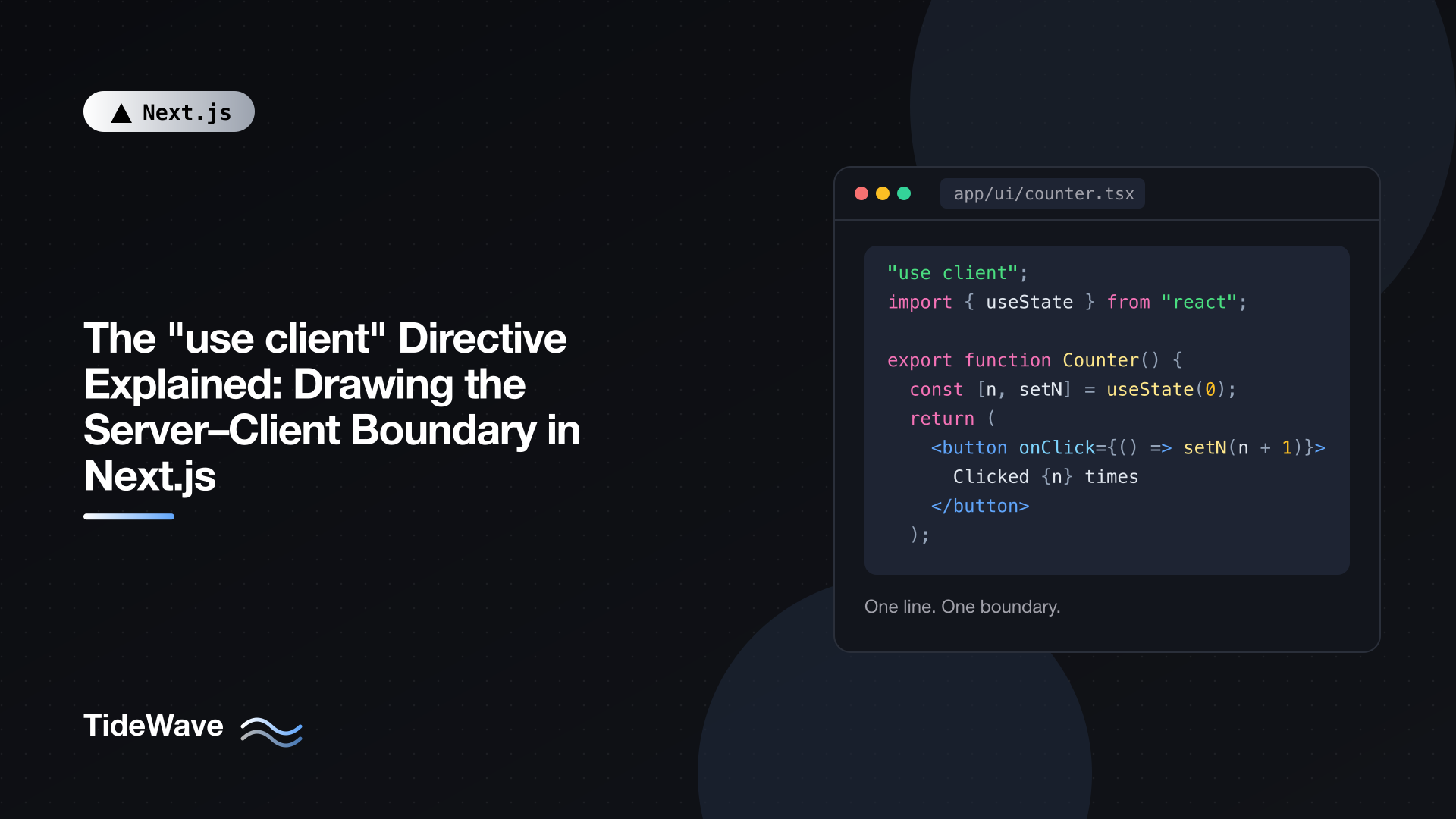
In the App Router, every component is a Server Component unless something says otherwise. "use client" is that something. Put it at the very top of a file, before any imports:
// app/ui/counter.tsx
"use client";

import { useState } from "react";

export default function Counter() {
  const [count, setCount] = useState(0);

  return (
    <button onClick={() => setCount((c) => c + 1)}>
      Clicked {count} times
    </button>
  );
}
That file is now a client entry point. The components it exports can be rendered from Server Components, and their code will be sent to the browser so they can hydrate and respond to clicks.
Three things the directive does not mean:
- It doesn't mean "render only in the browser." Client Components are still rendered on the server to produce the initial HTML, then hydrated in the browser. If your component touches
windowat the top level, it will crash during that server render. - It doesn't mark a single component. It applies to the whole module and, transitively, to what that module imports.
- It's not a Next.js invention. It's a React feature that Next.js implements in its bundler.
The only things allowed above it are comments. The directive must be the first statement, or it's ignored like any other string expression.
The Boundary Is About Modules
The key idea: "use client" cuts your app into two module graphs. Everything a client entry point imports, directly or indirectly, is pulled into the client graph and bundled for the browser.
app/page.tsx              (server)
├── app/ui/header.tsx     (server)
└── app/ui/search.tsx     "use client"  <-- boundary
    ├── app/ui/search-results.tsx   (client, via import)
    └── lib/format-date.ts          (client, via import)
search-results.tsx and format-date.ts don't need the directive. They're imported by a client entry point, so they're already part of the client graph. The same rule applies to components a Client Component renders directly: they're Client Components too.
This has two practical consequences:
- You need the directive only at the entry. Adding
"use client"to every interactive file is unnecessary. Add it to the files that Server Components import. - Imports are what you pay for. If a client entry imports a large library or a module full of helpers, all of it ships. The higher in the tree you put the boundary, the more gets pulled in.
Shared Modules
A utility like lib/format-date.ts can be imported by both a Server Component and a Client Component. Next.js compiles it separately for each environment. That's fine for pure functions. It's dangerous for modules that read secrets or touch the database, because one stray import from a client file pulls that code into the browser bundle. The server-only package exists to turn that mistake into a build error, which I cover in using the server-only package.
Rule One: Code Crosses Through Imports
Server Components can import and render Client Components. The opposite direction is restricted: a Client Component can't import a Server Component and have it stay a Server Component. If you import it, it becomes part of the client graph and is treated as client code. If it's async, or reads the database, it will fail.
// app/ui/sidebar.tsx
"use client";

import { useState } from "react";
// This import pulls UserStats into the client bundle.
// If UserStats queries the database, this breaks.
import { UserStats } from "./user-stats";

export function Sidebar() {
  const [open, setOpen] = useState(true);
  return open ? <UserStats /> : null;
}
The fix is to not import it. Have the Server Component parent render UserStats and pass the result in as children:
// app/ui/sidebar.tsx
"use client";

import { useState, type ReactNode } from "react";

export function Sidebar({ children }: { children: ReactNode }) {
  const [open, setOpen] = useState(true);

  return (
    <aside>
      <button onClick={() => setOpen((o) => !o)}>
        {open ? "Hide" : "Show"} stats
      </button>
      {open && children}
    </aside>
  );
}
// app/dashboard/layout.tsx
import { Sidebar } from "@/app/ui/sidebar";
import { UserStats } from "@/app/ui/user-stats";

export default function DashboardLayout({
  children,
}: {
  children: React.ReactNode;
}) {
  return (
    <div className="flex">
      <Sidebar>
        <UserStats />
      </Sidebar>
      <main className="flex-1">{children}</main>
    </div>
  );
}
Now UserStats is still a Server Component. The layout renders it on the server, and Sidebar receives its rendered output, not its code. React distinguishes the owner of a component (the one whose JSX creates it, here the layout) from its parent in the tree (here, Sidebar). Ownership decides where a component runs. There's a lot more to say about this pattern; see composition patterns for mixing Server and Client Components.
Rule Two: Data Crosses Through Serializable Props
When a Server Component renders a Client Component, the props are serialized into the RSC payload and sent to the browser. They have to be values React knows how to serialize:
| Can cross | Can't cross |
|---|---|
Strings, numbers, booleans, null, undefined, bigint | Regular functions, including event handlers |
| Plain objects and arrays of serializable values | Class instances (your own classes, ORM models) |
Date, Map, Set, typed arrays, ArrayBuffer | Symbols not created with Symbol.for |
Promises (read on the client with use) | Anything with circular references to non-serializable values |
| JSX elements (rendered Server or Client Components) | |
Server Functions marked with "use server" |
The most common error is passing a function:
// app/page.tsx (Server Component)
import { Counter } from "./ui/counter";

export default function Page() {
  // Error: functions cannot be passed to Client Components
  return <Counter onChange={(n) => console.log(n)} />;
}
An event handler defined on the server has no way to run in the browser. Either define the handler inside the Client Component, or, if the work belongs on the server, pass a Server Function:
// app/actions.ts
"use server";

import { db } from "@/lib/db";

export async function saveCount(count: number) {
  await db.counter.update({ where: { id: 1 }, data: { value: count } });
}
// app/page.tsx
import { Counter } from "./ui/counter";
import { saveCount } from "./actions";

export default function Page() {
  return <Counter saveAction={saveCount} />;
}
Server Functions cross the boundary as references; calling one from the client makes a request to the server. The Next.js TypeScript plugin treats function props named action or ending in Action as Server Functions and flags other function props, so the naming convention helps catch mistakes early.
Watch Out for Class Instances
ORM results are a quieter trap. Some libraries return class instances or objects with methods and getters attached. Passing those to a Client Component fails serialization or silently drops fields. Map them to plain objects first. That same mapping step is where you strip fields the client shouldn't see, which brings security into the picture: everything in props is visible in the browser.
Where to Place the Boundary
The general guideline is push "use client" as far down the tree as you can, toward the leaves.
Compare these two approaches to a layout with an interactive search box:
// Too high: the whole layout and everything it imports ships to the browser
"use client";

import { Logo } from "./logo";
import { NavLinks } from "./nav-links";
import { Search } from "./search";

export default function Layout({ children }: { children: React.ReactNode }) {
  return (
    <>
      <nav>
        <Logo />
        <NavLinks />
        <Search />
      </nav>
      <main>{children}</main>
    </>
  );
}
// app/layout-shell.tsx: boundary only where it's needed
import { Logo } from "./logo";
import { NavLinks } from "./nav-links";
import { Search } from "./search"; // "use client" lives in search.tsx

export default function Layout({ children }: { children: React.ReactNode }) {
  return (
    <>
      <nav>
        <Logo />
        <NavLinks />
        <Search />
      </nav>
      <main>{children}</main>
    </>
  );
}
The second version sends only Search to the browser. Logo and NavLinks stay on the server. The layout can still fetch data with await and read cookies if it needs to.
A few placement guidelines I follow:
- Pages and layouts stay Server Components. If a page needs interactivity, extract the interactive part.
- Make the client part a leaf. A
LikeButton, aThemeToggle, aSearchInput, not the card or section around them. - Pass server content as
children. When a Client Component must wrap something (a modal, an accordion, a tab panel), keep the wrapped content on the server. - Keep client entry files small. Each import adds to the bundle.
Third-Party Components
Many npm packages export components that use hooks but don't include "use client". Rendering one directly from a Server Component throws an error, because Next.js sees useState in what it thinks is server code.
The fix is a tiny wrapper that re-exports it from a client file:
// app/ui/carousel.tsx
"use client";

export { Carousel } from "acme-carousel";
Now you can import Carousel from @/app/ui/carousel in any Server Component. Inside other Client Components you don't need the wrapper, since they're already in the client graph.
If you maintain a component library, add "use client" to the entry points that rely on client-only features so your users don't need wrappers. Check that your bundler preserves the directive; some strip top-of-file string literals by default.
Compound Components
Patterns like Tabs.Panel or Menu.Item, where subcomponents hang off a parent as static properties, break across the boundary. A Server Component that imports a Client Component receives a reference, not the actual function, so Menu.Item is undefined and React throws "Element type is invalid". Export the pieces as named exports instead:
// app/ui/tabs.tsx
"use client";

import { createContext, useContext, useState, type ReactNode } from "react";

const TabsContext = createContext<{
  active: string;
  setActive: (id: string) => void;
} | null>(null);

export function Tabs({
  defaultTab,
  children,
}: {
  defaultTab: string;
  children: ReactNode;
}) {
  const [active, setActive] = useState(defaultTab);
  return (
    <TabsContext.Provider value={{ active, setActive }}>
      {children}
    </TabsContext.Provider>
  );
}

export function TabButton({
  id,
  children,
}: {
  id: string;
  children: ReactNode;
}) {
  const ctx = useContext(TabsContext)!;
  return (
    <button aria-selected={ctx.active === id} onClick={() => ctx.setActive(id)}>
      {children}
    </button>
  );
}

export function TabPanel({
  id,
  children,
}: {
  id: string;
  children: ReactNode;
}) {
  const ctx = useContext(TabsContext)!;
  return ctx.active === id ? <div>{children}</div> : null;
}
A Server Component can now use Tabs, TabButton, and TabPanel directly, and the panel contents can be server-rendered children.
Don't Export Helpers from Client Files
When a Server Component imports from a "use client" module, it gets client references, not real values. That's fine for components you render. It's a problem for anything else. If search.tsx also exports a normalizeQuery() helper and a Server Component imports it, calling it won't work.
Keep client entry files focused on components. Put shared helpers in a separate module without the directive, and import that module from both sides.
Common Errors and What They Mean
"You're importing a component that needs useState. This React Hook only works in a Client Component." A file without the directive uses a hook. Add "use client" to that file, or to the nearest entry point that imports it, or wrap the third-party component.
"Functions cannot be passed directly to Client Components unless you explicitly expose it by marking it with 'use server'." You passed a function prop from a Server Component. Move the handler into the Client Component or pass a Server Function.
"async/await is not yet supported in Client Components." An async component ended up in the client graph, usually because a Client Component imported it. Pass it in as children from a Server Component instead.
"Only plain objects can be passed to Client Components from Server Components." You passed a class instance or an object with a null prototype. Map it to a plain object.
window is not defined during build or SSR. Client Components still render on the server. Move browser access into useEffect or an event handler.
Conclusion
"use client" declares a boundary, not a rendering mode. It marks a file as an entry point into the client graph, and everything that file imports comes with it. Code crosses that boundary through imports; data crosses through serializable props, plus Server Functions as references. Place the directive at the leaves, pass server-rendered content through children, wrap third-party components that lack it, and keep client entry files small. Do that and you get interactivity exactly where you need it, without dragging the rest of your app into the browser. For the bigger picture of how the two kinds of components fit together, see a practical mental model for React Server Components.


