True Italics vs Obliques: Why the Difference Matters
- Maria
- Typography
- 23 Oct, 2026
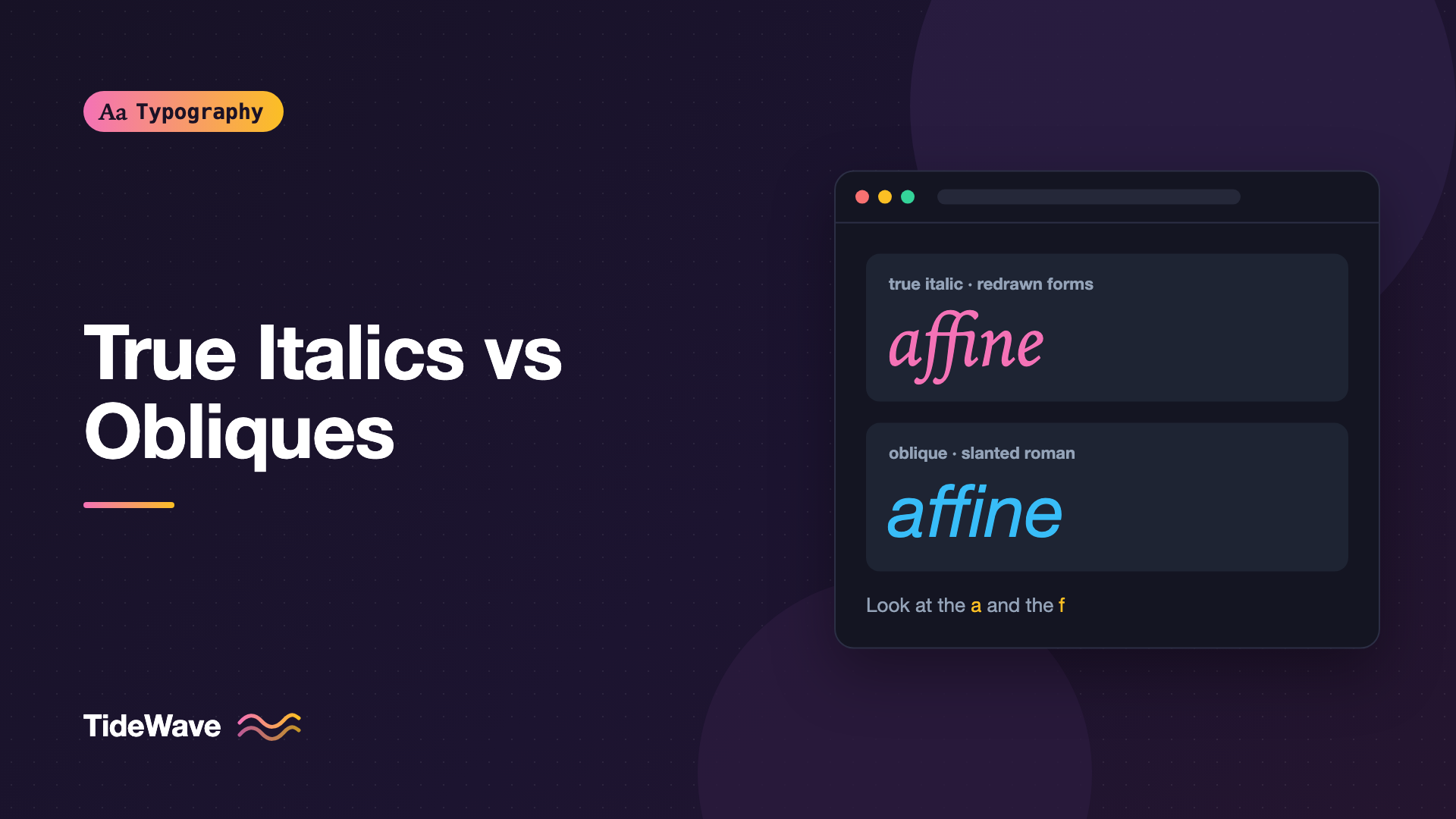
Put a word in <em> and the browser slants it. Most people call the result "italic" and never think about it again. But if you look closely at two fonts side by side, the slanted text can be very different. In one, the letters change shape: the "a" loses its top hook, the "f" grows a tail below the baseline, and the strokes flow like handwriting. In the other, the letters are exactly the upright ones, just leaning to the right.
The first is a true italic, a separate design drawn with its own letterforms. The second is an oblique, sometimes called a sloped roman, which keeps the upright shapes and tilts them. Both are legitimate, and many excellent typefaces use obliques on purpose. The problem comes when neither exists and the browser fakes one, or when you can't tell which one you're getting.
This post explains how the two styles differ, where each comes from, how CSS handles them, and how to make sure your emphasized text looks the way the type designer intended.
Where Italics Came From
Italic type began in Venice around 1500, modeled on the fast, slanted handwriting used by Italian scholars and chancery scribes. Early italics weren't companions to a roman typeface at all. They were standalone styles, used for entire books because their narrow, connected forms fit more words on a page.
Over the following centuries, printers started pairing italics with romans and using them for emphasis, titles, and foreign words. The italic kept its handwritten character, though, and that's still what defines a true italic today: it's derived from cursive writing, not from the upright letters.
Obliques have a different history. As sans serif typefaces grew in the 19th and 20th centuries, many designers felt a cursive italic didn't suit the rational, geometric construction of their letters. Instead, they slanted the upright design and corrected it so curves and stroke weights still looked right. Families like Helvetica and Futura use obliques for exactly this reason.
How to Tell Them Apart
The easiest way to identify a true italic is to look at a handful of telltale letters. Set the same word in the upright and slanted styles and compare.
| Letter | Typical true italic | Typical oblique |
|---|---|---|
| a | Single-story, like handwriting | Double-story, same as upright |
| e | Often rounder, with a more angled eye | Same as upright |
| f | Often descends below the baseline | Sits on the baseline |
| k | May have a looped or simplified arm | Same as upright |
| n, m | Entry and exit strokes, like joined script | Same as upright |
| v, w | May have curved bottoms | Pointed, same as upright |
True italics also tend to be narrower than their roman counterparts and often have a different rhythm, because the strokes are designed to flow into each other. Obliques keep the roman's width and spacing.
A quick test you can run in any browser:
<p style="font-family: Georgia, serif; font-size: 2.5rem">
  affine <em>affine</em>
</p>
<p
  style="font-family: 'Helvetica Neue', Helvetica, sans-serif; font-size: 2.5rem"
>
  affine <em>affine</em>
</p>
In Georgia, the emphasized word changes shape: the "a" becomes single-story and the "f" gets a descender. In Helvetica, the letters stay the same and simply lean.
Note
Not every serif face has a cursive italic, and not every sans uses an oblique. Some contemporary sans serifs have true italics with single-story "a" and cursive details, and some serifs pair with sloped romans. The style depends on the design, not the category.
Why the Difference Matters
Emphasis That Reads as Emphasis
The point of italic is to make a word stand out without shouting. A true italic does this through both slant and texture: the shapes change, so the word looks different even before you notice the angle. An oblique relies on slant alone, which is subtler. In a sans serif designed with obliques, that subtlety is intended and works well. In a font that was supposed to have a true italic, losing the shape change makes emphasis weaker.
Fake Obliques Look Wrong
The real trouble is the synthetic oblique. If a page requests italic text and no italic or oblique font file is available, browsers generate one by mechanically skewing the upright glyphs. A designed oblique isn't just skewed: the designer corrects curves so round letters don't look lopsided and adjusts stroke thickness so the slanted forms keep an even color. A machine skew does none of that.
You'll see synthetic obliques when:
- A web font is loaded with only its upright style
- The italic
@font-facerule uses a different family name than the upright - A font family simply doesn't include an italic
Fake obliques are especially noticeable in serif fonts, where readers expect a cursive italic. The "o" looks squashed, serifs tilt at odd angles, and spacing gets uneven.
Readability and Long Passages
True italics are designed to be read in runs of text: quotes, captions, book titles. Their narrower, flowing forms are comfortable for a sentence or two. Long paragraphs of italic are tiring in either style, so keep slanted text to short stretches. If you're setting a whole pull quote, consider size or weight instead, or a different typeface.
Italic and Oblique in CSS
CSS has distinct keywords for each style:
em {
  font-style: italic;
}

.sloped {
  font-style: oblique;
}

.sloped-more {
  font-style: oblique 12deg;
}
italicasks for a face marked as italic. If none exists, the browser falls back to an oblique face, and then to synthesis.obliqueasks for a face marked as oblique. If none exists, it falls back to an italic face, and then to synthesis.obliquewith an angle asks for a specific slant. Without an angle, the default is 14 degrees.
In practice, with static fonts, the keyword you use matters less than how you declare the files, because the browser will use whatever slanted face is available.
Declaring the Italic File
When you self-host a family, register the italic under the same family name as the upright, with font-style: italic:
@font-face {
  font-family: "Literata";
  src: url("/fonts/Literata-Regular.woff2") format("woff2");
  font-weight: 400;
  font-style: normal;
  font-display: swap;
}

@font-face {
  font-family: "Literata";
  src: url("/fonts/Literata-Italic.woff2") format("woff2");
  font-weight: 400;
  font-style: italic;
  font-display: swap;
}

@font-face {
  font-family: "Literata";
  src: url("/fonts/Literata-BoldItalic.woff2") format("woff2");
  font-weight: 700;
  font-style: italic;
  font-display: swap;
}
Now em, i, and cite inside body text pick up the real italic, and strong em gets the bold italic. If you only load regular and bold, em inside bold text gets a synthesized bold oblique.
For a font family that uses obliques, you can declare the slanted file as font-style: oblique with an angle:
@font-face {
  font-family: "Grotesk";
  src: url("/fonts/Grotesk-Oblique.woff2") format("woff2");
  font-weight: 400;
  font-style: oblique 10deg;
  font-display: swap;
}
font-style: italic will still match this face if there's no italic, so you don't need to change your em styles.
Variable Fonts: ital and slnt
Variable fonts can handle slanted styles in two ways, matching the two traditions:
| Axis | CSS control | What it does |
|---|---|---|
ital | font-style: italic | Switches to cursive italic forms (0 or 1) |
slnt | font-style: oblique 0deg–Xdeg | Continuously slants the upright design |
A font with a slnt axis is an oblique family with a range of angles in one file. You declare the range in @font-face:
@font-face {
  font-family: "Recursive";
  src: url("/fonts/Recursive.woff2") format("woff2");
  font-weight: 300 1000;
  font-style: oblique 0deg 15deg;
  font-display: swap;
}

.tilted {
  font-style: oblique 8deg;
}
One quirk: the slnt axis uses negative numbers for a rightward lean, while CSS uses positive angles. CSS oblique 8deg maps to slnt -8. That's why it's better to use font-style than to set "slnt" -8 directly in font-variation-settings.
Most variable families still ship italics as a separate file with its own ital setting, because cursive italic letterforms can't be interpolated from upright ones. For more on axes in general, see variable fonts in CSS.
Turning Off Fake Italics
You can stop the browser from synthesizing obliques, so missing files become visible during development:
html {
  font-synthesis-style: none;
}
With synthesis off, an em with no italic font available renders upright. That's a clear sign to load the italic or choose a different way to emphasize. If you need broader support, the font-synthesis shorthand also works: font-synthesis: weight allows fake bold but blocks fake italic.
Choosing Between Them
Most of the time, the type designer has already made the choice. Your job is to load the right file and not let the browser fake it. When you're choosing a typeface, though, it's worth considering which style suits the content.
- Editorial and long-form reading: A family with a true italic gives emphasis, titles, and quotes a distinct voice. This is part of why traditional book faces are almost always paired with cursive italics. See choosing a body text font for long-form reading.
- Interfaces and data: Obliques are often a better fit in UI typefaces. Emphasis is rare, and keeping letter shapes consistent matters more than expressiveness.
- Brand and display: A dramatic cursive italic can carry a lot of personality in headlines. An oblique feels more technical and restrained.
Semantics: em, i, and cite
Italic is a visual style. HTML has several elements that browsers italicize by default, each with its own meaning:
emmarks stress emphasis that changes the meaning of a sentence.imarks text in an alternate voice: technical terms, foreign phrases, thoughts, ship names.citemarks the title of a work.dfnmarks the defining instance of a term.
Use the element that matches the meaning, then style it. If your design uses bold or color for emphasis instead of italic, override the default:
em {
  font-style: normal;
  font-weight: 600;
}

i[lang] {
  font-style: italic; /* keep italics for foreign phrases */
}
Common Mistakes
- Loading only the upright style. Every
emon the page becomes a synthetic oblique. Load at least the regular italic for any font used in body text. - Giving the italic its own family name. Writing
font-family: "Literata Italic"breaks automatic style matching. Use one family name withfont-style: italic. - Forgetting bold italic.
strong emand emphasized text inside headings need a bold italic file, or the browser will fake one. - Setting
slntwithfont-variation-settings. Usefont-style: obliqueso the angle direction is correct and inheritance works normally. - Long passages in italic. Whole paragraphs of slanted text are harder to read in either style. Keep italic for short runs.
- Assuming all sans serifs are oblique. Check the actual letterforms before you describe or pair a font.
Conclusion
A true italic is a separately designed, cursive companion to a typeface, with its own letter shapes. An oblique is the upright design slanted and carefully corrected. Both are valid choices made by type designers. A synthetic oblique, produced when the browser has no slanted file to use, is the one to avoid.
To get it right, register italic files under the same family name with font-style: italic, include a bold italic if bold text can contain emphasis, use font-style: oblique rather than raw axis values for variable fonts, and turn off style synthesis while developing so missing files stand out. Your emphasized text will then look the way the typeface was meant to look.


