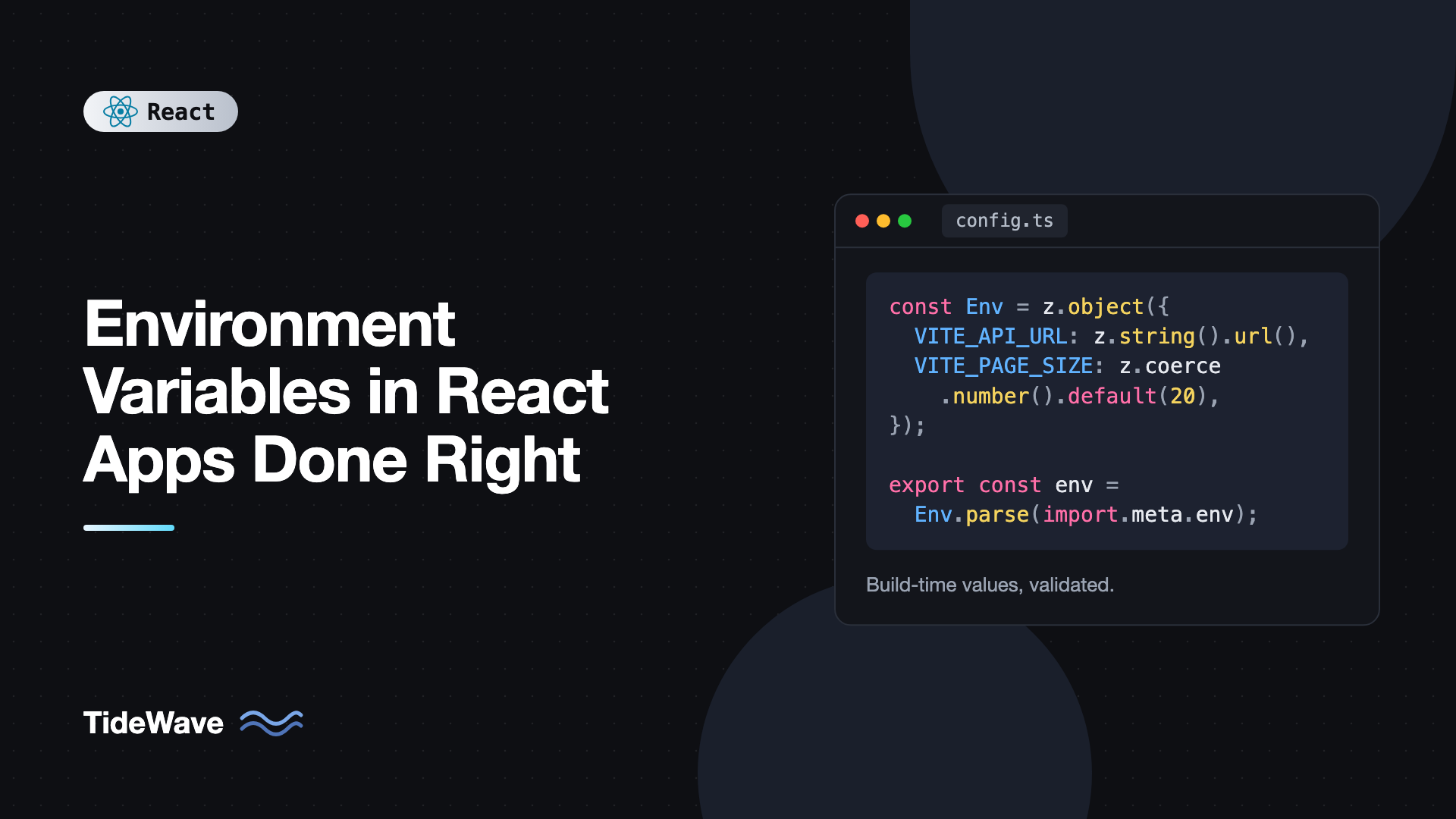
Environment Variables in React Apps Done Right
Every React app eventually needs values that change between environments: the API URL, an analytics ID, a feature flag. The usual first attempt is to add API_URL=... to a .env file and read process.env.API_URL in a component. It comes back undefined, or worse, it works locally and then the production build points at localhost.
The confusion comes from one fact: a React app running in the browser has no environment. There's no process.env in a browser tab. What tools like Vite call "environment variables" are values that get copied into your JavaScript at build time. Once you understand that, the rules about prefixes, .env files, and secrets all make sense.
This guide covers how environment variables work in Vite-based React apps, how to organize .env files and modes, how to type and validate them, how to change config at runtime without rebuilding, and how to keep secrets out of the bundle.
Build Time, Not Runtime
When you run vite build, Vite reads your .env files, finds every reference to import.meta.env.VITE_SOMETHING in your code, and replaces it with the literal value. The output contains the string itself, not a lookup.
Your source:
const apiUrl = import.meta.env.VITE_API_URL;
After VITE_API_URL=https://api.example.com npm run build, the bundle contains something equivalent to:
const apiUrl = "https://api.example.com";
Three consequences follow from this:
- Values are frozen at build time. Changing a variable on the server after the build does nothing. You must rebuild.
- Values are public. Anything inlined is visible to anyone who downloads your JavaScript.
- The same build can't serve two environments unless you use a runtime config approach, covered later in this post.
Reading Variables in Vite
Vite exposes variables on import.meta.env, not process.env. Only variables whose names start with VITE_ are exposed to client code. Everything else in your .env files is ignored by the client bundle, which is a deliberate safety net.
# .env
VITE_API_URL=https://api.example.com
VITE_SENTRY_DSN=https://abc123@o0.ingest.sentry.io/0
DATABASE_URL=postgres://user:pass@localhost/app
export function ApiStatus() {
  // Defined: has the VITE_ prefix
  const apiUrl = import.meta.env.VITE_API_URL;

  // undefined in the browser: no prefix, never exposed
  const db = import.meta.env.DATABASE_URL;

  return (
    <p>
      API: {apiUrl} / DB: {String(db)}
    </p>
  );
}
Vite also provides a few built-in values on every build:
import.meta.env.MODE: the current mode, such as"development"or"production".import.meta.env.DEVandimport.meta.env.PROD: booleans for the dev server and production builds.import.meta.env.BASE_URL: thebasepath from your config.import.meta.env.SSR: whether the code is running in server-side rendering.
Use import.meta.env.DEV for development-only code like extra logging. The bundler removes if (import.meta.env.DEV) branches from production builds entirely.
If you're coming from Create React App, the prefix there was REACT_APP_ and the access was process.env.REACT_APP_X. The CRA to Vite migration guide covers renaming them. Next.js uses NEXT_PUBLIC_, with its own build-time and runtime rules described in managing environment variables in Next.js.
Understanding .env Files and Modes
Vite loads several .env files, in order of increasing priority:
.env                # loaded in every mode
.env.local          # every mode, ignored by git
.env.[mode]         # only in the given mode
.env.[mode].local   # only in the given mode, ignored by git
Mode-specific files win over generic ones, and .local files win over committed ones. Variables already set in the shell when you run Vite win over all of them, which is how CI systems inject values.
The mode defaults to development for vite (the dev server) and production for vite build. You can create your own modes with the --mode flag:
{
  "scripts": {
    "dev": "vite",
    "build": "tsc -b && vite build",
    "build:staging": "tsc -b && vite build --mode staging",
    "preview": "vite preview"
  }
}
# .env.staging
VITE_API_URL=https://staging-api.example.com
VITE_ENABLE_DEBUG_PANEL=true
Running npm run build:staging produces a production-optimized bundle that uses the staging values. Note that the mode is separate from NODE_ENV. A staging build is still minified and has import.meta.env.PROD set to true.
What to Commit
A sensible convention:
- Commit
.envwith safe defaults that work for local development, such asVITE_API_URL=http://localhost:3000. - Commit
.env.productionand.env.stagingif their values are public anyway (they will be once built). - Never commit
.env.localor.env.*.local. These hold personal overrides. Vite's project template already ignores*.localin.gitignore. - Add a
.env.examplelisting every variable the app expects, so new developers know what to set.
All Values Are Strings
Environment variables are always strings. VITE_ENABLE_DEBUG_PANEL=true gives you the string "true", and VITE_PAGE_SIZE=20 gives you "20". This trips people up constantly:
// Bug: "false" is a non-empty string, so this is always truthy
if (import.meta.env.VITE_ENABLE_DEBUG_PANEL) {
  showDebugPanel();
}

// Correct
if (import.meta.env.VITE_ENABLE_DEBUG_PANEL === "true") {
  showDebugPanel();
}
Rather than scattering string comparisons through your app, parse everything once in a single config module.
Typing import.meta.env
Out of the box, TypeScript types custom variables loosely. Vite's client types let you declare exactly which variables exist by augmenting the ImportMetaEnv interface. Add this to src/vite-env.d.ts:
/// <reference types="vite/client" />

interface ImportMetaEnv {
  readonly VITE_API_URL: string;
  readonly VITE_SENTRY_DSN?: string;
  readonly VITE_ENABLE_DEBUG_PANEL?: "true" | "false";
  readonly VITE_PAGE_SIZE?: string;
}

interface ImportMeta {
  readonly env: ImportMetaEnv;
}
Now import.meta.env.VITE_API_URL autocompletes and is typed as string, and a typo like VITE_API_ULR is a type error. Types only describe what you expect, though. They can't guarantee the variable was actually set during the build.
Validating Config at Startup
A missing variable usually fails far from its cause. The app loads, a user clicks something, and a request goes to undefined/api/orders. It's much better to fail immediately, with a clear message, when the config is wrong.
Create a single module that reads, parses, and validates every variable. Zod works well here:
npm install zod
// src/config.ts
import { z } from "zod";

const EnvSchema = z.object({
  VITE_API_URL: z.string().url(),
  VITE_SENTRY_DSN: z.string().url().optional(),
  VITE_ENABLE_DEBUG_PANEL: z
    .enum(["true", "false"])
    .default("false")
    .transform((v) => v === "true"),
  VITE_PAGE_SIZE: z.coerce.number().int().positive().default(20),
});

const parsed = EnvSchema.safeParse(import.meta.env);

if (!parsed.success) {
  console.error("Invalid environment configuration:", parsed.error.issues);
  throw new Error("Invalid environment configuration. Check your .env files.");
}

export const config = {
  apiUrl: parsed.data.VITE_API_URL,
  sentryDsn: parsed.data.VITE_SENTRY_DSN,
  debugPanel: parsed.data.VITE_ENABLE_DEBUG_PANEL,
  pageSize: parsed.data.VITE_PAGE_SIZE,
  isDev: import.meta.env.DEV,
} as const;
The rest of the app imports config and never touches import.meta.env directly:
import { config } from "./config";

export async function fetchOrders(page: number) {
  const params = new URLSearchParams({ page: String(page), limit: String(config.pageSize) });
  const res = await fetch(`${config.apiUrl}/orders?${params}`);
  if (!res.ok) throw new Error("Failed to load orders");
  return res.json();
}
You get real types (a boolean and a number, not strings), defaults in one place, and a loud failure the moment a deployment is misconfigured. Because config.ts is imported early, the error shows up on page load instead of halfway through a user flow.
Failing the Build Instead
You can go one step further and fail the build itself when required variables are missing. In vite.config.ts, loadEnv reads the same files Vite will use:
// vite.config.ts
import { defineConfig, loadEnv } from "vite";
import react from "@vitejs/plugin-react";

const REQUIRED = ["VITE_API_URL"];

export default defineConfig(({ mode }) => {
  const env = loadEnv(mode, process.cwd(), "VITE_");
  const missing = REQUIRED.filter((key) => !env[key]);

  if (missing.length > 0) {
    throw new Error(`Missing required env vars for mode "${mode}": ${missing.join(", ")}`);
  }

  return {
    plugins: [react()],
  };
});
Now a misconfigured CI pipeline fails before deploying anything.
Runtime Configuration: Build Once, Deploy Anywhere
Build-time variables have one big limitation. If you want to promote the exact same build artifact from staging to production, which is a common practice with Docker images, you can't, because the API URL is baked in.
The solution is to load config at runtime from a file served next to the app. The build stays identical, and each environment serves a different config.json.
{
  "apiUrl": "https://api.example.com",
  "sentryDsn": "https://abc123@o0.ingest.sentry.io/0",
  "debugPanel": false
}
Load it before rendering the app:
// src/main.tsx
import { StrictMode } from "react";
import { createRoot } from "react-dom/client";
import { z } from "zod";
import { App } from "./App";
import { setRuntimeConfig } from "./runtimeConfig";

const RuntimeConfigSchema = z.object({
  apiUrl: z.string().url(),
  sentryDsn: z.string().url().optional(),
  debugPanel: z.boolean().default(false),
});

async function bootstrap() {
  const res = await fetch("/config.json", { cache: "no-store" });
  const config = RuntimeConfigSchema.parse(await res.json());
  setRuntimeConfig(config);

  createRoot(document.getElementById("root")!).render(
    <StrictMode>
      <App />
    </StrictMode>,
  );
}

bootstrap().catch((err) => {
  document.getElementById("root")!.textContent = "Failed to load configuration.";
  console.error(err);
});
// src/runtimeConfig.ts
export type RuntimeConfig = { apiUrl: string; sentryDsn?: string; debugPanel: boolean };

let current: RuntimeConfig | null = null;

export function setRuntimeConfig(config: RuntimeConfig) {
  current = config;
}

export function getRuntimeConfig(): RuntimeConfig {
  if (!current) throw new Error("Runtime config accessed before it was loaded");
  return current;
}
In a Docker deployment, the container's entrypoint can generate config.json from real environment variables when it starts, using a short shell script with envsubst or a tiny Node script. The JavaScript bundle never changes.
The trade-off is one extra request before the app renders. It's small and cacheable per deployment, but cache: "no-store" or a short cache lifetime is important so config changes take effect. Many teams combine both approaches: build-time variables for values that never change between environments, runtime config for those that do.
Keeping Secrets Out of the Client
This deserves its own section because it's the most expensive mistake. There is no way to hide a secret in a frontend bundle. Minification doesn't hide it. Splitting it across variables doesn't hide it. If the browser can use it, anyone can read it.
Things that are safe to expose:
- Public API base URLs.
- Publishable keys that are designed to be public, such as a Stripe publishable key, a Firebase web config, or a Mapbox public token, ideally restricted to your domains in the provider's dashboard.
- Analytics and error-tracking IDs.
- Feature flags that don't gate security.
Things that must never be in a VITE_ variable:
- Database credentials.
- Secret API keys (Stripe secret keys, OpenAI keys, AWS credentials).
- JWT signing secrets.
- Anything that grants write access or costs money per call.
If the frontend needs to call a service that requires a secret key, put a small backend endpoint or serverless function in between. The browser calls your endpoint, and your endpoint calls the service with the key. See securing React apps against common vulnerabilities for more on what ends up exposed in a client bundle.
Vite's envPrefix option lets you change the VITE_ prefix. Never set it to an empty string, as that would expose every variable in the environment, including any secrets your CI has loaded.
Testing Code That Reads Environment Variables
Vitest exposes import.meta.env the same way Vite does, and vi.stubEnv lets you override values per test:
import { afterEach, describe, expect, it, vi } from "vitest";

describe("config", () => {
  afterEach(() => {
    vi.unstubAllEnvs();
    vi.resetModules();
  });

  it("parses the debug flag as a boolean", async () => {
    vi.stubEnv("VITE_API_URL", "https://api.test");
    vi.stubEnv("VITE_ENABLE_DEBUG_PANEL", "true");

    const { config } = await import("./config");
    expect(config.debugPanel).toBe(true);
  });

  it("throws when the API URL is missing", async () => {
    vi.stubEnv("VITE_API_URL", "");
    await expect(import("./config")).rejects.toThrow("Invalid environment configuration");
  });
});
Because config.ts validates at import time, the tests use vi.resetModules() and dynamic imports so each test gets a fresh evaluation with its own stubbed values. A .env.test file is also loaded automatically when Vitest runs in test mode, which is a good place for shared test defaults.
Common Mistakes With Environment Variables
- Using
process.envin Vite code. It doesn't exist in the browser. Useimport.meta.env. - Forgetting the
VITE_prefix. Unprefixed variables are silentlyundefinedin client code. - Expecting runtime changes to apply. Values are baked in at build time. Rebuild, or use runtime config.
- Treating
"false"as false. Every value is a string. Parse booleans and numbers explicitly. - Putting secrets in
VITE_variables. They end up in the public bundle. - Reading
import.meta.envall over the codebase. Centralize it in one validated config module. - Committing
.env.local. Keep personal overrides and any real credentials out of git. - Editing
.envand not checking the server picked it up. Values are loaded when the dev server starts. Recent Vite versions restart automatically when a.envfile changes, but if a new value doesn't show up, restart it yourself.
Frequently Asked Questions (FAQ) About Environment Variables in React
In Vite, the variable must start with VITE_ and be read through import.meta.env, not process.env. Also make sure the dev server restarted after you edited the .env file, since values are loaded at startup. In Create React App, the prefix is REACT_APP_ instead.
No. Client-side variables are inlined into the JavaScript bundle at build time and are visible to anyone who loads the site. Only put public values in them, and keep secret keys on a server behind your own API.
Create a .env.staging file and build with vite build --mode staging. Vite loads the mode-specific file on top of the base .env. Alternatively, load a runtime config.json so the same build can be deployed to every environment.
Not with build-time variables, because their values are copied into the bundle. To change config without rebuilding, serve a config.json file per environment and fetch it before rendering the app.
Augment the ImportMetaEnv interface in src/vite-env.d.ts with each variable and its type. That gives you autocomplete and catches typos. Combine it with runtime validation, for example with Zod, since types can't confirm a variable was set during the build.
Mode selects which .env.[mode] files are loaded and defaults to development for the dev server and production for builds. NODE_ENV controls optimizations. You can run a production build in a custom mode like staging, which loads staging values while still producing a minified bundle.
Conclusion
Environment variables in a React app are build-time constants, not runtime settings. Vite inlines every VITE_-prefixed variable it finds into the bundle, loads them from a predictable stack of .env files based on the mode, and exposes everything else only to the build tooling. Keep that model in mind and the prefixes, modes, and rebuild requirements stop being surprising.
Build on it with a few habits. Type your variables in vite-env.d.ts, parse and validate them once in a config module, fail early when something is missing, and switch to a runtime config.json when you need one build for many environments. Above all, assume every client-side variable is public, and keep secrets on the server where they belong.


