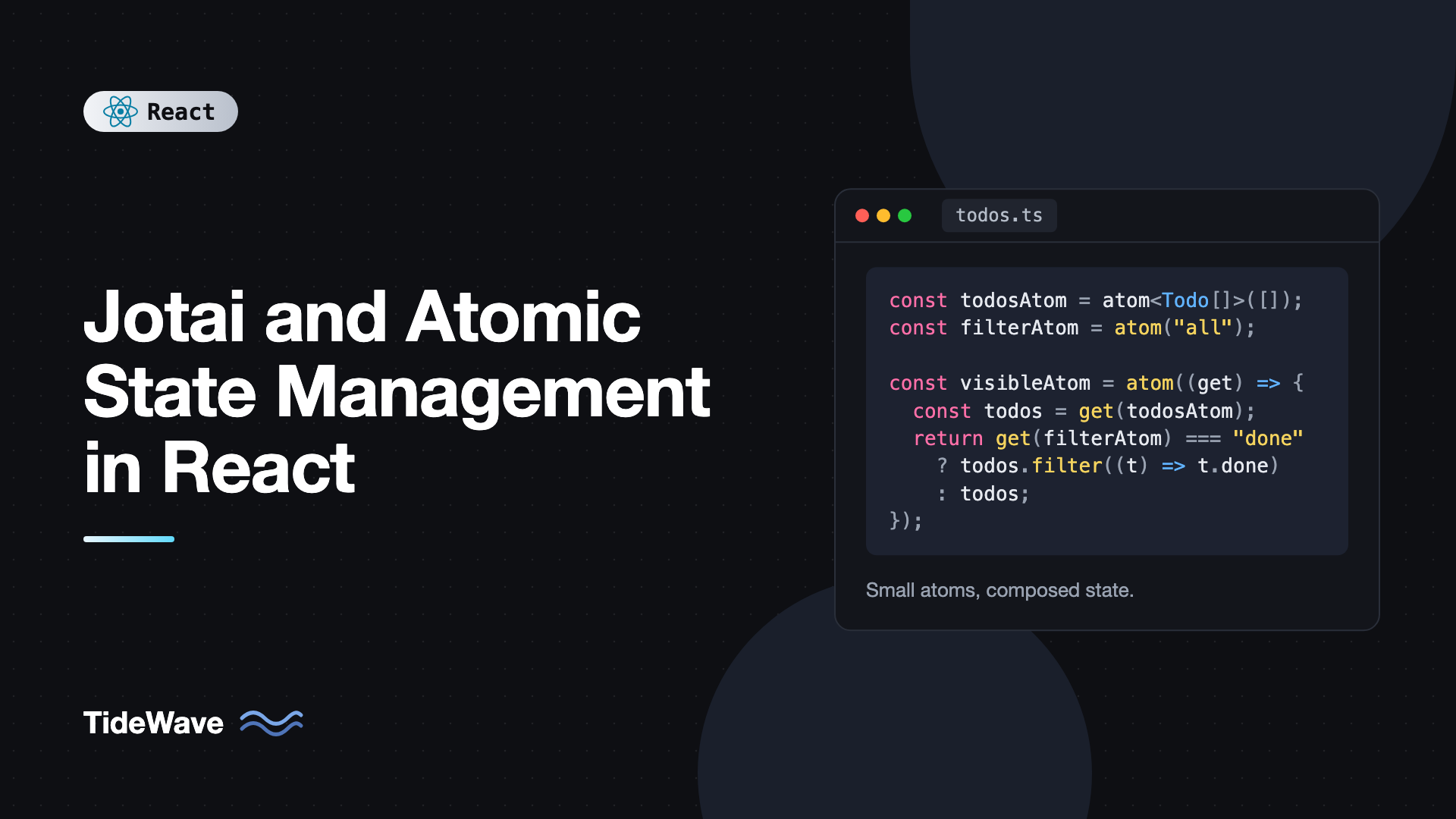
Jotai and Atomic State Management in React
Picture a dashboard where a filter in the sidebar, a chart in the middle, and a summary card in the header all depend on the same few pieces of state. Put that state in one Context and every consumer re-renders when any part of it changes. Put it in a single global store and you start writing selectors and memoization just to keep the chart from redrawing when the user opens a menu.
Jotai takes a different approach. Instead of one big state object, you build state from small independent units called atoms. Components subscribe to exactly the atoms they use, and derived atoms recompute only when their dependencies change. The result feels a lot like useState, except the state can be shared anywhere in the tree.
This post explains the atomic model, then walks through primitive atoms, derived atoms, write-only actions, async atoms with Suspense, persistence with atomWithStorage, using stores and providers, and the mistakes that cause surprising behavior.
What Atomic State Means
In a store-based library like Redux or Zustand, you start with the whole state and select pieces out of it (top-down). In an atomic library, you start with tiny pieces and compose them into bigger values (bottom-up).
An atom is a definition of a piece of state, not the value itself. Values live in a store, and Jotai keeps a dependency graph between atoms. When an atom changes, Jotai knows exactly which derived atoms and components depend on it and updates only those.
That gives you a few useful properties:
- No selectors needed. Each atom is already the smallest unit a component can subscribe to.
- Derived state is first-class. A derived atom is just an atom whose value is computed from other atoms.
- No string keys. Atoms are identified by object reference, so there are no naming collisions.
- Code splitting friendly. Atoms can be defined in the files that use them, and unused atoms never hold values.
Installing Jotai
npm install jotai
Jotai works with React 18 and 19 and has no required provider. The core API is small: atom, useAtom, useAtomValue, useSetAtom, Provider, and createStore.
Primitive Atoms
A primitive atom holds a value you set directly. Create one with atom and an initial value:
// src/atoms/counter.ts
import { atom } from "jotai";

export const countAtom = atom(0);
export const nameAtom = atom("");
export const darkModeAtom = atom(false);
Atoms should be defined outside components, usually at module level. Use them with useAtom, which mirrors the useState API:
// src/components/Counter.tsx
import { useAtom } from "jotai";
import { countAtom } from "../atoms/counter";

export function Counter() {
  const [count, setCount] = useAtom(countAtom);

  return (
    <div>
      <p>Count: {count}</p>
      <button onClick={() => setCount((c) => c + 1)}>Increment</button>
    </div>
  );
}
Any other component that calls useAtom(countAtom) shares the same value. No provider, no context, no prop passing.
Reading or Writing Only
When a component only needs one side, use the split hooks:
import { useAtomValue, useSetAtom } from "jotai";
import { countAtom } from "../atoms/counter";

export function CountDisplay() {
  const count = useAtomValue(countAtom);
  return <span>{count}</span>;
}

export function ResetButton() {
  const setCount = useSetAtom(countAtom);
  return <button onClick={() => setCount(0)}>Reset</button>;
}
useSetAtom does not subscribe to the atom's value, so ResetButton never re-renders when the count changes. This is the Jotai equivalent of selecting only an action in other libraries.
Derived Atoms
A derived atom passes a function to atom instead of a value. The function receives get, which reads other atoms and records them as dependencies.
// src/atoms/todos.ts
import { atom } from "jotai";

export interface Todo {
  id: string;
  title: string;
  done: boolean;
}

export type Filter = "all" | "active" | "done";

export const todosAtom = atom<Todo[]>([]);
export const filterAtom = atom<Filter>("all");

export const filteredTodosAtom = atom((get) => {
  const todos = get(todosAtom);
  const filter = get(filterAtom);
  if (filter === "active") return todos.filter((t) => !t.done);
  if (filter === "done") return todos.filter((t) => t.done);
  return todos;
});

export const remainingCountAtom = atom(
  (get) => get(todosAtom).filter((t) => !t.done).length,
);
Derived atoms are read-only and always consistent with their sources. You never update remainingCountAtom yourself, so it can never drift out of sync. If that idea is new to you, the post on derived state in React explains why computing values beats storing copies.
Jotai caches derived values. filteredTodosAtom only recomputes when todosAtom or filterAtom changes, and components using remainingCountAtom only re-render when the number itself changes, because Jotai compares the result with Object.is.
Writable Derived Atoms and Actions
atom accepts a second function, a write function, that receives get, set, and any arguments you pass. This is how you define actions.
// src/atoms/todos.ts (continued)
export const addTodoAtom = atom(null, (get, set, title: string) => {
  const todo: Todo = { id: crypto.randomUUID(), title, done: false };
  set(todosAtom, [...get(todosAtom), todo]);
});

export const toggleTodoAtom = atom(null, (get, set, id: string) => {
  set(
    todosAtom,
    get(todosAtom).map((t) => (t.id === id ? { ...t, done: !t.done } : t)),
  );
});

export const clearDoneAtom = atom(null, (get, set) => {
  set(
    todosAtom,
    get(todosAtom).filter((t) => !t.done),
  );
});
Passing null as the first argument creates a write-only atom. Use it with useSetAtom:
// src/components/TodoApp.tsx
import { useState, type FormEvent } from "react";
import { useAtom, useAtomValue, useSetAtom } from "jotai";
import {
  addTodoAtom,
  filterAtom,
  filteredTodosAtom,
  remainingCountAtom,
  toggleTodoAtom,
  type Filter,
} from "../atoms/todos";

export function TodoApp() {
  const [title, setTitle] = useState("");
  const todos = useAtomValue(filteredTodosAtom);
  const remaining = useAtomValue(remainingCountAtom);
  const [filter, setFilter] = useAtom(filterAtom);
  const addTodo = useSetAtom(addTodoAtom);
  const toggleTodo = useSetAtom(toggleTodoAtom);

  function handleSubmit(e: FormEvent<HTMLFormElement>) {
    e.preventDefault();
    if (!title.trim()) return;
    addTodo(title.trim());
    setTitle("");
  }

  return (
    <section>
      <form onSubmit={handleSubmit}>
        <input
          value={title}
          onChange={(e) => setTitle(e.target.value)}
          aria-label="New todo"
        />
        <button type="submit">Add</button>
      </form>

      <select
        value={filter}
        onChange={(e) => setFilter(e.target.value as Filter)}
        aria-label="Filter todos"
      >
        <option value="all">All</option>
        <option value="active">Active</option>
        <option value="done">Done</option>
      </select>

      <ul>
        {todos.map((todo) => (
          <li key={todo.id}>
            <label>
              <input
                type="checkbox"
                checked={todo.done}
                onChange={() => toggleTodo(todo.id)}
              />
              {todo.title}
            </label>
          </li>
        ))}
      </ul>
      <p>{remaining} remaining</p>
    </section>
  );
}
Notice that the input's text stays in local useState. Not everything needs to be an atom. Use atoms for state that is shared or that other atoms derive from.
You can also give a derived atom both a read and a write function. A classic example is a Celsius and Fahrenheit pair where one is stored and the other is computed:
import { atom } from "jotai";

export const celsiusAtom = atom(20);

export const fahrenheitAtom = atom(
  (get) => (get(celsiusAtom) * 9) / 5 + 32,
  (_get, set, newF: number) => set(celsiusAtom, ((newF - 32) * 5) / 9),
);
A component using useAtom(fahrenheitAtom) reads and writes Fahrenheit while the single source of truth stays in Celsius.
Async Atoms and Suspense
A read function can be async. Components reading an async atom suspend until the promise resolves, so you handle loading with Suspense and errors with an error boundary.
// src/atoms/user.ts
import { atom } from "jotai";

export interface User {
  id: number;
  name: string;
  email: string;
}

export const userIdAtom = atom(1);

export const userAtom = atom(async (get, { signal }) => {
  const id = get(userIdAtom);
  const res = await fetch(`/api/users/${id}`, { signal });
  if (!res.ok) throw new Error(`Failed to load user ${id}`);
  return (await res.json()) as User;
});
The second argument to the read function includes an AbortSignal. When userIdAtom changes before the previous request finishes, Jotai aborts the stale request.
// src/components/UserCard.tsx
import { Suspense } from "react";
import { useAtomValue, useSetAtom } from "jotai";
import { userAtom, userIdAtom } from "../atoms/user";

function UserDetails() {
  const user = useAtomValue(userAtom);
  return (
    <div>
      <h2>{user.name}</h2>
      <p>{user.email}</p>
    </div>
  );
}

export function UserCard() {
  const setUserId = useSetAtom(userIdAtom);

  return (
    <section>
      <button onClick={() => setUserId((id) => id + 1)}>Next user</button>
      <Suspense fallback={<p>Loading user...</p>}>
        <UserDetails />
      </Suspense>
    </section>
  );
}
Inside UserDetails, user is already a resolved User, not a promise. TypeScript infers this correctly.
Avoiding Suspense With loadable
If you would rather handle loading states inline, wrap the atom with loadable from jotai/utils:
import { useAtomValue } from "jotai";
import { loadable } from "jotai/utils";
import { userAtom } from "../atoms/user";

const userLoadableAtom = loadable(userAtom);

export function InlineUser() {
  const result = useAtomValue(userLoadableAtom);

  if (result.state === "loading") return <p>Loading...</p>;
  if (result.state === "hasError") return <p>Could not load user.</p>;
  return <p>{result.data.name}</p>;
}
Like other atoms, userLoadableAtom is created once at module level. Creating it inside the component would create a new atom every render.
Async atoms are great for derived data that depends on other atoms. For full server-state needs like caching across screens, background refetching, and mutations, the jotai-tanstack-query integration or plain TanStack Query will serve you better.
Persisting Atoms With atomWithStorage
atomWithStorage from jotai/utils stores its value in localStorage (or another storage you pass in) and keeps it in sync across tabs:
// src/atoms/settings.ts
import { atomWithStorage } from "jotai/utils";

export type Theme = "light" | "dark" | "system";

export const themeAtom = atomWithStorage<Theme>("theme", "system");
export const sidebarOpenAtom = atomWithStorage("sidebar-open", true);
It behaves like a primitive atom. The first argument is the storage key, the second is the default value. In server-rendered apps, the first render uses the default value and the stored value is applied on the client, so render storage-dependent UI after mount if a brief flash matters. There is also a getOnInit option that reads storage during atom initialization in client-only apps.
Providers and Stores
Without a Provider, Jotai uses a default global store. That is fine for most client-side apps. You can also create stores explicitly:
// src/main.tsx
import { StrictMode } from "react";
import { createRoot } from "react-dom/client";
import { Provider, createStore } from "jotai";
import { countAtom } from "./atoms/counter";
import App from "./App";

const store = createStore();
store.set(countAtom, 10);

store.sub(countAtom, () => {
  console.log("count changed to", store.get(countAtom));
});

createRoot(document.getElementById("root")!).render(
  <StrictMode>
    <Provider store={store}>
      <App />
    </Provider>
  </StrictMode>,
);
An explicit store gives you get, set, and sub outside React, which is useful for WebSocket handlers, analytics, or integration code. Nested Provider components also scope atoms: everything under a Provider without a store prop gets its own fresh values. That is handy for rendering several independent instances of a widget.
To seed atoms with server-provided data, useHydrateAtoms from jotai/utils sets initial values once on mount:
import type { ReactNode } from "react";
import { useHydrateAtoms } from "jotai/utils";
import { countAtom } from "../atoms/counter";

export function HydrateCount({
  initial,
  children,
}: {
  initial: number;
  children: ReactNode;
}) {
  useHydrateAtoms([[countAtom, initial]]);
  return children;
}
Common Mistakes With Jotai
- Creating atoms inside components.
const a = atom(0)in a component body creates a brand-new atom each render, so state resets constantly. Define atoms at module level, or wrap them inuseMemoif they truly depend on props. - Turning every piece of state into an atom. Form input drafts and hover states usually belong in
useState. Atoms are for shared or derived state. - Storing derived values in primitive atoms. If you call
seton a total or count after every change, make it a derived atom instead. - Forgetting Suspense for async atoms. Reading an async atom outside a
Suspenseboundary suspends up to the nearest one, which may blank out more UI than you expected. Place boundaries close to the components that read async atoms, or useloadable. - Using
useAtomwhen you only write. PreferuseSetAtomto avoid needless re-renders. - Mutating atom values. Atom values are compared by reference. Pushing into an array and setting the same array does nothing. Always create new objects and arrays.
Frequently Asked Questions (FAQ) About Jotai
No. Jotai uses a default store when there is no Provider. You only need a Provider when you want an isolated set of atom values, for example per request in server-rendered apps, per test, or per widget instance.
Both come from the same open source collective. Zustand is store-based: one object of state with selectors, which works well for state that lives together. Jotai is atom-based: many small pieces composed into derived values, which works well when state is fine-grained and interdependent. Both are small, fast, and provider-optional.
Jotai was inspired by Recoil and covers the same use cases with a smaller API and no string keys. Recoil has been archived by Meta and is no longer maintained, so Jotai is the common migration target for teams leaving it.
Yes. Types are inferred from initial values and from read and write functions. For atoms whose initial value does not capture the full type, such as an empty array, pass a generic like atom<Todo[]>([]).
Async atoms are a good fit for values derived from other atoms, like fetching details for the currently selected id. When you need caching across screens, retries, background refetching, pagination, or mutations with invalidation, a dedicated library such as TanStack Query handles those far better.
Wrap the component in a Provider in your test render so each test gets a fresh set of atom values. To start from specific values, create a store with createStore, call store.set for the atoms you need, and pass it to the Provider.
Conclusion
Jotai builds application state from small atoms instead of one large object. Primitive atoms hold values, derived atoms compute from them, and write-only atoms package up actions. Components subscribe only to the atoms they read, so updates stay targeted without selectors or memoization. Async atoms plug into Suspense, atomWithStorage handles persistence, and createStore with Provider gives you isolation and access outside React when you need it.
To get comfortable with the model, take a feature that currently uses Context with several related values and rewrite it as a few primitive atoms plus derived atoms for anything computed. Once that feels natural, compare it with store-based options like Zustand for lightweight state management and keep the one that fits how your state is shaped.


