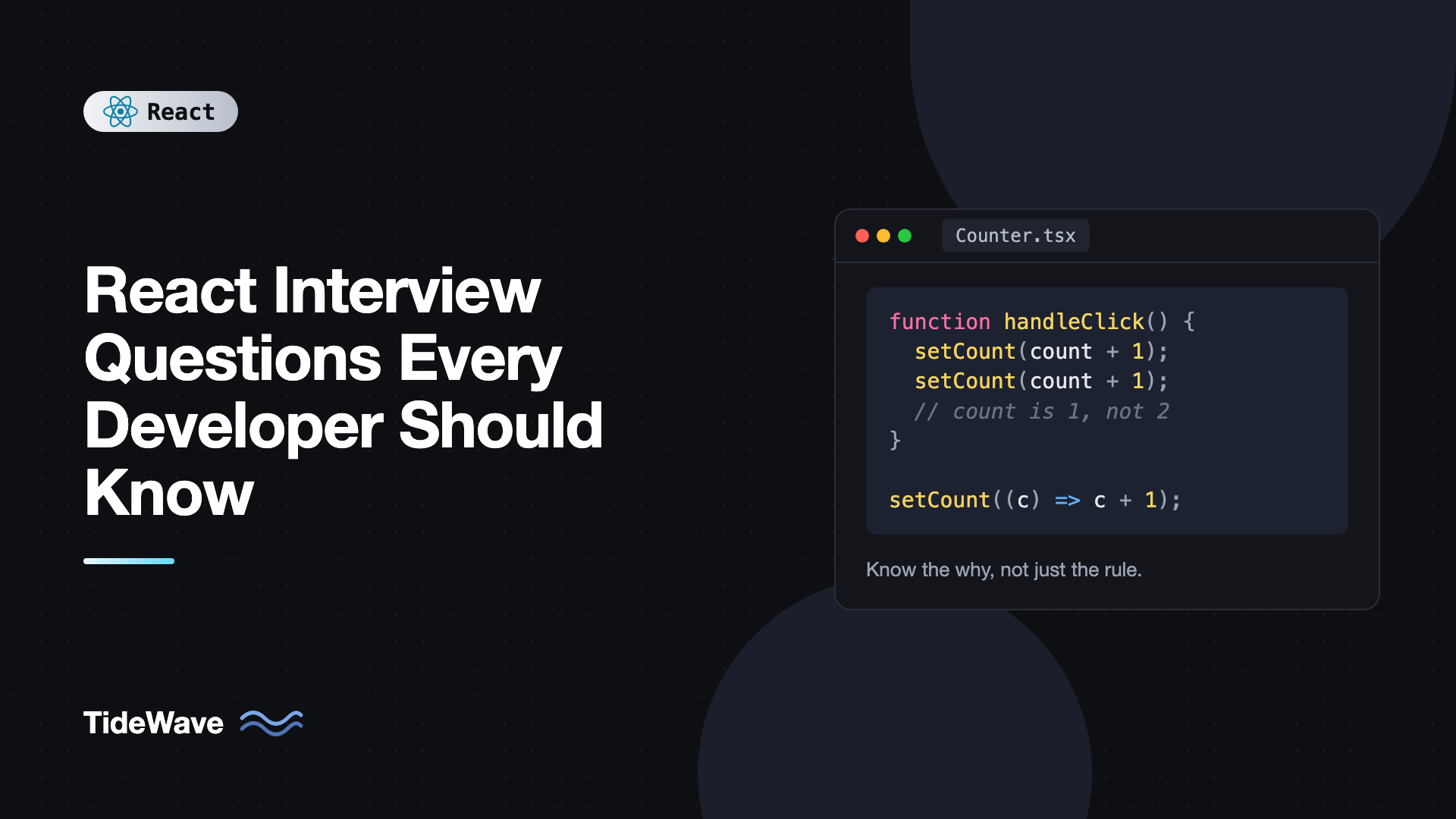
React Interview Questions Every Developer Should Know
React interviews have changed. A few years ago you could get by explaining the Virtual DOM and the difference between class and function components. Today interviewers expect you to reason about re-renders, effects and their dependencies, stale closures, concurrent features, and the new APIs that came with React 19. They also care less about definitions and more about whether you can explain why something behaves the way it does.
The good news is that the same core questions keep coming up. If you can answer them clearly, with a small code example and a sentence on the trade-offs, you'll handle most follow-ups too.
This post collects the React interview questions that matter most, grouped from fundamentals to advanced topics. Each answer is written the way you'd want to say it in an interview: direct, accurate, and with a short example where it helps.
Fundamentals
1. What happens when state changes in React?
Calling a state setter schedules a re-render of that component. React calls the component function again, which returns a new tree of elements. React compares it with the previous tree (this is reconciliation) and applies only the necessary changes to the DOM in the commit phase. Then it runs effects.
Two details interviewers like to hear: a re-render of a parent re-renders all its children by default, whether or not their props changed, and state updates are batched, so several setter calls in one event handler produce a single render.
function Counter() {
  const [count, setCount] = useState(0);

  function handleClick() {
    setCount(count + 1);
    setCount(count + 1);
    // Both calls see count = 0, so the result is 1, not 2
  }

  return <button onClick={handleClick}>{count}</button>;
}
That example usually leads straight to the next question.
2. Why use the functional form of setState?
State inside a render is a snapshot. In the example above, count is 0 for the entire handler, so both calls set it to 1. The functional form receives the latest pending state:
setCount((c) => c + 1);
setCount((c) => c + 1); // Now the result is 2
Use it whenever the new state depends on the previous state, especially in async callbacks, intervals, and event handlers that may run after other updates.
3. What is the Virtual DOM, and is it why React is fast?
The Virtual DOM is the tree of plain JavaScript objects (React elements) that your components return. React diffs the new tree against the old one and updates only what changed in the real DOM.
The honest answer to "is it fast" is: it's fast enough while letting you write UI declaratively. Direct, hand-tuned DOM updates can be faster. The value is that you describe what the UI should look like for a given state and React figures out the minimal changes. The post on the Virtual DOM and reconciliation goes deeper.
4. Why are keys important in lists?
Keys tell React which element is which between renders. When a list changes, React matches children by key, so it can move, insert, or remove the right items and keep each item's state attached to it.
// Good: stable identity from the data
{
  users.map((user) => <UserRow key={user.id} user={user} />);
}
Using array indexes as keys breaks when items are reordered, inserted, or removed: state like input values and expanded panels ends up on the wrong item. A strong answer also mentions that changing a component's key on purpose forces it to remount, which is a clean way to reset its state.
5. What's the difference between controlled and uncontrolled components?
A controlled input gets its value from React state and updates it through onChange. React is the single source of truth. An uncontrolled input keeps its own value in the DOM, and you read it when needed, through a ref or from FormData on submit.
// Controlled
const [email, setEmail] = useState("");
<input value={email} onChange={(e) => setEmail(e.target.value)} />;

// Uncontrolled, read on submit
<form
  action={(formData) => {
    console.log(formData.get("email"));
  }}
>
  <input name="email" defaultValue="" />
</form>;
Controlled inputs are useful for instant validation and inputs that depend on each other. Uncontrolled inputs mean less re-rendering and less code, and React 19's form actions make them more practical. Libraries like React Hook Form use uncontrolled inputs internally for performance.
Hooks
6. What are the Rules of Hooks, and why do they exist?
Call hooks only at the top level of a component or custom hook, never inside conditions, loops, or nested functions, and only from React functions.
The reason is that React identifies hooks by their call order. It stores each component's hook state in a list, and on each render it walks that list in order. If a hook is skipped on one render because of a condition, every hook after it reads the wrong state.
// Wrong: the hook order changes when isLoggedIn changes
if (isLoggedIn) {
  const [name, setName] = useState("");
}

// Right: call the hook unconditionally, branch on the value
const [name, setName] = useState("");
The one exception is use, which can be called conditionally because it doesn't store state in that list.
7. Explain useEffect and its dependency array
useEffect runs code after React commits a render, to synchronize the component with something outside React: a subscription, a timer, a network connection, a browser API.
- No dependency array: runs after every render.
- Empty array: runs after the first render, and its cleanup runs on unmount.
- With dependencies: runs after the first render and again whenever any dependency has changed (compared with
Object.is).
The cleanup function runs before the effect runs again and when the component unmounts:
useEffect(() => {
  const socket = connect(roomId);
  return () => socket.disconnect();
}, [roomId]);
Interviewers often follow up by asking why the effect runs twice in development. That's Strict Mode deliberately mounting, unmounting, and remounting components to check that your cleanup is correct. It doesn't happen in production.
8. What is a stale closure?
Each render creates new functions that capture that render's props and state. If a function from an old render keeps running, like an interval callback, it keeps seeing old values.
function Timer() {
  const [seconds, setSeconds] = useState(0);

  useEffect(() => {
    const id = setInterval(() => {
      setSeconds(seconds + 1); // Always 0 + 1: stale closure
    }, 1000);
    return () => clearInterval(id);
  }, []);

  return <p>{seconds}</p>;
}
The fixes are to use the functional updater setSeconds((s) => s + 1), to include the value in the dependency array so the effect re-subscribes, or to read the latest value from a ref. The guide to useEffect and its dependency array covers all three.
9. When would you use useRef instead of useState?
Use useRef for values that need to persist across renders but shouldn't trigger a re-render when they change: DOM elements, timer IDs, previous values, or flags. Use useState for anything that affects what's rendered.
const intervalId = useRef<number | null>(null);

function start() {
  intervalId.current = window.setInterval(tick, 1000);
}

function stop() {
  if (intervalId.current !== null) clearInterval(intervalId.current);
}
A good addition: don't read or write ref.current during rendering (except for lazy initialization), because React doesn't track it, so the output can become inconsistent.
10. When do useMemo and useCallback actually help?
useMemo caches a calculated value and useCallback caches a function, both between renders until their dependencies change. They help in two situations: avoiding an expensive calculation on every render, and keeping a stable reference for something that depends on identity, such as a prop passed to a memo component or a dependency of another hook.
const sorted = useMemo(() => items.toSorted(compareByDate), [items]);
const handleSelect = useCallback((id: string) => setSelected(id), []);

return <MemoizedList items={sorted} onSelect={handleSelect} />;
They don't help for cheap calculations or functions passed to plain DOM elements, and they add overhead. A strong answer mentions that the React Compiler can now apply this memoization automatically.
11. What is a custom hook?
A custom hook is a function whose name starts with use and that calls other hooks. It lets you reuse stateful logic between components. Each component that calls it gets its own independent state.
function useOnlineStatus() {
  const [online, setOnline] = useState(() => navigator.onLine);

  useEffect(() => {
    const update = () => setOnline(navigator.onLine);
    window.addEventListener("online", update);
    window.addEventListener("offline", update);
    return () => {
      window.removeEventListener("online", update);
      window.removeEventListener("offline", update);
    };
  }, []);

  return online;
}
Custom hooks share logic, not state. Two components calling useOnlineStatus each have their own online value.
State Management and Architecture
12. How do you share state between components?
Start with the simplest option that works:
- Lift state up to the nearest common parent and pass it down as props.
- Use composition, passing components as
children, to avoid threading props through layers that don't use them. - Use Context for values many components need that change infrequently, like theme, locale, or the current user.
- Use a state library like Zustand or Redux Toolkit for complex, frequently updated client state.
- Use a server state library like TanStack Query for data from APIs, which needs caching, refetching, and invalidation.
Interviewers want to hear that you match the tool to the kind of state. Server data in Redux, or a fast-changing value in one large Context, are both common design smells.
13. Why can Context cause performance problems?
Every component that reads a context re-renders when its value changes. If the provider's value is an object created during render, it's a new reference every time the provider renders, so all consumers re-render even if nothing in it changed.
// Every render creates a new object
<UserContext value={{ user, setUser }}>{children}</UserContext>;

// Stable unless user changes
const value = useMemo(() => ({ user, setUser }), [user]);
<UserContext value={value}>{children}</UserContext>;
Also split unrelated values into separate contexts, so a change to one doesn't re-render consumers of the other.
Performance
14. How do you find and fix unnecessary re-renders?
Measure first with the React DevTools Profiler. It shows which components rendered, how long they took, and why. Then apply the fix that matches the cause:
- Move state down into the component that uses it, so fewer components re-render.
- Pass components as children so a stateful wrapper doesn't re-render its content.
- Wrap expensive children in
memoand keep their props stable. - Virtualize long lists so only visible rows are rendered.
- Use
useTransitionoruseDeferredValueso expensive updates don't block typing.
The key point for an interview: re-renders aren't bugs. They're only a problem when they're slow, and the Profiler tells you which ones are.
15. What do useTransition and useDeferredValue do?
Both mark updates as non-urgent, so React can keep the UI responsive. Urgent updates like typing render first, and the expensive update renders in the background and can be interrupted.
function Search({ items }: { items: Item[] }) {
  const [query, setQuery] = useState("");
  const deferredQuery = useDeferredValue(query);
  const results = useMemo(
    () => filterItems(items, deferredQuery),
    [items, deferredQuery],
  );

  return (
    <>
      <input value={query} onChange={(e) => setQuery(e.target.value)} />
      <ResultList results={results} />
    </>
  );
}
Use useTransition when you control the state update (wrap it in startTransition), and useDeferredValue when you receive a value and want to render a lagging version of it. More detail in useTransition and useDeferredValue for smoother UIs.
Modern React
16. What's new in React 19?
The main additions are:
- Actions: async functions passed to forms or
startTransition, with automatic pending state. useActionState: manages the result, pending state, and errors of an action.useOptimistic: shows an optimistic value while an action is in flight.useFormStatus: lets a child read the pending state of its parent form.use: reads a promise or context, and can be called conditionally.- Ref as a prop: function components receive
refdirectly, withoutforwardRef. - Document metadata:
titleandmetatags rendered anywhere are hoisted into the document head. - Stable Server Components and Server Functions for frameworks that support them.
function NewsletterForm() {
  const [state, formAction, isPending] = useActionState(
    async (_prev: string | null, formData: FormData) => {
      const res = await fetch("/api/subscribe", {
        method: "POST",
        body: formData,
      });
      return res.ok ? "Subscribed!" : "Something went wrong";
    },
    null,
  );

  return (
    <form action={formAction}>
      <input name="email" type="email" required />
      <button disabled={isPending}>
        {isPending ? "Subscribing..." : "Subscribe"}
      </button>
      {state && <p>{state}</p>}
    </form>
  );
}
17. What are Server Components, and how are they different from SSR?
Server Components run only on the server. They can be async, access databases directly, and send no JavaScript for themselves to the browser. Components marked with "use client" are Client Components, which are shipped to the browser and can use state and effects.
SSR is different: it renders components to HTML on the server for a fast first paint, but all of those components still ship to the browser and hydrate. In a framework like Next.js, both are used together: Server Components reduce the JavaScript, and SSR produces the initial HTML. For the details, see server-side vs client-side rendering.
18. What is an error boundary?
An error boundary is a component that catches errors thrown while rendering its children and shows a fallback instead of unmounting the whole app. It must be a class component that implements getDerivedStateFromError (and optionally componentDidCatch for logging), or you can use a library like react-error-boundary.
Error boundaries don't catch errors in event handlers, in async code like setTimeout, or in the boundary itself. Those need regular try and catch.
Testing
19. How do you test React components?
Test behavior the way a user experiences it, not implementation details. With Vitest and React Testing Library, you render the component, find elements by role or label, interact with them, and assert on what's visible:
import { render, screen } from "@testing-library/react";
import userEvent from "@testing-library/user-event";
import { expect, test } from "vitest";
import { Counter } from "./Counter";

test("increments when clicked", async () => {
  const user = userEvent.setup();
  render(<Counter />);

  await user.click(screen.getByRole("button", { name: "0" }));

  expect(screen.getByRole("button", { name: "1" })).toBeInTheDocument();
});
Mock network requests at the network level with MSW rather than mocking fetch in every test, and use Playwright for end-to-end flows across pages. (The toBeInTheDocument matcher comes from @testing-library/jest-dom, set up once in your test setup file.)
Tips for Answering React Interview Questions
- Explain the why. "Hooks must be called in the same order because React stores their state by position" beats reciting the rule.
- Use a tiny example. A three-line snippet makes an answer concrete and shows you've actually written the code.
- Mention trade-offs. For memoization, Context, SSR, and state libraries, the best answer includes when not to use them.
- Be current. Mention React 19 APIs and the React Compiler where relevant, but don't dismiss older patterns. Many codebases still use class components and
forwardRef. - Say when you're unsure. "I believe it's X, and I'd confirm in the docs" is better than a confident wrong answer.
Frequently Asked Questions (FAQ) About React Interviews
State and re-rendering, useEffect and its dependencies, keys in lists, controlled versus uncontrolled inputs, Context, and performance optimization come up in almost every interview. For senior roles, expect questions on architecture, concurrent features, Server Components, and testing strategy.
Know the basics: lifecycle methods like componentDidMount, this.state, and error boundaries, which still require a class. Many production codebases contain class components, so interviewers may ask how you'd migrate one to hooks. You won't usually be asked to write new class components.
It helps to understand Redux Toolkit's core ideas, a single store, actions, reducers, and selectors, because many existing apps use it. Also be ready to explain when you'd choose lighter options like Context, Zustand, or TanStack Query for server data instead.
Practice building small features end to end under time pressure: a searchable list with debouncing, a form with validation, a data table with sorting and pagination, or a modal with focus management. Talk through your decisions as you code, and handle loading, error, and empty states.
Increasingly, yes. Expect questions on Actions, useActionState, useOptimistic, the use hook, ref as a prop, and how Server Components differ from SSR. Interviewers mainly want to see that you know what problem each feature solves.
Reason out loud from what you do know. Explain related concepts, make a clear guess, and say how you'd verify it. Interviewers often value a good reasoning process more than a memorized answer, and admitting uncertainty honestly is better than bluffing.
Conclusion
The React interview questions that matter most all come back to a few core ideas: rendering is a function of state, state is a snapshot per render, hooks rely on call order, effects synchronize with the outside world, and identity (keys, references, component types) drives what React keeps and what it throws away. If you can explain those ideas with small examples, you can handle most follow-up questions, including the ones about React 19 and Server Components.
To prepare, don't just read answers. Build small examples for the trickier ones, like the stale closure timer, the double setCount, and the index key bug, and watch them misbehave. Then practice explaining each fix out loud in two or three sentences. That combination of hands-on understanding and clear explanation is what interviewers are actually looking for.


