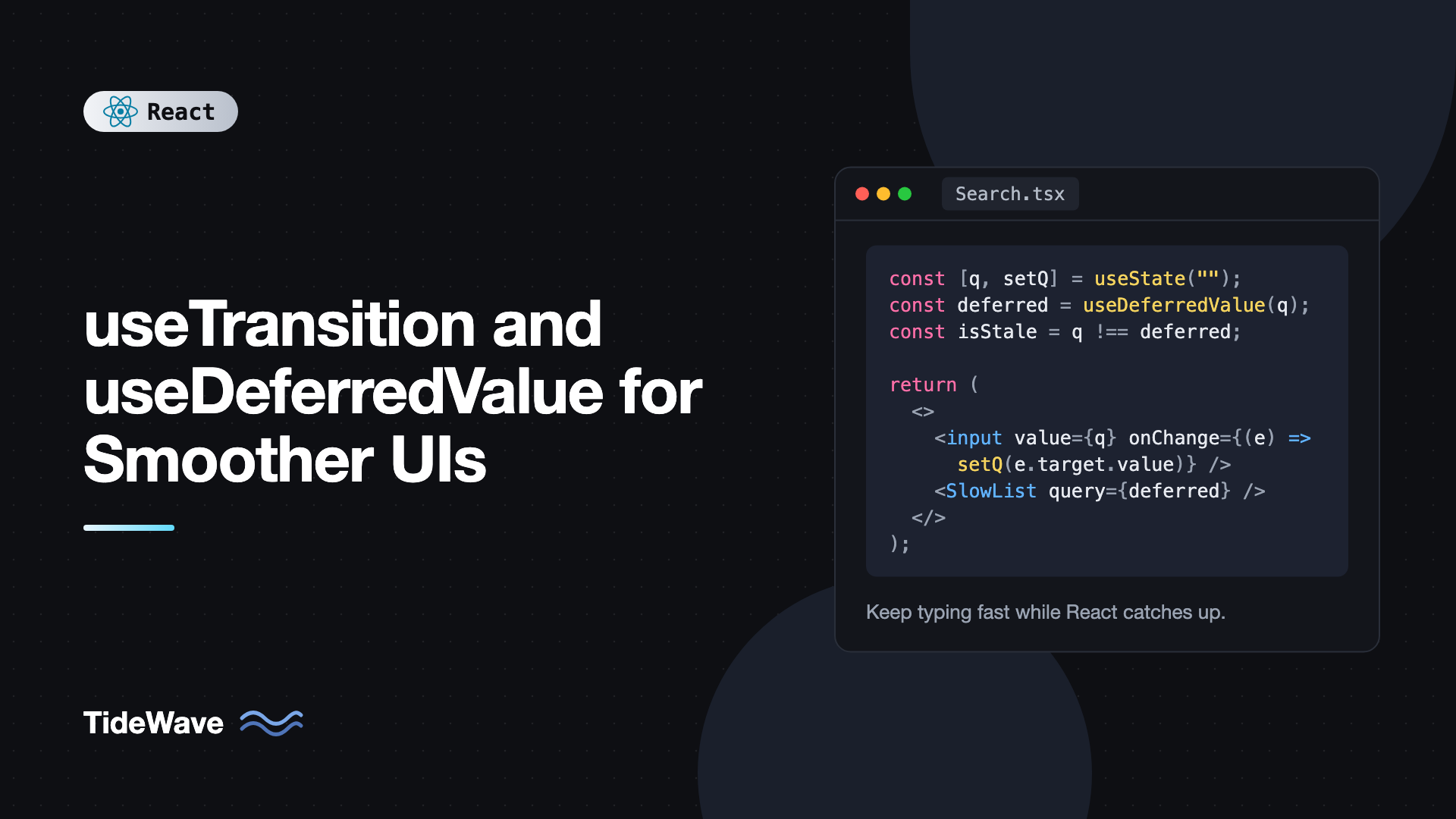
useTransition and useDeferredValue for Smoother UIs
You type a letter into a search box and the whole page freezes for half a second. The input lags behind your fingers, characters appear in bursts, and the app feels broken even though nothing is technically wrong. The cause is usually a single expensive render: filtering a few thousand rows, redrawing a chart, or switching to a tab with a heavy component tree. React blocks while it renders, so your keystroke has to wait.
React's concurrent features give you two hooks to fix this without debouncing everything or moving work to a worker: useTransition and useDeferredValue. Both tell React that some updates are less urgent than others, so it can keep the UI responsive and work on the slow part in the background.
This post explains what "urgent" and "non-urgent" updates mean, how each hook works, when to pick one over the other, how they interact with Suspense and React 19 Actions, and the mistakes that make them seem like they do nothing.
Urgent vs Non-Urgent Updates
Every state update in React used to be treated the same way. Once React started rendering, it finished the whole tree before the browser could paint or handle the next event. That's fine when renders are cheap, but it hurts when one update is expensive.
Concurrent rendering splits updates into two buckets:
- Urgent updates reflect direct interaction: typing, clicking, pressing a key. Users expect these to show up immediately.
- Non-urgent updates (transitions) move the UI from one view to another: showing filtered results, switching tabs, navigating. A small delay here is acceptable.
When an update is marked as a transition, React renders it in a way that can be interrupted. If a new urgent update arrives while the transition is rendering, React pauses or throws away the in-progress work, handles the urgent update first, and then starts the transition again with the latest state. The screen never shows a half-finished render, because React only commits a transition once it's complete.
If you want the deeper background on how React schedules this work, see concurrent rendering in React.
A Slow Component to Work With
To see the difference, we need something slow. This list artificially burns a millisecond per item, which mimics a large, complex tree:
// SlowList.tsx
import { memo } from "react";

function SlowItem({ text }: { text: string }) {
  const start = performance.now();
  while (performance.now() - start < 1) {
    // Simulate an expensive render: 1ms per item
  }
  return <li>{text}</li>;
}

export const SlowList = memo(function SlowList({ query }: { query: string }) {
  const items = Array.from({ length: 250 }, (_, i) => `Result ${i + 1} for "${query}"`);
  return (
    <ul>
      {items.map((item) => (
        <SlowItem key={item} text={item} />
      ))}
    </ul>
  );
});
Rendering this takes about 250ms. If you wire it directly to an input, every keystroke blocks for a quarter of a second:
import { useState } from "react";
import { SlowList } from "./SlowList";

export default function Search() {
  const [query, setQuery] = useState("");

  return (
    <>
      <input value={query} onChange={(e) => setQuery(e.target.value)} />
      <SlowList query={query} />
    </>
  );
}
Type quickly and you'll see the input stutter. Let's fix it two different ways.
useDeferredValue: Defer a Value You Receive
useDeferredValue takes a value and returns a version of it that may "lag behind." During an urgent render, it returns the old value. Then React schedules a background render with the new value, which can be interrupted.
import { useDeferredValue, useState } from "react";
import { SlowList } from "./SlowList";

export default function Search() {
  const [query, setQuery] = useState("");
  const deferredQuery = useDeferredValue(query);

  return (
    <>
      <input value={query} onChange={(e) => setQuery(e.target.value)} />
      <SlowList query={deferredQuery} />
    </>
  );
}
Here's what happens when you type "r":
setQuery("r")triggers an urgent render.queryis"r", butdeferredQueryis still"".- Because
SlowListis wrapped inmemoand its prop didn't change, React skips it. The input updates instantly. - React starts a background render where
deferredQueryis"r". That render runsSlowList. - If you type "e" before it finishes, React abandons that render and starts over with
"re".
The memo is not optional here. Without it, SlowList re-renders during the urgent pass anyway (because its parent re-rendered), and you gain nothing. If you're using the React Compiler, it handles this memoization for you. Otherwise, read when memoization actually helps for the details.
Showing That Content Is Stale
While the background render is in progress, the list shows old results. You can detect that by comparing the two values:
const deferredQuery = useDeferredValue(query);
const isStale = query !== deferredQuery;

return (
  <>
    <input value={query} onChange={(e) => setQuery(e.target.value)} />
    <div style={{ opacity: isStale ? 0.5 : 1, transition: "opacity 0.2s" }}>
      <SlowList query={deferredQuery} />
    </div>
  </>
);
Dimming the old results is a simple, honest signal: the user sees their input reflected immediately, and they can tell the results are catching up.
The initialValue Argument (React 19)
React 19 added an optional second argument:
const deferredQuery = useDeferredValue(query, "");
On the initial render, the hook returns initialValue first, then schedules a background render with the real value. This is useful when the first render would otherwise be slow, for example on a page that loads with a query string already filled in. The shell renders immediately with the empty list, and the expensive results follow.
useTransition: Mark Your Own Update as Non-Urgent
useTransition works from the other direction. Instead of deferring a value, you wrap the state update itself:
const [isPending, startTransition] = useTransition();
startTransition(fn)runsfnimmediately, and any state updates inside it are marked as transitions.isPendingistruewhile a transition is in progress.
The classic use case is tab switching, where one tab is expensive:
import { useState, useTransition } from "react";
import { SlowList } from "./SlowList";

type Tab = "about" | "posts" | "contact";

export default function Tabs() {
  const [tab, setTab] = useState<Tab>("about");
  const [isPending, startTransition] = useTransition();

  function selectTab(next: Tab) {
    startTransition(() => {
      setTab(next);
    });
  }

  return (
    <>
      <nav style={{ opacity: isPending ? 0.7 : 1 }}>
        {(["about", "posts", "contact"] as const).map((t) => (
          <button key={t} onClick={() => selectTab(t)} aria-pressed={tab === t}>
            {t}
          </button>
        ))}
      </nav>
      {tab === "about" && <p>Welcome to my profile.</p>}
      {tab === "posts" && <SlowList query="posts" />}
      {tab === "contact" && <p>Email me at hello@example.com.</p>}
    </>
  );
}
Without the transition, clicking "posts" and then quickly clicking "contact" would block. You'd have to wait for the posts tab to finish rendering before the second click registers. With the transition, the second click interrupts the first render and React goes straight to "contact."
Why You Can't Use a Transition for Text Input
A common first attempt is to wrap the input's own state update:
// Don't do this
<input
  value={query}
  onChange={(e) => startTransition(() => setQuery(e.target.value))}
/>
Controlled inputs must update synchronously. If the update is a transition, React may delay it, and the input will drop or reorder characters. The fix is to keep two pieces of state: one urgent value for the input, and one transition value for the expensive part.
import { useState, useTransition, type ChangeEvent } from "react";
import { SlowList } from "./SlowList";

export default function Search() {
  const [inputValue, setInputValue] = useState("");
  const [query, setQuery] = useState("");
  const [isPending, startTransition] = useTransition();

  function handleChange(e: ChangeEvent<HTMLInputElement>) {
    const next = e.target.value;
    setInputValue(next); // urgent
    startTransition(() => {
      setQuery(next); // non-urgent
    });
  }

  return (
    <>
      <input value={inputValue} onChange={handleChange} />
      {isPending && <span>Updating…</span>}
      <SlowList query={query} />
    </>
  );
}
This works, but it's more code than the useDeferredValue version. That leads to the main decision.
Which One Should You Use?
Both hooks produce the same kind of non-urgent render. The difference is where you have control:
- Use
useTransitionwhen you own the state update. You're writing the click handler or the setter call, so you can wrap it. - Use
useDeferredValuewhen you only receive the value. A prop comes from a parent, or the value comes from a third-party hook, and you can't change how it's set.
A practical rule: if the slow thing is downstream of a value you're given, defer the value. If the slow thing is triggered by an action you control, wrap the action.
Here's a reusable component that only receives a prop and still stays responsive:
import { useDeferredValue } from "react";
import { SlowList } from "./SlowList";

export function SearchResults({ query }: { query: string }) {
  const deferredQuery = useDeferredValue(query);
  const isStale = query !== deferredQuery;

  return (
    <section aria-busy={isStale} style={{ opacity: isStale ? 0.6 : 1 }}>
      <SlowList query={deferredQuery} />
    </section>
  );
}
The parent doesn't need to know anything about transitions.
Transitions and Suspense
Transitions also change how Suspense behaves. Normally, if a component suspends (for example while loading data with use() or a lazy component), the nearest <Suspense> boundary replaces its content with the fallback. That's fine on the first load, but jarring when content is already on screen: you click a tab and the whole section flashes to a spinner.
If the update that caused the suspension was a transition, React keeps showing the previous content instead of falling back, and isPending stays true until the new content is ready.
import { Suspense, lazy, useState, useTransition } from "react";

const Reports = lazy(() => import("./Reports"));
const Settings = lazy(() => import("./Settings"));

export default function Dashboard() {
  const [view, setView] = useState<"reports" | "settings">("reports");
  const [isPending, startTransition] = useTransition();

  return (
    <>
      <button onClick={() => startTransition(() => setView("settings"))}>
        Settings {isPending && "(loading…)"}
      </button>
      <Suspense fallback={<p>Loading view…</p>}>
        {view === "reports" ? <Reports /> : <Settings />}
      </Suspense>
    </>
  );
}
The fallback only appears on the very first load. After that, switching views keeps the old view visible while the new chunk downloads. Routers like React Router v7 wrap navigations in transitions for exactly this reason. For more on lazy loading, see code splitting with React.lazy and Suspense.
useDeferredValue works the same way. If the deferred render suspends, React keeps showing the old value's UI rather than the fallback.
Async Transitions in React 19
In React 18, the function passed to startTransition had to be synchronous. React 19 allows async functions, which React calls Actions. isPending becomes true immediately and stays true until the async function finishes:
import { useState, useTransition } from "react";

async function saveName(name: string): Promise<string | null> {
  const res = await fetch("/api/profile", {
    method: "POST",
    headers: { "Content-Type": "application/json" },
    body: JSON.stringify({ name }),
  });
  return res.ok ? null : "Could not save your name.";
}

export function NameEditor() {
  const [name, setName] = useState("");
  const [error, setError] = useState<string | null>(null);
  const [isPending, startTransition] = useTransition();

  function handleSave() {
    startTransition(async () => {
      const err = await saveName(name);
      startTransition(() => {
        setError(err);
      });
    });
  }

  return (
    <>
      <input value={name} onChange={(e) => setName(e.target.value)} />
      <button onClick={handleSave} disabled={isPending}>
        {isPending ? "Saving…" : "Save"}
      </button>
      {error && <p role="alert">{error}</p>}
    </>
  );
}
Notice the second startTransition around setError. State updates that happen after an await are not automatically part of the transition, because React loses track of the async context. Wrapping them again marks them correctly. This is a known limitation and may be removed in a future version, but for now it's required if you want those updates treated as non-urgent.
For forms, React 19 builds on this with useActionState and useOptimistic, which handle pending state and errors for you. Those are covered in separate posts.
Common Mistakes With useTransition and useDeferredValue
- Forgetting to memoize the slow component. With
useDeferredValue, the slow child must skip the urgent render. Wrap it inmemo(or use the React Compiler), otherwise it renders twice instead of once. - Wrapping controlled input updates in a transition. Inputs must update synchronously. Keep the input state urgent and defer or transition only the expensive part.
- Expecting transitions to speed up the render. They don't make work faster. They make it interruptible, so the UI stays responsive. If a render takes two seconds, it still takes two seconds to show.
- Using them for network latency. Transitions schedule rendering. They don't debounce requests. If every keystroke fires a fetch, you still need debouncing or request cancellation. See debouncing and throttling user input.
- Calling
startTransitionwith asetTimeoutinside. The function passed tostartTransitionruns synchronously (or as an async Action). Updates scheduled in a timeout later are not marked as transitions. - Creating objects inside the deferred value.
useDeferredValuecompares withObject.is. Passing a new object every render, likeuseDeferredValue({ query }), causes a background render on every render.
Frequently Asked Questions (FAQ) About useTransition and useDeferredValue
No. Debouncing waits a fixed amount of time before doing anything. useDeferredValue starts rendering right away in the background and adapts to the device: fast machines show results almost instantly, slow machines just take longer without freezing the input. It also doesn't delay network requests, so you may still want debouncing for API calls.
Usually not. With useTransition the expensive state lives in its own update, so the urgent render doesn't touch it. With useDeferredValue the parent re-renders during the urgent pass, so the slow child needs memo or the React Compiler to skip that render.
startTransition is a standalone function imported from react that marks updates as transitions but gives you no pending flag. useTransition is a hook that returns the same function plus isPending. Use the standalone version outside components, such as in a data library or router, and the hook inside components when you want to show pending UI.
Not manually, but React interrupts and discards a transition render whenever a newer update arrives before it commits. Only the latest state is rendered. If you need to cancel a network request inside an async transition, use an AbortController yourself.
Usually because the state update inside startTransition happens asynchronously, for example after an await in React 18 or inside a setTimeout. In React 19, async functions are supported, but updates after an await must be wrapped in another startTransition to be part of the transition.
They are client hooks, so they only run in Client Components. They are still useful in server-rendered apps, for example to keep a client-side filter responsive or to wrap a router navigation that streams in a new server-rendered page.
Conclusion
useTransition and useDeferredValue let you tell React which updates can wait. Urgent updates like typing stay instant, while expensive renders happen in the background and get interrupted when something newer comes in. Use useTransition when you control the state update, use useDeferredValue when you only receive a value, and remember that deferred values need a memoized child to have any effect.
Next, try profiling one of your slow interactions with React DevTools, identify the expensive subtree, and apply whichever hook fits. Then look at how React 19's async transitions, useActionState, and useOptimistic build on the same ideas to handle forms and server mutations.


