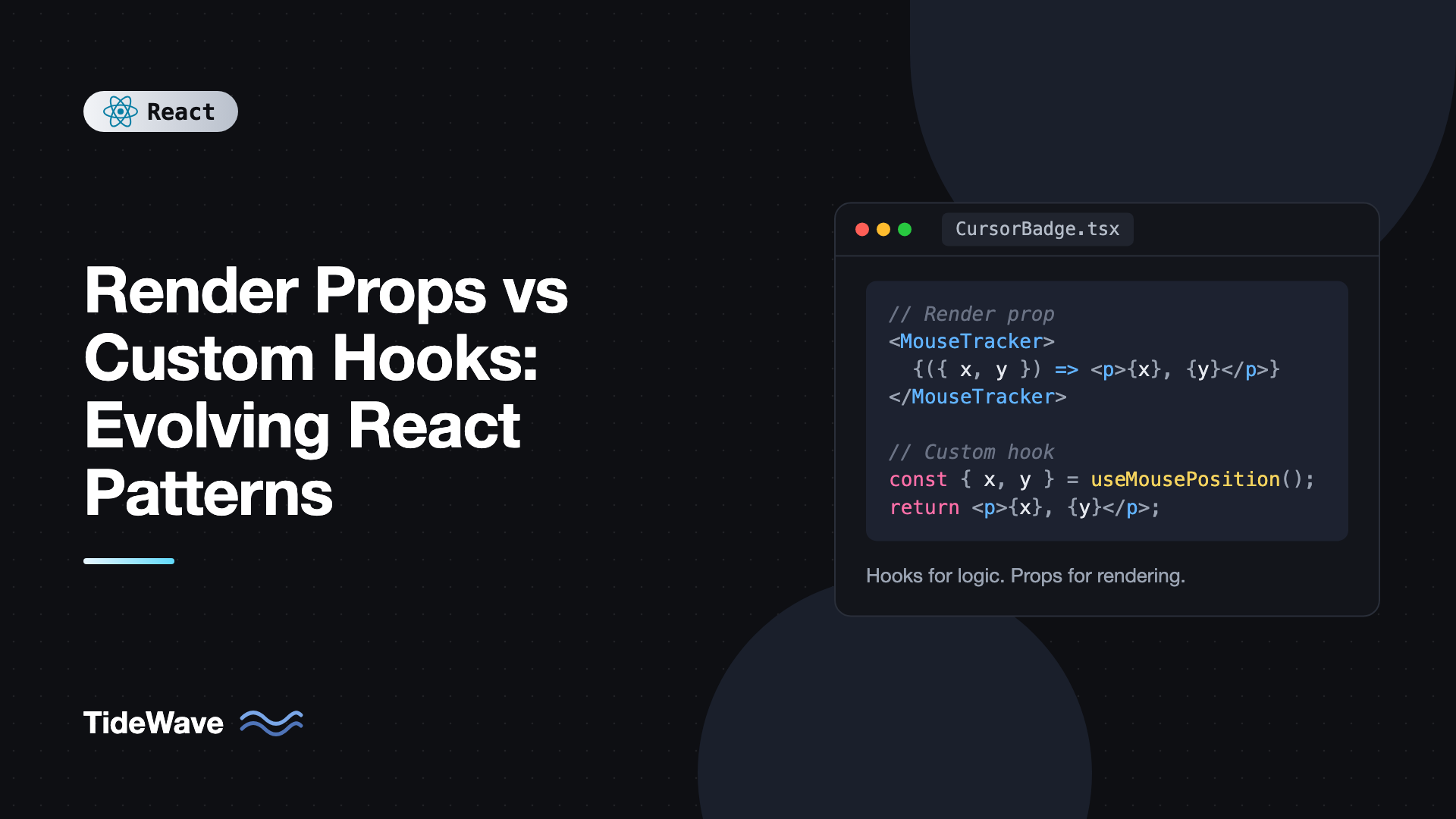
Render Props vs Custom Hooks: Evolving React Patterns
Before hooks, sharing stateful logic between React components was awkward. You couldn't call a function that "had state" because only class components had state. So the community invented patterns around components: higher-order components that wrapped yours, and render props, where a component managed the logic and called a function you passed to decide what to render. Libraries like React Router, Formik, Downshift, and React Motion all shipped render prop APIs.
Hooks changed that in 2019. A custom hook can hold state and effects directly, and any component can call it. Most render prop APIs were rewritten as hooks, and the old pattern started to look like a relic. But it didn't disappear. Render props still show up in modern libraries, and there are a few cases where they're the better fit.
In this post I'll compare the two patterns side by side with the same examples, show how to convert a render prop component into a hook, and explain where render props still earn their place in a React 19 codebase.
The Problem Both Patterns Solve
Say several components need to track the mouse position. You could copy the same useState and mousemove listener into each one, but then you have the same logic in five places. The goal is to write the logic once and let each component decide how to display the result.
Both patterns do that. They differ in how the logic is delivered to the component that renders.
Render Props: Logic as a Component
A render prop component owns the logic and calls a function prop with the result. The function returns JSX:
import { useEffect, useState, type ReactNode } from "react";

type Position = { x: number; y: number };

type MouseTrackerProps = {
  children: (position: Position) => ReactNode;
};

export function MouseTracker({ children }: MouseTrackerProps) {
  const [position, setPosition] = useState<Position>({ x: 0, y: 0 });

  useEffect(() => {
    function handleMove(e: MouseEvent) {
      setPosition({ x: e.clientX, y: e.clientY });
    }
    window.addEventListener("mousemove", handleMove);
    return () => window.removeEventListener("mousemove", handleMove);
  }, []);

  return <>{children(position)}</>;
}
The consumer passes a function as children (the "function as children" variant of render props):
export function CursorBadge() {
  return (
    <MouseTracker>
      {({ x, y }) => (
        <p>
          Cursor at {x}, {y}
        </p>
      )}
    </MouseTracker>
  );
}
The name "render prop" comes from APIs that used a prop literally called render, like render={(position) => ...}. Using children is the same idea with nicer syntax.
Notice I used useState and useEffect inside MouseTracker. In the pre-hooks era this was a class component with componentDidMount and componentWillUnmount, but the shape of the API was the same.
Custom Hooks: Logic as a Function
A custom hook is a function whose name starts with use and that calls other hooks. It returns data instead of rendering anything:
import { useEffect, useState } from "react";

type Position = { x: number; y: number };

export function useMousePosition(): Position {
  const [position, setPosition] = useState<Position>({ x: 0, y: 0 });

  useEffect(() => {
    function handleMove(e: MouseEvent) {
      setPosition({ x: e.clientX, y: e.clientY });
    }
    window.addEventListener("mousemove", handleMove);
    return () => window.removeEventListener("mousemove", handleMove);
  }, []);

  return position;
}
The consumer calls it like any function:
export function CursorBadge() {
  const { x, y } = useMousePosition();
  return (
    <p>
      Cursor at {x}, {y}
    </p>
  );
}
The logic inside is identical. Only the interface changed: instead of handing you values inside a callback, the hook hands them to you at the top of your component, where you can use them anywhere.
Comparing Them Side by Side
The mouse example is small, so the differences look cosmetic. They become obvious when you combine several pieces of shared logic.
Composition and Nesting
Suppose a component needs the mouse position, the window size, and the current user. With render props, each source is a wrapper, and the wrappers nest:
<MouseTracker>
  {(mouse) => (
    <WindowSize>
      {(size) => (
        <CurrentUser>
          {(user) => <Spotlight mouse={mouse} size={size} user={user} />}
        </CurrentUser>
      )}
    </WindowSize>
  )}
</MouseTracker>
This is the "wrapper hell" that motivated hooks. With hooks, the same thing is flat:
function SpotlightContainer() {
  const mouse = useMousePosition();
  const size = useWindowSize();
  const user = useCurrentUser();
  return <Spotlight mouse={mouse} size={size} user={user} />;
}
Using Values Outside JSX
With render props, the values only exist inside the callback. If you need the mouse position in an effect, an event handler, or to compute derived state, you have to push that code into a child component that receives the values as props. With a hook, the value is a normal variable in scope for the whole component:
function DragHint() {
  const { x } = useMousePosition();
  const side = x < window.innerWidth / 2 ? "left" : "right";

  useEffect(() => {
    document.body.dataset.cursorSide = side;
  }, [side]);

  return <p>Your cursor is on the {side} side.</p>;
}
The Component Tree
Each render prop component adds a node to the React tree. In DevTools you see MouseTracker, then WindowSize, then CurrentUser, then your component. Hooks don't add components, so the tree reflects your UI rather than your logic.
Re-render Scope
Here's one point in favor of render props. When MouseTracker's state changes, it re-renders and calls your function, but only the JSX returned from that function updates. Anything outside the render prop doesn't re-render:
function Page() {
  return (
    <main>
      <ExpensiveChart />
      <MouseTracker>{({ x, y }) => <Coordinates x={x} y={y} />}</MouseTracker>
    </main>
  );
}
Mouse movement re-renders MouseTracker and Coordinates, not Page or ExpensiveChart. If Page called useMousePosition() directly, the whole page would re-render on every mouse move. With hooks, you get the same isolation by moving the hook call into a small child component, which is usually what you'd do anyway. But it's worth knowing that a render prop gives you that boundary automatically.
Summary
| Concern | Render props | Custom hooks |
|---|---|---|
| Combining several sources | Nested wrappers | Flat, one line each |
| Values available in effects | Only inside the callback | Anywhere in the component |
| Extra components in the tree | Yes, one per provider | No |
| Scoped re-renders | Built in | Move the hook into a child |
| Can control rendered markup | Yes, can wrap or inject elements | No, hooks don't render |
| Usable in class components | Yes | No |
Converting a Render Prop Component to a Hook
Most render prop components convert mechanically. Move the logic into a use function and return what was passed to the callback. Keep a thin render prop wrapper if existing code depends on it.
Here's a realistic one: a component that fetches data and exposes loading and error state.
// Before: render prop
import { useEffect, useState, type ReactNode } from "react";

type FetchResult<T> = { data: T | null; error: Error | null; loading: boolean };

type FetchProps<T> = {
  url: string;
  children: (result: FetchResult<T>) => ReactNode;
};

export function Fetch<T>({ url, children }: FetchProps<T>) {
  const [result, setResult] = useState<FetchResult<T>>({ data: null, error: null, loading: true });

  useEffect(() => {
    const controller = new AbortController();
    setResult({ data: null, error: null, loading: true });

    fetch(url, { signal: controller.signal })
      .then((res) => {
        if (!res.ok) throw new Error(`HTTP ${res.status}`);
        return res.json() as Promise<T>;
      })
      .then((data) => setResult({ data, error: null, loading: false }))
      .catch((error: Error) => {
        if (!controller.signal.aborted) setResult({ data: null, error, loading: false });
      });

    return () => controller.abort();
  }, [url]);

  return <>{children(result)}</>;
}
Extract the body into a hook, and rebuild the component on top of it:
// After: hook, plus an optional compatibility wrapper
import { useEffect, useState, type ReactNode } from "react";

type FetchResult<T> = { data: T | null; error: Error | null; loading: boolean };

export function useFetch<T>(url: string): FetchResult<T> {
  const [result, setResult] = useState<FetchResult<T>>({ data: null, error: null, loading: true });

  useEffect(() => {
    const controller = new AbortController();
    setResult({ data: null, error: null, loading: true });

    fetch(url, { signal: controller.signal })
      .then((res) => {
        if (!res.ok) throw new Error(`HTTP ${res.status}`);
        return res.json() as Promise<T>;
      })
      .then((data) => setResult({ data, error: null, loading: false }))
      .catch((error: Error) => {
        if (!controller.signal.aborted) setResult({ data: null, error, loading: false });
      });

    return () => controller.abort();
  }, [url]);

  return result;
}

export function Fetch<T>({ url, children }: { url: string; children: (r: FetchResult<T>) => ReactNode }) {
  const result = useFetch<T>(url);
  return <>{children(result)}</>;
}
The wrapper is now one line, and new code can call useFetch directly. In a real app you'd likely use TanStack Query instead of a hand-rolled fetch hook, but the conversion technique applies to any logic. For more on designing hooks like this, see building your own custom hooks in React.
Where Render Props Still Make Sense
Hooks replaced render props for sharing logic. They didn't replace render props for customizing rendering, because a hook can't decide what a child component draws. Here are the cases where you'll still see, and should still use, function props.
Customizing Items Inside a Reusable Component
A list, table, or virtualized grid owns its iteration and layout, but the consumer decides how each item looks. That's a render prop:
import type { ReactNode } from "react";

type ListProps<T> = {
  items: T[];
  getKey: (item: T) => string;
  renderItem: (item: T, index: number) => ReactNode;
  renderEmpty?: () => ReactNode;
};

export function List<T>({ items, getKey, renderItem, renderEmpty }: ListProps<T>) {
  if (items.length === 0) return <>{renderEmpty?.() ?? <p>Nothing here yet.</p>}</>;
  return (
    <ul>
      {items.map((item, i) => (
        <li key={getKey(item)}>{renderItem(item, i)}</li>
      ))}
    </ul>
  );
}
There's no hook equivalent here, because the component, not the consumer, controls where each item appears. Virtualization libraries, chart tooltips, and autocomplete options all work this way.
Exposing Internal State to Children
Sometimes a component holds state that its children need for styling. React Router's NavLink is a well-known example. Its className and children props accept functions that receive isActive and isPending:
import { NavLink } from "react-router";

export function MainNav() {
  return (
    <nav>
      <NavLink to="/inbox" className={({ isActive }) => (isActive ? "link active" : "link")}>
        {({ isPending }) => <>Inbox{isPending && " ..."}</>}
      </NavLink>
    </nav>
  );
}
You could expose a useIsActive hook, but the consumer would need to know the link's target separately and the API would be clumsier. The function prop keeps state and markup together.
Scoped Re-renders Without Extra Components
As shown earlier, a render prop creates a re-render boundary for free. Form libraries use this. React Hook Form's Controller takes a render prop so that only the field re-renders when its value changes, not the whole form.
Headless Components
Headless libraries sometimes offer both forms: a hook for full control and a render prop component for convenience. If you're building one, it's a reasonable approach to expose the hook as the primitive and the render prop component as sugar on top. The post on building headless UI components goes deeper on that split.
Pitfalls to Watch For
- Inline render functions and
memo. A new function is created on every render, so amemo-wrapped component that takes a render prop will always re-render. The React Compiler can stabilize these, or you can useuseCallbackif it matters. - Calling hooks inside render props. The callback is a plain function, not a component. Calling
useStateinside it breaks the rules of hooks. If the callback needs state, render a component from it instead. - Overusing hooks for rendering concerns. A hook that returns JSX, like
const modal = useModal()returning an element, is usually a sign that a component would be clearer. - Leaking too much from a hook. A hook that returns twenty values is hard to use. Return what consumers need, and split the hook if it serves two purposes.
- Rewriting stable render prop APIs for no reason. If a render prop component works and isn't nested three levels deep, converting it is low value. Convert when it blocks you.
Frequently Asked Questions (FAQ) About Render Props and Custom Hooks
No. They're a pattern, not an API, and React has nothing to deprecate. Hooks replaced most uses of render props for sharing logic, but function props are still the standard way to let consumers customize how a component renders items or reflects internal state.
Hooks, in almost every case. They compose without nesting, their values are available everywhere in the component, and they don't add extra components to the tree. Use render props when the goal is customizing rendering rather than sharing logic.
No. The render prop is a regular function called during the parent's render, so hooks inside it break the rules of hooks and cause bugs when the call order changes. Render a small component from the callback and call the hook inside that component.
Rarely. The main cost is that an inline function is a new reference every render, which defeats memo on the receiving component. In practice this is usually negligible, and the React Compiler can memoize those functions for you.
Yes. Passing a function as children is a variation of the render prop pattern where the prop happens to be named children. The behavior is identical. Using a named prop like renderItem is clearer when a component accepts more than one function.
Not necessarily. Convert components that share logic and cause nesting or force awkward workarounds. Keep render props for components that genuinely need to control rendering, like lists, tables, and links that expose active state.
Conclusion
Render props and custom hooks both solve the problem of reusing logic, but hooks do it with less ceremony. They compose flatly, expose values everywhere in a component, and keep the React tree clean, which is why most libraries moved to them. Converting a render prop component is usually as simple as moving its body into a use function and returning what was passed to the callback.
Render props still have a job, though: letting a component hand rendering decisions to its consumer. Lists, virtualized grids, form field controllers, and active-state links all use them for good reason. A useful rule is "hooks for logic, render props for rendering." If you want to see the other pre-hooks pattern compared in the same way, read higher-order components: are they still relevant?


