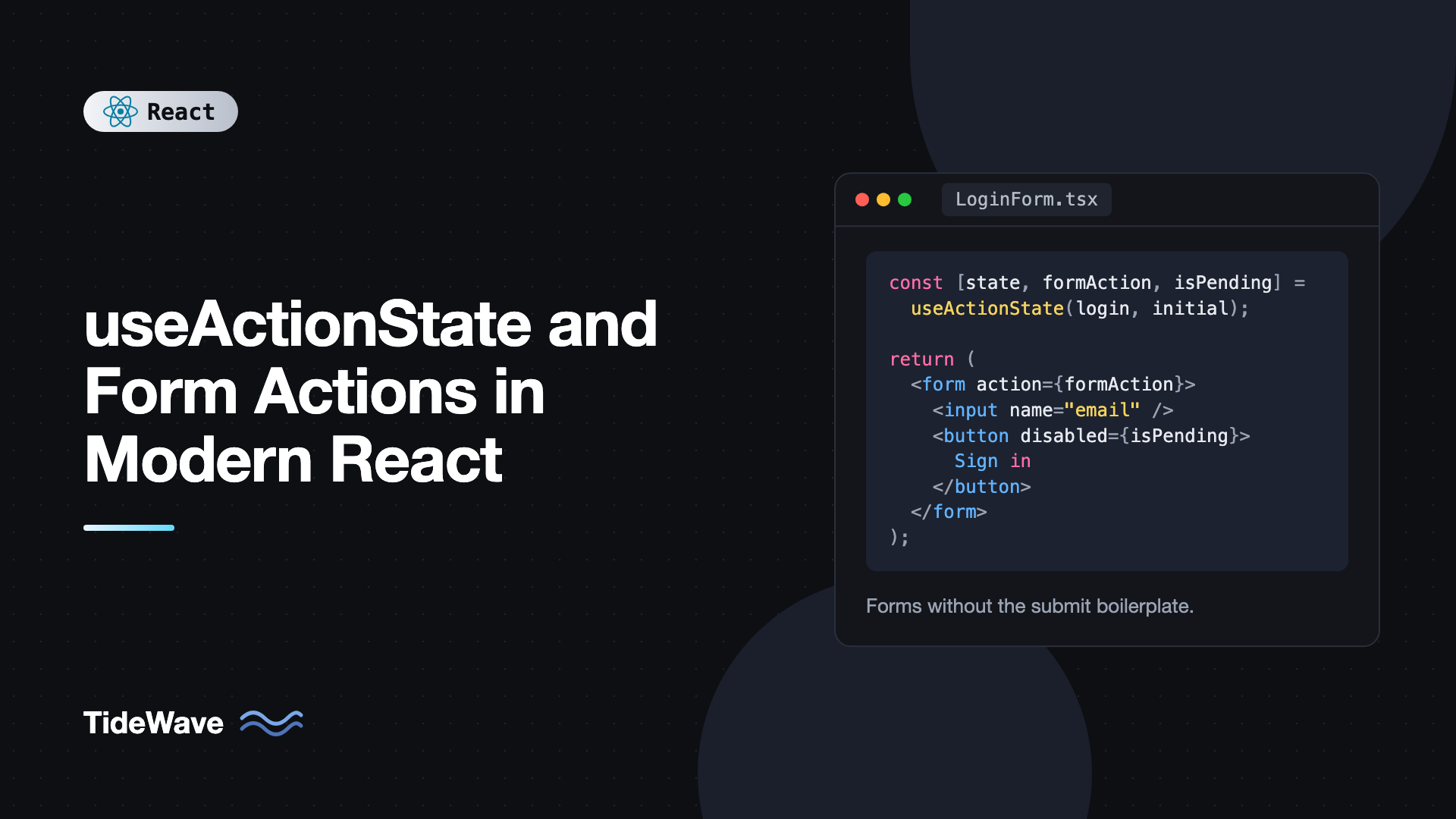
useActionState and Form Actions in Modern React
A typical React form submission used to need a surprising amount of code. You'd call preventDefault(), read every field from state, set an isSubmitting flag, wrap the request in try/catch, store errors in another piece of state, reset the flag in finally, and clear the inputs on success. Multiply that by every form in an app and it adds up to a lot of nearly identical boilerplate.
React 19 moves most of that into the framework. Forms can take a function as their action prop, useActionState tracks the result and pending state of that action, and useFormStatus lets any button or input inside the form know a submission is running. The result is form code that reads like the HTML it renders.
This post walks through form actions from the ground up: the action prop, useActionState for results and errors, useFormStatus for submit buttons, keeping values after a failed submit, multiple actions per form, and how all of it connects to Server Functions in frameworks.
Form Actions: Passing a Function to action
In plain HTML, a form's action is a URL. In React 19, it can also be a function. React calls it with a FormData object when the form is submitted:
export function Newsletter() {
  async function subscribe(formData: FormData) {
    const email = formData.get("email");
    await fetch("/api/subscribe", {
      method: "POST",
      body: JSON.stringify({ email }),
      headers: { "Content-Type": "application/json" },
    });
  }

  return (
    <form action={subscribe}>
      <input type="email" name="email" required />
      <button type="submit">Subscribe</button>
    </form>
  );
}
There's no onSubmit, no preventDefault(), and no state for the input. React handles a few things for you:
- It prevents the browser's default full-page submission.
- It runs the function inside a transition, so it's an Action in React's terms.
- After the action completes successfully, it resets the form, clearing uncontrolled inputs.
Because the inputs are uncontrolled and read through FormData, you only need a name on each field. If you want a refresher on the difference, see controlled vs uncontrolled components in React forms.
What's missing is feedback. The user can't tell the form is submitting, and there's nowhere to show an error. That's what useActionState adds.
useActionState: Results, Errors, and Pending State
const [state, formAction, isPending] = useActionState(action, initialState);
action(previousState, formData)is your function. Whatever it returns becomes the newstate.initialStateis the value ofstatebefore the first submission.formActionis a wrapped version of your action. Pass it to the form'sactionprop.isPendingistruewhile the action is running.
Notice that your action receives the previous state as the first argument, before formData. This is the most common source of bugs when converting an existing action.
Here's a login form that returns either an error or a success message:
import { useActionState } from "react";

type LoginState = { error: string | null; user: string | null };

async function loginRequest(email: string, password: string) {
  await new Promise((r) => setTimeout(r, 800));
  if (password !== "secret123") throw new Error("Invalid email or password.");
  return { name: email.split("@")[0] };
}

async function login(_prev: LoginState, formData: FormData): Promise<LoginState> {
  const email = String(formData.get("email") ?? "");
  const password = String(formData.get("password") ?? "");

  try {
    const user = await loginRequest(email, password);
    return { error: null, user: user.name };
  } catch (e) {
    return { error: e instanceof Error ? e.message : "Something went wrong.", user: null };
  }
}

export function LoginForm() {
  const [state, formAction, isPending] = useActionState(login, { error: null, user: null });

  if (state.user) return <p>Welcome back, {state.user}!</p>;

  return (
    <form action={formAction}>
      <label>
        Email
        <input type="email" name="email" required />
      </label>
      <label>
        Password
        <input type="password" name="password" required />
      </label>
      {state.error && <p role="alert">{state.error}</p>}
      <button type="submit" disabled={isPending}>
        {isPending ? "Signing in…" : "Sign in"}
      </button>
    </form>
  );
}
Compare this to the old version with three useState calls and a try/catch/finally in a submit handler. The action is a plain async function that you can define outside the component and test on its own.
Return Errors, Don't Throw Them
The action catches its own errors and returns them as state. If an action throws, the error propagates to the nearest error boundary and replaces the UI, which is rarely what you want for a validation or network failure. Reserve thrown errors for truly unexpected situations. See error boundaries for how those are handled.
Field-Level Validation Errors
Real forms need per-field errors. Return them as an object keyed by field name. Zod's safeParse and flatten make this easy:
import { useActionState } from "react";
import { z } from "zod";

const contactSchema = z.object({
  name: z.string().trim().min(2, "Enter your name"),
  email: z.string().trim().email("Enter a valid email"),
  message: z.string().trim().min(10, "Message should be at least 10 characters"),
});

type ContactValues = z.infer<typeof contactSchema>;

type ContactState = {
  status: "idle" | "error" | "success";
  errors: Partial<Record<keyof ContactValues, string[]>>;
  values: Partial<ContactValues>;
};

const initialState: ContactState = { status: "idle", errors: {}, values: {} };

async function sendContact(_prev: ContactState, formData: FormData): Promise<ContactState> {
  const raw = {
    name: String(formData.get("name") ?? ""),
    email: String(formData.get("email") ?? ""),
    message: String(formData.get("message") ?? ""),
  };

  const result = contactSchema.safeParse(raw);
  if (!result.success) {
    return { status: "error", errors: result.error.flatten().fieldErrors, values: raw };
  }

  const res = await fetch("/api/contact", {
    method: "POST",
    headers: { "Content-Type": "application/json" },
    body: JSON.stringify(result.data),
  });

  if (!res.ok) {
    return { status: "error", errors: {}, values: raw };
  }
  return { status: "success", errors: {}, values: {} };
}

export function ContactForm() {
  const [state, formAction, isPending] = useActionState(sendContact, initialState);

  return (
    <form action={formAction} noValidate>
      <label>
        Name
        <input name="name" defaultValue={state.values.name} aria-invalid={!!state.errors.name} />
      </label>
      {state.errors.name && <p className="error">{state.errors.name[0]}</p>}

      <label>
        Email
        <input name="email" type="email" defaultValue={state.values.email} aria-invalid={!!state.errors.email} />
      </label>
      {state.errors.email && <p className="error">{state.errors.email[0]}</p>}

      <label>
        Message
        <textarea name="message" defaultValue={state.values.message} aria-invalid={!!state.errors.message} />
      </label>
      {state.errors.message && <p className="error">{state.errors.message[0]}</p>}

      {state.status === "error" && Object.keys(state.errors).length === 0 && (
        <p role="alert">We couldn't send your message. Please try again.</p>
      )}
      {state.status === "success" && <p role="status">Thanks! We'll be in touch.</p>}

      <button type="submit" disabled={isPending}>
        {isPending ? "Sending…" : "Send message"}
      </button>
    </form>
  );
}
Keeping Values After a Failed Submit
Remember that React resets the form after an action. That's great on success, but on a validation error the user would lose everything they typed. The fix in this example is to return the submitted values in state and feed them back through defaultValue. After the reset, the inputs show the returned values, so nothing appears to be lost.
This example uses z.string().email() and error.flatten(), which work in Zod 3 and still work (though deprecated) in Zod 4. On Zod 4 you can write z.email() and z.flattenError(result.error) instead.
On success, the action returns empty values, so the reset leaves a clean form. For more validation patterns, including client-side checks before submit, see building accessible forms with React Hook Form and Zod.
useFormStatus: Pending State for Nested Components
A design system usually has a shared SubmitButton. Passing isPending into it from every form works, but it's repetitive. useFormStatus, exported from react-dom, reads the status of the parent form directly:
import { useFormStatus } from "react-dom";
import type { ReactNode } from "react";

export function SubmitButton({ children, pendingText }: { children: ReactNode; pendingText: string }) {
  const { pending } = useFormStatus();

  return (
    <button type="submit" disabled={pending} aria-disabled={pending}>
      {pending ? pendingText : children}
    </button>
  );
}
Drop it into any form with a function action, and it just works:
<form action={formAction}>
  <input name="email" type="email" />
  <SubmitButton pendingText="Saving…">Save</SubmitButton>
</form>
useFormStatus returns more than pending. It also gives you data (the FormData being submitted), method, and action. You can use data to show what's being saved, for example "Saving 'Quarterly report'…".
There's one rule to remember: useFormStatus only works in a component rendered inside the form. If you call it in the same component that renders the <form>, it won't see that form and pending will always be false. That's why the button is its own component.
Multiple Actions in One Form
Sometimes one form needs two different submit behaviors, like "Save draft" and "Publish." Buttons accept a formAction prop that overrides the form's action for that button:
import { useActionState } from "react";

type PostState = { message: string | null };

async function saveDraft(_prev: PostState, formData: FormData): Promise<PostState> {
  await new Promise((r) => setTimeout(r, 500));
  return { message: `Draft "${formData.get("title")}" saved.` };
}

async function publish(_prev: PostState, formData: FormData): Promise<PostState> {
  await new Promise((r) => setTimeout(r, 800));
  return { message: `"${formData.get("title")}" is live.` };
}

export function PostEditor() {
  const [draftState, draftAction, isSaving] = useActionState(saveDraft, { message: null });
  const [publishState, publishAction, isPublishing] = useActionState(publish, { message: null });
  const busy = isSaving || isPublishing;

  return (
    <form>
      <input name="title" placeholder="Title" required />
      <textarea name="body" placeholder="Write something…" />
      <button formAction={draftAction} disabled={busy}>
        {isSaving ? "Saving…" : "Save draft"}
      </button>
      <button formAction={publishAction} disabled={busy}>
        {isPublishing ? "Publishing…" : "Publish"}
      </button>
      <p role="status">{publishState.message ?? draftState.message}</p>
    </form>
  );
}
Calling an Action Without a Form
formAction doesn't have to come from a form submission. You can call it yourself, as long as you do it inside a transition:
import { startTransition, useActionState } from "react";

async function incrementOnServer(prev: number): Promise<number> {
  await new Promise((r) => setTimeout(r, 300));
  return prev + 1;
}

export function Counter() {
  const [count, increment, isPending] = useActionState(incrementOnServer, 0);

  return (
    <button onClick={() => startTransition(() => increment())} disabled={isPending}>
      Count: {count}
    </button>
  );
}
Calls made through useActionState are queued. If the user clicks three times quickly, the action runs three times in sequence, and each call receives the result of the previous one as prev. That's different from firing three independent fetches that might resolve out of order.
Calling increment() outside a transition triggers a warning, because React needs the transition to track isPending.
Server Functions in Frameworks
In a framework that supports React Server Components, like Next.js, the action can run on the server. You mark it with "use server" and pass it to useActionState the same way:
// app/actions.ts
"use server";

export async function subscribe(_prev: { ok: boolean }, formData: FormData) {
  const email = String(formData.get("email") ?? "");
  // Save to your database here
  console.log("Subscribing", email);
  return { ok: true };
}
The component code doesn't change. A bonus of Server Functions is progressive enhancement: if JavaScript hasn't loaded yet, the form still submits as a normal HTML form and the server processes it. The optional third argument to useActionState, a permalink URL, tells React where to navigate in that case.
Common Mistakes With useActionState
- Forgetting the
prevStateparameter. The action's signature is(prevState, formData). If you write(formData), you'll get the previous state where you expectedFormData. - Throwing for expected errors. Thrown errors go to error boundaries. Return validation and network errors as state instead.
- Calling
useFormStatusin the form's own component. It only reads the status of a parent form. Move the button into a child component. - Losing user input on error. The form resets after every action. Return the submitted values and use them as
defaultValue. - Mixing controlled inputs with form resets. Controlled inputs keep their React state through a reset. If you need controlled inputs, clear their state yourself on success.
- Calling the action outside a transition. When you invoke
formActionmanually, wrap it instartTransition.
Frequently Asked Questions (FAQ) About useActionState
Yes, it's the renamed and improved version. useFormState from react-dom was available in canary builds and is deprecated. useActionState is imported from react and also returns an isPending flag as its third value.
No. Function actions on forms work in any React 19 app, including a Vite single-page app. The action is just an async function running in the browser. Server Functions are an optional extra for frameworks that support them.
React resets uncontrolled fields after a successful action. To preserve values, return them from the action and pass them back as defaultValue, or use controlled inputs. You can also reset manually at a different time with requestFormReset from react-dom.
Yes. onSubmit still works exactly as before, and libraries like React Hook Form still use it. Form actions are an alternative that removes boilerplate for simpler forms, not a replacement you're forced to adopt.
isPending comes from useActionState and belongs to that specific action. useFormStatus reads the status of whatever form a component is rendered inside, which makes it ideal for reusable buttons that don't know which action they're attached to.
Yes. Call the optimistic setter at the start of the action function, then await the real work. The optimistic value shows while the action is pending and is replaced by the real state when it finishes.
Conclusion
Form actions turn submission handling into a single async function. Pass it to a form's action prop, wrap it with useActionState to get results, errors, and an isPending flag, and use useFormStatus in child components like submit buttons. Return errors and submitted values as state so users never lose their input, and wrap manual calls in startTransition.
Pick one form in your app with the most boilerplate and convert it. You'll likely delete more lines than you add. From there, add useOptimistic for actions that should feel instant, and if you're on a framework with Server Functions, try moving validation and persistence to the server with the same component code.


