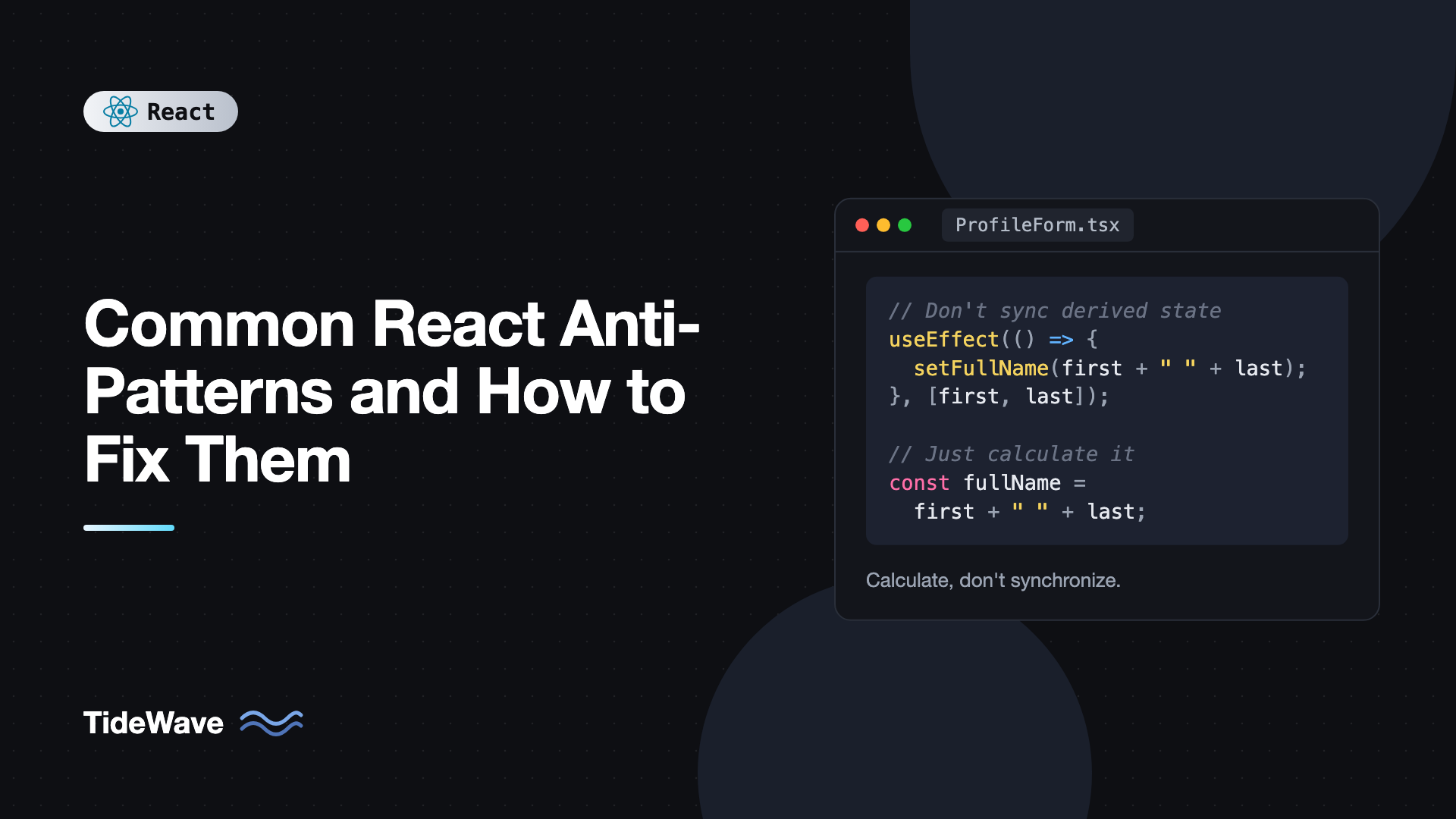
Common React Anti-Patterns and How to Fix Them
Most React bugs aren't exotic. They're the same handful of patterns showing up in codebase after codebase: state that duplicates other state, effects that exist only to copy values around, components defined inside other components, list keys that shift when items move. Each one works in the demo and breaks later, usually in a way that's hard to trace back to the cause.
These patterns persist because they look reasonable. Copying a prop into state feels like a natural way to edit it. Fetching in an effect is what many tutorials show. Defining a small helper component inline seems tidy. The problems only show up under real conditions: fast typing, slow networks, reordered lists, or a component that re-renders more than you expected.
This post walks through twelve common React anti-patterns. For each one you'll see the problematic code, why it breaks, and the fix, using modern React 19 and TypeScript.
1. Storing Derived State
The most common anti-pattern is putting values in state that can be calculated from other state or props.
// Anti-pattern: fullName duplicates firstName and lastName
function ProfileForm() {
  const [firstName, setFirstName] = useState("");
  const [lastName, setLastName] = useState("");
  const [fullName, setFullName] = useState("");

  useEffect(() => {
    setFullName(`${firstName} ${lastName}`.trim());
  }, [firstName, lastName]);

  return <p>Hello, {fullName}</p>;
}
This renders twice for every keystroke (once with the stale fullName, once after the effect updates it), and it gives you two sources of truth that can drift apart. Just calculate it during render:
function ProfileForm() {
  const [firstName, setFirstName] = useState("");
  const [lastName, setLastName] = useState("");
  const fullName = `${firstName} ${lastName}`.trim();

  return <p>Hello, {fullName}</p>;
}
The same goes for filtered lists, totals, counts, and validation flags. If the calculation is genuinely expensive, wrap it in useMemo, but don't put it in state. The post on derived state in React covers more variations.
2. Copying Props Into State
A close relative: initializing state from a prop and expecting it to stay in sync.
// Anti-pattern: name ignores later changes to the user prop
function UserDetails({ user }: { user: User }) {
  const [name, setName] = useState(user.name);
  return <input value={name} onChange={(e) => setName(e.target.value)} />;
}
useState only uses its argument on the first render. When the parent passes a different user, the input keeps showing the old name. Developers often patch this with an effect that resets state when the prop changes, which causes an extra render with the wrong value first.
There are two clean fixes. If the component should reset completely for a new user, give it a key:
<UserDetails key={user.id} user={user} />
A changed key tells React it's a different component instance, so it remounts with fresh state. If the prop is only a starting value, make that explicit in the name, like initialName, so nobody expects it to update.
3. Using Effects to Respond to Events
Effects are for synchronizing with external systems. They're often misused as an "on change" hook for logic that belongs in an event handler.
// Anti-pattern: the effect runs because state changed, not because the user did something
function CheckoutButton({ cart }: { cart: Cart }) {
  const [submitted, setSubmitted] = useState(false);

  useEffect(() => {
    if (submitted) {
      void fetch("/api/orders", { method: "POST", body: JSON.stringify(cart) });
      showToast("Order placed");
    }
  }, [submitted, cart]);

  return <button onClick={() => setSubmitted(true)}>Place order</button>;
}
This is indirect and fragile. If cart changes after submission, the effect runs again and places a second order. In Strict Mode development it can run twice on mount. Put the logic where the cause is, in the handler:
function CheckoutButton({ cart }: { cart: Cart }) {
  const [pending, setPending] = useState(false);

  async function placeOrder() {
    setPending(true);
    try {
      await fetch("/api/orders", { method: "POST", body: JSON.stringify(cart) });
      showToast("Order placed");
    } finally {
      setPending(false);
    }
  }

  return (
    <button onClick={placeOrder} disabled={pending}>
      Place order
    </button>
  );
}
A useful test: ask why this code should run. If the answer is "because the user clicked something," it belongs in a handler. If it's "because the component is on screen," an effect may be right. See why your useEffect runs twice in Strict Mode for the reasoning behind that double run.
4. Chains of Effects
When one effect sets state that triggers another effect, which sets state that triggers a third, you get a cascade of renders and logic that's very hard to follow.
// Anti-pattern: three renders to compute one result
useEffect(() => {
  setFiltered(products.filter((p) => p.category === category));
}, [products, category]);

useEffect(() => {
  setSorted([...filtered].sort((a, b) => a.price - b.price));
}, [filtered]);

useEffect(() => {
  setTotal(sorted.reduce((sum, p) => sum + p.price, 0));
}, [sorted]);
Each step is derived data, so the whole chain collapses into plain calculations:
const visible = useMemo(
  () => products.filter((p) => p.category === category).toSorted((a, b) => a.price - b.price),
  [products, category],
);
const total = visible.reduce((sum, p) => sum + p.price, 0);
One render, one place to read the logic, no intermediate state to get out of sync.
5. Defining Components Inside Components
// Anti-pattern: Row is a brand-new component type on every render
function Table({ rows }: { rows: Row[] }) {
  const [query, setQuery] = useState("");

  function RowItem({ row }: { row: Row }) {
    const [expanded, setExpanded] = useState(false);
    return <li onClick={() => setExpanded(!expanded)}>{row.label}</li>;
  }

  return (
    <>
      <input value={query} onChange={(e) => setQuery(e.target.value)} />
      <ul>
        {rows.map((row) => (
          <RowItem key={row.id} row={row} />
        ))}
      </ul>
    </>
  );
}
Every time Table renders, RowItem is a new function, so React sees a different component type. It unmounts every row and mounts new ones. Each row loses its expanded state when you type in the search box, inputs inside it lose focus, and performance suffers.
Move the component to the top level of the module and pass what it needs as props:
function RowItem({ row }: { row: Row }) {
  const [expanded, setExpanded] = useState(false);
  return <li onClick={() => setExpanded((e) => !e)}>{row.label}</li>;
}

function Table({ rows }: { rows: Row[] }) {
  const [query, setQuery] = useState("");
  return (
    <>
      <input value={query} onChange={(e) => setQuery(e.target.value)} />
      <ul>
        {rows.map((row) => (
          <RowItem key={row.id} row={row} />
        ))}
      </ul>
    </>
  );
}
6. Using Array Indexes as Keys
// Anti-pattern for lists that can change order
{todos.map((todo, index) => (
  <TodoItem key={index} todo={todo} />
))}
React uses keys to match elements between renders. With index keys, deleting the first item shifts every key down by one, so React thinks the first item changed and the last one was removed. Any state inside TodoItem, like an edit mode or an input's value, ends up attached to the wrong item.
Use a stable ID from your data:
{todos.map((todo) => (
  <TodoItem key={todo.id} todo={todo} />
))}
If items don't have IDs, generate them when the items are created, not during render. Calling crypto.randomUUID() inside map gives every item a new key on every render, which is even worse than indexes. Index keys are only safe for static lists that never reorder, filter, or change length. More detail in why keys matter when rendering lists.
7. Mutating State
// Anti-pattern: mutates the existing array, so React may not re-render
function addTag(tag: string) {
  tags.push(tag);
  setTags(tags);
}

// Anti-pattern: mutates a nested object
function rename(name: string) {
  user.profile.name = name;
  setUser({ ...user });
}
React compares state by reference. In the first example the array reference doesn't change, so React bails out and nothing updates. The second one does re-render, but the nested profile object was mutated in place, which breaks memo comparisons, any previous snapshot you kept for undo, and anything else that holds the old reference.
Always create new objects for the parts that change:
function addTag(tag: string) {
  setTags((prev) => [...prev, tag]);
}

function rename(name: string) {
  setUser((prev) => ({ ...prev, profile: { ...prev.profile, name } }));
}
For deeply nested updates, useReducer with a library like Immer keeps this readable. Modern array methods such as toSorted, toReversed, and with return new arrays and are handy here.
8. Fetching in Effects Without Handling Races
// Anti-pattern: responses can arrive out of order
function SearchResults({ query }: { query: string }) {
  const [results, setResults] = useState<Result[]>([]);

  useEffect(() => {
    fetch(`/api/search?q=${encodeURIComponent(query)}`)
      .then((res) => res.json())
      .then(setResults);
  }, [query]);

  return <ResultList results={results} />;
}
If the user types "re", then "react", the request for "re" might finish after the one for "react", and the screen shows results for the wrong query. There's also no loading state, no error handling, and no cleanup when the component unmounts.
At minimum, ignore stale responses and abort outdated requests:
useEffect(() => {
  const controller = new AbortController();

  fetch(`/api/search?q=${encodeURIComponent(query)}`, { signal: controller.signal })
    .then((res) => res.json() as Promise<Result[]>)
    .then(setResults)
    .catch((error: unknown) => {
      if (error instanceof DOMException && error.name === "AbortError") return;
      setError(error);
    });

  return () => controller.abort();
}, [query]);
Better still, use a data-fetching library. TanStack Query keys the cache by query, handles races, deduplicates requests, and gives you loading and error states for free. See managing server state with TanStack Query.
9. One Giant Context for Everything
// Anti-pattern: every consumer re-renders when anything changes
const AppContext = createContext<AppState | null>(null);

function AppProvider({ children }: { children: React.ReactNode }) {
  const [user, setUser] = useState<User | null>(null);
  const [theme, setTheme] = useState<"light" | "dark">("light");
  const [cart, setCart] = useState<CartItem[]>([]);

  return (
    <AppContext value={{ user, setUser, theme, setTheme, cart, setCart }}>
      {children}
    </AppContext>
  );
}
Two problems here. The value is a new object on every render, so every consumer re-renders whenever the provider does. And because unrelated data shares one context, adding an item to the cart re-renders the theme toggle and the user menu.
Split contexts by how often they change and who uses them, and memoize the values:
const ThemeContext = createContext<{ theme: Theme; setTheme: (t: Theme) => void } | null>(null);

function ThemeProvider({ children }: { children: React.ReactNode }) {
  const [theme, setTheme] = useState<Theme>("light");
  const value = useMemo(() => ({ theme, setTheme }), [theme]);
  return <ThemeContext value={value}>{children}</ThemeContext>;
}
For frequently changing global state like a cart, a store library with selectors, such as Zustand, lets each component subscribe to just the slice it needs. If you use the React Compiler, it memoizes the value object for you, but splitting unrelated data is still worthwhile.
10. Overusing useMemo and useCallback
The opposite mistake from the last one: wrapping everything in memoization "for performance."
// Anti-pattern: memoization that costs more than it saves
const label = useMemo(() => `${count} items`, [count]);
const handleClick = useCallback(() => setOpen(true), []);

return <button onClick={handleClick}>{label}</button>;
Memoization isn't free. Each hook stores its value and compares dependencies on every render. For cheap calculations and callbacks passed to plain DOM elements, it adds code and overhead without avoiding any work.
Use useMemo for expensive calculations and for values whose identity matters (dependencies of other hooks, props of memo components). Use useCallback when the function is passed to a memoized child or used in an effect's dependencies. Otherwise, write plain code. If you're on React 19 with the React Compiler, it handles most of this automatically. The full reasoning is in when memoization actually helps.
11. Rendering 0 With the && Operator
// Anti-pattern: renders "0" when the list is empty
{notifications.length && <NotificationList items={notifications} />}
&& returns its left side when it's falsy. React doesn't render false, null, or undefined, but it does render the number 0, so users see a stray "0" on the page. Make the condition a real boolean:
{notifications.length > 0 && <NotificationList items={notifications} />}
Or use a ternary with null when the branch is more complex.
12. Huge Components That Do Everything
A 600-line component that fetches data, manages a form, handles a modal, formats dates, and renders three different layouts isn't wrong in a way linters catch, but it's the anti-pattern that makes every other one more likely. Any state change re-renders the whole thing, effects pile up with unclear dependencies, and nobody can test a single piece.
Break it up along natural seams:
- Move data fetching into custom hooks like
useOrders(customerId), which return data and status. - Extract presentational pieces that only take props and render, like
OrderTableandOrderFilters. - Push state down to the component that uses it. If only the modal needs
isOpen, the modal's parent shouldn't re-render when it changes. - Pull pure logic out of components entirely, into plain functions you can unit test.
function OrdersPage({ customerId }: { customerId: string }) {
  const { orders, status } = useOrders(customerId);
  const [filters, setFilters] = useState<OrderFilters>(defaultFilters);
  const visible = filterOrders(orders, filters);

  if (status === "pending") return <OrdersSkeleton />;
  if (status === "error") return <ErrorState />;

  return (
    <>
      <OrderFiltersBar value={filters} onChange={setFilters} />
      <OrderTable orders={visible} />
    </>
  );
}
The page now reads like a summary of what it does, and each piece can change independently.
Spotting Anti-Patterns Early
A few habits catch most of these before they reach code review:
- Enable
eslint-plugin-react-hookswith its recommended config. It flags missing dependencies, conditional hooks, and, in recent versions, many compiler-related issues like mutating values during render. - Keep Strict Mode on in development. Its double rendering and double effects surface impure components and missing cleanups.
- Use the React DevTools Profiler to see which components re-render and why. Unexpected renders often point straight at derived state, unstable context values, or inline component definitions.
- Question every
useEffect. Before adding one, ask whether the logic belongs in an event handler or can be calculated during render. Most effects in application code can be removed.
Frequently Asked Questions (FAQ) About React Anti-Patterns
Storing derived state, meaning putting values in useState that could be calculated from existing props or state, and then syncing them with useEffect. It causes extra renders and lets values drift out of sync. Calculating the value during render fixes both problems.
No, but using it for the wrong job is. Effects are meant for synchronizing with things outside React, like subscriptions, timers, or browser APIs. Using them to transform data or respond to user actions is the anti-pattern. Those belong in render logic and event handlers.
Yes, when the list is static: it never reorders, items are never inserted or removed except at the end, and items have no internal state. Navigation menus built from constant arrays are a typical safe case. For anything users can sort, filter, add to, or delete from, use stable IDs.
It fixes some performance-related ones, such as unstable object and function identities and many cases of missing memoization. It doesn't fix logic problems like derived state in effects, index keys, race conditions in fetching, or components defined inside components. It also expects your code to follow the Rules of React, so state mutation can make it skip optimizing a component.
Start with the React hooks ESLint plugin, then search for effects that only call a state setter, useState initialized from props, key set to an index, and function components declared inside other components. The React DevTools Profiler helps find components that re-render far more than expected.
Not by itself. Passing props through one or two levels is clear and explicit. It becomes a problem when many intermediate components pass data they don't use. At that point, consider component composition with children, a focused context, or a state library.
Conclusion
Most React anti-patterns come down to a few root causes: keeping two copies of the same data, using effects as a general-purpose "when this changes" mechanism, giving React unstable identities (component types, keys, context values), and mutating data React relies on comparing. Once you recognize those roots, the fixes are consistent: calculate instead of storing, handle events in handlers, keep identities stable, and always create new objects for updates.
A practical next step is to pick one feature in your codebase and audit it against this list. Delete effects that only set state, move inline components to the top level, replace index keys, and split any context that bundles unrelated data. Then add the hooks ESLint rules to CI so the patterns don't creep back in.


