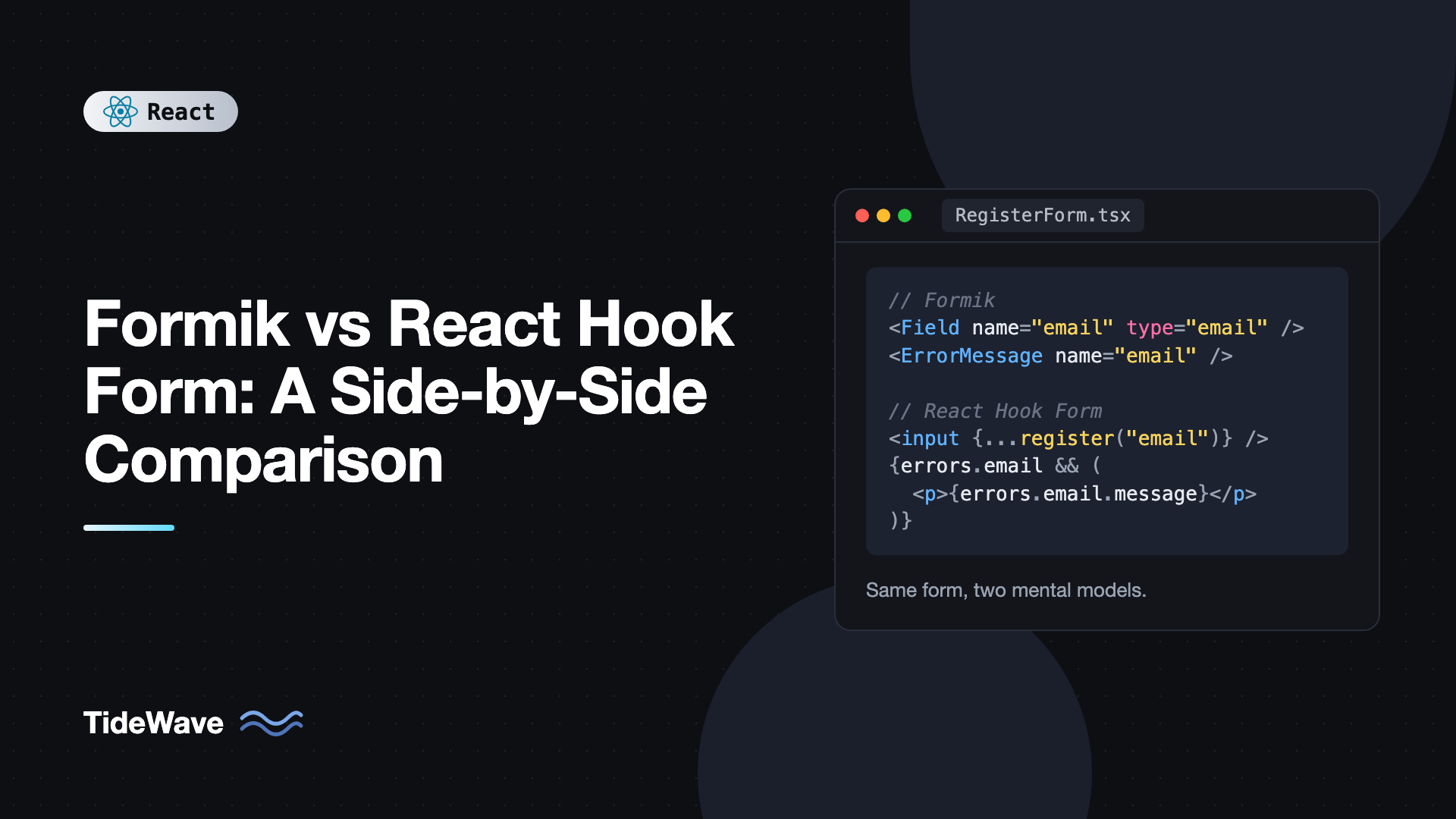
Formik vs React Hook Form: A Side-by-Side Comparison
For years, Formik was the default answer to "how do I build forms in React?" It took the tedious parts of controlled forms, like tracking values, touched fields, errors, and submission state, and packaged them into one component. Then React Hook Form arrived with a different idea: let the DOM hold input values, subscribe only to what you need, and avoid re-rendering the whole form on every keystroke.
Both libraries still show up in production codebases, tutorials, and job descriptions. If you are starting a new project, maintaining a Formik app, or deciding whether a migration is worth it, you need to know how they actually differ in code, not just in benchmark charts.
This post builds the same form in both libraries, then compares them on rendering behavior, validation, dynamic field arrays, third-party inputs, server errors, TypeScript, and maintenance. It finishes with a practical recommendation and a migration map.
The Core Difference in One Sentence
Formik stores every value in React state and re-renders the form when anything changes. React Hook Form registers inputs, lets the DOM hold their values, and only re-renders components that subscribe to specific state.
Everything else in this comparison follows from that design choice. If the terms are unfamiliar, the post on controlled vs uncontrolled components explains the underlying models.
Installation
# Formik with Yup, its traditional validation partner
npm install formik yup

# React Hook Form with Zod
npm install react-hook-form zod @hookform/resolvers
Formik works with Yup out of the box through validationSchema. React Hook Form uses resolvers for Zod, Yup, Valibot, and others. You can use Yup with React Hook Form or Zod with Formik as well; the pairings above are just the most common.
The Same Form in Both Libraries
The example is a registration form with a name, an email, a password, a role select, and a terms checkbox.
Formik Version
// RegisterFormik.tsx
import { Formik, Form, Field, ErrorMessage } from "formik";
import * as Yup from "yup";

interface RegisterValues {
  name: string;
  email: string;
  password: string;
  role: "developer" | "designer" | "manager";
  acceptTerms: boolean;
}

const schema = Yup.object({
  name: Yup.string().trim().required("Enter your name"),
  email: Yup.string().email("Enter a valid email").required("Enter your email"),
  password: Yup.string()
    .min(8, "Use at least 8 characters")
    .required("Enter a password"),
  role: Yup.string()
    .oneOf(["developer", "designer", "manager"])
    .required("Pick a role"),
  acceptTerms: Yup.boolean().oneOf([true], "You must accept the terms"),
});

const initialValues: RegisterValues = {
  name: "",
  email: "",
  password: "",
  role: "developer",
  acceptTerms: false,
};

async function registerUser(values: RegisterValues) {
  const res = await fetch("/api/register", {
    method: "POST",
    headers: { "Content-Type": "application/json" },
    body: JSON.stringify(values),
  });
  if (!res.ok) throw new Error("Registration failed");
}

export function RegisterFormik() {
  return (
    <Formik
      initialValues={initialValues}
      validationSchema={schema}
      onSubmit={async (values, { resetForm }) => {
        await registerUser(values);
        resetForm();
      }}
    >
      {({ isSubmitting }) => (
        <Form noValidate>
          <label htmlFor="name">Name</label>
          <Field id="name" name="name" />
          <ErrorMessage name="name" component="p" className="error" />

          <label htmlFor="email">Email</label>
          <Field id="email" name="email" type="email" />
          <ErrorMessage name="email" component="p" className="error" />

          <label htmlFor="password">Password</label>
          <Field id="password" name="password" type="password" />
          <ErrorMessage name="password" component="p" className="error" />

          <label htmlFor="role">Role</label>
          <Field id="role" name="role" as="select">
            <option value="developer">Developer</option>
            <option value="designer">Designer</option>
            <option value="manager">Manager</option>
          </Field>

          <label>
            <Field type="checkbox" name="acceptTerms" />I accept the terms
          </label>
          <ErrorMessage name="acceptTerms" component="p" className="error" />

          <button type="submit" disabled={isSubmitting}>
            {isSubmitting ? "Creating account..." : "Create account"}
          </button>
        </Form>
      )}
    </Formik>
  );
}
Formik's components do a lot of wiring for you. Field connects value, onChange, and onBlur by name, ErrorMessage only renders when the field has been touched and has an error, and isSubmitting is set while the onSubmit promise is pending.
React Hook Form Version
// RegisterRHF.tsx
import { useForm } from "react-hook-form";
import { zodResolver } from "@hookform/resolvers/zod";
import { z } from "zod";

const schema = z.object({
  name: z.string().trim().min(1, "Enter your name"),
  email: z.email("Enter a valid email"),
  password: z.string().min(8, "Use at least 8 characters"),
  role: z.enum(["developer", "designer", "manager"]),
  acceptTerms: z.boolean().refine((v) => v, {
    message: "You must accept the terms",
  }),
});

type RegisterValues = z.infer<typeof schema>;

async function registerUser(values: RegisterValues) {
  const res = await fetch("/api/register", {
    method: "POST",
    headers: { "Content-Type": "application/json" },
    body: JSON.stringify(values),
  });
  if (!res.ok) throw new Error("Registration failed");
}

export function RegisterRHF() {
  const {
    register,
    handleSubmit,
    reset,
    formState: { errors, isSubmitting },
  } = useForm<RegisterValues>({
    resolver: zodResolver(schema),
    mode: "onTouched",
    defaultValues: {
      name: "",
      email: "",
      password: "",
      role: "developer",
      acceptTerms: false,
    },
  });

  async function onSubmit(values: RegisterValues) {
    await registerUser(values);
    reset();
  }

  return (
    <form onSubmit={handleSubmit(onSubmit)} noValidate>
      <label htmlFor="name">Name</label>
      <input id="name" {...register("name")} />
      {errors.name && <p className="error">{errors.name.message}</p>}

      <label htmlFor="email">Email</label>
      <input id="email" type="email" {...register("email")} />
      {errors.email && <p className="error">{errors.email.message}</p>}

      <label htmlFor="password">Password</label>
      <input id="password" type="password" {...register("password")} />
      {errors.password && <p className="error">{errors.password.message}</p>}

      <label htmlFor="role">Role</label>
      <select id="role" {...register("role")}>
        <option value="developer">Developer</option>
        <option value="designer">Designer</option>
        <option value="manager">Manager</option>
      </select>

      <label>
        <input type="checkbox" {...register("acceptTerms")} />I accept the terms
      </label>
      {errors.acceptTerms && (
        <p className="error">{errors.acceptTerms.message}</p>
      )}

      <button type="submit" disabled={isSubmitting}>
        {isSubmitting ? "Creating account..." : "Create account"}
      </button>
    </form>
  );
}
The amount of code is similar. The differences are in style:
- Formik uses components (
Formik,Form,Field,ErrorMessage) and a render function. It also offers auseFormikhook, but then you loseFieldandErrorMessageunless you also add a provider. - React Hook Form uses a hook and plain native elements.
registerreturnsname,ref,onChange, andonBlurto spread onto the input. - With Zod, the TypeScript type comes from the schema with
z.infer, so values and validation cannot drift apart. With Formik and Yup, you either write the interface by hand as above or use Yup'sInferType.
Re-Rendering Behavior
This is the difference people usually cite, so it is worth understanding precisely.
In the Formik version, every keystroke in any field updates Formik's state, which re-renders the Formik component and everything inside its render function. With five fields, that is cheap. With a hundred fields, rich custom inputs, or expensive child components, typing can start to lag. Formik's FastField component reduces this by skipping re-renders unless that field's own state changes, but it has caveats with fields that depend on each other.
In the React Hook Form version, typing does not re-render RegisterRHF at all. Values live in the DOM and in React Hook Form's internal store. The component only re-renders when something it reads from formState changes, such as an error appearing or isSubmitting flipping. formState is a proxy, so React Hook Form tracks which properties you actually read and only re-renders for those.
When you need a live value, you subscribe explicitly:
// RegisterRHF.tsx (same file, so RegisterValues is in scope)
import { useWatch, type Control } from "react-hook-form";

function PasswordStrength({ control }: { control: Control<RegisterValues> }) {
  const password = useWatch({ control, name: "password" });
  const strength =
    password.length >= 12 ? "Strong" : password.length >= 8 ? "OK" : "Weak";
  return <p aria-live="polite">Strength: {strength}</p>;
}
Only PasswordStrength re-renders as the user types the password. The rest of the form stays put. Pass control from useForm as a prop, or use useFormContext inside a FormProvider.
For small forms, neither approach is noticeably faster to the user. For large or complex forms, React Hook Form's model avoids a class of performance problems entirely.
Validation
Both libraries support schema validation, field-level validation, and validation timing options.
| Aspect | Formik | React Hook Form |
|---|---|---|
| Schema validation | validationSchema (Yup built in) | resolver (Zod, Yup, Valibot, and more) |
| Custom function | validate prop returning an errors object | validate in register options or a custom resolver |
| Built-in rules | No, use a schema or validate | required, min, max, minLength, pattern in register |
| When it runs | validateOnChange and validateOnBlur (both on by default) | mode: onSubmit (default), onBlur, onChange, onTouched, all |
| Error visibility | You check touched and errors together | Errors appear based on mode, no separate touched check needed |
A practical difference: Formik validates the entire form on every change by default. With a large Yup schema, that is a full schema run per keystroke. React Hook Form validates on submit by default and then re-validates changed fields, which does less work.
React Hook Form also works without a schema for simple cases:
<input
  {...register("username", {
    required: "Choose a username",
    minLength: { value: 3, message: "At least 3 characters" },
    pattern: { value: /^[a-z0-9_]+$/, message: "Lowercase letters, numbers, and _ only" },
  })}
/>
For more on choosing validation timing and patterns, see client-side form validation patterns in React.
Dynamic Field Arrays
Both libraries support lists of fields that users can add to and remove from.
Formik: FieldArray
import { Formik, Form, Field, FieldArray } from "formik";

interface Values {
  emails: { address: string }[];
}

export function EmailsFormik() {
  return (
    <Formik<Values>
      initialValues={{ emails: [{ address: "" }] }}
      onSubmit={(values) => console.log(values)}
    >
      {({ values }) => (
        <Form>
          <FieldArray name="emails">
            {({ push, remove }) => (
              <>
                {values.emails.map((_, index) => (
                  <div key={index}>
                    <Field
                      name={`emails.${index}.address`}
                      aria-label={`Email ${index + 1}`}
                    />
                    <button type="button" onClick={() => remove(index)}>
                      Remove
                    </button>
                  </div>
                ))}
                <button type="button" onClick={() => push({ address: "" })}>
                  Add email
                </button>
              </>
            )}
          </FieldArray>
          <button type="submit">Save</button>
        </Form>
      )}
    </Formik>
  );
}
React Hook Form: useFieldArray
import { useFieldArray, useForm } from "react-hook-form";

interface Values {
  emails: { address: string }[];
}

export function EmailsRHF() {
  const { control, register, handleSubmit } = useForm<Values>({
    defaultValues: { emails: [{ address: "" }] },
  });
  const { fields, append, remove } = useFieldArray({ control, name: "emails" });

  return (
    <form onSubmit={handleSubmit((values) => console.log(values))}>
      {fields.map((field, index) => (
        <div key={field.id}>
          <input
            {...register(`emails.${index}.address`)}
            aria-label={`Email ${index + 1}`}
          />
          <button type="button" onClick={() => remove(index)}>
            Remove
          </button>
        </div>
      ))}
      <button type="button" onClick={() => append({ address: "" })}>
        Add email
      </button>
      <button type="submit">Save</button>
    </form>
  );
}
A subtle but important difference: useFieldArray gives every row a stable generated field.id to use as a key. The Formik example uses the index as the key, which is common in Formik code but causes problems when removing rows from the middle of a list, because React reuses DOM nodes for the wrong items. Formik leaves stable ids up to you. The reasons are explained in why keys matter when rendering lists in React.
Third-Party and Custom Inputs
Many UI libraries ship inputs that do not expose a native element or ref, such as date pickers, comboboxes, and sliders. These need to be controlled.
In Formik, everything is already controlled, so you connect them with setFieldValue:
import { useFormikContext } from "formik";
import { DatePicker } from "./DatePicker"; // any controlled component

export function StartDateField() {
  const { values, setFieldValue, setFieldTouched } = useFormikContext<{
    startDate: Date | null;
  }>();

  return (
    <DatePicker
      value={values.startDate}
      onChange={(date: Date | null) => setFieldValue("startDate", date)}
      onBlur={() => setFieldTouched("startDate", true)}
    />
  );
}
In React Hook Form, you use Controller (or the useController hook), which bridges the controlled component to the form's store:
import { Controller, type Control } from "react-hook-form";
import { DatePicker } from "./DatePicker";

export function StartDateField({
  control,
}: {
  control: Control<{ startDate: Date | null }>;
}) {
  return (
    <Controller
      control={control}
      name="startDate"
      render={({ field }) => (
        <DatePicker
          ref={field.ref}
          value={field.value}
          onChange={field.onChange}
          onBlur={field.onBlur}
        />
      )}
    />
  );
}
Passing field.ref lets React Hook Form focus the picker when it has an error, if the component forwards the ref to a focusable element. This is one area where Formik feels slightly more natural, because there is no separate concept for controlled fields.
Handling Server Errors
After submitting, the server may reject a value, like an email that is already registered. Both libraries let you put that error on the field.
// Formik: inside onSubmit(values, helpers)
helpers.setFieldError("email", "This email is already registered");
// or set several at once
helpers.setErrors({ email: "This email is already registered" });
// React Hook Form: inside onSubmit, using setError from useForm
setError("email", { type: "server", message: "This email is already registered" });
setError("root.serverError", { type: "500", message: "Something went wrong" });
React Hook Form's root errors are handy for form-level messages that do not belong to any field. They are not cleared by re-validation of fields, and they are reset on the next submit.
TypeScript Support
Both libraries are written in TypeScript, but the depth differs.
- React Hook Form types field names as string literal paths.
register("emial")is a compile error, anderrors.email?.messageis typed. With a Zod resolver, the form type and validation are derived from one source. - Formik types
values,errors, andtouchedfrom yourinitialValuestype, but field names inField,ErrorMessage, andsetFieldValueare plain strings, so typos are only caught at runtime.
Maintenance and Ecosystem
This is an important practical factor. Formik's last release was in 2024, and the project has seen very little maintenance activity in recent years, with many open issues and pull requests. It still works with current React versions in typical use, but you should not expect new features or quick fixes.
React Hook Form is actively maintained, receives regular releases, and has a large ecosystem: resolvers for every popular schema library, DevTools, and first-class support in component libraries like shadcn/ui, whose form components are built on it.
Side-by-Side Summary
| Aspect | Formik | React Hook Form |
|---|---|---|
| Input model | Controlled | Uncontrolled by default, Controller for controlled |
| Re-renders while typing | Whole form | Only subscribed components |
| API style | Components and render props, plus useFormik | Hooks |
| Schema validation | Yup built in, others via adapters | Resolvers for Zod, Yup, Valibot, and more |
| Field name type safety | Strings | Typed paths |
| Field arrays | FieldArray | useFieldArray with stable ids |
| Custom controlled inputs | Natural via setFieldValue | Controller or useController |
| Maintenance | Minimal | Active |
Migrating From Formik to React Hook Form
You do not need to migrate working forms just because a newer library exists. But if you are touching a form anyway, or performance is a problem, the concepts map closely:
| Formik | React Hook Form |
|---|---|
initialValues | defaultValues |
validationSchema with Yup | resolver: yupResolver(schema) |
Field name="email" | input with register("email") |
ErrorMessage name="email" | errors.email?.message |
values.email in render | useWatch({ name: "email" }) |
setFieldValue | setValue |
setFieldError / setErrors | setError |
resetForm | reset |
isSubmitting | formState.isSubmitting |
FieldArray | useFieldArray |
useFormikContext | useFormContext with FormProvider |
You can keep your Yup schemas during migration by using yupResolver from @hookform/resolvers/yup, then switch to Zod later if you want schema-inferred types. Migrate one form at a time; the two libraries can coexist in the same app without conflict.
Which Should You Choose?
For new projects, choose React Hook Form. It is actively maintained, performs well at any form size, has stronger TypeScript support, and is the form layer most modern component libraries assume.
For existing Formik apps, keep Formik where forms are small and stable. Migrate forms that are slow, frequently changed, or need features that Formik lacks, and write new forms with React Hook Form. Whichever you use, building in accessibility from the start matters more than the library choice; building accessible forms with React Hook Form and Zod walks through the patterns.
Frequently Asked Questions (FAQ) About Formik vs React Hook Form
Formik is not officially deprecated, but it has received very little maintenance in recent years and its last release was in 2024. It continues to work for common use cases, but new projects are better served by an actively maintained library like React Hook Form.
For large or complex forms, yes, because typing does not re-render the whole form. For small forms with a handful of fields, users will not notice a difference. Performance only becomes a deciding factor when forms grow or contain expensive components.
Yes. Formik expects a Yup-like schema for validationSchema, but the zod-formik-adapter package converts a Zod schema with toFormikValidationSchema. You can also call Zod yourself in Formik's validate function and return an errors object.
Yes. Install @hookform/resolvers and pass yupResolver(schema) as the resolver option. This makes migrating from Formik easier because you can keep existing schemas.
Yes. Use the Controller component or the useController hook for components that need value and onChange, such as date pickers, selects from UI kits, and sliders. Native inputs and components that forward refs can use register directly.
React Hook Form. Field names are typed paths, so typos fail to compile, and with a Zod resolver the form type is inferred from the schema. Formik types values and errors but treats field names as plain strings.
Conclusion
Formik and React Hook Form solve the same problem with opposite models. Formik keeps every value in React state and wires fields through components, which is easy to understand but re-renders the whole form as the user types. React Hook Form leaves values in the DOM, subscribes only where you ask, and gives you typed field paths and stable field array ids.
For new work, React Hook Form is the stronger default thanks to its performance model, TypeScript support, and active maintenance. For existing Formik code, migrate gradually using the mapping table above, starting with the forms that are slowest or change most often.


