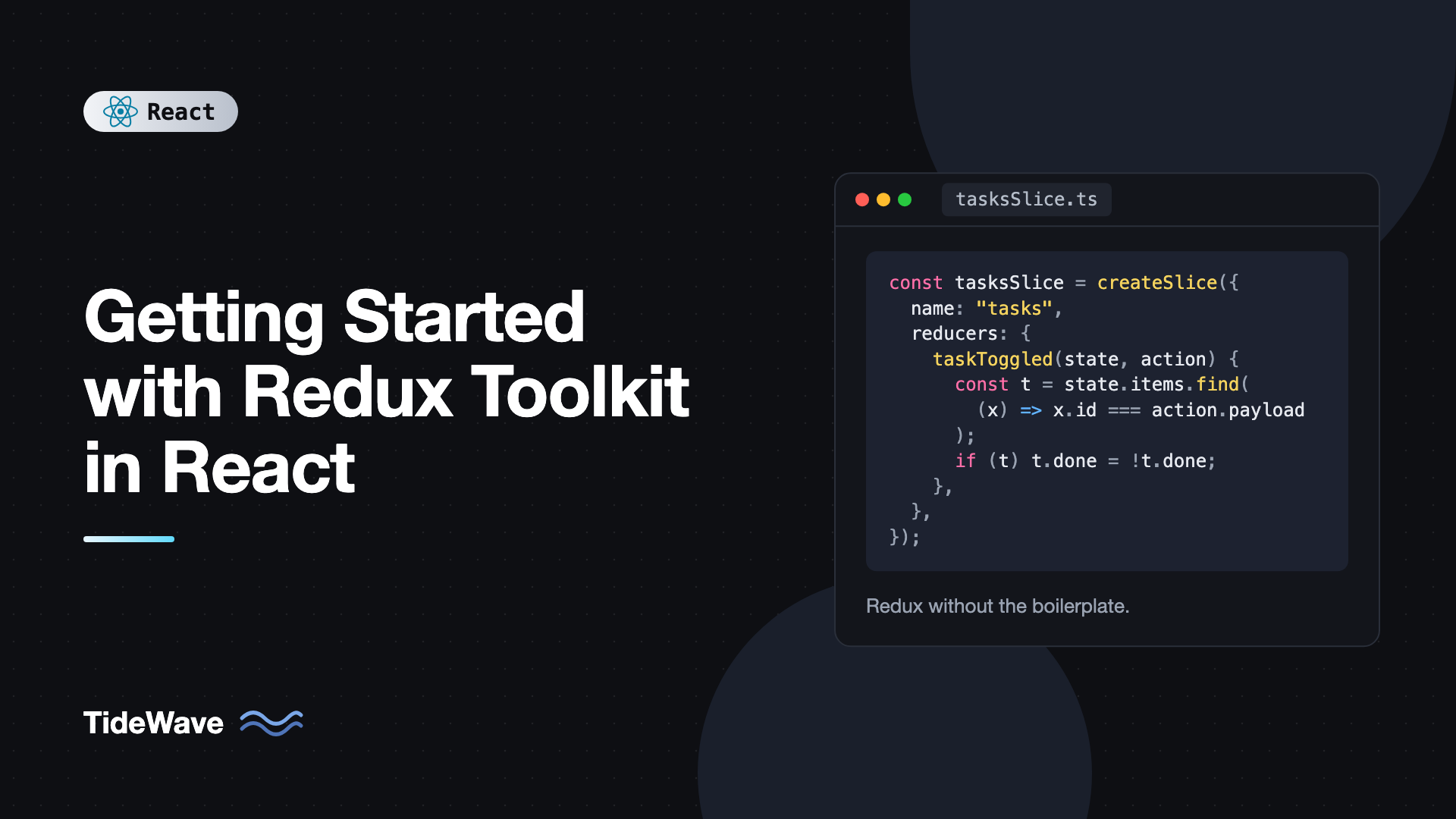
Getting Started with Redux Toolkit in React
Redux has a reputation for boilerplate: action type constants, action creators, switch statements, spread operators nested four levels deep, and a separate library for every async request. That reputation was earned by the original API. It's also out of date. Redux Toolkit (RTK) is the official, recommended way to write Redux, and it cuts most of that ceremony while keeping what made Redux useful: a predictable store, clear data flow, and excellent debugging.
If you're starting a new app with Redux, or you've avoided it because of how it looked years ago, this is the place to start. You'll write less code than classic Redux, get TypeScript types mostly for free, and still be able to trace every state change in Redux DevTools.
This post builds a small task manager from scratch with Redux Toolkit 2 and React 19. You'll set up a store, write slices with createSlice, connect React with typed hooks, load data from an API with createAsyncThunk, derive data with memoized selectors, and organize files so the app can grow.
Core Ideas in Two Minutes
Redux is built around a few concepts:
- Store: a single object holding your app's global state.
- Actions: plain objects describing something that happened, like
{ type: "tasks/added", payload: { title: "Write post" } }. - Reducers: pure functions that take the current state and an action and return the next state.
- Selectors: functions that read a piece of state from the store.
- Dispatch: the function you call to send an action to the store.
Redux Toolkit wraps these in a handful of APIs:
configureStorecreates the store with good defaults, including Redux DevTools support and development checks for mutations.createSlicegenerates action creators and a reducer from one object.createAsyncThunkhandles async request lifecycles.createSelectorcreates memoized selectors.
If you're still deciding whether Redux is the right tool, read Context API vs Redux first.
Setup
Create a React + TypeScript project with Vite and install the two packages you need:
npm create vite@latest task-manager -- --template react-ts
cd task-manager
npm install @reduxjs/toolkit react-redux
@reduxjs/toolkit contains Redux itself plus the toolkit APIs. react-redux provides the Provider component and hooks that connect React to the store. For more on the Vite setup, see building React apps with Vite.
We'll use this structure, grouping files by feature:
src/
  app/
    store.ts
    hooks.ts
  features/
    tasks/
      tasksSlice.ts
      TaskList.tsx
      AddTaskForm.tsx
    filters/
      filtersSlice.ts
      FilterBar.tsx
  main.tsx
  App.tsx
Your First Slice
A slice is the Redux logic for one feature: its initial state, its reducers, and the actions those reducers handle.
// src/features/tasks/tasksSlice.ts
import { createSlice, nanoid, type PayloadAction } from "@reduxjs/toolkit";

export type Task = {
  id: string;
  title: string;
  completed: boolean;
};

type TasksState = {
  items: Task[];
};

const initialState: TasksState = {
  items: [],
};

const tasksSlice = createSlice({
  name: "tasks",
  initialState,
  reducers: {
    taskAdded: {
      reducer(state, action: PayloadAction<Task>) {
        state.items.push(action.payload);
      },
      prepare(title: string) {
        return { payload: { id: nanoid(), title, completed: false } };
      },
    },
    taskToggled(state, action: PayloadAction<string>) {
      const task = state.items.find((t) => t.id === action.payload);
      if (task) task.completed = !task.completed;
    },
    taskRemoved(state, action: PayloadAction<string>) {
      state.items = state.items.filter((t) => t.id !== action.payload);
    },
    completedCleared(state) {
      state.items = state.items.filter((t) => !t.completed);
    },
  },
});

export const { taskAdded, taskToggled, taskRemoved, completedCleared } = tasksSlice.actions;
export default tasksSlice.reducer;
A few things to notice:
state.items.push(...)looks like mutation, but it's safe. RTK uses Immer under the hood. Immer records your changes on a draft and produces a new immutable state object. You can either mutate the draft or return a new value, but not both in the same reducer.- Action creators are generated for you.
taskToggled("abc")returns{ type: "tasks/taskToggled", payload: "abc" }. The type string is built from the slicenameand the reducer key. preparecustomizes the payload. It lets callers pass just a title while the reducer receives a full task with a generated ID. Keeping ID generation inpreparekeeps the reducer pure.
Creating the Store
// src/app/store.ts
import { configureStore } from "@reduxjs/toolkit";
import tasksReducer from "../features/tasks/tasksSlice";
import filtersReducer from "../features/filters/filtersSlice";

export const store = configureStore({
  reducer: {
    tasks: tasksReducer,
    filters: filtersReducer,
  },
});

export type RootState = ReturnType<typeof store.getState>;
export type AppDispatch = typeof store.dispatch;
The keys in reducer become the top-level keys of your state, so state.tasks.items holds the task list. RootState and AppDispatch are inferred from the store, so you never write state types by hand.
Here's the filters slice referenced above:
// src/features/filters/filtersSlice.ts
import { createSlice, type PayloadAction } from "@reduxjs/toolkit";

export type StatusFilter = "all" | "active" | "completed";

const filtersSlice = createSlice({
  name: "filters",
  initialState: { status: "all" as StatusFilter },
  reducers: {
    statusChanged(state, action: PayloadAction<StatusFilter>) {
      state.status = action.payload;
    },
  },
});

export const { statusChanged } = filtersSlice.actions;
export default filtersSlice.reducer;
Typed Hooks
react-redux exports useSelector and useDispatch. To avoid typing RootState and AppDispatch in every component, create pre-typed versions once:
// src/app/hooks.ts
import { useDispatch, useSelector } from "react-redux";
import type { AppDispatch, RootState } from "./store";

export const useAppDispatch = useDispatch.withTypes<AppDispatch>();
export const useAppSelector = useSelector.withTypes<RootState>();
Use these everywhere instead of the plain hooks. useAppDispatch matters most once you add thunks, because the plain useDispatch type doesn't know about them.
Providing the Store
Wrap your app in Provider so components can reach the store:
// src/main.tsx
import { StrictMode } from "react";
import { createRoot } from "react-dom/client";
import { Provider } from "react-redux";
import { store } from "./app/store";
import App from "./App";

createRoot(document.getElementById("root")!).render(
  <StrictMode>
    <Provider store={store}>
      <App />
    </Provider>
  </StrictMode>,
);
Reading and Updating State in Components
A form that dispatches taskAdded:
// src/features/tasks/AddTaskForm.tsx
import { useState, type FormEvent } from "react";
import { useAppDispatch } from "../../app/hooks";
import { taskAdded } from "./tasksSlice";

export function AddTaskForm() {
  const [title, setTitle] = useState("");
  const dispatch = useAppDispatch();

  function handleSubmit(e: FormEvent<HTMLFormElement>) {
    e.preventDefault();
    const trimmed = title.trim();
    if (!trimmed) return;
    dispatch(taskAdded(trimmed));
    setTitle("");
  }

  return (
    <form onSubmit={handleSubmit}>
      <input value={title} onChange={(e) => setTitle(e.target.value)} placeholder="New task" />
      <button type="submit">Add</button>
    </form>
  );
}
Notice that the input value stays in local useState. Not everything belongs in Redux. A half-typed task title only matters to this one component, so keeping it local avoids dispatching an action on every keystroke.
Selectors and Derived Data
The list should show only tasks matching the current filter. That filtered list is derived data, so it shouldn't be stored in the slice. Compute it with a selector instead.
A plain selector that filters would return a new array every time it runs. useSelector compares results by reference, so a new array forces a re-render after every dispatched action, even unrelated ones. createSelector fixes this by memoizing: it only recomputes when its inputs change.
// src/features/tasks/tasksSlice.ts (add at the bottom)
import { createSelector } from "@reduxjs/toolkit";
import type { RootState } from "../../app/store";

export const selectTasks = (state: RootState) => state.tasks.items;
export const selectStatusFilter = (state: RootState) => state.filters.status;

export const selectVisibleTasks = createSelector(
  [selectTasks, selectStatusFilter],
  (tasks, status) => {
    if (status === "active") return tasks.filter((t) => !t.completed);
    if (status === "completed") return tasks.filter((t) => t.completed);
    return tasks;
  },
);

export const selectRemainingCount = createSelector(
  [selectTasks],
  (tasks) => tasks.filter((t) => !t.completed).length,
);
Importing RootState into a slice file that the store also imports is a type-only circular reference, which TypeScript handles fine. Now the list component:
// src/features/tasks/TaskList.tsx
import { useAppDispatch, useAppSelector } from "../../app/hooks";
import { selectRemainingCount, selectVisibleTasks, taskRemoved, taskToggled } from "./tasksSlice";

export function TaskList() {
  const tasks = useAppSelector(selectVisibleTasks);
  const remaining = useAppSelector(selectRemainingCount);
  const dispatch = useAppDispatch();

  return (
    <section>
      <p>{remaining} tasks left</p>
      <ul>
        {tasks.map((task) => (
          <li key={task.id}>
            <label>
              <input
                type="checkbox"
                checked={task.completed}
                onChange={() => dispatch(taskToggled(task.id))}
              />
              <span style={{ textDecoration: task.completed ? "line-through" : "none" }}>
                {task.title}
              </span>
            </label>
            <button onClick={() => dispatch(taskRemoved(task.id))} aria-label={`Delete ${task.title}`}>
              ✕
            </button>
          </li>
        ))}
      </ul>
    </section>
  );
}
And the filter bar:
// src/features/filters/FilterBar.tsx
import { useAppDispatch, useAppSelector } from "../../app/hooks";
import { statusChanged, type StatusFilter } from "./filtersSlice";

const OPTIONS: StatusFilter[] = ["all", "active", "completed"];

export function FilterBar() {
  const status = useAppSelector((state) => state.filters.status);
  const dispatch = useAppDispatch();

  return (
    <div role="group" aria-label="Filter tasks">
      {OPTIONS.map((option) => (
        <button
          key={option}
          aria-pressed={status === option}
          onClick={() => dispatch(statusChanged(option))}
        >
          {option}
        </button>
      ))}
    </div>
  );
}
The inline selector (state) => state.filters.status is fine because it returns a string, which compares by value.
Loading Data With createAsyncThunk
Real apps load data from a server. createAsyncThunk takes an action type prefix and an async function, and dispatches pending, fulfilled, and rejected actions around it automatically. You respond to those actions in the slice's extraReducers.
First, extend the state with a loading status:
// src/features/tasks/tasksSlice.ts (updated parts)
import { createAsyncThunk, createSlice } from "@reduxjs/toolkit";

type TasksState = {
  items: Task[];
  status: "idle" | "loading" | "succeeded" | "failed";
  error: string | null;
};

const initialState: TasksState = { items: [], status: "idle", error: null };

export const fetchTasks = createAsyncThunk("tasks/fetchTasks", async () => {
  const res = await fetch("https://jsonplaceholder.typicode.com/todos?_limit=10");
  if (!res.ok) throw new Error(`Request failed with ${res.status}`);
  const data: { id: number; title: string; completed: boolean }[] = await res.json();
  return data.map((t) => ({ id: String(t.id), title: t.title, completed: t.completed }));
});
Then handle its lifecycle inside createSlice, next to reducers:
const tasksSlice = createSlice({
  name: "tasks",
  initialState,
  reducers: {
    // ...same reducers as before
  },
  extraReducers: (builder) => {
    builder
      .addCase(fetchTasks.pending, (state) => {
        state.status = "loading";
        state.error = null;
      })
      .addCase(fetchTasks.fulfilled, (state, action) => {
        state.status = "succeeded";
        state.items = action.payload;
      })
      .addCase(fetchTasks.rejected, (state, action) => {
        state.status = "failed";
        state.error = action.error.message ?? "Failed to load tasks";
      });
  },
});
Dispatch the thunk when the app mounts:
// src/App.tsx
import { useEffect } from "react";
import { useAppDispatch, useAppSelector } from "./app/hooks";
import { fetchTasks } from "./features/tasks/tasksSlice";
import { AddTaskForm } from "./features/tasks/AddTaskForm";
import { TaskList } from "./features/tasks/TaskList";
import { FilterBar } from "./features/filters/FilterBar";

export default function App() {
  const dispatch = useAppDispatch();
  const status = useAppSelector((state) => state.tasks.status);
  const error = useAppSelector((state) => state.tasks.error);

  useEffect(() => {
    if (status === "idle") {
      dispatch(fetchTasks());
    }
  }, [status, dispatch]);

  return (
    <main>
      <h1>Tasks</h1>
      <AddTaskForm />
      <FilterBar />
      {status === "loading" && <p>Loading tasks…</p>}
      {status === "failed" && <p role="alert">{error}</p>}
      <TaskList />
    </main>
  );
}
The status === "idle" check prevents a duplicate request. In development, Strict Mode runs effects twice, and the second run sees "loading" and skips the fetch. If you're curious why that happens, see why your useEffect runs twice in React Strict Mode.
createAsyncThunk is good for one-off async workflows. For typical "fetch, cache, and refetch" server data, RTK Query (included in Redux Toolkit) is usually a better fit, because it handles caching, loading flags, and invalidation for you. That's covered in RTK Query: data fetching and caching made simple.
Debugging With Redux DevTools
Install the Redux DevTools browser extension. configureStore connects to it automatically. Every dispatched action appears in a timeline with its payload and the resulting state diff. You can jump back to any earlier state, which makes bugs like "the filter reset after deleting a task" easy to trace.
Common Mistakes With Redux Toolkit
- Mutating and returning in the same reducer. With Immer, either mutate the draft or return a new state, never both.
- Storing derived data. Keep filtered lists, counts, and totals out of the slice. Compute them with selectors and memoize with
createSelectorwhen they return new arrays or objects. - Selectors that return new references.
useAppSelector((s) => s.tasks.items.filter(...))creates a new array every time and causes extra re-renders. Use a memoized selector. - Putting everything in Redux. Form drafts, open/closed UI toggles, and hover states usually belong in local component state.
- Non-serializable values in state. Promises, class instances,
Dateobjects, and functions break DevTools and persistence. Store plain data like ISO date strings.configureStorewarns you in development. - Hand-writing server caching. If most of your slices are
fetchXthunks with loading flags, switch to RTK Query.
Frequently Asked Questions (FAQ) About Redux Toolkit
Redux Toolkit is the official way to write Redux. It uses the same core library underneath but adds configureStore, createSlice, createAsyncThunk, Immer for immutable updates, and RTK Query. The Redux maintainers recommend it for all new Redux code.
Yes. Reducers in createSlice receive an Immer draft, so mutating it produces a new immutable state behind the scenes. Mutating state outside of createSlice or createReducer is still a bug.
No. configureStore includes the thunk middleware by default, so createAsyncThunk and hand-written thunks work without extra setup.
Use RTK Query for standard data fetching where you want caching, deduplication, and automatic refetching. Use createAsyncThunk for one-off workflows that don't fit a request-and-cache model, such as a multi-step checkout process.
Most often a selector returns a new array or object each time, for example by calling filter or map inside useSelector. Move that logic into a memoized selector created with createSelector, or select primitive values instead.
Yes. In the App Router, create the store per request inside a Client Component provider rather than as a module-level singleton, so data isn't shared between users on the server. The Redux docs include a dedicated Next.js setup guide.
Conclusion
Redux Toolkit makes Redux practical: configureStore sets up the store with DevTools and safety checks, createSlice turns a reducer object into actions and a reducer, Immer lets you write updates naturally, and typed hooks give you full TypeScript inference. Add createAsyncThunk for async workflows and createSelector for derived data, and you have everything needed for a well-structured app.
Try extending the task manager: add a due date stored as an ISO string, a selector that sorts by it, and a thunk that saves tasks to an API. Then replace the fetch thunk with an RTK Query endpoint and compare how much code disappears. That comparison is the best way to see which tool fits each kind of state.


