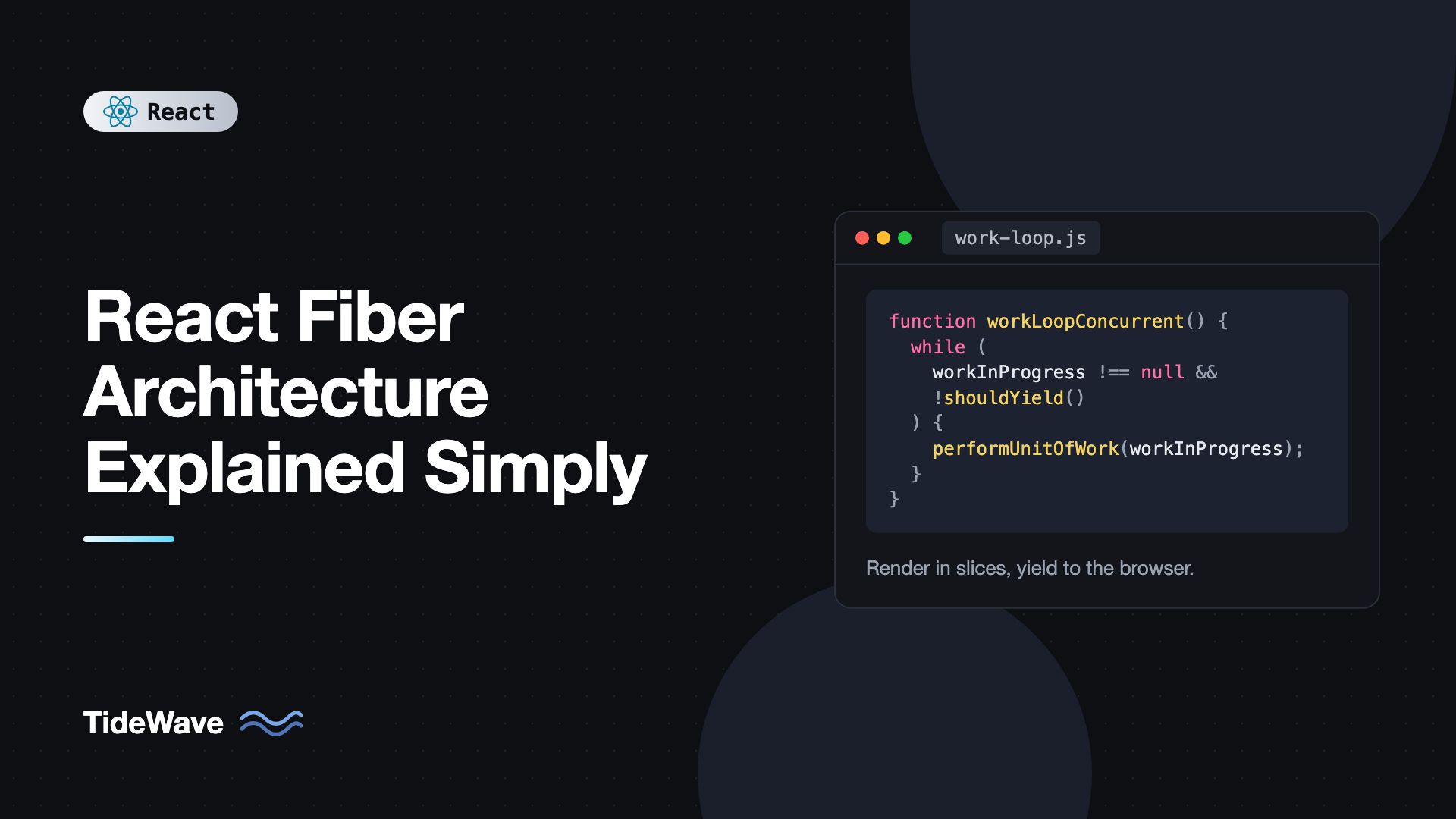
React Fiber Architecture Explained Simply
Type into a search box that filters a list of 10,000 items in an older React app and you can feel the problem. Each keystroke triggers a render, the render walks the whole list, and while it runs, the browser can't do anything else. The input freezes, the cursor stutters, and letters show up in bursts.
That was a structural limit of React's original reconciler. It rendered recursively, and a recursive call stack can't be paused halfway. React 16 replaced it with a new engine called Fiber, and nearly every major feature since then, including Suspense, transitions, concurrent rendering, and Server Components streaming, is built on top of it.
You don't need to know Fiber to write React apps, but understanding it clears up a lot of rules that otherwise seem arbitrary. Why must rendering be pure? Why can hooks never be called conditionally? How can useTransition keep an input responsive while a heavy list renders? This post explains Fiber in plain terms: what a fiber is, how the work loop runs, how React keeps two trees, why there are separate render and commit phases, and how priorities decide what runs first.
The Problem Fiber Solved
Before Fiber, React's reconciler (now called the stack reconciler) worked like a normal recursive function. To render a component, it called the component, then recursively reconciled each child, then each grandchild, all the way down. The JavaScript call stack tracked where it was.
That design has one big flaw: once started, it can't stop until the whole tree is done. JavaScript runs on the main thread, so a 200 ms render blocks typing, clicks, animations, and painting for 200 ms. There was no way to say "pause here, handle that keystroke, then continue," because the progress lived in the call stack, and you can't save a call stack and come back to it later.
Fiber's core idea is simple: move the call stack into the heap. Instead of recursion, React keeps its own linked data structure describing the work, plus a pointer to the current position. Because the progress is stored in objects, React can stop at any point, return control to the browser, and pick up again from the pointer.
What a Fiber Is
A fiber is a plain JavaScript object representing one unit of work, which is usually one component instance or one DOM element in your tree. When you render this:
function App() {
  return (
    <main>
      <Header />
      <TodoList />
    </main>
  );
}
React creates a fiber for App, one for main, one for Header, one for TodoList, and fibers for everything they render. Simplified, a fiber looks like this:
type Fiber = {
  // Identity
  tag: number; // FunctionComponent, HostComponent ("div"), etc.
  type: unknown; // The function, class, or tag string like "main"
  key: string | null;

  // Tree links
  return: Fiber | null; // Parent
  child: Fiber | null; // First child
  sibling: Fiber | null; // Next sibling

  // Instance
  stateNode: unknown; // DOM node for host fibers, instance for classes

  // Inputs and outputs
  pendingProps: unknown; // New props for this render
  memoizedProps: unknown; // Props used last time
  memoizedState: unknown; // For function components, the hooks list

  // Work tracking
  flags: number; // Effects to apply: Placement, Update, Deletion...
  lanes: number; // Priority of pending work on this fiber

  // Double buffering
  alternate: Fiber | null; // The matching fiber in the other tree
};
The real type has more fields, but these are the ones worth knowing.
The Tree as a Linked List
Notice the tree links: child, sibling, and return. A fiber doesn't hold an array of children. It points to its first child, each child points to its next sibling, and every fiber points back up to its parent through return.
For the App example:
App
 └─ child: main
           ├─ child: Header
           │          └─ sibling: TodoList
           └─ (TodoList.return = main, Header.return = main)
This shape lets React walk the whole tree with a simple loop and a single pointer: go to child if there is one, otherwise go to sibling, otherwise go up through return until a sibling is found. No recursion, no call stack, and the current position is just a variable.
The Work Loop
Rendering in Fiber is a loop that processes one fiber at a time. Here's a heavily simplified version of the idea:
let workInProgress = null; // The fiber currently being processed

function workLoopConcurrent() {
  while (workInProgress !== null && !shouldYield()) {
    performUnitOfWork(workInProgress);
  }
}

function performUnitOfWork(fiber) {
  // "Begin": call the component, reconcile its children, return the first child
  const next = beginWork(fiber);
  fiber.memoizedProps = fiber.pendingProps;

  if (next !== null) {
    workInProgress = next;
    return;
  }

  // No children: "complete" this fiber and move to a sibling or back up
  let node = fiber;
  while (node !== null) {
    completeWork(node);
    if (node.sibling !== null) {
      workInProgress = node.sibling;
      return;
    }
    node = node.return;
  }
  workInProgress = null; // Finished the whole tree
}
Two functions do the real work:
beginWorkhandles a fiber on the way down. For a function component, it calls your component with its props and reconciles the returned elements against the existing child fibers, creating, reusing, or marking fibers for deletion. If nothing relevant changed, it can bail out and skip the whole subtree.completeWorkhandles a fiber on the way back up. For host elements likediv, it creates the DOM node (on mount) or computes which attributes changed (on update), without inserting anything into the visible page yet.
The key line is !shouldYield(). After each unit of work, React asks the scheduler whether it has used up its time slice, which is about 5 milliseconds. If so, the loop exits, the browser gets the main thread back to handle input and paint, and React schedules a continuation. Because workInProgress still points to the next fiber, React resumes exactly where it left off.
There's also a synchronous version of the loop without the shouldYield check. React uses it for urgent updates that must finish immediately.
Two Trees: Current and Work in Progress
At any moment React holds up to two fiber trees:
- The current tree represents what's on screen right now.
- The work-in-progress tree is the new version React is building during a render.
Each fiber's alternate field points to its counterpart in the other tree. When a render starts, React clones fibers from the current tree into the work-in-progress tree (or reuses the alternates from last time) and applies updates there.
This technique, called double buffering, is borrowed from graphics programming. Its big benefit: the current tree is never touched during rendering. If React pauses, the screen is still consistent. If a higher-priority update arrives, React can throw the work-in-progress tree away and start again. And when the new tree is complete, React swaps them by moving a single pointer, so the work-in-progress becomes current.
Render Phase and Commit Phase
Fiber splits every update into two phases with very different rules.
Render Phase: Interruptible and Pure
This is the work loop above. React calls components, diffs elements, and builds the work-in-progress tree, marking fibers with flags like Placement, Update, or Deletion. It can be paused, resumed, restarted, or abandoned.
Because React may call your component and then throw the result away, rendering must be pure. A component that sends an analytics event, mutates a global variable, or writes to localStorage during render can do so several times, or for a render that never reaches the screen. Strict Mode deliberately calls components twice in development to surface these bugs, which is explained in why your useEffect runs twice in React Strict Mode.
Commit Phase: Synchronous and Final
Once the work-in-progress tree is complete, React commits it in one uninterrupted pass:
- Before mutation: reads the DOM if needed, for example for
getSnapshotBeforeUpdate. - Mutation: inserts, updates, and removes DOM nodes based on fiber flags. Ref detachments happen here too.
- Layout: swaps the current pointer, attaches refs, and runs
useLayoutEffectcallbacks and class lifecycle methods likecomponentDidMount.
After painting, React runs useEffect callbacks, usually asynchronously. The commit phase can't be interrupted, because a half-applied DOM update would show users a broken UI. That's why it's kept small: all the expensive thinking happens in the render phase, and the commit just applies the precomputed list of changes. More detail on effect timing is in useLayoutEffect vs useEffect.
Where Hooks Live
Here's a detail that makes the rules of hooks click. For a function component, the fiber's memoizedState holds a linked list of hooks, one node per hook call, in the order they were called.
function Profile() {
  const [name, setName] = useState("Ada"); // hook 1
  const [age, setAge] = useState(36); // hook 2
  const ref = useRef<HTMLInputElement>(null); // hook 3
  useEffect(() => {
    document.title = name;
  }, [name]); // hook 4
  // ...
}
On each render, React walks this list in order. The first useState call reads hook 1, the second reads hook 2, and so on. There are no names or ids, only positions. Now imagine a hook inside a condition:
if (showAge) {
  const [age, setAge] = useState(36); // Breaks the order when showAge flips
}
When showAge flips to false, the useRef call would read the node that used to belong to age. That's why hooks must always be called in the same order, at the top level of the component. The rules of hooks with real-world examples post goes deeper into this.
State updates don't change the hook directly either. Calling setName("Grace") pushes an update onto a queue attached to that hook and schedules work on the fiber. The new value is computed during the next render phase, which is why state looks "stale" right after you call a setter.
Lanes: Not All Updates Are Equal
Being able to pause is only useful if React knows what's more important. Fiber assigns every update a lane, a bit in a bitmask that represents priority. Simplified, the main ones are:
- SyncLane: discrete user input like clicks, key presses, and form submissions. Processed right away.
- InputContinuousLane: continuous events like scrolling, pointer moves, and dragging.
- DefaultLane: updates from outside React events, like a
setTimeoutor a network response. - TransitionLanes: updates wrapped in
startTransition. Low priority and interruptible. - IdleLane: work that can wait until nothing else is happening.
Using bitmasks makes it cheap to combine priorities and check whether a fiber has pending work in a given set of lanes. When React picks the next render, it chooses the highest-priority lanes with pending work, and only processes updates in those lanes.
Seeing Lanes in Action
This is the payoff for the search box from the intro:
import { useMemo, useState, useTransition } from "react";

const items = Array.from({ length: 10_000 }, (_, i) => `Item ${i + 1}`);

function SlowList({ query }: { query: string }) {
  const filtered = useMemo(
    () => items.filter((item) => item.toLowerCase().includes(query.toLowerCase())),
    [query],
  );
  return (
    <ul>
      {filtered.map((item) => (
        <li key={item}>{item}</li>
      ))}
    </ul>
  );
}

export function FilterableList() {
  const [input, setInput] = useState("");
  const [query, setQuery] = useState("");
  const [isPending, startTransition] = useTransition();

  return (
    <div>
      <input
        value={input}
        onChange={(e) => {
          setInput(e.target.value); // SyncLane: update the input now
          startTransition(() => {
            setQuery(e.target.value); // TransitionLane: render the list when possible
          });
        }}
        placeholder="Filter items"
      />
      {isPending && <p>Updating list...</p>}
      <SlowList query={query} />
    </div>
  );
}
Each keystroke creates two updates. The input update is urgent, so React renders and commits it immediately and the character appears right away. The list update is a transition, so React renders it with the interruptible work loop, yielding every few milliseconds. If you type another character while the list is rendering, React notices a new urgent update, abandons the in-progress list render, handles the keystroke, and starts the list again with the latest query. Intermediate results that nobody will see are never committed.
None of that was possible with the stack reconciler. It's covered from the API side in useTransition and useDeferredValue for smoother UIs.
The Scheduler
The shouldYield check and the time slices come from a separate package called scheduler, which React uses internally. It keeps a queue of tasks ordered by priority and expiration time, and it runs them in small chunks.
To give the browser a chance to paint between chunks, the scheduler posts a message through a MessageChannel, which schedules a new macrotask without the minimum delay that setTimeout adds. The browser handles input and rendering between those tasks.
The scheduler also prevents starvation. Low-priority work has an expiration time, and once it's expired, React stops yielding and finishes it, so a transition can't be postponed forever by a constant stream of urgent updates.
What Fiber Means for Your Code
You rarely interact with fibers directly, but Fiber's design explains several everyday rules:
- Keep rendering pure. Renders can run more than once or be thrown away. Side effects belong in effects and event handlers.
- Call hooks unconditionally. Hook state is a list matched by call order.
- Expect state updates to be asynchronous. Setters enqueue updates on a fiber. The new value appears on the next render.
- Use transitions for expensive, non-urgent updates. They put work in a lane that can be interrupted.
- Don't rely on render counts. A component might render without committing, especially with concurrent features.
- Keep effects fast when they block paint.
useLayoutEffectruns during the synchronous commit, so slow code there delays the screen update.
Frequently Asked Questions (FAQ) About React Fiber
Fiber is the internal engine React uses to render updates since version 16. It represents each component as an object in a linked tree, so React can process work in small pieces, pause to let the browser respond, and resume or discard work based on priority.
Not exactly. The virtual DOM is the tree of elements your components return. Fiber is the data structure and algorithm React uses to compare those elements across renders, track state and effects, and schedule the work.
Not by making each render cheaper. It makes apps feel faster by keeping the main thread responsive, letting urgent updates like typing interrupt expensive ones, and skipping intermediate results that would be thrown away anyway.
No. Only renders for non-urgent work, like transitions and deferred values, use the interruptible work loop. Updates from discrete events like clicks render synchronously, and the commit phase is never interrupted.
Because Fiber may call a component, pause, and then throw the result away or render it again. Side effects during render could run multiple times or for UI that never appears. Effects and event handlers are the right places for side effects.
No. You can build excellent apps without ever seeing a fiber. Knowing the model helps you understand the rules of hooks, Strict Mode double rendering, and when transitions will help, which makes debugging much easier.
Conclusion
React Fiber replaced recursive rendering with a loop over a linked tree of fiber objects. Because progress lives in objects instead of the call stack, React can render in small time slices, yield to the browser, and resume. It keeps a current tree and a work-in-progress tree, renders in an interruptible, pure phase, and applies changes in a short synchronous commit. Lanes give each update a priority, so typing can cut in front of a heavy list render.
Next time a rule of React feels arbitrary, like calling hooks unconditionally or keeping render free of side effects, think about the fiber behind your component and the work loop that might call it twice or throw its output away. To see how reconciliation decides what changed in the first place, read understanding the virtual DOM and reconciliation, and then try moving one expensive update in your own app into a transition.


