How Typefaces Are Designed: From Sketch to Font File
- Maria
- Typography
- 23 Oct, 2026
You pick fonts from a menu, load them with @font-face, and set them with a few lines of CSS. It's easy to forget that every one of those fonts is the result of months or years of careful drawing, spacing, testing, and engineering. A typical text family has hundreds of glyphs per style, thousands of kerning pairs, and a set of OpenType features that change how letters behave in context.
Knowing how a typeface is made changes how you use one. You start to notice spacing decisions, see why some fonts break at small sizes, understand why a font file costs what it does, and know what to look for when you evaluate a new family.
This post walks through the process from first sketch to finished font file: concept, control characters, digital outlines, spacing, kerning, extending the character set, building a family, OpenType features, and production.
Step 1: Defining the Purpose
Most typefaces begin with a problem, not a drawing. The designer, or the client commissioning the font, defines what it needs to do:
- Where will it be used? Body text in books, UI labels on phones, signage seen from a distance, or display headlines?
- At what sizes? A face for 12px interface text needs very different proportions from one for 120px headlines.
- What languages? Supporting Latin only is a very different project from supporting Latin, Greek, Cyrillic, and Vietnamese.
- What personality? Warm or cool, formal or relaxed, traditional or contemporary?
- What technical constraints? Does it need to be a variable font? Does it need tabular figures for data, or a monospace companion?
These answers shape everything that follows. A typeface designed for small screen text, for example, typically gets a large x-height, open apertures, and generous spacing.
Step 2: Sketching and Exploration
Many designers start on paper. Sketches with pencil, pen, or broad-nibbed tools explore the basic shapes quickly. Others start directly on screen. Either way, the goal at this stage is to find a few letters that establish the character of the design.
Designers often reference existing letterforms: historical specimens, lettering on buildings, handwriting, or other typefaces. A revival begins with close study of historical sources. An original design might start from a single interesting detail, like a particular terminal shape or the curve of a lowercase a.
Step 3: Control Characters
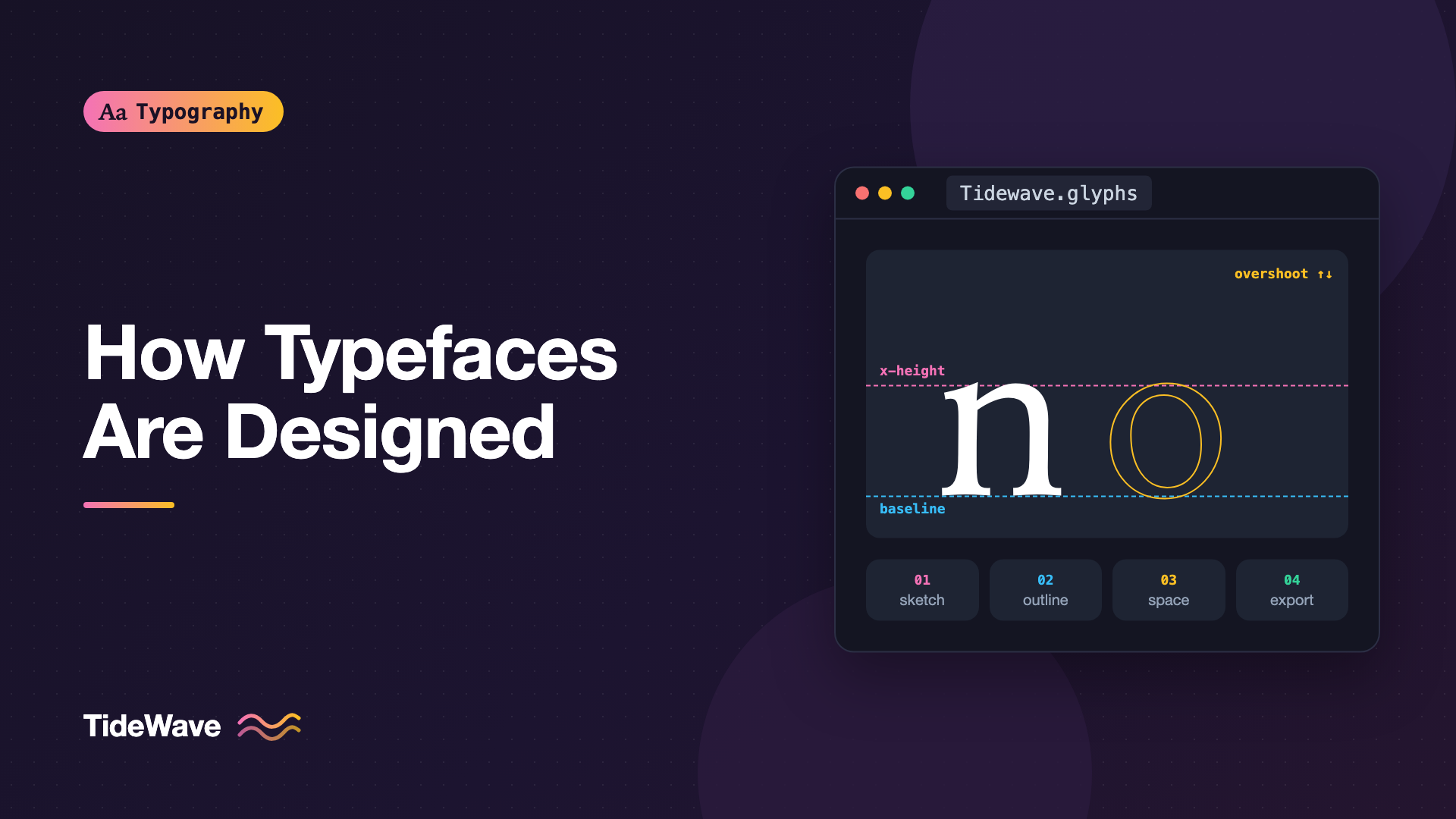
Rather than drawing the whole alphabet at once, designers focus on a small set of control characters that define the system. In the Latin lowercase, the most common starting points are n and o:
nestablishes straight stems, the arch, the stem weight, the x-height, and the serif or terminal treatment.oestablishes round shapes, the stress, the contrast, and the overshoot.
Together they set the rhythm of the lowercase. From there, designers typically add h, d, p, a, e, s, and g to test ascenders, descenders, and more complex shapes. For capitals, H and O play the same role as n and o.
Designers often test early drafts with words built from a small set of letters. "Hamburgefonstiv" and "adhesion" are classic test words because they cover many basic shapes. Learning to read the parts of these letters is easier with a clear vocabulary; the anatomy of a typeface covers the terms.
Step 4: Drawing Digital Outlines
Modern typefaces are drawn in dedicated font editors. Popular options include Glyphs (macOS), FontLab (macOS and Windows), and RoboFont (macOS), as well as the free, open-source FontForge.
Each glyph is drawn as a set of contours made from Bézier curves. Designers follow a few conventions that make outlines clean and predictable:
- Points on extremes: Place on-curve points at the top, bottom, left, and right extremes of every curve. This makes curves easier to control and helps rendering and hinting.
- Minimal points: Use as few points as possible to describe a shape. Extra points create lumpy curves.
- Consistent direction: Outer contours and counters run in opposite directions so the renderer knows which areas to fill.
- Smooth connections: Handles on either side of a smooth point line up, so the curve flows without kinks.
Optical Corrections
A typeface that's geometrically correct looks wrong. Designers make dozens of optical corrections so letters look right to the eye:
- Overshoot: Round letters like
oandOextend slightly above and below the flat letters' heights. Without overshoot, round letters look smaller. - Thinner horizontals: Horizontal strokes are drawn slightly thinner than vertical strokes. Equal thickness makes horizontals look heavier.
- Ink traps and joins: Where strokes meet, as in the crotch of an
norv, designers thin the joins so they don't fill in with visual weight, especially at small sizes. - Adjusted centers: The crossbar of
Hsits slightly above the true center, and the upper bowl ofBis smaller than the lower one. Mathematically centered shapes look like they're sagging.
Step 5: Spacing
Many type designers consider spacing as important as the shapes themselves. Each glyph has a left and right sidebearing, the empty space between its outline and the edges of its advance width. Together, the sidebearings determine how letters sit next to each other before any kerning is applied.
A common method, described by the type designer Walter Tracy, starts with the control characters:
- Set the sidebearings of
nso thatnnnnlooks evenly spaced. - Set the sidebearings of
oso thatnnonnandnoonolook even. - Space other letters relative to
nando, based on whether each side is straight, round, or diagonal.
Straight-sided letters like h, l, and m borrow sidebearings from n. Round-sided letters like c, d, and e borrow from o. Letters with open or diagonal shapes, like v, x, y, and k, need individual attention.
Good spacing makes text look even in color, which is the goal for body text. If you're interested in judging that evenness, see typographic color.
Step 6: Kerning
Even with excellent spacing, some letter pairs still look wrong. AV, To, Yo, and LT create awkward gaps because their shapes don't fit together. Kerning adds adjustments for specific pairs.
Designers usually kern with kerning classes (also called groups). Letters with similar shapes on a given side share a class, so a single adjustment covers many pairs. For example, o, c, d, e, q, and ó might all be in the same left-side class.
A full family can have thousands of pairs per style. Kerning across languages, punctuation, and figures takes significant time. Kerning, tracking, and leading covers how kerning interacts with the spacing controls you use in CSS.
Step 7: Extending the Character Set
Once the basic Latin alphabet works, the character set expands. A professional text font commonly includes:
- Uppercase and lowercase letters with accented variants for many European languages
- Lining, old-style, tabular, and proportional figures
- Punctuation, including proper quotes, dashes, and ellipses
- Currency symbols, math symbols, and arrows
- Small caps, superior and inferior figures, and fractions
- Ligatures such as
fi,fl, andff
Accented characters are often built as composite glyphs, combining a base letter with an accent mark using anchor points. Designers still adjust many composites by hand, because accents need to sit correctly over letters of different widths and heights.
Extending to other scripts such as Greek, Cyrillic, Arabic, or Devanagari is a major project of its own, often done with specialists who know those writing systems deeply.
Step 8: Building the Family
Most typefaces are released as families with multiple weights, widths, and italics. Designers rarely draw every weight from scratch. Instead, they draw masters at the extremes of the design space, such as Thin and Black, and the editor interpolates the weights in between.
Interpolation requires every master to be compatible: each glyph must have the same number of contours, the same number of points, and the points in the same order. That's why outline discipline matters from the very first drawing.
The same masters can be exported as separate static fonts or combined into a variable font, which stores the whole design space in one file. If you work with variable fonts in CSS, variable fonts in CSS shows the front-end side of this.
Italics are usually designed separately rather than slanted from the roman. A true italic often has different letter structures, such as a single-story a.
Step 9: OpenType Features
Modern fonts are more than a set of glyphs. The OpenType format lets designers write rules that substitute or position glyphs based on context. Common features include:
| Feature tag | Name | What it does |
|---|---|---|
liga | Standard ligatures | Replaces fi with a single ligature glyph |
kern | Kerning | Applies pair kerning |
smcp | Small capitals | Swaps lowercase letters for small caps |
onum | Old-style figures | Uses figures with ascenders and descenders |
tnum | Tabular figures | Uses figures with equal widths |
frac | Fractions | Builds fractions from numbers around a slash |
ss01 | Stylistic set 1 | Swaps in an alternate set of glyphs chosen by the designer |
Designers write features in a feature definition language, and font editors can generate some features automatically. As a front-end developer, you control these features in CSS with font-variant-* properties or font-feature-settings:
.data-table td {
  font-variant-numeric: tabular-nums lining-nums;
}

.article-body {
  font-variant-ligatures: common-ligatures;
  font-variant-numeric: oldstyle-nums;
}

.brand-heading {
  font-feature-settings: "ss01" 1;
}
Step 10: Hinting and Production
Once the design is complete, the font needs to be engineered for real-world use.
Hinting
Hinting adds instructions that help fonts render clearly at small sizes on low-resolution screens. It used to be a major part of font production. On high-resolution screens it matters much less today, and many fonts use automatic hinting. How font hinting works explains the details.
Naming and Metadata
Fonts contain tables with names, version numbers, licensing information, vertical metrics, and other metadata. Vertical metrics in particular, the ascender, descender, and line gap values, affect line height across platforms. Getting them wrong causes text to sit differently in different browsers or operating systems.
Building and Exporting
Font editors export directly to formats like OTF and TTF. Many open-source projects use command-line tools instead, so the build is reproducible. For example, the open-source fontmake tool compiles sources in the UFO and designspace formats:
# Install the font build tools
python3 -m pip install fontmake fonttools brotli

# Build static TTF fonts from a designspace file
fontmake -m sources/Tidewave.designspace -o ttf --output-dir build/static

# Build a variable font from the same sources
fontmake -m sources/Tidewave.designspace -o variable --output-dir build/variable

# Compress for the web
fonttools ttLib.woff2 compress build/variable/Tidewave-VF.ttf
The resulting WOFF2 file is what you'd serve on a website:
@font-face {
  font-family: "Tidewave Sans";
  src: url("/fonts/Tidewave-VF.woff2") format("woff2");
  font-weight: 100 900;
  font-display: swap;
}
Step 11: Testing
Testing runs throughout the process, but it intensifies near release. Type designers test fonts by:
- Setting real text in multiple languages at many sizes
- Printing pages and viewing them at reading distance
- Checking rendering on different operating systems and browsers
- Running automated checks with tools like Font Bakery, which flag common technical issues
- Testing interpolation across the full range of a variable font
Many fonts go through beta testing with real designers before launch.
How Long Does It Take?
There's no fixed answer. A simple display font with a limited character set can take weeks. A text family with many weights, italics, and broad language support can take years, often with a team of designers, engineers, and script specialists. That effort is one reason why professional fonts cost what they do.
Common Mistakes
- Drawing the whole alphabet before testing rhythm: Designers who skip control characters often discover late that the system doesn't hang together. Get
n,o,H, andOworking first. - Trusting geometry over the eye: Mathematically perfect shapes look wrong. Overshoots and optical corrections are necessary, not optional.
- Kerning to fix bad spacing: If many pairs need kerning, the sidebearings are probably wrong. Fix spacing first.
- Ignoring interpolation compatibility: Masters with mismatched point structures can't interpolate, which means rework late in the project.
- Neglecting vertical metrics: Bad ascender and descender values cause clipped accents and inconsistent line heights across platforms.
- Testing only on one platform: A font that looks great on a high-resolution Mac can look uneven on a lower-resolution Windows screen.
Conclusion
A typeface moves through a long chain of decisions: defining its purpose, sketching, establishing control characters, drawing clean Bézier outlines with optical corrections, spacing, kerning, expanding the character set, building masters for a family, writing OpenType features, and engineering the final files. Each step depends on the ones before it.
Understanding that process helps you use fonts better. You'll recognize good spacing, know what features to look for, and understand why a well-made family behaves consistently at every size and weight. The next time you evaluate a font, look past the headline sample and check the spacing, the figures, and the details. That's where the craft shows.


