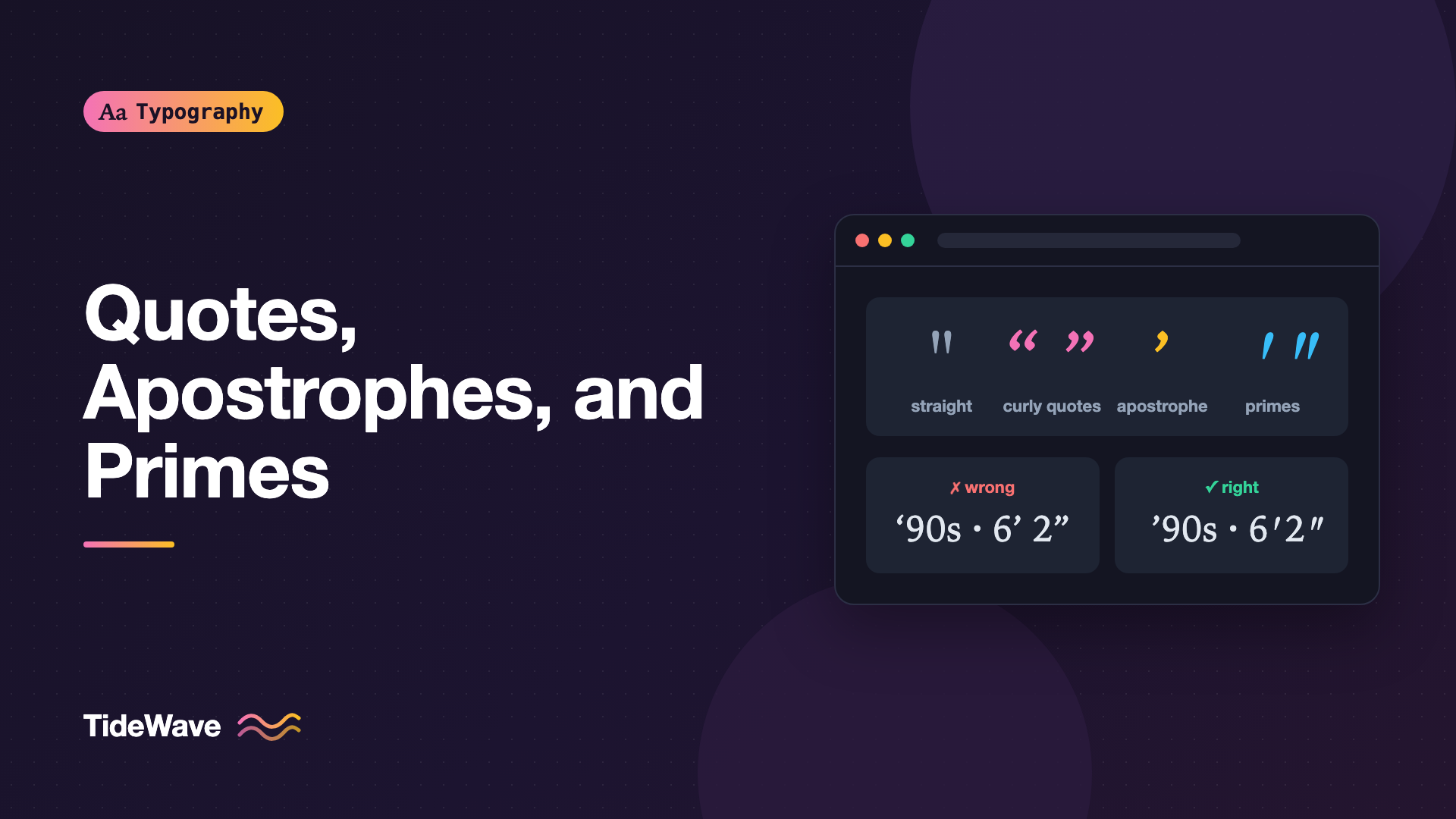
Quotes, Apostrophes, and Primes: Getting Punctuation Right
- Maria
- Typography
- 23 Oct, 2026
Look closely at a carefully typeset book and then at a typical web page. In the book, quotation marks curl around the words they enclose, like little 6s and 9s. On the web page, they're often straight vertical ticks: "like this" instead of “like this”. The difference is small, but once you notice it, you'll see it everywhere, and it's one of the quickest signs of whether text was set with care.
Straight marks are a leftover from the typewriter, which had room for only one key for both opening and closing quotes. Proper typography uses distinct characters for quotation marks, apostrophes, and prime marks, and each has its own job. Mixing them up isn't just a style issue. It can change meaning, confuse screen readers, and break code that people copy from your site.
This guide covers which character to use where, how to type and encode them, and how to handle them in HTML, CSS, and your content pipeline.
The Characters at a Glance
Here are the characters you need to know, with their Unicode code points and HTML entities:
| Character | Name | Code point | HTML entity |
|---|---|---|---|
" | Quotation mark (straight) | U+0022 | " |
' | Apostrophe (straight) | U+0027 | ' |
“ | Left double quotation mark | U+201C | “ |
” | Right double quotation mark | U+201D | ” |
‘ | Left single quotation mark | U+2018 | ‘ |
’ | Right single quotation mark | U+2019 | ’ |
′ | Prime | U+2032 | ′ |
″ | Double prime | U+2033 | ″ |
The straight characters at the top are what your keyboard produces. The rest are what good typography calls for in running text.
Curly Quotes: Opening and Closing
Curly quotes, also called smart quotes or typographer's quotes, come in opening and closing pairs. The opening mark looks like a small 6 and the closing mark like a small 9, in either single or double form.
- “Double quotes” use U+201C to open and U+201D to close.
- ‘Single quotes’ use U+2018 to open and U+2019 to close.
In American English, double quotes are the default and single quotes are used for a quote within a quote:
She said, “The sign read ‘No entry,’ so we turned back.”
British English often reverses this, using single quotes first and double quotes inside. Either is fine. What matters is consistency and using the curly forms.
Straight Quotes Still Have a Place
Straight quotes aren't wrong everywhere. They're correct in:
- Code: string literals, HTML attributes, JSON, shell commands. A curly quote in code is a syntax error.
- Data formats like CSV and configuration files.
- Monospaced contexts where alignment matters more than typographic polish.
The rule is simple. Prose gets curly quotes. Anything a machine will parse gets straight quotes.
The Apostrophe
In English, the correct apostrophe is the same character as the right single quotation mark: ’ (U+2019). It's used in contractions and possessives:
- don’t, it’s, we’ll
- Maria’s notebook, the users’ settings
Unicode does have a separate "modifier letter apostrophe" (U+02BC), but it's intended for languages where the apostrophe acts as a letter, such as in some transliterations. For English prose, use U+2019.
The Backwards Apostrophe Problem
The most common punctuation mistake in professional design is the backwards apostrophe. It happens when an apostrophe starts a word, as in abbreviated years and dropped letters:
- ’90s, not ‘90s
- rock ’n’ roll, not rock ‘n’ roll
- ’til, not ‘til
Smart-quote software sees a quote mark at the start of a word, assumes it's an opening quote, and inserts ‘ (U+2018). But an apostrophe always points the same way, like a small 9, no matter where it appears. You'll need to fix these by hand or with a targeted rule in your build process.
Primes: Feet, Inches, Minutes, and Seconds
Prime marks look similar to apostrophes and quotes, but they're a different symbol with a different meaning. They're used for units of measurement:
- Feet and inches: 5′ 11″
- Arc minutes and seconds: 40° 26′ 46″ N
- Time in some contexts: 3′ 20″ for 3 minutes, 20 seconds
Primes are usually straight or slightly slanted, never curly. Using a curly quote for inches, as in 5’ 11”, is a common error. Using a straight quote (5' 11") is better than a curly one, but the true prime characters are the correct choice when your font includes them.
<p>The ceiling height is 9′ 6″.</p>
<p>Coordinates: 51° 30′ 26″ N</p>
Not every font includes prime glyphs. If yours doesn't, the browser borrows them from another font, which can look mismatched. Check how they render, and see the fallback fonts guide for ways to control which font supplies them.
Ditto Marks
The ditto mark, used in lists and tables to repeat the item above, traditionally uses a double prime or a closing double quote depending on the style. Ditto marks are rare on the web, and a table with repeated values is usually clearer for screen reader users anyway.
How to Type These Characters
You don't need to memorize code points if you know the keyboard shortcuts.
| Character | macOS | Windows (numeric keypad) |
|---|---|---|
“ | Option + [ | Alt + 0147 |
” | Shift + Option + [ | Alt + 0148 |
‘ | Option + ] | Alt + 0145 |
’ | Shift + Option + ] | Alt + 0146 |
Primes don't have default keyboard shortcuts on most systems. Use the character viewer on macOS, the emoji and symbols panel on Windows (Win + .), or HTML entities.
Most word processors and design tools convert straight quotes to curly quotes automatically. Figma, Google Docs, and macOS text fields all do this by default. Code editors don't, which is how straight quotes end up in content that was written in Markdown or directly in templates.
Getting Quotes Right in HTML
If your HTML file is saved and served as UTF-8, which it should be, you can type curly quotes directly:
<meta charset="utf-8" />
<p>“Ship it,” she said. “We’ll fix the rest on Monday.”</p>
Entities work too, and some teams prefer them because they're visible in the source and survive any encoding mix-up:
<p>
“Ship it,” she said. “We’ll fix the rest on
Monday.”
</p>
The q Element and the CSS quotes Property
For inline quotations, HTML has the q element. The browser adds quotation marks automatically, using the CSS quotes property:
<p>
  The error message said <q>Connection refused</q>, so we checked the firewall.
</p>
By default, browsers choose quote marks based on the element's lang. You can also set them explicitly:
:root {
  quotes: "“" "”" "‘" "’";
}

:lang(fr) {
  quotes: "«\00a0" "\00a0»" "“" "”";
}

:lang(de) {
  quotes: "„" "“" "‚" "‘";
}
The first pair is for the outer level and the second for nested quotes. In the French example, \00a0 adds a non-breaking space inside the guillemets, which French typography expects. The invisible characters guide covers non-breaking spaces in more detail.
You can use the same mechanism for blockquotes with generated content:
blockquote p:first-child::before {
  content: open-quote;
}

blockquote p:last-child::after {
  content: close-quote;
}
open-quote and close-quote read from the quotes property and track nesting, so the marks stay correct even when quotes contain other quotes. Pair this with hanging punctuation so the opening mark sits outside the text edge.
Quotation Marks in Other Languages
Different languages use different marks, and some place them differently:
| Language | Primary | Nested |
|---|---|---|
| English (US) | “ ” | ‘ ’ |
| English (UK) | ‘ ’ | “ ” |
| French | « » | “ ” |
| German | „ “ | ‚ ‘ |
| Swedish | ” ” | ’ ’ |
| Japanese | 「 」 | 『 』 |
| Chinese (Simplified) | “ ” | ‘ ’ |
Conventions vary within languages too. Swiss German uses guillemets, for example, and French in Switzerland spaces them differently from France. If you localize content, let each language's lang attribute and quotes rules handle it rather than hardcoding marks in templates.
Automating Smart Quotes in Your Pipeline
If content is written in Markdown or a plain text CMS field, you'll want to convert straight quotes automatically. Most static site tools have an option for this.
In a remark-based pipeline, remark-smartypants converts quotes, dashes, and ellipses:
import { remark } from "remark";
import remarkSmartypants from "remark-smartypants";

const file = await remark()
  .use(remarkSmartypants)
  .process("\"It's done,\" he said. 'Finally.'");

console.log(String(file));
// “It’s done,” he said. ‘Finally.’
Good smart-quote tools skip code spans and code blocks, so your examples keep their straight quotes. Always check this when you add one.
If you need a simple conversion in JavaScript, for example to clean up a headline field, a few targeted replacements cover most cases:
function smartQuotes(text) {
  return text
    .replace(/(^|[\s(\[])"/g, "$1“") // opening double
    .replace(/"/g, "”") // closing double
    .replace(/(^|[\s(\[])'(?=\d\ds\b)/g, "$1’") // ’90s
    .replace(/(^|[\s(\[])'/g, "$1‘") // opening single
    .replace(/'/g, "’"); // apostrophes and closing single
}

smartQuotes(`"Back in the '90s," she said, "we didn't have CSS Grid."`);
// “Back in the ’90s,” she said, “we didn’t have CSS Grid.”
This won't handle every edge case, like "rock 'n' roll", so review output for important copy.
Accessibility and Copy-Paste
Quote characters affect more than appearance:
- Screen readers usually skip quotation marks or announce them depending on the user's punctuation settings. Correct curly quotes and primes give the reader software the best chance of handling them sensibly. A curly quote used for inches won't be read as "inches".
- Copy and paste from your site carries the exact characters. If your code examples contain curly quotes because a CMS converted them, readers who copy a command will get errors. Always render code in
codeorpreelements that your smart-quote processing skips. - Search in browsers usually matches straight and curly quotes loosely, but site search, databases, and filters may not. Normalize quotes before indexing if users search for phrases with apostrophes.
Common Mistakes
- Straight quotes in body copy, the typewriter habit that makes text look unpolished.
- Curly quotes in code samples, which break commands and string literals when readers copy them.
- Backwards apostrophes in ’90s, ’til, and rock ’n’ roll, caused by smart-quote software guessing wrong.
- Curly quotes as feet and inches, writing 6’ 2” instead of 6′ 2″.
- Hardcoding English quote marks in templates that are reused for other languages.
- Mixing styles on one page, such as curly quotes in body text and straight quotes in headings that came from a different field.
Conclusion
Quotes, apostrophes, and primes are separate characters with separate jobs. Use curly “ ” and ‘ ’ for quotations, ’ for every apostrophe including the ones at the start of a word, and ′ ″ for measurements. Keep straight quotes for code and data, use the q element and the quotes property for language-aware quoting, and automate conversion in your content pipeline while protecting code blocks.
To start, search your site for a few straight quotes in headings and buttons, which are often typed directly into templates. Fixing those and adding a smart-quote step for content will cover most of what readers notice.


