Fallback Fonts and Missing Glyphs: What Happens When a Character Isn't Supported
- Maria
- Typography
- 23 Oct, 2026
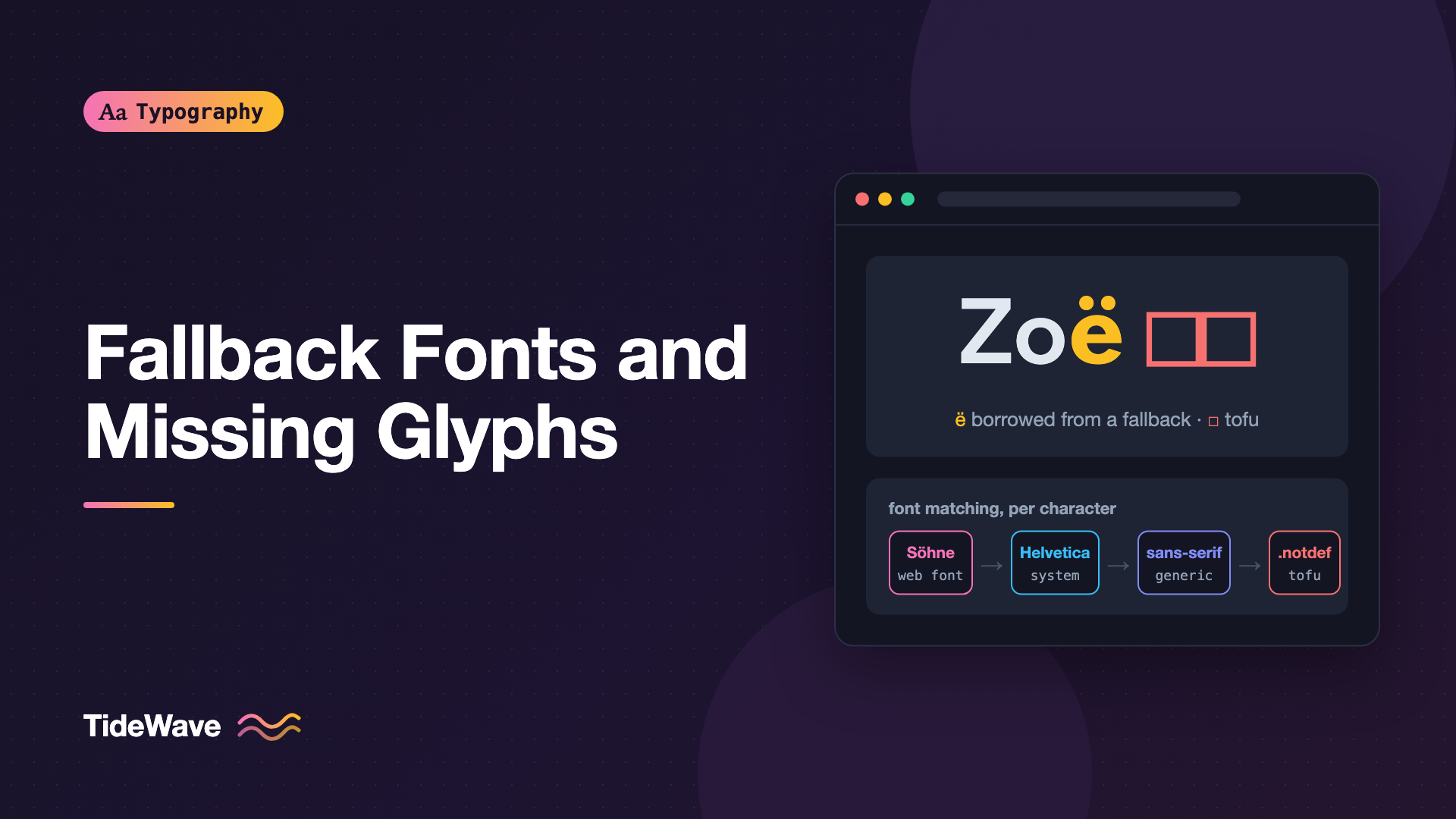
A customer named Zoë signs up, and her name appears on her profile page in your brand font, except for the "ë", which looks slightly heavier and a little taller than the letters around it. Somewhere else, a user pastes a rare symbol into a comment and it shows up as an empty rectangle. Both are the same underlying event: the font you asked for doesn't contain the character, and the browser has to decide what to do.
That process is called font fallback, and it happens on nearly every page on the web, usually without anyone noticing. When it goes wrong, you get mismatched letters, layout shifts, or the dreaded tofu, the blank boxes that stand in for characters no available font can draw.
This guide explains how browsers pick a font for each character, why glyphs go missing, and how to build font stacks and @font-face rules that fail gracefully.
Fonts Are Collections of Glyphs
A font file is a set of glyphs, the drawn shapes, plus a table that maps Unicode code points to those glyphs. If a code point isn't in the table, the font simply doesn't support that character.
Coverage varies enormously:
- A typical Latin web font covers basic Latin, common punctuation, and often Western European accented letters. That might be a few hundred glyphs.
- An extended Latin font adds Central European, Vietnamese, and other accented letters, plus symbols like arrows and currency signs.
- A pan-Unicode family like Noto spans hundreds of scripts, split across many separate font files.
No single font covers everything. Unicode defines well over 100,000 characters, while the OpenType format limits a single font to 65,535 glyphs. Fallback isn't a bug. It's how the web is designed to work.
How Browsers Choose a Font for Each Character
Font matching happens per character, not per element. For every character in a run of text, the browser walks through a sequence of candidates:
- Each family in your
font-familylist, in order. - Any font the browser associates with the generic family at the end of the list, like
sans-serif. - The browser's and operating system's own fallback fonts, chosen based on the character's script and the element's
lang. - If nothing has the character, the
.notdefglyph of the primary font, usually an empty box or a box with a question mark or cross.
Take this rule:
body {
  font-family: "Söhne", "Helvetica Neue", Arial, sans-serif;
}
For the word "Café", the browser looks for "C", "a", "f", and "é" in Söhne. If Söhne has them all, it renders the whole word in Söhne. If the web font was subset to basic Latin only, "é" falls through to Helvetica Neue, and you get one letter from a different typeface. That's exactly what happened to Zoë.
Matching Within a Family
Before moving to the next family, the browser tries to find the right face within the current one. It matches font-style, then font-weight, then font-stretch, following a defined algorithm. If you ask for weight 600 and the family only has 400 and 700, the browser picks 700. If there's no italic, it may synthesize one.
This matters for fallback because the browser checks for the character in the matched face. If your bold file has a smaller character set than your regular file, bold text can fall back in places where regular text doesn't.
What Tofu Means
When no font on the system can render a character, the browser draws the primary font's .notdef glyph. In most fonts that's a rectangle, and its resemblance to a block of tofu gave it the name. Google's Noto project takes its name from this problem: "no more tofu".
Tofu appears most often with:
- Newly added emoji on older operating systems.
- Rare scripts, historic scripts, and specialist symbols.
- Private Use Area characters from icon fonts when the icon font fails to load.
- Characters stripped out by an aggressive subset with no fallback behind it.
You can't fully prevent tofu, since you don't control the user's installed fonts. But you can make sure common characters in your content always have a font, and you can avoid creating tofu yourself through subsetting.
Writing Font Stacks That Fall Back Well
A good font-family list is ordered from most specific to most general, and every entry should earn its place.
:root {
  --font-body:
    "Source Serif 4", "Iowan Old Style", "Palatino Linotype", Georgia, serif;
  --font-ui: "Inter", system-ui, -apple-system, "Segoe UI", Roboto, sans-serif;
  --font-code:
    "JetBrains Mono", ui-monospace, "SF Mono", Menlo, Consolas, monospace;
}
A few principles keep these lists reliable:
- Always end with a generic family.
serif,sans-serif,monospace,system-ui,ui-monospace,emoji, andmathlet the browser pick a sensible system font when everything else fails. - Choose fallbacks with similar metrics. If the web font fails or lacks a character, the fallback should have a similar x-height and width so the layout doesn't jump. The size-adjust guide shows how to tune fallback metrics precisely.
- Order by platform likelihood. Put fonts that most of your users have early in the list. The system font stack guide has tested stacks for each platform.
Generic Families Worth Knowing
| Generic family | What it gives you |
|---|---|
serif | The browser's default serif face |
sans-serif | The browser's default sans face |
monospace | A fixed-width face |
system-ui | The operating system's interface font |
ui-monospace | The system's monospace font, where supported |
emoji | A color emoji font |
math | A font designed for mathematical notation |
Browser support for the newer generics varies. system-ui is widely supported, while ui-monospace and math are less consistent. Listing them before an older generic is safe, since unsupported names are skipped.
Language Affects Fallback
When the browser reaches system fallback, it uses the element's lang attribute to pick a font. This is especially important for Han characters shared between Chinese, Japanese, and Korean, which have regional glyph differences. A page tagged lang="ja" gets Japanese system fonts for kanji, while lang="zh-Hans" gets Simplified Chinese fonts.
<p lang="en">Our Tokyo office is in 渋谷.</p>
<p lang="ja">渋谷にオフィスがあります。</p>
In the English paragraph, the browser still finds a font for 渋谷, but it may choose a Chinese font with Chinese glyph forms. Tagging the inline phrase gives the browser the hint it needs:
<p lang="en">Our Tokyo office is in <span lang="ja">渋谷</span>.</p>
If you work with CJK content, the CJK typography guide covers language tagging and font stacks for each script.
Controlling Fallback with unicode-range
The unicode-range descriptor in @font-face tells the browser which code points a font file covers. The browser only downloads the file if the page uses one of those characters, and it won't use that face for characters outside the range.
This lets you combine fonts deliberately. A common pattern is to borrow better-looking punctuation or numerals from another font:
@font-face {
  font-family: "Body";
  src: url("/fonts/source-serif-4.woff2") format("woff2");
  font-display: swap;
}

/* Use a different font only for the ampersand */
@font-face {
  font-family: "Body Amp";
  src: local("Baskerville"), local("Baskerville-Italic");
  unicode-range: U+0026;
}

body {
  font-family: "Body Amp", "Body", Georgia, serif;
}
Because "Body Amp" only claims U+0026, the browser uses it for ampersands and falls through to "Body" for everything else.
The same descriptor powers language subsets on Google Fonts. Each family is split into files for Latin, Latin Extended, Cyrillic, Greek, Vietnamese, and so on, and each file declares its range:
/* latin-ext */
@font-face {
  font-family: "Inter";
  src: url("/fonts/inter-latin-ext.woff2") format("woff2");
  unicode-range:
    U+0100-02BA, U+02BD-02C5, U+02C7-02CC, U+02CE-02D7, U+1E00-1EFF;
}

/* latin */
@font-face {
  font-family: "Inter";
  src: url("/fonts/inter-latin.woff2") format("woff2");
  unicode-range: U+0000-00FF, U+0131, U+0152-0153, U+2000-206F, U+20AC;
}
If you subset a font yourself, make sure the unicode-range you declare matches what's actually in the file. Declaring a range that includes characters you removed means the browser expects the font to draw them, and depending on the browser you may see the fallback font or tofu.
The font subsetting guide covers how to choose a subset that won't surprise you.
Synthesized Bold and Italic
A related form of fallback happens with styles. If you ask for bold or italic and the family has no matching face, browsers synthesize one: they smear the glyphs to fake bold or slant them to fake italic. The result is usually worse than a real face, and it's especially bad for scripts that have no italic tradition.
You can turn synthesis off per feature:
body {
  font-synthesis: none;
}

/* Or be selective */
.brand-heading {
  font-synthesis-weight: none;
  font-synthesis-style: auto;
}
With synthesis off, missing styles render in the closest available face instead. Make sure you actually load the weights and styles you use before disabling it, or bold text will silently become regular.
Detecting Missing Fonts and Glyphs
In DevTools
Chrome, Edge, and Firefox can show you which font actually rendered each part of an element. In Chromium, select an element and open the Computed panel. At the bottom, the Rendered Fonts section lists every font used and how many glyphs each one drew. If you see a system font listed alongside your web font, something fell back.
Firefox's Fonts panel in the Inspector shows the same information, including which fonts are used on the page.
In JavaScript
The CSS Font Loading API can tell you whether a font is loaded and whether it's needed for a given string:
await document.fonts.ready;

const hasBrandFont = document.fonts.check('16px "Söhne"', "Zoë");
console.log(hasBrandFont);
document.fonts.check() returns true when every font that would be used for that text is loaded. It doesn't tell you whether a specific glyph exists in a specific file. For that, you need to inspect the font itself with a tool like fonttools or a browser-based inspector like Wakamai Fondue.
pip install fonttools
python -c "from fontTools.ttLib import TTFont; f = TTFont('inter-latin.woff2'); print(0x00EB in f.getBestCmap())"
That one-liner prints True if the font maps U+00EB (ë) to a glyph.
Emoji and Symbols
Emoji are a special case. Most text fonts don't include them, so they always fall back to the system's color emoji font. If you want consistent rendering, put an explicit emoji family near the end of your stack:
body {
  font-family:
    "Inter", system-ui, sans-serif, "Apple Color Emoji", "Segoe UI Emoji",
    "Noto Color Emoji";
}
Keep emoji fonts after your text fonts. Some emoji fonts include glyphs for digits and symbols like # and * because they appear in keycap sequences, and putting the emoji font first can cause plain digits to render from it.
Symbols like arrows, check marks, and stars are another common source of mismatches. If your brand font lacks "→", the browser borrows it from a system font with a different weight and height. Either choose a font that includes the symbols you use, use unicode-range to pick a consistent source, or use SVG icons for anything that must look exact.
Common Mistakes
- Subsetting too aggressively, so accented names, curly quotes, or currency signs fall back to a different font.
- Ending a stack without a generic family, which leaves the browser's default font as the last resort.
- Picking fallbacks by name rather than metrics, so a missing glyph or a failed font load shifts the layout.
- Forgetting the
langattribute on mixed-language content, which leads to the wrong regional glyphs during system fallback. - Loading only a regular weight and relying on synthesis, producing smeared fake bold in headings.
- Assuming user content stays within Latin, when names, addresses, and comments regularly include characters from other scripts.
Conclusion
Browsers choose a font for every character individually. They walk your font-family list, fall through to generic and system fonts, and draw tofu only when nothing on the device can render the character. Fallback is normal and necessary, but you control how it looks: write stacks that end in generic families, choose fallbacks with similar metrics, declare accurate unicode-range values, tag languages, and avoid synthesized styles.
A practical next step is to paste a test string into your site with accented names, curly quotes, currency signs, arrows, and an emoji, then check the Rendered Fonts panel. Anything that falls back unexpectedly tells you exactly which characters to add to your subset or which fallback to tune.


