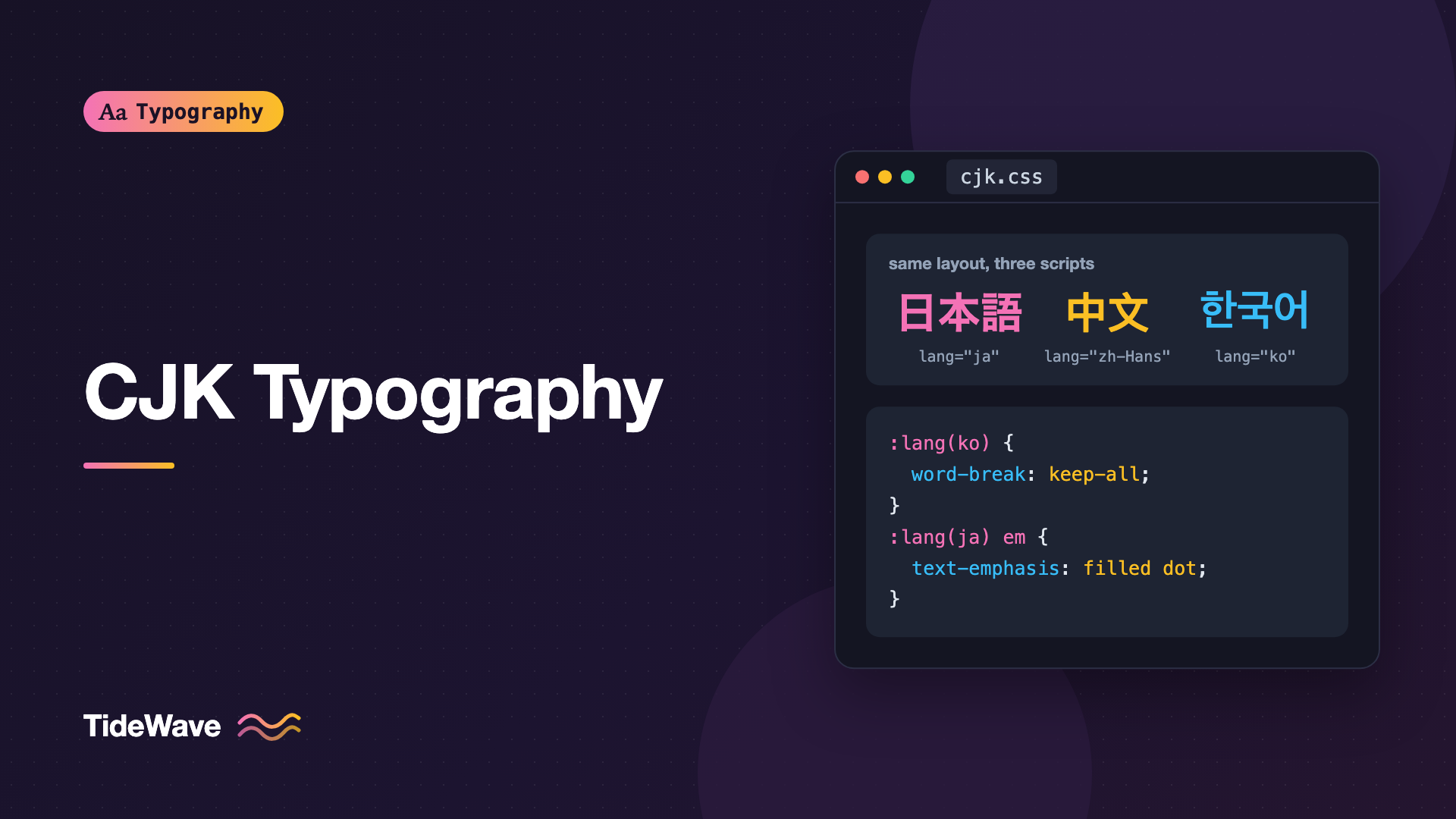
CJK Typography: Setting Chinese, Japanese, and Korean Text on the Web
- Maria
- Typography
- 23 Oct, 2026
You localize a product into Japanese, ship it, and a native speaker sends you a screenshot. Some characters look subtly wrong, as if they were drawn for Chinese readers. Lines break right before a closing bracket. The bold headings look smeared, and the italic pull quote is a slanted mess. Nothing is technically broken, but the page reads like it was set by someone who has never read the language.
CJK typography covers Chinese, Japanese, and Korean text, three writing systems that share a large set of characters (Han characters, called hanzi, kanji, and hanja) but follow different conventions. Western CSS defaults were designed around Latin text, so CJK pages need deliberate choices about language tagging, fonts, line breaking, spacing, and emphasis.
This guide covers the decisions that matter most when you set CJK text on the web, with CSS you can apply today.
How CJK Scripts Differ from Latin
Before touching CSS, it helps to know what makes these scripts behave differently:
- Characters sit in a square grid. Han characters, Japanese kana, and Korean hangul syllables are designed to fill a roughly square em box. Text reads as an even grid rather than a line of varied word shapes.
- Chinese and Japanese don't use spaces between words. A line can break between almost any two characters, subject to punctuation rules.
- Korean does use spaces. Modern Korean separates words (eojeol) with spaces, but browsers still break inside words by default, which many Korean readers find awkward.
- There's no case and no true italic. Uppercase, small caps, and italics don't exist. Emphasis is handled with weight, color, or emphasis marks.
- Punctuation is full-width. Commas, periods, and brackets usually occupy a full character cell, with the glyph sitting in one half and blank space in the other.
- Text can run vertically. Japanese and traditional Chinese are often set top to bottom, right to left. The writing modes guide covers that in depth.
Start with the lang Attribute
The single most important thing you can do for CJK text is tag it with the right language. Unicode merged many Han characters that look slightly different in each region into one code point, a decision known as Han unification. The same code point might be drawn one way in Simplified Chinese, another in Traditional Chinese, and a third way in Japanese.
The browser uses the lang attribute to pick the right regional glyphs from fonts that support several regions, and to choose sensible default fonts. Without it, a Japanese page might render with Chinese glyph forms, which is exactly the "subtly wrong" problem from the introduction.
<html lang="ja">
  <body>
    <p>日本語のテキストです。</p>
    <p lang="zh-Hans">这是简体中文。</p>
    <p lang="zh-Hant">這是繁體中文。</p>
    <p lang="ko">한국어 텍스트입니다.</p>
  </body>
</html>
Use script subtags for Chinese. zh-Hans (Simplified) and zh-Hant (Traditional) describe the writing system, which is what matters for fonts. Region codes like zh-CN, zh-TW, and zh-HK also work and are common, but they describe a place rather than a script. Hong Kong uses Traditional characters with some glyph forms that differ from Taiwan, so zh-HK is worth using when that audience matters.
| Language | Recommended tag | Common alternatives |
|---|---|---|
| Japanese | ja | ja-JP |
| Korean | ko | ko-KR |
| Simplified Chinese | zh-Hans | zh-CN, zh-SG |
| Traditional Chinese | zh-Hant | zh-TW, zh-HK |
The lang attribute also drives line-breaking rules, hyphenation, quotation marks, and screen reader pronunciation, so it pays off well beyond fonts.
Building CJK Font Stacks
CJK fonts are large. A Latin font might contain a few hundred glyphs. A CJK font needs thousands for everyday text and often contains tens of thousands. That has two consequences: you usually rely on system fonts, and when you do load a web font, you need a strategy for its size.
System Fonts by Platform
Every major operating system ships good CJK fonts, but the names differ by platform and by language. Use the :lang() selector to give each language its own stack:
:root {
  --font-latin: "Inter", system-ui, sans-serif;
}

:lang(ja) {
  font-family:
    "Inter", "Hiragino Sans", "Hiragino Kaku Gothic ProN", "Noto Sans JP",
    "Yu Gothic", "Meiryo", sans-serif;
}

:lang(zh-Hans) {
  font-family:
    "Inter", "PingFang SC", "Noto Sans SC", "Microsoft YaHei", sans-serif;
}

:lang(zh-Hant) {
  font-family:
    "Inter", "PingFang TC", "Noto Sans TC", "Microsoft JhengHei", sans-serif;
}

:lang(ko) {
  font-family:
    "Inter", "Apple SD Gothic Neo", "Noto Sans KR", "Malgun Gothic", sans-serif;
}
Notice that the Latin font comes first. Inter has no CJK glyphs, so the browser uses it for Latin letters and numbers, then falls back to the CJK font for everything else. This gives you consistent Latin text across languages while CJK characters come from a native font. The fallback fonts guide explains how that per-character fallback works.
There's a trade-off here. Many CJK fonts include their own Latin glyphs designed to harmonize with the CJK strokes. Putting a Western font first can produce Latin text that looks lighter or smaller than the surrounding characters. Test both orders with real content and pick the one that looks more even.
Gothic and Mincho, Hei and Song
CJK type has its own broad classification that roughly maps to sans and serif:
| Style | Japanese name | Chinese name | Rough Latin equivalent |
|---|---|---|---|
| Even strokes, no serifs | Gothic | Hei (黑体) | Sans-serif |
| Brush-inspired, contrast | Mincho | Song / Ming (宋体) | Serif |
Gothic and Hei faces are the usual choice for interfaces and body text on screens. Mincho and Song faces work well for long-form reading, literary content, and headings where you want a traditional feel. When you pair a CJK Mincho face with a Latin font, a serif like Source Serif or Noto Serif usually sits better than a geometric sans.
Loading CJK Web Fonts
If you need a specific CJK web font, never load the full file. A complete CJK font can run to several megabytes even as WOFF2.
Google Fonts handles this for you by splitting each CJK family into many small slices and serving them with unicode-range. The browser downloads only the slices that contain characters on the current page:
<link rel="preconnect" href="https://fonts.googleapis.com" />
<link rel="preconnect" href="https://fonts.gstatic.com" crossorigin />
<link
  href="https://fonts.googleapis.com/css2?family=Noto+Sans+JP:wght@400;700&display=swap"
  rel="stylesheet"
/>
If you self-host, you need to replicate that slicing yourself or subset aggressively. The font subsetting guide covers the tools, and the same unicode-range technique applies:
@font-face {
  font-family: "Brand Gothic";
  src: url("/fonts/brand-gothic-kana.woff2") format("woff2");
  unicode-range: U+3000-30FF, U+FF00-FFEF;
  font-display: swap;
}

@font-face {
  font-family: "Brand Gothic";
  src: url("/fonts/brand-gothic-kanji-common.woff2") format("woff2");
  unicode-range: U+4E00-9FFF;
  font-display: swap;
}
For user-generated content, you can't predict which characters will appear, so slicing is safer than a fixed subset. For a marketing headline with known text, a tight subset of just those characters can be tiny.
Tip
For most CJK body text, system fonts are the right default. They're already installed, they're well hinted for the platform, and they cost zero bytes. Save web fonts for headings and brand moments.
Size and Line Height
CJK characters are visually denser than Latin letters. A character like 鬱 packs dozens of strokes into the same box that holds a Latin "e". At the same font-size, CJK text usually needs more room to breathe.
:lang(ja),
:lang(zh) {
  font-size: 1rem;
  line-height: 1.8;
}

:lang(ko) {
  line-height: 1.7;
}
A line height of around 1.7 to 1.9 is common for Chinese and Japanese body text, compared with 1.5 to 1.6 for Latin. Korean, with its spaces and simpler hangul blocks, often sits comfortably slightly tighter. Treat these as starting points and adjust for the font you use. The line height guide explains how to judge it.
Avoid going below about 12px for CJK text. Complex characters lose strokes at small sizes and become hard to tell apart. Many CJK sites use a slightly larger base size than their Latin counterparts for the same reason.
Line length works differently too. Because every character takes roughly one em, you can measure lines in characters directly. Around 30 to 40 characters per line is a comfortable range for Japanese and Chinese body text. The em unit gives you that directly:
:lang(ja) .article-body {
  max-width: 38em;
}
Line Breaking Rules
Since Chinese and Japanese have no spaces, the browser can break a line between nearly any two characters. But not every break is allowed. Japanese has a set of rules called kinsoku shori that prevent certain characters from starting or ending a line. Closing brackets, periods, and small kana like ゃ shouldn't start a line. Opening brackets shouldn't end one.
Browsers apply these rules automatically when lang is set, and the line-break property controls how strict they are:
.article-body {
  line-break: strict;
}

.ui-label {
  line-break: loose;
}
| Value | Behavior |
|---|---|
auto | Browser default, usually close to normal |
loose | Fewest restrictions, useful in narrow containers |
normal | Common restrictions applied |
strict | Most restrictions, such as no small kana at the start of a line |
anywhere | Break between any characters, including punctuation |
strict gives the most traditional result for long-form text. loose helps in narrow UI elements where strict rules would cause overflow.
Keeping Korean Words Together
Korean is the odd one out. It has spaces, but browsers treat hangul like Chinese and break anywhere. Many Korean readers prefer breaks only at spaces, the way English wraps. word-break: keep-all does exactly that:
:lang(ko) {
  word-break: keep-all;
  overflow-wrap: break-word;
}
The overflow-wrap: break-word line is a safety net. If a single long word or URL can't fit, the browser is still allowed to break it rather than overflow the container.
keep-all also works for Chinese and Japanese, but there it prevents breaks almost everywhere, since there are no spaces. Don't apply it globally to those languages.
Punctuation and Spacing
Full-width punctuation creates a common visual problem. When two punctuation marks meet, like a closing bracket followed by a comma, each carries half a cell of blank space, and together they leave a visible gap.
Professional Japanese typesetting trims that space. CSS now has a property for it, text-spacing-trim, supported in Chromium-based browsers at the time of writing:
:lang(ja),
:lang(zh) {
  text-spacing-trim: trim-start;
}
trim-start removes the blank half of opening punctuation at the start of a line and collapses adjacent punctuation. space-all disables trimming. Browsers that don't support it simply ignore the declaration, so it's a safe progressive enhancement.
Spacing Between CJK and Latin Text
Mixed text like "React で開発する" looks cramped when Latin words butt directly against CJK characters. Typesetters add a small gap, typically a quarter em. The newer text-autospace property does this automatically in browsers that support it:
:lang(ja),
:lang(zh) {
  text-autospace: normal;
}
Support is still limited, so check caniuse before relying on it. Don't fake it by inserting spaces into your content. Real spaces affect copying, search, and line breaking, and they'll double up once browsers add the spacing themselves.
Proportional Punctuation in Headings
For headings, some designers prefer proportional punctuation that drops the extra half-width space. Many Japanese fonts include an OpenType feature called palt (proportional alternate widths) for this:
:lang(ja) h1,
:lang(ja) h2 {
  font-feature-settings: "palt";
  letter-spacing: 0.02em;
}
Use palt for display text only. In body text, the even grid of full-width characters is part of what makes CJK text comfortable to read. The OpenType features guide covers font-feature-settings in more detail.
Emphasis Without Italics
CJK fonts don't have italic designs. If you write font-style: italic, the browser slants the glyphs artificially, and the result looks broken to native readers. The same goes for synthetic bold on fonts that lack a bold weight.
Turn off synthesis for CJK text, then use emphasis that fits the script:
:lang(ja),
:lang(zh),
:lang(ko) {
  font-synthesis: none;
}

:lang(ja) em,
:lang(zh) em {
  font-style: normal;
  text-emphasis: filled dot;
  text-emphasis-position: over right;
}

:lang(ko) em {
  font-style: normal;
  font-weight: 700;
}
text-emphasis adds small marks, called emphasis dots or bouten, above each character in horizontal text and beside them in vertical text. This is the traditional way to stress a phrase in Japanese, and it's common in Chinese as well, where the dots often sit under the text. For Simplified Chinese you might use text-emphasis-position: under right instead.
Be careful with font-synthesis: none. If your font only has a regular weight, bold text will now render as regular. Make sure the fonts you rely on include the weights you use.
Ruby Annotations
Japanese and Chinese texts sometimes annotate characters with their pronunciation in small type above them. In Japanese this is called furigana, and it's essential for children's content, learning materials, and rare kanji. HTML has dedicated elements for it:
<p>
  <ruby>漢字<rp>(</rp><rt>かんじ</rt><rp>)</rp></ruby>を読む
</p>
The rt element holds the annotation, and rp provides fallback parentheses for browsers that don't support ruby. You can style the annotation size and position:
rt {
  font-size: 0.5em;
  line-height: 1;
}

ruby {
  ruby-position: over;
}
Ruby increases the height of lines that contain it, so give paragraphs with heavy annotation a little more line height to keep spacing consistent.
Alignment and Letter-Spacing
Justified text is the norm in Chinese and Japanese print, and it works much better on the web than it does for Latin text. Because lines can break between almost any characters, the browser only needs to distribute tiny amounts of space, so you don't get the rivers that plague justified English.
:lang(ja) .article-body,
:lang(zh) .article-body {
  text-align: justify;
  text-justify: inter-character;
}
Leave letter-spacing at zero for CJK body text in most cases. Adding tracking breaks the grid and makes text look loose. A small positive value can help bold headings in some fonts, but adjust it per font rather than globally.
Common Mistakes
- Missing or wrong
langattributes, which cause the wrong regional glyphs and the wrong line-breaking rules. - Using
font-style: italicfor emphasis, which produces fake slanted glyphs. Usetext-emphasis, weight, or color instead. - Loading a full CJK web font, adding megabytes to every page. Use system fonts, Google Fonts slicing, or
unicode-rangesubsets. - Copying Latin line-height values, which leaves dense CJK text feeling cramped.
- Applying
word-break: keep-allto Chinese or Japanese, which can stop lines from breaking and cause overflow. - Uppercasing or letter-spacing CJK text with shared styles. Rules like
text-transform: uppercaseand wide tracking on labels do nothing useful for CJK characters and can make the grid look broken. - Inserting manual spaces around Latin words, which affects search and copying and conflicts with automatic spacing.
Conclusion
Setting CJK text well comes down to a handful of decisions. Tag every block with the correct lang, give each language its own font stack using system fonts first, increase line height for dense characters, and use line-break, word-break: keep-all, and text-spacing-trim to get line breaks and punctuation right. Replace italics with emphasis marks or weight, and use ruby when readers need pronunciation help.
If you only do one thing today, audit your lang attributes. It's a small change in markup that fixes glyph shapes, line breaking, and screen reader pronunciation at once, and every other technique in this guide builds on it.


