Typography-Driven Layouts: When Text Is the Design
- Maria
- Typography
- 23 Oct, 2026
Picture a page with no hero image, no illustration, no gradient blob. Just a large headline, a short introduction, and well-spaced sections of text. Done badly, that's a plain document. Done well, it's one of the most confident layouts on the web: fast to load, easy to read, and unmistakably designed. Personal sites, essays, studio portfolios, and plenty of product announcements work this way.
A typography-driven layout is one where type does the work usually handed to imagery: setting the mood, establishing hierarchy, creating visual interest, and guiding the eye. The typeface choice, the scale, the spacing, and the arrangement of text on the grid become the design itself.
This post covers when a type-led approach makes sense, the decisions that carry it, and the CSS patterns for building one that holds up across screen sizes.
When Type-Led Design Works
Text-first layouts suit content that is mostly words anyway:
- Essays, articles, and newsletters
- Personal and portfolio sites
- Documentation landing pages
- Manifestos, announcements, and about pages
- Event pages and editorial features
They also suit situations where images would be stock filler. A generic photo of people at a laptop adds weight and adds nothing to the message. A strong headline in a well-chosen face does more.
Type-led design is harder when the product is visual, such as a clothing store or a travel site, or when the audience needs to recognize things by sight. Even then, sections of the site can be text-led while the catalog stays image-heavy.
The Decisions That Carry the Layout
When there are no images, every typographic decision becomes visible. Four matter most.
1. The Typeface
With nothing else on the page, the typeface sets the tone on its own. A high-contrast serif reads as editorial and literary. A grotesque reads as neutral and modern. A geometric sans reads as clean and technical. A slab or a quirky display face reads as playful or bold.
Choose one family for the display level that has a clear personality at large sizes, and pair it with a highly readable text face, or use one superfamily for both. How to Pair Fonts: Rules for Combining Typefaces That Work covers combinations.
2. Scale Contrast
Type-led layouts rely on dramatic differences in size. A headline that's only twice the body size looks timid when there's nothing else on the page. Four, six, or eight times the body size creates the visual anchor an image would normally provide.
:root {
  --body: 1.125rem;
  --display: clamp(3rem, 2rem + 6vw, 8rem);
}

.page-title {
  font-size: var(--display);
  line-height: 0.95;
  letter-spacing: -0.03em;
  font-weight: 700;
}
Large display type needs tighter line height and negative tracking. Default spacing that looks right at 16px looks loose and gappy at 120px.
3. White Space
Space is the other half of a type-led layout. Generous margins around a headline, wide gaps between sections, and a narrow text column inside a wide page give the eye somewhere to rest. Without images to break up the page, spacing does that job. Whitespace in Typography: How Empty Space Improves Reading goes into why.
4. Arrangement on a Grid
Where text sits on the page is a design tool. An off-center column, a hanging headline, marginal notes, and asymmetric placement all create interest without adding elements. A grid keeps those choices consistent rather than random.
Building the Layout
A Grid with Named Lines
CSS Grid with named lines makes it easy to place text in a main column while letting some elements break out:
.layout {
  display: grid;
  grid-template-columns:
    [full-start] minmax(1rem, 1fr)
    [wide-start] minmax(0, 8rem)
    [content-start] min(65ch, 100% - 2rem) [content-end]
    minmax(0, 8rem) [wide-end]
    minmax(1rem, 1fr) [full-end];
}

.layout > * {
  grid-column: content;
}

.layout > .wide {
  grid-column: wide;
}

.layout > .full {
  grid-column: full;
}
Paragraphs stay in a readable measure, while the title, pull quotes, and section breaks can span wider. Grids and Typography: How Column Systems Shape Text Layout covers column systems in more depth.
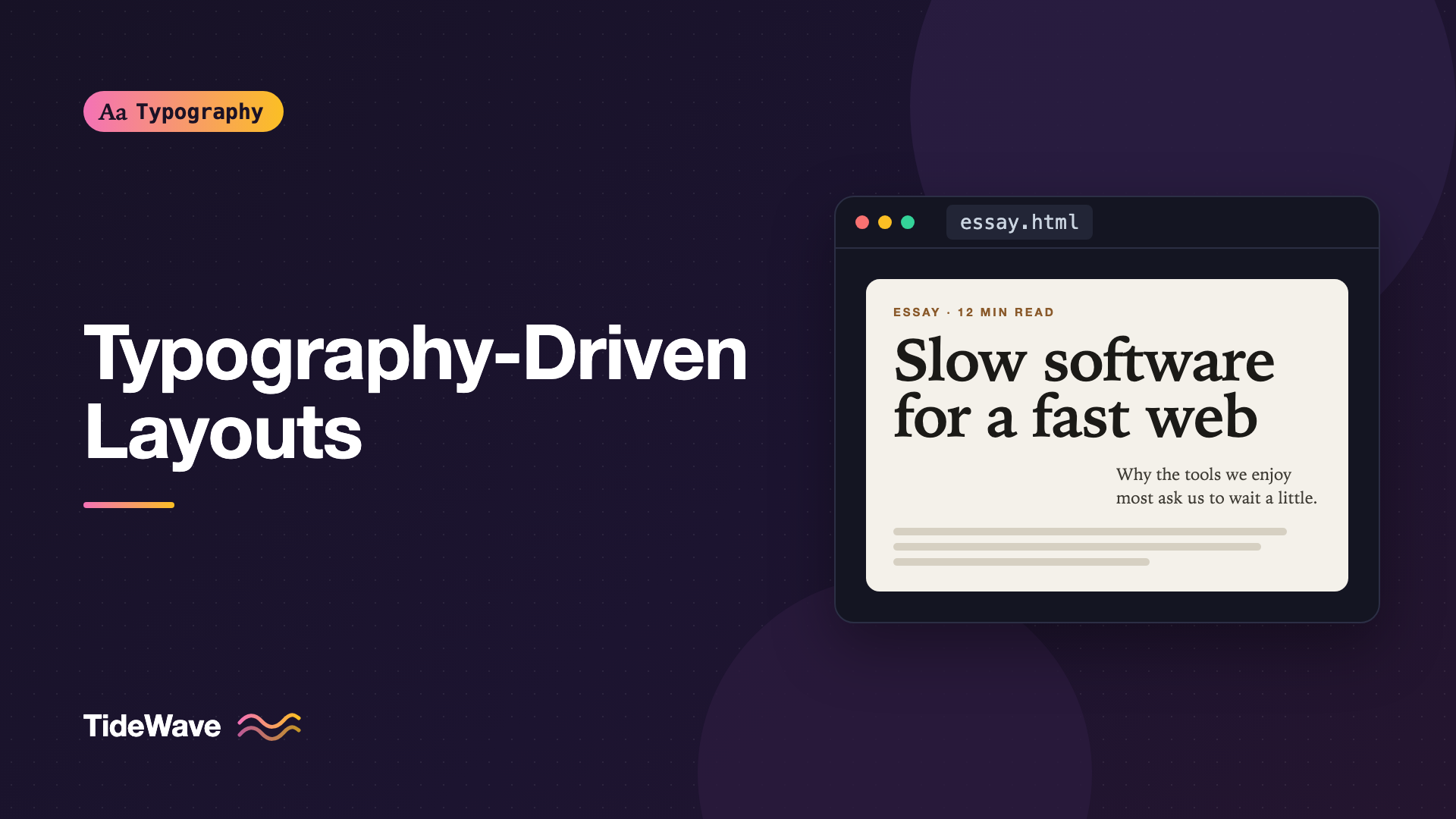
An Asymmetric Hero
A classic type-led hero puts a large title in a wide area and a short introduction offset to one side:
<header class="hero">
  <p class="hero-kicker">Essay · 12 minute read</p>
  <h1 class="hero-title">Slow software for a fast web</h1>
  <p class="hero-intro">
    Why the tools we enjoy most are often the ones that ask us to wait a little.
  </p>
</header>
.hero {
  display: grid;
  grid-template-columns: repeat(12, 1fr);
  column-gap: 1.5rem;
  row-gap: 1.5rem;
  padding-block: clamp(4rem, 12vw, 10rem) 4rem;
}

.hero-kicker {
  grid-column: 1 / -1;
  font-size: 0.8125rem;
  text-transform: uppercase;
  letter-spacing: 0.1em;
}

.hero-title {
  grid-column: 1 / span 10;
  font-size: clamp(3rem, 2rem + 6vw, 8rem);
  line-height: 0.95;
  letter-spacing: -0.03em;
  text-wrap: balance;
}

.hero-intro {
  grid-column: 6 / span 6;
  font-size: 1.375rem;
  line-height: 1.45;
}

@media (max-width: 48rem) {
  .hero-title,
  .hero-intro {
    grid-column: 1 / -1;
  }
}
Offsetting the introduction under the right half of the title creates a diagonal reading path that feels designed, not default.
Pull Quotes and Large Numbers
Without images, oversized pull quotes and section numbers create rhythm through a long page:
.pull-quote {
  grid-column: wide;
  font-family: "Fraunces", Georgia, serif;
  font-size: clamp(1.75rem, 1rem + 2.5vw, 3rem);
  line-height: 1.15;
  font-style: italic;
  text-wrap: balance;
  margin-block: 3rem;
}

.section-number {
  font-size: clamp(4rem, 10vw, 9rem);
  font-weight: 200;
  line-height: 1;
  font-variant-numeric: lining-nums tabular-nums;
  color: #b4b4b4;
}
Decorative numbers can be lighter in color because they repeat information already in the heading. Text the reader needs should keep full contrast.
Marginal Notes
Side notes placed in the margin next to the paragraph they refer to are a distinctive type-led pattern. On wide screens they sit beside the column; on narrow screens they fall back inline:
.note {
  font-size: 0.875rem;
  line-height: 1.5;
  color: #555;
}

@media (min-width: 70rem) {
  .with-notes {
    display: grid;
    grid-template-columns: 65ch 16rem;
    column-gap: 3rem;
  }

  .with-notes .note {
    grid-column: 2;
  }
}
Hierarchy Without Images
In an image-heavy layout, pictures break the page into sections. In a type-led one, you need other signals:
| Signal | Example |
|---|---|
| Size | A display title several times the body size |
| Weight | Light display numbers next to bold headings |
| Case | Uppercase, tracked labels for kickers and metadata |
| Style | Italic serif pull quotes in an otherwise sans layout |
| Color | One accent color for links and section markers |
| Space | Large gaps before major sections, tight within them |
| Rules | Thin horizontal lines between sections |
Use a few of these consistently rather than all of them at once. A layout with five sizes, four weights, three colors, and rules everywhere has lost the clarity that made it type-led in the first place.
Performance Benefits
A page without large images is light by default. That gives you room to load a good web font or two without hurting load times. Spend the budget wisely: one variable font file for the display face, a second for text, and both subset and preloaded where they render above the fold. Since the type is the design, a fallback flash is more noticeable than usual, so tune your fallback metrics or choose font-display: optional for the text face.
Responsive Considerations
Large display type is the part most likely to break on small screens:
- Use fluid sizes with sensible minimums.
clamp()keeps a title large on desktop without overflowing at 320px. - Watch long words. A single long word at display size can overflow a phone screen. Test your real headlines and add
overflow-wrap: break-wordas a safety net. - Collapse asymmetry. Offsets that look intentional on a wide screen look like mistakes on a narrow one. Switch to a single column.
- Keep the measure. The text column should stay readable at every width, which
min(65ch, 100%)handles neatly.
A Type-Led Index Page
Article lists are where most sites fall back on thumbnails. A list of titles can be just as engaging if the type carries it. Make the titles large, give each entry generous space, and set the metadata small and quiet so it doesn't compete:
<ol class="index">
  <li>
    <a href="/essays/slow-software">
      <span class="index-title">Slow software for a fast web</span>
      <span class="index-meta">Essay · March 2026</span>
    </a>
  </li>
</ol>
.index {
  list-style: none;
  padding: 0;
  border-top: 1px solid currentColor;
}

.index a {
  display: grid;
  grid-template-columns: 1fr auto;
  align-items: baseline;
  gap: 2rem;
  padding-block: 1.5rem;
  border-bottom: 1px solid #d8d8d8;
  color: inherit;
  text-decoration: none;
}

.index-title {
  font-size: clamp(1.5rem, 1rem + 2vw, 2.75rem);
  line-height: 1.1;
  letter-spacing: -0.015em;
  text-wrap: balance;
}

.index-meta {
  font-size: 0.875rem;
  color: #666;
  font-variant-numeric: tabular-nums;
  white-space: nowrap;
}

.index a:hover .index-title,
.index a:focus-visible .index-title {
  text-decoration: underline;
  text-decoration-thickness: 2px;
  text-underline-offset: 0.15em;
}
Aligning the title and metadata on a shared baseline, rather than centering them vertically, is a small detail that makes the list look typeset instead of assembled. The thin rules between entries do the job that card borders and image edges usually do.
Using Weight and Width Instead of Images
A variable font with weight and width axes gives you a lot of visual range from one file. A heavy, condensed headline next to a light, wide subhead creates the kind of contrast that normally needs a second typeface or an image:
.feature-title {
  font-family: "Roboto Flex", system-ui, sans-serif;
  font-weight: 900;
  font-stretch: 60%;
  font-size: clamp(3rem, 1.5rem + 7vw, 9rem);
  line-height: 0.9;
  text-transform: uppercase;
}

.feature-subtitle {
  font-family: "Roboto Flex", system-ui, sans-serif;
  font-weight: 250;
  font-stretch: 130%;
  font-size: clamp(1.25rem, 1rem + 1vw, 2rem);
}
Because both come from one family, they share proportions and details, so the contrast feels intentional rather than mismatched. Check that the font actually supports the axes and ranges you use; setting font-stretch on a font with no width axis does nothing.
Common Mistakes
- Timid scale. A type-led page needs real size contrast. A headline barely bigger than body text leaves the page without a focal point.
- Default spacing on display type. Large headlines need tighter line height and tracking than body text.
- Too many treatments. Without images, every extra font, color, or style is visible. Fewer, stronger choices work better.
- Ignoring the fallback font. When type is the whole design, a poorly matched fallback is very noticeable.
- Wide text columns. Filling a wide screen with paragraph text is the fastest way to make a type-led page tiring to read.
Conclusion
A typography-driven layout replaces imagery with type: a typeface with character, dramatic scale contrast, generous white space, and deliberate placement on a grid. Build it with CSS Grid and named lines, fluid display sizes, tight spacing on large text, and a narrow, comfortable reading column.
Start small: take one page on your site that uses a stock image as decoration, remove the image, and make the headline do the work. If the page reads better and loads faster, you've found where type-led design belongs.


