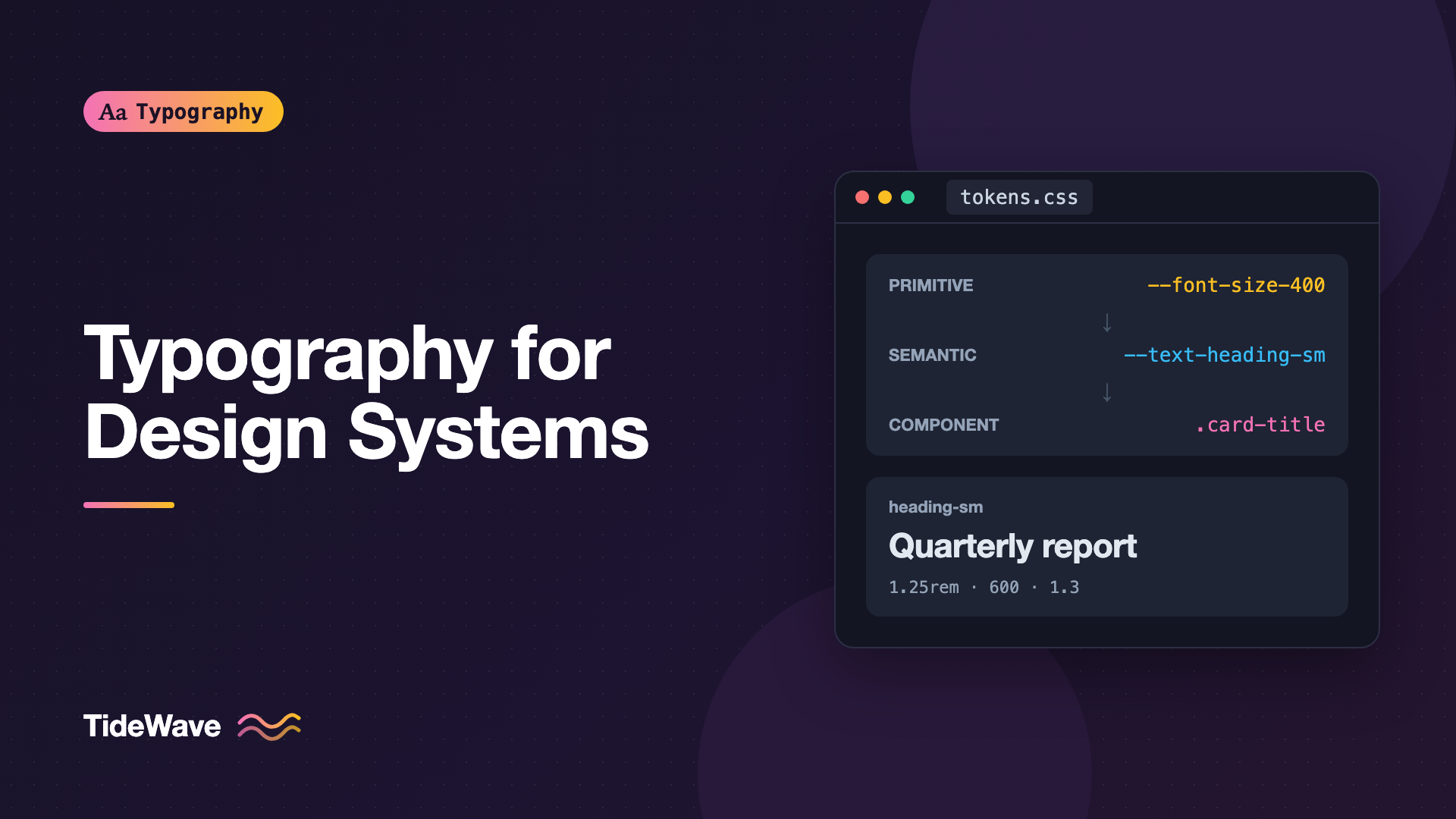
Typography for Design Systems: Defining Tokens for Type
- Maria
- Typography
- 23 Oct, 2026
Search a mature codebase for font-size and you'll often find something like forty distinct values: 14px, 0.875rem, 15px, 0.9em, 13.5px, and a few calc() expressions nobody remembers writing. Each one was a reasonable local decision. Together they add up to a product where no two screens feel quite the same, and where every redesign means hunting through hundreds of files.
Design tokens are how design systems fix this. A token is a named value, like font-size-300 or text-body, that both designers and developers reference instead of a raw number. Typography is one of the trickiest areas to tokenize, because type isn't a single value. A heading style combines family, size, weight, line height, and letter-spacing, and those pieces need to change together across breakpoints and themes.
This guide covers how to structure type tokens in layers, how to name them, how to implement them in CSS, and how to keep them in sync with design tools.
Why Type Needs Tokens
Colors are the classic token example because they're easy: one name, one hex value. Typography is harder, and that's exactly why it benefits more. Without tokens:
- Values drift. Body text is 16px on one page and 15px on another because someone matched a mockup by eye.
- Changes are expensive. Swapping the brand font or tightening the heading scale means editing every component.
- Design and code disagree. The designer's "Heading/Medium" style and the developer's
.section-titleclass were never the same thing.
Tokens give each of these decisions a single source of truth and a name everyone uses.
The Three Layers of Type Tokens
Most token systems organize values into layers. The names vary between teams (core, alias, component; or global, semantic, component), but the idea is the same.
| Layer | Example name | Example value | Who uses it |
|---|---|---|---|
| Primitive | font-size-400 | 1.25rem | Other tokens only |
| Semantic | text-heading-sm-size | font-size-400 | Components and page styles |
| Component | card-title-size | text-heading-sm-size | One specific component |
Primitive Tokens
Primitive tokens (sometimes called core or base tokens) describe the raw options available. They have no opinion about where a value is used.
For typography, primitives usually include:
- Font families, such as
font-family-sans,font-family-serif,font-family-mono - Font sizes, as a numbered scale like
font-size-100throughfont-size-900 - Font weights, such as
font-weight-regular,font-weight-medium,font-weight-bold - Line heights, such as
line-height-tight,line-height-normal,line-height-relaxed - Letter-spacing, such as
letter-spacing-tight,letter-spacing-normal,letter-spacing-wide
The size scale is usually generated from a ratio. How to Build a Modular Type Scale for Consistent Hierarchy explains how to choose one. Numbered names like 100 to 900 leave room to add steps later, unlike small, medium, large, which run out quickly.
Semantic Tokens
Semantic tokens describe intent: what a value is for. text-body-size says "this is the size of body text," regardless of whether that happens to be font-size-300 today.
Semantic tokens are what most components should reference. When the design team decides body text should be one step larger, they change one alias and every paragraph, list, and table cell follows.
Component Tokens
Component tokens are optional. They let a single component expose its own knobs, like button-label-size, which default to a semantic token. They're useful for large systems with theming or white-labeling, but they add a lot of names. Many teams skip them for typography and let components reference semantic tokens directly.
Composite Tokens: Treating a Text Style as One Unit
Here's where type differs from color. A designer doesn't think "size 20, weight 600, line height 1.3." They think "Heading Small." That bundle is a composite token, sometimes called a typography token or text style.
The Design Tokens Community Group format defines a typography type for exactly this. A simplified example in that JSON format:
{
  "font": {
    "family": {
      "sans": {
        "$type": "fontFamily",
        "$value": ["Inter", "system-ui", "sans-serif"]
      }
    },
    "size": {
      "300": { "$type": "dimension", "$value": "1rem" },
      "400": { "$type": "dimension", "$value": "1.25rem" }
    },
    "weight": {
      "regular": { "$type": "fontWeight", "$value": 400 },
      "semibold": { "$type": "fontWeight", "$value": 600 }
    }
  },
  "text": {
    "heading-sm": {
      "$type": "typography",
      "$value": {
        "fontFamily": "{font.family.sans}",
        "fontSize": "{font.size.400}",
        "fontWeight": "{font.weight.semibold}",
        "lineHeight": 1.3,
        "letterSpacing": "-0.01em"
      }
    }
  }
}
The curly-brace strings are references: heading-sm points at primitives instead of repeating values. Exact formats and the shape of dimension values have changed across drafts of the specification, so check what your tooling (Style Dictionary, Tokens Studio, or similar) expects before you commit to a structure.
CSS has no native composite custom property, so in code a composite token usually becomes either a set of individual custom properties or a utility class.
Implementing Type Tokens in CSS
Custom properties are the natural home for tokens on the web. Here's a complete, minimal setup.
Primitives
:root {
  /* Families */
  --font-family-sans: "Inter", system-ui, sans-serif;
  --font-family-serif: "Source Serif 4", Georgia, serif;
  --font-family-mono: ui-monospace, "SF Mono", Menlo, Consolas, monospace;

  /* Sizes (1.2 ratio, 1rem base) */
  --font-size-100: 0.694rem;
  --font-size-200: 0.833rem;
  --font-size-300: 1rem;
  --font-size-400: 1.2rem;
  --font-size-500: 1.44rem;
  --font-size-600: 1.728rem;
  --font-size-700: 2.074rem;
  --font-size-800: 2.488rem;

  /* Weights */
  --font-weight-regular: 400;
  --font-weight-medium: 500;
  --font-weight-semibold: 600;
  --font-weight-bold: 700;

  /* Line heights */
  --line-height-tight: 1.15;
  --line-height-snug: 1.3;
  --line-height-normal: 1.5;
  --line-height-relaxed: 1.7;

  /* Letter-spacing */
  --letter-spacing-tight: -0.02em;
  --letter-spacing-normal: 0;
  --letter-spacing-wide: 0.06em;
}
Semantic Token
:root {
  --text-body-family: var(--font-family-sans);
  --text-body-size: var(--font-size-300);
  --text-body-weight: var(--font-weight-regular);
  --text-body-line-height: var(--line-height-relaxed);

  --text-heading-lg-size: var(--font-size-700);
  --text-heading-lg-weight: var(--font-weight-bold);
  --text-heading-lg-line-height: var(--line-height-tight);
  --text-heading-lg-tracking: var(--letter-spacing-tight);

  --text-heading-sm-size: var(--font-size-400);
  --text-heading-sm-weight: var(--font-weight-semibold);
  --text-heading-sm-line-height: var(--line-height-snug);

  --text-caption-size: var(--font-size-200);
  --text-caption-line-height: var(--line-height-normal);

  --text-overline-size: var(--font-size-100);
  --text-overline-weight: var(--font-weight-semibold);
  --text-overline-tracking: var(--letter-spacing-wide);
}
Composite Styles as Classes
Bundle the semantic tokens into text-style classes that mirror the names in the design file:
.text-heading-lg {
  font-family: var(--font-family-sans);
  font-size: var(--text-heading-lg-size);
  font-weight: var(--text-heading-lg-weight);
  line-height: var(--text-heading-lg-line-height);
  letter-spacing: var(--text-heading-lg-tracking);
}

.text-body {
  font-family: var(--text-body-family);
  font-size: var(--text-body-size);
  font-weight: var(--text-body-weight);
  line-height: var(--text-body-line-height);
}

.text-overline {
  font-size: var(--text-overline-size);
  font-weight: var(--text-overline-weight);
  letter-spacing: var(--text-overline-tracking);
  text-transform: uppercase;
}
Keep the text style separate from the HTML element. A .text-heading-sm might be applied to an h2 on one page and an h3 on another. Document structure and visual style are different decisions, which Designing Headings That Guide the Reader Through a Page explores further.
Responsive Type Tokens
Heading sizes usually need to change between a phone and a wide desktop. There are two common approaches.
Swap Values at Breakpoints
Redefine semantic tokens inside a media query. Components don't change at all:
:root {
  --text-heading-lg-size: var(--font-size-600);
}

@media (min-width: 48em) {
  :root {
    --text-heading-lg-size: var(--font-size-800);
  }
}
Fluid Tokens with clamp()
Or make the token itself fluid, so it scales smoothly between a minimum and maximum:
:root {
  --text-heading-lg-size: clamp(1.75rem, 1.2rem + 2.4vw, 2.5rem);
  --text-display-size: clamp(2.25rem, 1.4rem + 4vw, 4rem);
}
Including a rem term in the middle value keeps text responsive to the user's font-size setting, which pure vw values don't. How to Build Fluid Typography That Scales Across Every Screen covers how to calculate these values.
Either way, the token name stays the same. Only its value changes.
Naming Conventions That Hold Up
Names are the hardest part of a token system, and renaming later is painful. A few principles:
- Use scales for primitives, roles for semantics.
font-size-400is fine as a primitive. Components should seetext-heading-sm-size, notfont-size-400. - Avoid names tied to HTML elements.
text-h2breaks the moment you need a visually smallh2. Preferheading-lg,heading-md,heading-sm, ortitle,subtitle. - Avoid names tied to values.
font-size-16becomes a lie when you change it to 17. - Be consistent about order. Pick category-role-variant-property (
text-heading-sm-size) or another pattern, and use it everywhere. - Keep the set small. Five to eight text styles cover most products. If you have twenty, several are probably near-duplicates.
A typical semantic set for a product UI:
| Style | Use |
|---|---|
display | Marketing heroes, rarely in product UI |
heading-lg | Page titles |
heading-md | Section titles |
heading-sm | Card and panel titles |
body | Default text |
body-sm | Secondary text, dense tables |
caption | Metadata, timestamps, helper text |
overline | Small uppercase labels above headings |
code | Inline and block code |
Keeping Design and Code in Sync
Tokens only work if both sides use the same names and values. A common workflow:
- Define tokens in one source, usually JSON in the repository or a design tool plugin like Tokens Studio that exports JSON.
- Transform them into platform outputs with a build tool such as Style Dictionary: CSS custom properties for the web, and other formats for native apps if needed.
- Mirror the semantic styles in the design tool, using the same names. Figma text styles named
Heading/Smallshould map totext-heading-sm. - Review changes like code. A token change can affect every screen, so it should go through a pull request.
Unit translation is where handoff often goes wrong. Design tools commonly express line height in pixels or percentages and letter-spacing as a percentage of font size, while CSS works best with unitless line heights and em letter-spacing. Decide on conversions once and bake them into the build step. Handing Off Typography from Figma to Code Without Losing Detail goes deeper on that.
Note
Unitless line heights are worth insisting on in tokens. A value like 1.5 scales with the element's own font size, while 24px is fixed and gets inherited as-is by children with different sizes.
Using Tokens in Components
Once tokens exist, components should reference only semantic tokens or text-style classes. Here's a card title in plain CSS:
.card-title {
  font-size: var(--text-heading-sm-size);
  font-weight: var(--text-heading-sm-weight);
  line-height: var(--text-heading-sm-line-height);
  margin-block-end: 0.5em;
}
And in a React component that uses the text-style classes:
export function Card({ eyebrow, title, children }) {
  return (
    <article className="card">
      <p className="text-overline">{eyebrow}</p>
      <h3 className="text-heading-sm">{title}</h3>
      <div className="text-body">{children}</div>
    </article>
  );
}
Linting helps enforce this. Stylelint can flag raw font-size values that don't use a custom property, so new hardcoded sizes get caught in review.
Common Mistakes
- Skipping the semantic layer. If components reference
font-size-400directly, changing "card title size" means finding every place that number is used. - Naming text styles after HTML tags.
h1throughh6styles make it awkward to decouple visual size from document structure. - Pixel line heights in tokens. They don't scale with font size and cause inheritance surprises.
- Too many text styles. A style used in one place isn't a system decision; let the component handle it.
- Tokens that only exist in code. If designers can't pick them by name in their tool, the values will drift again.
- Forgetting letter-spacing. Large headings and uppercase labels almost always need tracking adjustments, and those belong in the token set too.
Conclusion
Type tokens work best in layers: primitives that define the available families, sizes, weights, line heights, and spacing; semantic tokens that name the roles; and composite text styles that bundle those roles into the units designers actually think in. Implement them as CSS custom properties, keep the names role-based rather than value-based, and let responsive behavior change token values rather than component code.
Start small. Define a size scale, five or six semantic text styles, and the matching classes, then migrate one component at a time. Once a few screens use tokens, the remaining hardcoded values become easy to spot, and every future type change becomes a one-line edit.


