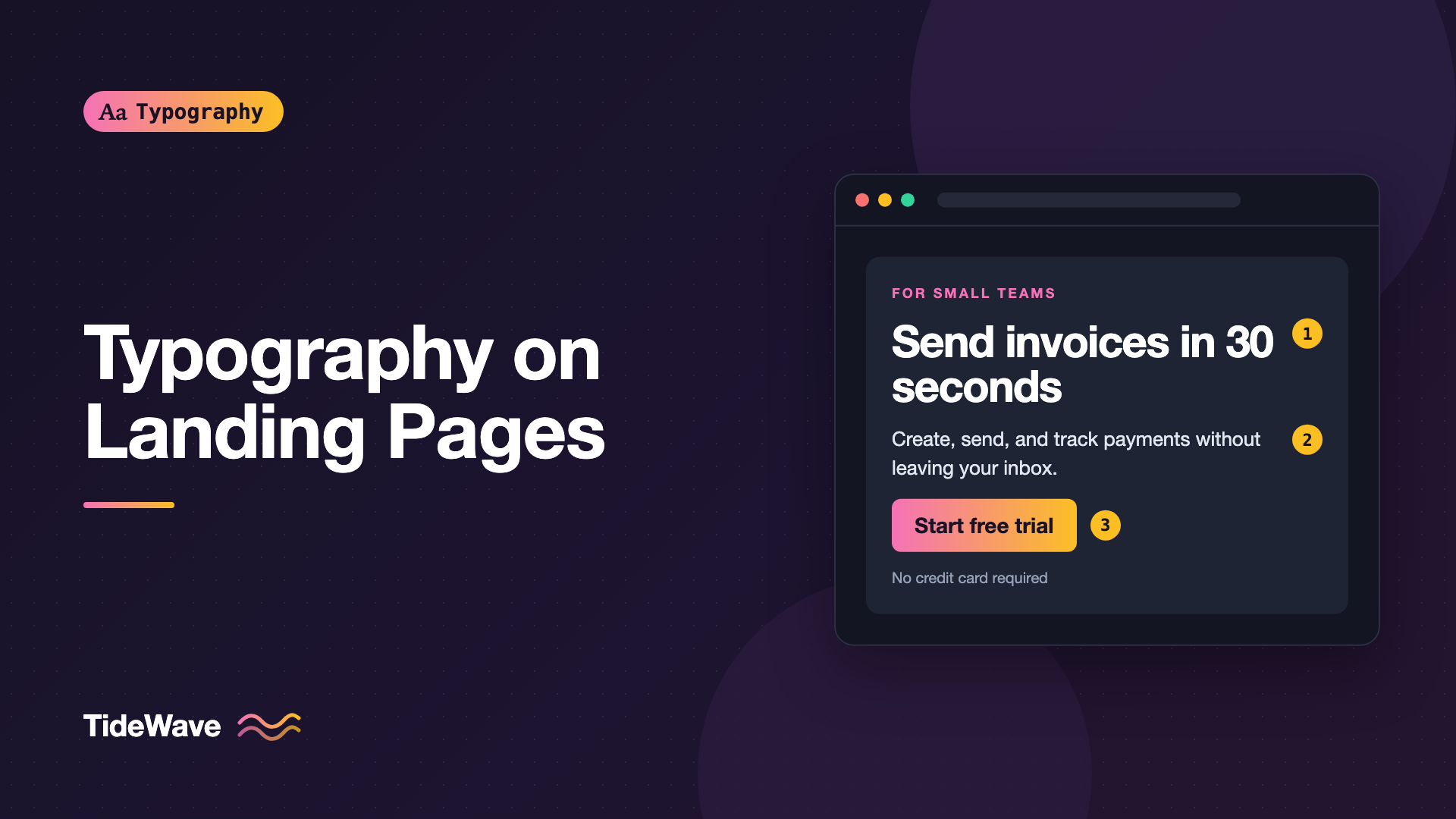
Typography on Landing Pages: How Type Drives Conversions
- Maria
- Typography
- 23 Oct, 2026
A visitor lands on your page from an ad or a search result. In the first few seconds they decide whether this is what they were looking for. They don't read the page. They scan the headline, glance at a subheading, maybe skim a few bullet points, and look for the button. If the type makes that scan easy, they stay. If the headline is clever but unclear, the subheading is a wall of gray text, and the button blends into the background, they leave. Landing page typography is the part of the design that decides what visitors see first, second, and third.
Type alone won't convert a visitor to a bad offer. What it can do is remove friction: make the value proposition readable at a glance, create a clear path down the page, and make the call to action obvious. This guide covers the hero headline, supporting copy, visual hierarchy down the page, call-to-action buttons, social proof, and performance, with practical CSS for each.
How People Scan a Landing Page
Visitors on a landing page are looking for answers to a few questions: what is this, is it for me, and what do I do next? Typography should answer them in that order.
- Headline: what is this, and why should I care?
- Subheading: a sentence of detail that confirms the headline.
- Call to action: what do I do next?
- Section headings and bullets: skimmable proof and detail for people who scroll.
Every typographic decision on the page should make one of those layers easier to find. If two things compete for attention at the same size and weight, the visitor has to choose, and some of them won't bother.
The Hero Headline
The headline is the most important text on the page. It should be the largest, the most legible, and readable in a single glance.
Size and Weight
Hero headlines are usually large and bold, but readability matters more than drama. A headline that wraps into six lines on mobile is harder to take in than one that fits in three.
.hero-title {
  font-size: clamp(2.25rem, 1.5rem + 4vw, 4.5rem);
  font-weight: 750;
  line-height: 1.05;
  letter-spacing: -0.025em;
  text-wrap: balance;
  max-width: 18ch;
}
A few details in this snippet are worth explaining:
clamp()scales the size smoothly from mobile to desktop. See fluid typography for the full method.- Tight line height around 1.0 to 1.15 keeps large multi-line headlines reading as one unit.
- Negative letter spacing compensates for the loose look of large text.
text-wrap: balanceevens out line lengths so you don't get a single word on the last line. The text-wrap guide covers it.max-widthinchkeeps the headline from stretching across a wide screen in one long line.
Clarity Over Cleverness
The best-performing headlines tend to be specific. "Send invoices in 30 seconds" tells the visitor more than "Finance, reimagined." Typography can make a clever headline beautiful, but it can't make it clear. If you have a short, punchy brand line, consider pairing it with a plain-language subheading so both jobs get done.
Display Fonts
A distinctive display face in the hero can carry brand personality. Keep it legible, use it for the headline only, and pair it with a straightforward body font. The post on display typefaces covers how to choose one that stays readable.
The Subheading
The subheading expands the headline in one or two sentences. It's often the second thing people read and the place where they decide to keep scrolling.
.hero-subtitle {
  font-size: clamp(1.125rem, 1rem + 0.6vw, 1.375rem);
  font-weight: 400;
  line-height: 1.5;
  color: var(--text-secondary);
  max-width: 52ch;
  text-wrap: pretty;
}
Keep it noticeably smaller than the headline and larger than body text. A ratio of around 2.5 to 3.5 between headline and subheading is common. Don't make it too pale. A subheading in light gray on a busy background may look elegant in a mockup and disappear in real use. Body-text contrast rules apply: aim for at least 4.5:1.
Hierarchy Down the Page
Below the hero, landing pages usually have features, benefits, testimonials, pricing, and an FAQ. Visitors who scroll are still scanning, so each section needs a clear heading and short, readable blocks of text.
A Consistent Scale
Use a small type scale and stick to it. Every section heading should look the same, every feature title should look the same, and body text should be one size. Inconsistent sizes make the page feel unpolished and make scanning harder.
:root {
  --step-hero: clamp(2.25rem, 1.5rem + 4vw, 4.5rem);
  --step-h2: clamp(1.75rem, 1.3rem + 2vw, 2.75rem);
  --step-h3: clamp(1.25rem, 1.1rem + 0.6vw, 1.5rem);
  --step-lead: clamp(1.125rem, 1rem + 0.6vw, 1.375rem);
  --step-body: 1.0625rem;
  --step-small: 0.875rem;
}
A modular scale, where each size is the previous one multiplied by a fixed ratio, gives you a principled set of sizes.
Eyebrows
A small label above a section heading, sometimes called an eyebrow or kicker, helps visitors orient themselves: "Pricing," "How it works," "For teams." Style it small, with letter spacing if uppercase, and a brand color:
.eyebrow {
  font-size: 0.8125rem;
  font-weight: 600;
  letter-spacing: 0.08em;
  text-transform: uppercase;
  color: var(--brand-600);
  margin-block-end: 0.75rem;
}
Short, Scannable Body Text
Feature descriptions should be two or three lines, not paragraphs. Keep line length short with max-width in ch, use bullets for lists of benefits, and bold a key phrase in each bullet so skimmers pick it up.
Call-to-Action Buttons
The button is where the conversion happens, so its typography deserves attention.
Label Text
Button text should say what happens when you click. "Start free trial" or "Get the template" beats "Submit" or "Learn more." Use sentence case, which is easier to read than all caps, and keep it short enough to fit on one line on mobile.
Size and Weights
CTA text should be clearly readable and heavier than body text, usually semibold. A primary CTA can be slightly larger than other buttons on the page:
.cta {
  display: inline-flex;
  align-items: center;
  gap: 0.5rem;
  font-size: 1.0625rem;
  font-weight: 600;
  line-height: 1.2;
  padding: 0.875rem 1.5rem;
  min-height: 3rem;
  border-radius: 0.5rem;
  background: var(--brand-600);
  color: #fff;
}
Make sure the button label meets contrast against the button background. White text on a light brand color often fails. If your brand color is too light for white text, use dark text or a darker shade for the button.
Supporting Microcopy
A short line under the button, like "No credit card required" or "Cancel anytime," answers the last objection before someone clicks. Set it small and muted, but readable. The microcopy guide covers sizes and contrast for this kind of text.
Social Proof and Numbers
Testimonials, logos, and statistics are common on landing pages. Typography can help them land.
- Quotes: Set testimonials a step larger than body text, in italic or a serif, with the name and role small and muted underneath. Use real curly quotation marks, not straight ones.
- Statistics: Large numbers with small labels work well. Use tabular figures if numbers animate or update.
- Logos: Logo strips are images, not type, but keep any caption ("Trusted by teams at") small and quiet.
.stat-value {
  font-size: clamp(2rem, 1.5rem + 2vw, 3rem);
  font-weight: 700;
  line-height: 1;
  font-variant-numeric: tabular-nums;
  letter-spacing: -0.02em;
}

.stat-label {
  font-size: 0.875rem;
  color: var(--text-secondary);
}
Contrast and Text on Images
Hero sections often place text over photos or gradients. That's where readability usually fails. Add a solid or gradient overlay behind the text, or place text on a solid panel. Check contrast against the lightest part of the image behind the text, not the average.
.hero {
  background:
    linear-gradient(to right, rgb(15 23 42 / 0.85), rgb(15 23 42 / 0.2)),
    url("/images/hero.jpg") center / cover;
  color: #fff;
}
Performance and Layout Shift
A landing page that loads slowly or jumps around as fonts arrive loses visitors before they read anything. Fonts are a common cause of both problems.
- Load as few fonts as possible. One family with two or three weights is often enough.
- Preload the font used in the hero, since it's above the fold.
- Use
font-display: swaporoptionalso the headline is visible immediately. - Match fallback metrics with
size-adjustso the swap doesn't shift the layout.
Layout shift is especially damaging on landing pages, because the CTA can move just as someone tries to click it. The post on reducing layout shift with size-adjust shows how to match fallback fonts.
Testing Typography Changes
If you run A/B tests, typography is a reasonable thing to test: headline size and wording, CTA label and weight, subheading length. Change one thing at a time, and run tests long enough to get meaningful results. Don't assume a change that worked on another site will work on yours. Your audience, offer, and brand are different.
Common Mistakes
- Headline and subheading too close in size. Visitors can't tell which to read first.
- Pale subheadings and microcopy. Light gray on white often fails contrast.
- All-caps CTA labels without tracking. Harder to read and easy to overlook.
- Text over busy images with no overlay. The most important words become unreadable.
- Too many fonts. Three or four families on one page look chaotic and load slowly.
- Headlines that stretch across the full width. Cap them with
max-widthinch. - Layout shift when fonts load. The CTA moves just as someone tries to tap it.
Conclusion
Landing page typography is about guiding a quick scan. Make the headline large, clear, and balanced; set the subheading a few steps smaller with real contrast; use a small, consistent scale for sections; and make the CTA label specific, semibold, and easy to read. Keep text readable over images and load fonts so they don't delay or shift the page.
When you review a landing page, squint at it or blur a screenshot. You should still be able to see the headline, the subheading, and the button in that order. If you can't, adjust size, weight, and spacing until the hierarchy is obvious even out of focus.


