Legibility vs Readability: Two Different Goals in Typography
- Maria
- Typography
- 23 Oct, 2026
A designer picks a beautiful, highly legible sans-serif for a documentation site. Every letter is crisp and distinct. Yet users still complain the docs are tiring to read. The font isn't the problem. The lines run 140 characters wide, the line height is cramped, and paragraphs are walls of gray. The text is perfectly legible and still not very readable.
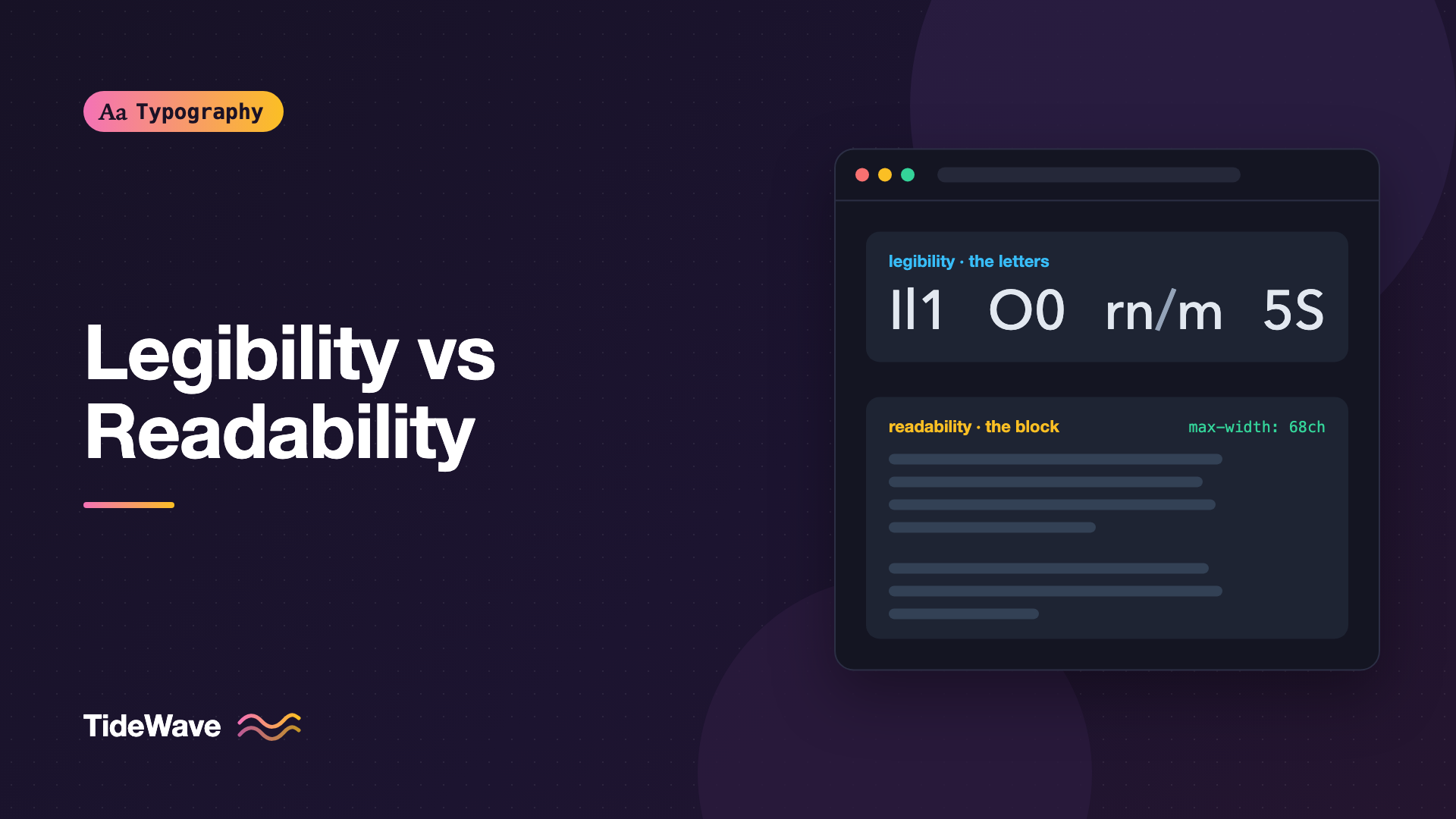
People use these two words interchangeably, but in typography they describe different things. Legibility is about whether individual characters can be recognized and told apart. Readability is about how easily someone can read and understand a whole block of text over time. A font choice mostly affects legibility. Layout, spacing, and writing mostly affect readability.
This guide explains each concept, what affects it, how they interact, and what you can do in CSS to improve both.
Legibility: Can You Tell the Letters Apart?
Legibility is a property of the letterforms themselves, and of how they're rendered. A legible typeface makes each character distinct and quick to identify, even in poor conditions: small sizes, low resolution, glare, distance, or a quick glance.
It's mostly determined by the typeface designer, then influenced by size, weight, and rendering.
What Affects Legibility
- x-height. A larger x-height makes lowercase letters bigger and more open at a given size. See What Is x-Height.
- Apertures. Open apertures in
c,e,a, andsstop letters from closing up and looking alike. - Counters. Larger internal spaces in
a,e,o, andgsurvive blur and small sizes. - Distinct similar characters. Clear differences between
I,l, and1, betweenOand0, and betweenrnandm. - Stroke contrast. Moderate contrast is safest. Hairline strokes disappear at small sizes or on low-density screens.
- Spacing. Letters spaced too tightly start to merge, especially pairs like
rn,cl, andvv. - Weight. Very light and very heavy weights both reduce legibility. Thin strokes vanish; heavy strokes fill counters.
Where Legibility Matters Most
Legibility matters most for text people glance at or need to read accurately rather than continuously:
- UI labels, buttons, and navigation.
- Signage and wayfinding.
- Codes, IDs, passwords, and serial numbers.
- Small print like captions and footnotes.
- Data in tables and dashboards.
A quick test: set strings like Il1|, O0o, rn m, 5S, and 8B in your candidate fonts at the smallest size you'll use. The anatomy of a typeface post explains the parts you're looking at.
Readability: Can You Read It Comfortably?
Readability is about how easy it is to read longer stretches of text: how quickly, how comfortably, and with how much understanding. It's a property of the whole typographic system, not just the font.
A legible font is necessary for good readability, but it isn't enough. You can make any legible font hard to read by setting it badly.
What Affects Readability
- Font size. Body text that's too small forces effort. On screens, 16px is a common minimum for body text, and many reading-focused sites go larger.
- Line length. Very long lines make it hard to find the start of the next line; very short ones break the reading rhythm. Around 45 to 75 characters per line is a common guideline, covered in The Ideal Line Length.
- Line height. Too tight and lines crowd each other; too loose and they fall apart.
- Paragraph spacing and structure. Clear separation, headings, and lists make text scannable.
- Alignment. Left-aligned text with a ragged right edge is generally easiest to read in left-to-right languages. Justified text can create uneven word spacing on the web.
- Contrast. Text that's too faint is tiring; pure black on bright white can also cause glare for some readers.
- Hierarchy. Clear headings, consistent styles, and emphasis help readers navigate.
- The writing itself. Short sentences, plain language, and clear structure affect readability as much as any typographic choice.
Comparing the Two
| Aspect | Legibility | Readability |
|---|---|---|
| Question | Can I tell these characters apart? | Can I read this comfortably and understand it? |
| Scope | Individual letters and short strings | Paragraphs, pages, whole documents |
| Main factors | Typeface design, size, weight, rendering | Layout, spacing, line length, contrast, writing |
| Who controls it | Mostly the type designer, then you | Mostly you, the designer or developer |
| Typical failures | Confusing Il1, closed apertures, hairlines | Long lines, tight leading, low contrast, clutter |
| Most critical for | UI, signage, codes, small text | Articles, docs, books, long-form content |
How They Interact
The two overlap in practice. A highly legible font can improve readability, and a poorly legible one undermines it. But the reverse dependency is weaker: a font with mediocre legibility at small sizes can read beautifully in a well-set article at 20px with generous spacing.
Some fonts are also designed with different priorities. A UI font may maximize legibility at small sizes with a large x-height and open shapes, while a book face may prioritize a calm, even texture over long passages.
Improving Legibility in CSS
You can't redesign a typeface, but you can help it.
Choose Fonts Designed for the Job
For UI and small text, choose fonts with open apertures and distinct glyphs. Many UI fonts include alternates for ambiguous characters:
.code-like,
.order-id {
  font-family: "Inter", system-ui, sans-serif;
  font-feature-settings: "ss02" 1, "zero" 1;
}
Stylistic set numbers vary between fonts, so check the font's documentation. In Inter, for example, a stylistic set provides a disambiguated set of characters, but the exact set number may change between versions. The zero feature, where supported, gives a slashed or dotted zero.
Don't Go Too Small or Too Light
.caption {
  font-size: 0.875rem; /* 14px at the default root size */
  font-weight: 400;
}

.legal-note {
  font-size: max(0.8125rem, 12px);
}
Light weights (300 or below) at small sizes are a frequent legibility problem, especially in dark mode and on standard-density screens.
Use Tabular Figures for Data
Numbers that line up are easier to scan and compare:
td.numeric {
  font-variant-numeric: tabular-nums;
  text-align: end;
}
Avoid Faux Styles
Synthetic bold and italic often distort letterforms:
body {
  font-synthesis: none;
}
Make sure you load the real weights and styles you use.
Improving Readability in CSS
Readability is where CSS makes the biggest difference.
Set a Comfortable Base
:root {
  font-size: 100%; /* respect the user's browser setting */
}

body {
  font-family: "Source Serif 4", Georgia, serif;
  font-size: 1.125rem;
  line-height: 1.6;
  color: #1f2328;
  background: #fff;
}
Using 100% (or leaving the root alone) and rem units respects users who've changed their default text size.
Limit Line Length
.prose {
  max-width: 68ch;
  margin-inline: auto;
}
The ch unit makes the limit relative to the font's character width, so it adapts when the font changes.
Space Paragraphs and Headings Clearly
.prose p {
  margin-block: 0 1.25em;
}

.prose h2 {
  margin-block: 2.5em 0.75em;
  line-height: 1.2;
}

.prose :is(p, li) {
  text-wrap: pretty;
}
More space above headings than below groups each heading with the content it introduces.
Keep Contrast Strong but Not Harsh
WCAG 2.x requires a contrast ratio of at least 4.5:1 for normal text and 3:1 for large text at Level AA (SC 1.4.3). Many designers use a very dark gray instead of pure black on white for long reading, which still easily passes.
Allow Text Spacing Overrides
WCAG SC 1.4.12 Text Spacing requires that content still works when users increase line height to 1.5 times the font size, paragraph spacing to 2 times, letter spacing to 0.12 times, and word spacing to 0.16 times. Avoid fixed heights on text containers so text can grow without being clipped. The details are in Meeting WCAG Text Spacing Requirements.
Testing Both
- Legibility test: set ambiguous character strings at your smallest sizes and lightest weights. View them on a standard-density monitor, at arm's length, and on a phone in bright light.
- Readability test: read a full real article in your layout, on mobile and desktop. Notice where you lose your place, skim, or get tired.
- Ask other people. Your own eyes adapt to your design. Users with different vision, devices, and reading habits will notice different things.
Tip
A quick readability check: zoom your browser to 200% and then to 50%. If line length, spacing, and hierarchy still hold up at both extremes, your layout is doing much of the work.
Common Mistakes
- Treating a legible font as a readability fix. No font can rescue 140-character lines and cramped leading.
- Choosing a body font by its headline specimen. Legibility at display sizes says little about legibility at 16px.
- Using light weights for small text. Thin strokes at small sizes are a frequent legibility failure.
- Ignoring line length on wide screens. Full-width paragraphs are one of the most common readability problems on the web.
- Setting
pxfont sizes on the root. It can override users' preferred text size and hurt both legibility and readability for people who need larger text. - Forgetting the writing. Dense, jargon-heavy copy is hard to read in any font.
Conclusion
Legibility and readability are related but different goals. Legibility is about distinguishing individual characters, and it's mostly determined by the typeface's design along with size, weight, and rendering. Readability is about how comfortably people read and understand text, and it depends on size, line length, spacing, contrast, hierarchy, and the writing itself.
Use legibility to guide font choices, especially for UI, data, and small text. Use readability to guide everything around the font: set a comfortable size in rem, limit lines with ch, give text room with line height and spacing, and keep contrast strong. Get both right, and readers stop noticing the typography and simply read.


