Monospaced Fonts: When Fixed-Width Type Is the Right Choice
- Maria
- Typography
- 23 Oct, 2026
You paste a code snippet into a proportional font and the indentation falls apart. A column of prices in your dashboard jiggles every time the numbers update. An ASCII diagram in your docs turns into a pile of misaligned dashes. All three problems have the same fix: a font where every character takes up exactly the same amount of space.
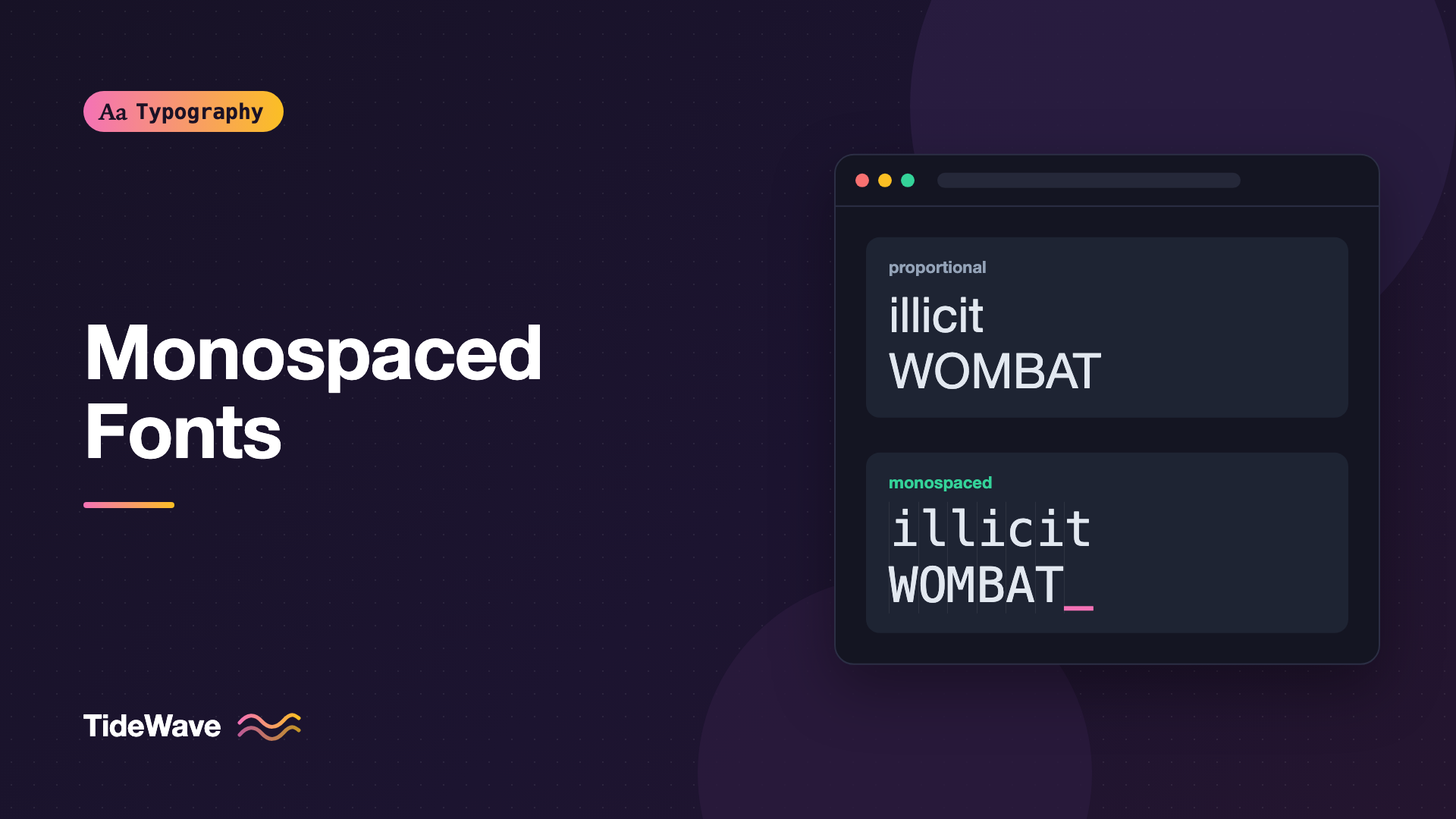
That's a monospaced font, also called fixed-width or non-proportional. In a monospaced font, i and W occupy identical widths. It looks mechanical compared to normal text, and that's the point. Fixed widths make text line up in columns, which matters for code, data, and anything where position carries meaning.
This guide covers how monospaced fonts differ from proportional ones, where they're the right choice, where they aren't, how to set up a reliable monospace stack in CSS, and when you only need monospaced numbers rather than a whole monospaced font.
Proportional vs Monospaced
In a proportional font, each glyph has a width that suits its shape. An m is wide, an i is narrow, and the spacing is tuned so that words have an even rhythm. This is what nearly all reading text uses.
In a monospaced font, every glyph has the same advance width. Narrow letters get stretched (often with long serifs to fill space), and wide letters get squeezed.
| Aspect | Proportional | Monospaced |
|---|---|---|
| Glyph widths | Vary by letter | All identical |
| Reading rhythm | Even and natural | Uneven, with gaps around narrow letters |
| Column alignment | Only with tab stops or tables | Automatic, character by character |
| Space efficiency | Compact | Wider for the same text |
| Typical uses | Body text, headings, UI | Code, terminals, data, diagrams |
Where Fixed Width Came From
Monospaced type comes from typewriters, where each keystroke advanced the carriage by a fixed distance. Early computer terminals and printers worked on character grids for similar mechanical reasons, and programming culture grew up on those grids. That's why code editors still default to monospace, and why typewriter faces like Courier became the first monospaced fonts most people knew. Courier is a slab serif; see Slab Serifs Explained for that branch of the family tree.
When Monospace Is the Right Choice
Code
Code is the main reason monospaced fonts still matter. Fixed widths help in specific ways:
- Indentation and alignment stay consistent, which matters in languages like Python and in YAML where whitespace has meaning.
- Similar characters are easier to tell apart in fonts designed for code:
0versusO,1versuslversusI, and backtick versus apostrophe. - Character counting and column positions match what error messages and editors report.
- Vertical alignment of related lines (like aligned assignments or table-like comments) holds up.
Code blocks on the web have their own sizing and spacing considerations, covered in Designing Readable Code Blocks.
Terminals and Command-Line Output
Terminal output, logs, and CLI tables assume a character grid. If you display them on a web page, monospace preserves the layout:
<pre class="terminal"><code>$ npm ls --depth=0
[email protected]
├── [email protected]
├── [email protected]
└── [email protected]</code></pre>
The tree-drawing characters only line up if every character, including the box-drawing glyphs, has the same width. Make sure the font you choose includes those glyphs, or they'll fall back to a different font and break alignment.
ASCII Art and Text Diagrams
Diagrams made of characters only work in monospace. Docs that show directory structures, table borders drawn with + and -, or simple flowcharts rely on it.
Identifiers and Codes
Short strings where every character counts benefit from fixed width and distinct glyphs: API keys, serial numbers, order IDs, confirmation codes, hashes, and IP addresses. Monospace makes them easier to read aloud, compare, and copy accurately.
Inline Technical Terms
In technical writing, setting file names, commands, CSS properties, and function names in monospace signals "this is literal text you can type." It's a typographic convention readers of documentation rely on.
When Monospace Is the Wrong Choice
Body Text
Long passages in monospace are tiring to read. The uneven spacing around narrow letters breaks up the rhythm of words, and lines get wider for the same content. Unless you're deliberately evoking a typewriter or terminal aesthetic, keep paragraphs proportional.
Numbers in Tables (Usually)
Tables of figures need numbers to line up, but that doesn't require a monospaced font. Most good proportional fonts include tabular figures, digits that all share the same width, while letters stay proportional. In CSS:
.data-table td.numeric,
.price,
.timer {
  font-variant-numeric: tabular-nums;
}
This keeps your normal UI font while making digits align and stop jiggling when values change. The full story is in font-variant-numeric: Tabular, Oldstyle, and Proportional Figures in CSS. Reach for a full monospaced font only when letters also need to align.
Headlines for "Tech" Flavor
Monospaced headlines are a popular way to signal "developer tool." It can work, but monospaced text at large sizes shows its awkward spacing clearly, and it takes up a lot of horizontal space. If you go this way, choose a monospace designed to look good large, and keep headlines short.
Choosing a Monospaced Font
Not all monospaced fonts are equal. When choosing one for code or data, check:
- Ambiguous characters:
0O,1lI|,5S,2Z,rnversusm. A slashed or dotted zero helps. - Punctuation: braces, brackets, semicolons, and quotes should be clear and sized well, because code is full of them.
- x-height and weight: code is often set small, so a generous x-height and a sturdy Regular weight help.
- Character coverage: box-drawing characters, arrows, and the scripts your users need.
- Ligatures: some code fonts combine sequences like
=>or!==into single symbols. Some people love this; others find it confusing. Make sure it can be turned off.
Widely used options include JetBrains Mono, Fira Code, Source Code Pro, IBM Plex Mono, Cascadia Code, and the platform defaults SF Mono, Menlo, Consolas, and DejaVu Sans Mono.
Setting Up a Monospace Stack in CSS
The ui-monospace Keyword
CSS has a generic family keyword, ui-monospace, that maps to the platform's UI monospace font (SF Mono on Apple platforms) where supported. Combine it with named fonts and the plain monospace generic:
:root {
  --font-mono: ui-monospace, "SFMono-Regular", "SF Mono", Menlo, Consolas,
    "Liberation Mono", "DejaVu Sans Mono", monospace;
}

code,
kbd,
samp,
pre {
  font-family: var(--font-mono);
}
The monospace Size Quirk
Browsers have a long-standing quirk: if an element's font-family resolves to just the generic monospace, many browsers apply a smaller default font size (commonly 13px instead of 16px). That's why inline code sometimes looks tiny. A well-known fix is to repeat the generic:
code,
pre {
  font-family: var(--font-mono), monospace;
  font-size: 0.9em;
}
Listing monospace twice, or including a named font before it, avoids the special-case sizing in common browsers. Then set the size you actually want explicitly.
Matching Inline Code to Surrounding Text
Monospaced fonts often look bigger or smaller than the proportional text around them because their x-heights differ. You can tune with em, or normalize with font-size-adjust:
p code {
  font-size: 0.9em;
  padding: 0.1em 0.3em;
  border-radius: 4px;
  background: color-mix(in srgb, currentColor 8%, transparent);
}
For more on why sizes differ, see What Is x-Height and Why Does It Affect Readability?.
The ch Unit
Because every character in a monospaced font is the same width, the ch unit (the width of 0) gives you an exact column width. You can size a code block to fit exactly 80 characters:
pre {
  max-width: calc(80ch + 2rem);
  padding: 1rem;
  overflow-x: auto;
  tab-size: 2;
  white-space: pre;
}
tab-size controls how wide tab characters render, which matters for code that uses tabs for indentation.
Controlling Code Ligatures
If your code font has programming ligatures and you want them off:
code,
pre {
  font-variant-ligatures: none;
}
Or enable them only where you want them, like in an editor-style showcase.
Note
Monospaced fonts make line length longer in characters per pixel. In a sidebar or on mobile, long lines of code should scroll horizontally rather than wrap, since wrapping changes the visual structure of code.
Monospace in Forms and Inputs
Fixed-width type is also useful inside form fields where users type or paste codes. A one-time passcode field, a license key input, or an IBAN field all benefit from characters that line up and are easy to check against the source:
<label for="otp">Verification code</label>
<input
  id="otp"
  class="otp-input"
  inputmode="numeric"
  autocomplete="one-time-code"
  maxlength="6"
/>
.otp-input {
  font-family: var(--font-mono);
  font-size: 1.5rem;
  letter-spacing: 0.4em;
  box-sizing: content-box;
  width: calc(6ch + 6 * 0.4em);
  padding: 0.5rem 0.75rem;
}
With a monospaced font, ch gives each digit a known width, so you can size the input to hold exactly the expected number of characters, and generous letter-spacing makes each digit easy to verify. Keep the field's label and help text in your regular UI font.
Monospace as a Design Choice
Beyond function, monospace carries a strong aesthetic: technical, raw, documentary, or retro. Some brands and portfolios use it for labels, metadata, timestamps, or navigation to contrast with a proportional body font. A small dose works well. A whole page of it reads like a terminal, which may or may not be what you want.
If you use monospace decoratively, apply it to short, scannable text like captions, tags, and dates, and keep paragraphs in a proportional face.
Common Mistakes
- Using a monospaced font just to align numbers.
font-variant-numeric: tabular-numsdoes that while keeping your UI font. - Setting body text in monospace. It's tiring to read and wastes space. Keep it for code and short labels.
- Relying on
monospacealone. The generic triggers smaller default sizing in many browsers and gives inconsistent fonts across platforms. - Choosing a code font with ambiguous glyphs. Check
0O,1lI, and punctuation before you commit. - Wrapping code blocks. Wrapped code loses its indentation structure. Allow horizontal scroll instead.
Conclusion
Monospaced fonts give every character the same width, which makes text line up in columns. That's exactly what code, terminal output, text diagrams, and identifiers need, and exactly what body text doesn't. For numbers in tables, tabular figures in your regular font usually work better than switching to monospace.
When you do need monospace, build a solid stack starting with ui-monospace, avoid the generic-only size quirk, use ch and tab-size to control layout, and pick a font with clearly distinct glyphs. Use it where position carries meaning, and let proportional type do the reading.


