Preloading Fonts: When It Helps and When It Hurts
- Maria
- Typography
- 23 Oct, 2026
Run a performance audit on almost any site with custom fonts and you'll likely see the suggestion to "preload key requests," with your font files listed underneath. Add the preload, run the audit again, and the warning disappears. It's tempting to stop there and preload every font on every page.
But font preloading is a trade-off, not a free win. A preload tells the browser to download something at high priority right now, ahead of things it would otherwise fetch first. Used for the one font that renders your above-the-fold text, it can make that text appear noticeably sooner and reduce the chance of a late swap. Used for five weights, a font the page doesn't use, or the wrong subset, it steals bandwidth from your CSS and hero image and makes the page slower.
This post explains why fonts are discovered late, what a preload actually changes, the cases where it helps, the cases where it hurts, and how to verify which one you're in.
Why Fonts Load Late
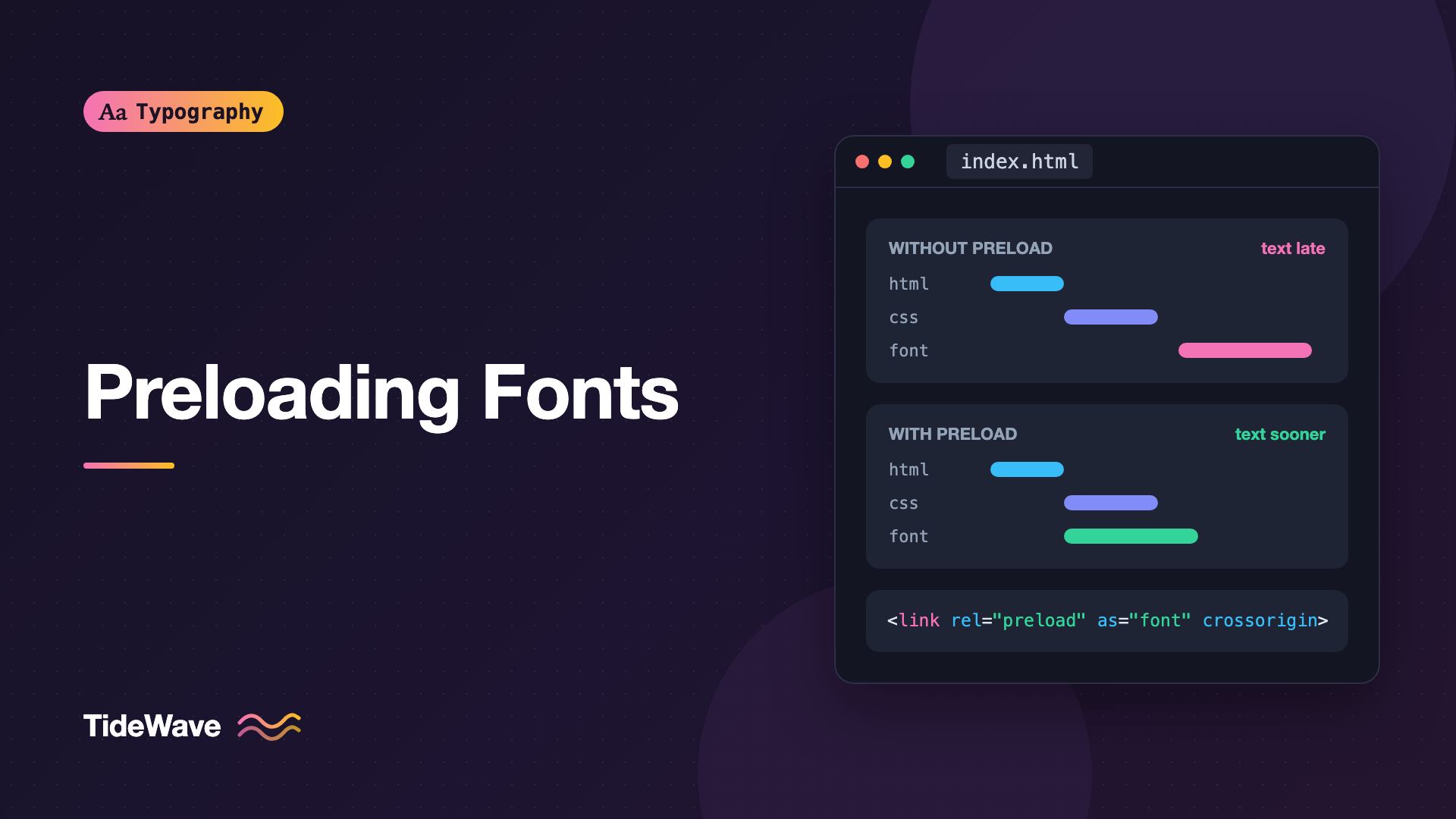
Fonts are some of the latest-discovered resources on a typical page. Here's the sequence without a preload:
- The browser downloads the HTML.
- It finds the stylesheet
<link>and downloads the CSS. - It parses the CSS and finds
@font-facerules, but doesn't download any fonts yet. - It builds the render tree and works out which elements use which font families, weights, and styles.
- Only now does it request the font files that are actually needed.
That last step is deliberate. Browsers download fonts lazily so they never fetch a weight or style the page doesn't use. It's efficient for bytes, but slow for timing: the font request can't start until the CSS has arrived and been processed. If the CSS is itself loaded via @import, or the font CSS comes from a third-party domain, the chain gets even longer.
While the font is in flight, text either stays invisible or renders in a fallback, depending on font-display. The font-display guide covers that behavior.
What a Preload Does
A preload hint lets the browser start the font download as soon as it reads the <head>, in parallel with the CSS:
<head>
  <link
    rel="preload"
    href="/fonts/inter-latin-var.woff2"
    as="font"
    type="font/woff2"
    crossorigin
  />
  <link rel="stylesheet" href="/css/main.css" />
</head>
Each attribute matters:
| Attribute | Purpose |
|---|---|
rel | preload means "fetch this now, I'll use it on this page" |
href | Must match the URL in your @font-face rule exactly |
as | font sets the right priority and request type |
type | Lets browsers that don't support the format skip the download |
crossorigin | Required for fonts, even same-origin, because fonts are fetched with CORS |
A preload doesn't apply the font. It only puts the file in the browser's memory cache. When the CSS later asks for that URL with matching request settings, the browser reuses the preloaded response instead of fetching again.
The crossorigin Trap
The most common preload bug is leaving out crossorigin. Font requests are always made in CORS "anonymous" mode. A preload without the attribute is made in no-CORS mode, so the two requests don't match. The browser downloads the font twice, and Chrome logs a console warning that the preloaded resource wasn't used. Always include it, even when the font is on your own domain.
When Preloading Helps
Preloading is worth it when all of these are true:
- The font is used above the fold on this page, typically your body text or main heading font.
- It's discovered late, which is the default for fonts referenced from external CSS.
- It's small enough not to delay more important resources: a subsetted WOFF2, not a multi-script font with every glyph.
Some situations make preloading especially effective.
Fonts Behind Long Request Chains
If your fonts are referenced from a stylesheet that is itself imported from another stylesheet, or loaded by JavaScript, the font request starts very late. A preload cuts the whole chain.
Pairing with font-display: optional
font-display: optional gives the browser only a tiny window to use the font on the current page. If the font isn't ready, the fallback is used for the rest of the page view, with no swap later. A preload makes it much more likely that the font arrives within that window, so you get the real font on first load and no layout shift:
@font-face {
  font-family: "Inter";
  src: url("/fonts/inter-latin-var.woff2") format("woff2");
  font-weight: 100 900;
  font-display: optional;
}
Reducing Late Swaps with font-display: swap
With swap, text is visible immediately in the fallback. The later the font arrives, the more likely the swap is noticeable and shifts content. Preloading the main text font shortens the window in which a swap can happen. It doesn't eliminate the shift; for that, match fallback metrics as described in Reducing Layout Shift with size-adjust and Font Metric Overrides.
When Preloading Hurts
A preload is a high-priority request. Every preload competes with everything else the browser wants early: your CSS, critical scripts, and especially your Largest Contentful Paint image.
Preloading Too Many Files
Preloading Regular, Italic, Medium, Semibold, and Bold means five high-priority requests fighting for bandwidth at the most important moment of the page load. On a slow connection, that can delay your stylesheet and hero image enough to make LCP worse, even though the fonts arrive sooner. A good rule: preload one font, two at most. Usually that's the regular weight of the body font, and possibly the heading font if the heading is the LCP element.
Preloading Fonts the Page Doesn't Use
Preload hints often live in a shared layout, so they apply to every page. If a font is used only on some pages, every other page downloads it for nothing. Chrome warns about this in the console when a preloaded resource isn't used within a few seconds of the load event. Treat that warning as a bug.
Preloading the Wrong Subset
With unicode-range subsets, the browser normally downloads only the subset a page needs. A preload overrides that judgment. If you preload the Cyrillic subset on an English page, it's downloaded anyway. Only preload subsets every page needs, which is usually just the Latin one.
Preloading Large Files
A preload makes a big file arrive sooner, but it's still a big file. If a font is hundreds of kilobytes, preloading mostly moves that cost earlier, where it hurts the most. Subset it first; Font Subsetting: Shrinking Web Font Files Without Losing Characters shows how.
Preloading Third-Party Font URLs
Hosted font services often use URLs that include version hashes and can change without notice, and they may serve different files to different browsers. A preload pointing at a URL the CSS no longer requests is pure waste. If you want to preload, self-host the font so you control the exact URL. Self-Hosting Web Fonts: A Step-by-Step Guide walks through it.
Quick Decision Table
| Situation | Preload? |
|---|---|
| Body text font, regular weight, used on every page | Yes |
| Heading font, heading is the LCP element | Probably |
| Bold and italic variants of the body font | Usually no |
| Font used only below the fold or on some pages | No |
| Non-Latin subset on a mostly English site | No |
| Icon font or decorative display face | Rarely |
| Third-party hosted font with changing URLs | No; self-host first |
| Font already inlined or handled by your framework | No; check what it already does |
Related Hints: preconnect and Early Hints
preconnect for Third-Party Fonts
If your fonts come from another origin and you can't preload them reliably, preconnect is the lighter option. It sets up the connection early without committing to a specific file:
<link rel="preconnect" href="https://fonts.gstatic.com" crossorigin />
Only preconnect to origins you'll definitely use soon. Each open connection has a cost.
Preload via HTTP Header
A preload can also be sent as an HTTP response header, which lets the browser act on it before parsing any HTML:
Link: </fonts/inter-latin-var.woff2>; rel=preload; as=font; type="font/woff2"; crossorigin
Some CDNs and servers can send these as 103 Early Hints, an informational response that arrives while the server is still generating the page. Support varies by browser and host, so check your platform's documentation before relying on it.
What About fetchpriority?
fetchpriority="high" raises the priority of a resource. Fonts loaded with as="font" already get high priority in most browsers, so adding fetchpriority to a font preload rarely changes anything. It's more useful on your LCP image.
Framework Defaults
Some frameworks preload fonts for you. In Next.js, next/font preloads the fonts you configure by default on the pages that use them, and lets you turn that off with preload: false. Check what your framework does before adding manual preload tags, or you may end up preloading the same font twice under different URLs. Font Optimization in Next.js with next/font covers the Next.js setup.
How to Tell If a Preload Helps
Don't trust the audit suggestion alone. Measure.
- Record a performance trace with network throttling (for example, a slow 4G profile) before and after adding the preload. Compare when the font request starts, when text first renders in the web font, and LCP.
- Check the network waterfall. The preloaded font should start alongside the CSS, and appear exactly once. Two requests for the same URL mean a
crossoriginor URL mismatch. - Watch the console for "preloaded but not used" warnings.
- Compare LCP and CLS in field data, not only lab tests. If LCP gets worse after adding preloads, you're preloading too much.
Tip
The simplest way to test the trade-off is to preload one file, measure, then add a second and measure again. If the second preload doesn't improve anything you can see, remove it.
Common Mistakes
- Missing
crossorigin. The font downloads twice. - Mismatched URLs. A different query string, path, or casing from the
@font-facerule means the preload isn't reused. - Preloading every weight and style. High-priority requests crowd out CSS and the LCP image.
- Preloading in a shared layout for a font only some pages use.
- Preloading unsubsetted or non-Latin files that most pages don't need.
- Adding preloads on top of a framework that already does it.
Conclusion
Fonts are discovered late because the browser waits until it knows which ones the page actually uses. A preload skips that wait, which helps when the font is small, essential, and needed above the fold on every page that includes the hint. It hurts when you preload several files, fonts the page doesn't use, the wrong subset, or large unsubsetted files, because each preload competes with your CSS and LCP image.
Preload one subsetted WOFF2, usually the regular weight of your body font, with as="font", type="font/woff2", and crossorigin. Pair it with font-display: optional or a metric-matched fallback, then measure. If the numbers don't improve, take it out.


