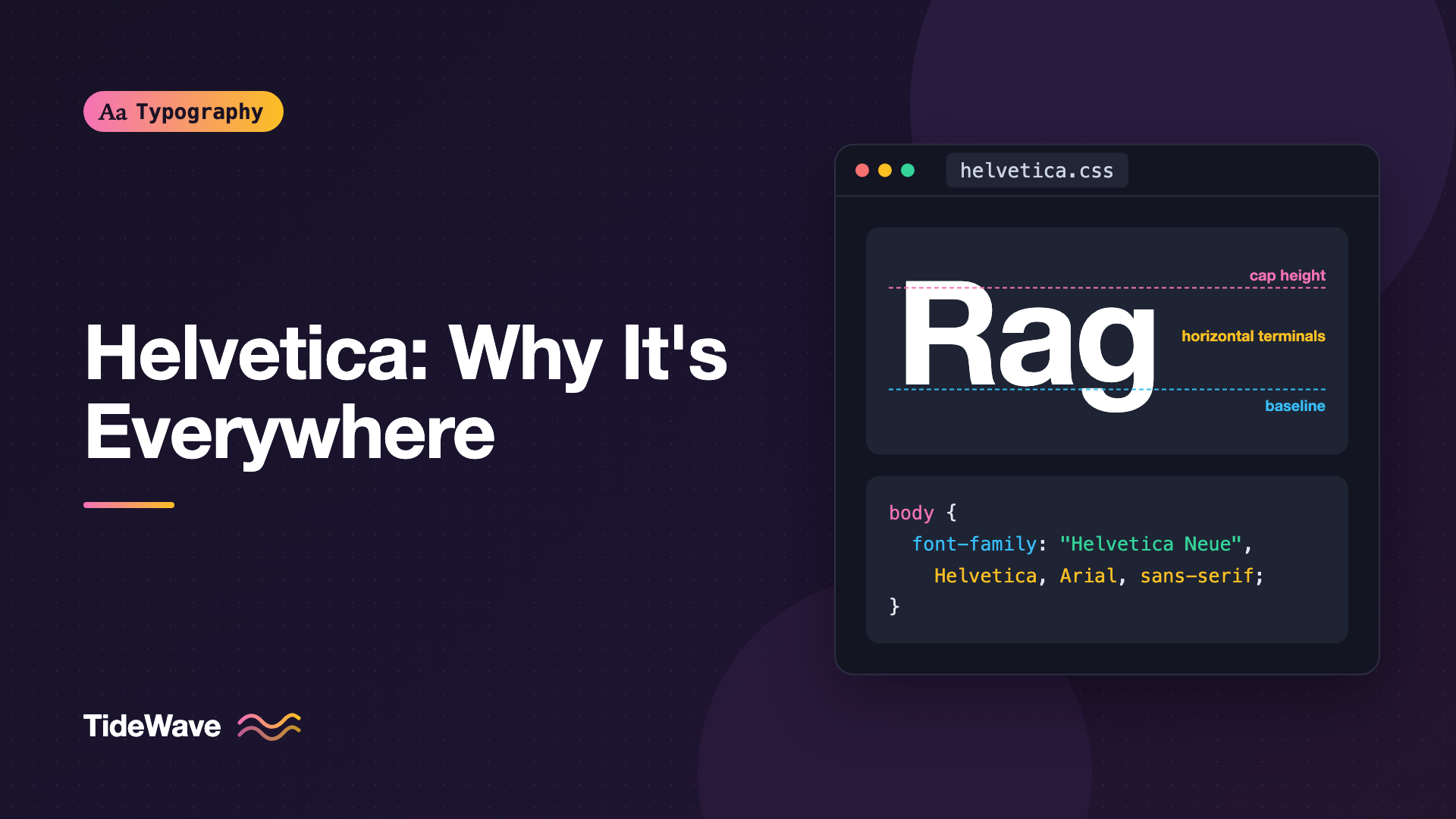
Helvetica: Why One Typeface Ended Up Everywhere
- Maria
- Typography
- 23 Oct, 2026
Walk through an airport, read the tax form on your desk, or look at the logos on half the products in your kitchen, and there's a good chance you're looking at the same typeface. Helvetica is so common that most people stop seeing it. It reads as "no particular font," which is exactly what made it so successful and, for some designers, so frustrating.
Helvetica didn't become universal by accident, and it didn't become universal purely on merit either. It arrived at the right moment, it was sold aggressively, it shipped with the machines and software that designers used every day, and it suited a design philosophy that was spreading across the world.
In this post I'll cover where Helvetica came from, the design decisions that give it its character, the business and technology reasons it spread, where it falls short, and how to think about using it, or its alternatives, on the web today.
Where Helvetica Came From
Helvetica was designed in 1957 by Max Miedinger together with Eduard Hoffmann, the director of the Haas Type Foundry in Münchenstein, near Basel, Switzerland. Its original name was Neue Haas Grotesk.
The brief was commercial. In the 1950s, a sans-serif called Akzidenz-Grotesk, released by the Berthold foundry in Germany at the end of the 19th century, had become the favorite of a new generation of Swiss designers. Haas wanted a modern competitor that could win back that market. Hoffmann pushed for a typeface that was more refined and consistent than Akzidenz-Grotesk, and Miedinger, a former salesman and trained typesetter, drew it.
A few years later, Haas's parent company, the Stempel foundry, adapted the design for Linotype hot-metal typesetting machines, which were used worldwide. For international sales, the name "Neue Haas Grotesk" was a hard sell. The new name, Helvetica, comes from Helvetia, the Latin name for Switzerland. It traded on the reputation of Swiss design at exactly the moment that reputation was peaking.
That timing matters. The International Typographic Style, often just called Swiss Style, prized objectivity, grids, and clean sans-serif type. Helvetica was effectively a ready-made tool for that movement, and Linotype gave it global distribution.
What Makes Helvetica Look Like Helvetica
Helvetica is a neo-grotesque sans-serif. If you want the bigger picture of where that sits among humanist, geometric, and grotesque designs, see understanding type classification. Within that family, a few specific traits define it.
Horizontal Terminals
Look at the ends of the strokes on c, e, s, and a. In Helvetica, they're cut perfectly horizontal. That gives a line of text a strong, even horizontal flow, and it's the single biggest reason Helvetica feels so closed, compact, and controlled.
Tight, Even Spacing
Helvetica was designed with relatively tight default spacing. Large sizes look dense and solid, which is great for logos and headlines. At small sizes, letters can crowd each other.
A Large x-Height
Lowercase letters are tall relative to capitals. That helps lowercase text look bigger at a given point size and gives the face its confident, friendly presence in signage.
Uniform Stroke Weight
There's very little visible contrast between thick and thin strokes. The design looks neutral and mechanical, which is why it works on everything from a bank to a punk flyer without obviously "belonging" to either.
Distinctive Details
A few glyphs give it away even in a single word:
| Glyph | Helvetica detail |
|---|---|
R | A vertical, slightly curved leg dropping from the bowl |
G | A spur at the bottom right, plus a horizontal bar |
a | A double-story form with a small tail at the bottom right |
t | A flat, horizontally cut top on the stem |
1 | A flag at the top, but no foot serif at the bottom |
Q | A straight tail that cuts across the bowl |
Those details also explain the most common Helvetica lookalike confusion. Arial, which I'll come back to, has an angled R leg and angled terminals on t, c, and e.
Why It Spread So Far
Plenty of good sans-serifs were released in the 1950s and 1960s. Univers, designed by Adrian Frutiger and released in 1957, the same year as Neue Haas Grotesk, was a more systematic family with a famous numbered naming scheme. Yet Helvetica became the one people recognize. Several forces pushed it there.
It Was Available Everywhere
Linotype machines were the backbone of newspaper and commercial printing for decades. Having Helvetica on Linotype meant print shops around the world could set it. When phototypesetting replaced hot metal, Helvetica was licensed and copied for those systems too.
Later, Helvetica was one of the core fonts built into PostScript printers and early desktop publishing. Apple included it with the Macintosh, and its presence in that toolchain put it in front of every designer who used desktop publishing software from the late 1980s onward. Availability is the most underrated factor in type popularity. Designers use what's already installed.
It Fit Corporate Identity Work
Mid-century corporate identity programs wanted a look that felt modern, rational, and international. Helvetica was ideal: it didn't carry the regional flavor of a serif typeface, and it was legible at sign scale. Designers like Massimo Vignelli used it for major identity programs, including the American Airlines logo that ran for decades. Once a few prominent companies adopted it, it became the visual language of "a serious modern company."
It Was Neutral Enough for Anything
Because the design avoids strong personality, it absorbs the meaning of whatever it's used for. A government agency and a fashion brand can both use Helvetica, and each reads as itself. That flexibility made it the safe choice, and safe choices spread fast in large organizations.
It Became the Default on Screens
Helvetica and later Helvetica Neue were the system fonts on Apple's platforms for years. iOS used Helvetica and then Helvetica Neue before Apple replaced it with its own San Francisco family in 2015. A generation of interfaces, websites, and app mockups were designed with Helvetica as the baseline, because that's what the device rendered.
The Many Versions of Helvetica
"Helvetica" isn't one font. Over the decades, the design was redrawn several times, and the version you have matters.
| Version | Origin | Notes |
|---|---|---|
| Neue Haas Grotesk | The 1957 original from Haas | Revived digitally in the 2010s as Neue Haas Grotesk |
| Helvetica | The Linotype release | Weights and widths were added by different hands |
| Neue Helvetica | A 1983 Linotype redesign of the whole family | Unified the weights with a numbered system like Univers |
| Helvetica Now | A 2019 Monotype redesign | Added optical sizes for micro, text, and display use |
Neue Helvetica was a big deal because the original family had grown piecemeal. Weights drawn at different times by different people didn't always match. The 1983 redesign rebuilt them as a single coherent system.
Helvetica Now addressed the biggest practical complaint about Helvetica: it was drawn as one design for all sizes. Its optical sizes give small text looser spacing and larger details, and give large text tighter spacing.
Arial: The Helvetica That Isn't
In 1982, Monotype released Arial, designed by Robin Nicholas and Patricia Saunders. Arial was drawn with exactly the same character widths as Helvetica. That meant a document typeset in Helvetica would reflow identically in Arial, so printer manufacturers and software vendors could ship a compatible font without licensing Helvetica.
Microsoft bundled Arial with Windows, which put it on far more computers than Helvetica ever reached. For most of the web's history, Arial was the fallback for anyone who asked for Helvetica.
Arial is not a copy of Helvetica in shape. It borrows proportions and metrics, but its details come from Monotype's earlier grotesque designs: angled stroke terminals, a slanted R leg, and a different G. Many designers consider it the weaker design, but it's very well hinted for low-resolution screens, which was a real advantage in the 1990s.
Helvetica's Weaknesses
Helvetica's virtues are visual. Its weaknesses show up when you need text to be read quickly, at small sizes, or in long passages.
- Closed apertures: The openings in
c,e,s, andaare narrow because of those horizontal terminals. At small sizes or from a distance,c,e, andocan blur together. - Ambiguous characters: Capital
I, lowercasel, and the digit1are very similar. That's a real problem for passwords, codes, and data. - Tight spacing at small sizes: Without optical sizing, the default spacing is tuned for display sizes. Body text and UI labels can feel crowded.
- Long-form reading: The uniform, compact shapes make long paragraphs feel gray and monotonous compared to typefaces with more open forms.
This is the core of the difference between legibility and readability. Helvetica is very legible in a logo or a station sign. It's less comfortable for 2,000 words of article text on a phone.
These limitations are why many signage and interface projects moved to humanist sans-serifs with open apertures, and why Apple eventually replaced Helvetica Neue with San Francisco, which uses distinct spacing and details for small and large sizes.
Using Helvetica on the Web
Helvetica is a commercial font. You can't just grab the file from your Mac and serve it from your site. Desktop installs of the font don't come with web rights. If you want true Helvetica as a web font, you need a web license from the foundry or a licensed hosting service. Licensing details vary, and none of this is legal advice, so read the actual license. For a broader overview, see understanding font licensing.
The Classic Helvetica Stack
The traditional approach is to request Helvetica from the visitor's own system and fall back to Arial:
body {
  font-family: "Helvetica Neue", Helvetica, Arial, sans-serif;
}
On Apple devices, this renders real Helvetica Neue. On Windows and most Android devices, it renders Arial or the system sans-serif. That's fine as long as you accept that different users see different fonts.
Watch Out for Helvetica on Windows
Some Windows machines have a font named "Helvetica" installed by third-party software, and older versions rendered poorly at small sizes. If you've had reports of ugly text on Windows, list Arial before Helvetica for non-Apple platforms or drop Helvetica from the stack. Many teams now prefer a system stack instead:
:root {
  --font-ui: system-ui, -apple-system, "Segoe UI", Roboto, "Helvetica Neue",
    Arial, sans-serif;
}

body {
  font-family: var(--font-ui);
}
That renders San Francisco on Apple, Segoe UI on Windows, and Roboto on Android, all designed for screens. See building a reliable system font stack for the full reasoning.
Open-Source Alternatives with a Similar Feel
If you want the neutral, Swiss-style look but with open licensing and better screen performance, there are good options:
| Typeface | Why consider it |
|---|---|
| Inter | Designed for screens, larger x-height, open apertures, variable font |
| Public Sans | A neutral sans from the US government's design system |
| Roboto | Mixes grotesque structure with more open curves |
| Work Sans | A grotesque with a slightly warmer, wider rhythm |
| Instrument Sans | A contemporary neo-grotesque with a compact feel |
Here's how you might set up Inter with Helvetica-like defaults, using its variable font and a few features that make it feel even closer:
@font-face {
  font-family: "Inter";
  src: url("/fonts/InterVariable.woff2") format("woff2");
  font-weight: 100 900;
  font-style: normal;
  font-display: swap;
}

.brand-heading {
  font-family: "Inter", "Helvetica Neue", Arial, sans-serif;
  font-weight: 700;
  letter-spacing: -0.02em;
  line-height: 1.05;
}

.ui-text {
  font-family: "Inter", "Helvetica Neue", Arial, sans-serif;
  /* Tailed l and serifed I to tell them apart */
  font-feature-settings: "cv05" 1, "cv08" 1;
}
Inter's character variants and stylistic sets change from version to version, so check its documentation before you rely on a specific feature tag.
Should You Still Use Helvetica?
Helvetica is still a solid choice for some jobs:
- Logos and wordmarks where the shapes are fixed and set large.
- Posters and signage where a few words need to feel direct and authoritative.
- Designs that reference mid-century modernism deliberately.
It's a weaker choice for:
- Long-form body text on screens.
- Interfaces with dense small text, such as dashboards and forms.
- Anything with codes or passwords where
Il1ambiguity causes errors.
The real lesson of Helvetica isn't "use Helvetica." It's that neutrality has a cost. A typeface that says nothing in particular also gives your brand nothing particular to be remembered by. Plenty of companies that adopted Helvetica decades ago have since moved to custom typefaces for exactly that reason.
Common Mistakes
- Serving desktop Helvetica as a web font: Desktop licenses don't cover web embedding. Get a proper web license or use a system stack.
- Assuming everyone sees Helvetica: With a classic stack, most Windows and Android users see Arial or Roboto. Test on those platforms, not just your Mac.
- Using Helvetica for small UI text: Closed apertures and tight spacing hurt readability below about 14px. Choose a screen-oriented face for interface text.
- Not adding tracking at small sizes: If you do use Helvetica small, a little positive
letter-spacinghelps. At large sizes, slightly negative tracking usually looks better. - Mixing Helvetica and Arial in one design: They're close enough to look like a mistake when they appear side by side, especially in headings.
Conclusion
Helvetica spread because it combined a refined, neutral design with perfect timing: the rise of Swiss modernism, worldwide distribution through Linotype, adoption by influential corporate identity programs, and later a place as a built-in font on desktop publishing systems and Apple devices. Its horizontal terminals, tight spacing, and even strokes give it a clean authority that still works in logos and signs.
For your own projects, treat Helvetica as a tool with a specific range. Use it where large, short, confident text is the goal, reach for screen-designed alternatives for body text and interfaces, and check your license before you put any commercial font on the web.


